
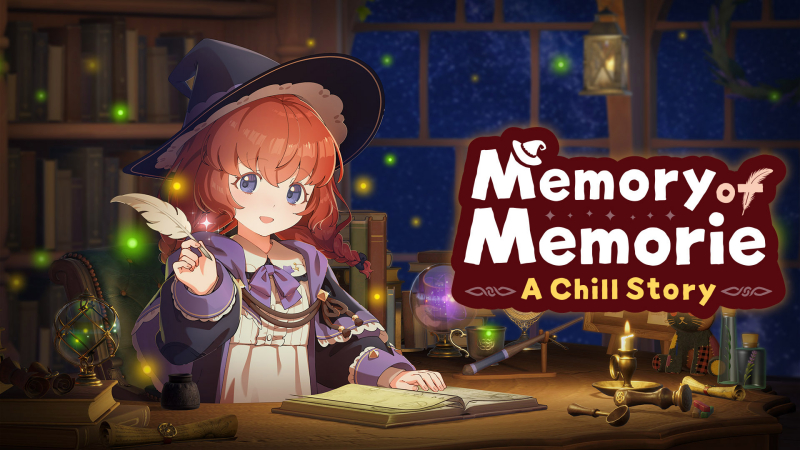
Memory of Memorie : A Chill Story (Switch, Switch 2): all the updates (latest: Ver. 1.1.0 / Next: Ver. 2.0.0)
On this page, you will find all there is to know about the various updates for Memory of Memorie : A Chill Story on Nintendo Switch and Nintendo Switch 2.
Click here for more games and consoles updates!
Memory of Memorie : A Chill Story – Ver. 2.0.0
- Release date: TBA
- Patch notes:
Planned Highlights
- A “To-Do List” feature that lets you create and manage your own tasks
- Daily goals to help you stay focused
- New badges
- Other UI improvements and new animations
- New hairstyles for Memorie
Memory of Memorie : A Chill Story – Ver. 1.1.0
- Release date: ???
- Patch notes:
Calendar Notes Added
You can now save notes for individual dates on the Calendar.
Dates with saved notes will display an icon on the Calendar.
Use them for plans, daily records, or anything else you would like to remember.
We have also made the following improvements to the Calendar:
- You can now jump directly to a specific year and month by entering them.
- The Calendar supports dates from January 2000 through December 2100.
New Times of Day and Environments
The following times of day have been added:
- Dawn
- Dusk
The following environments have also been added:
- Fire Blossoms
- King of Moonlight
New times of day and environments are unlocked by reading stories.
If you have already finished the required stories, all applicable items will be unlocked the first time you launch the game after updating.
New Badges
- Added seven new badges.
- Added Memorie’s voice lines and subtitles to the animation played when you earn a badge.
New Music
-
Added a new music track, “Frontier village.”
Options Screen Improvements
- Added an option to mute BGM during Focus Time.
- Added help text to some settings so you can check what they do.
- You can now view the Keyboard Shortcut List.
Other Features and Improvements
- In the Environment time-of-day settings, Random and Current Time Sync can now be configured separately.
- Increased the maximum number of tracks that can be imported into a playlist to 200.
- Reduced memory usage when importing tracks.
- Revised the date display format.
- Fixed an issue where memory usage could increase after leaving the game running for an extended period.
- Improved control stability.
- Made various other minor fixes.
- Additional notes: none
- Source: BeXide (Steam)
Memory of Memorie : A Chill Story – Ver. 1.0.3
- Release date: ???
- Patch notes:
Level Cap Lifted
After learning that some players have already spent enough time with Memorie to reach Level 99, we have removed the display cap that previously limited levels to 99.
Following this update, your level will continue to increase based on the experience points you earn.
Any experience points earned after reaching Level 99 have also been preserved. The first time you launch the game after updating, your level will be recalculated based on all the experience points you have earned so far.
The time you have spent focusing alongside Memorie will continue to be reflected in your level.
New Features and Adjustments
-
Added an ON/OFF setting for Keyboard Shortcuts.
Bug Fixes
-
Fixed various other minor issues.
- Additional notes: none
- Source: BeXide (Steam)
Memory of Memorie : A Chill Story – Ver. 1.0.2
- Release date: ???
- Patch notes:
New Features and Improvements
- Subtitles are now displayed for Memorie’s monologues
- Added the “Activity Switching” option. Selecting “Keep One” allows Memorie to continue with the same activity during focus sessions.
- Pomodoro Timer settings can now be entered directly using the keyboard.
- Sounds previously grouped under Ambience have been divided into the following two categories, each with its own volume setting:
|
Ambience |
Background sounds from the surrounding environment |
|---|---|
|
Character SFX |
Sounds from Memorie’s actions, magic, and more |
- You can now adjust the volume of the sounds played when the Pomodoro Timer starts and ends.
- The “Focus Time Mute” setting can now be used to turn Ambience and Character SFX on or off together during focus sessions. Ambience and Character SFX will play during breaks, even while the timer is running, so please take a moment to relax.
- Adjusted the magic sound effect that plays when Memorie picks up her staff.
Bug Fixes
- Fixed an issue where focus time would not be saved if the game was closed while the Pomodoro Timer was running.
- Achievement unlock animations will no longer play while the Pomodoro Timer is running. Unlock animations for achievements earned during a timer session will be displayed after the timer ends.
- Fixed an issue where the names of imported tracks containing Simplified Chinese, Traditional Chinese, or Korean characters might not display correctly.
- Fixed various other minor issues.
- Additional notes: none
- Source: BeXide (Steam)
How to download updates for Memory of Memorie : A Chill Story on Nintendo Switch and Nintendo Switch 2?
To download the updates for Memory of Memorie : A Chill Story, you have three options:
- let the console do its thing if you have automatic downloads activated, and didn’t completely turn it off
If not…
- try to launch the game from the Home Menu while being connected to the internet. You should get a prompt when doing so: simply follow the instructions on screen;
OR
- select the game > press either + or – to go to the Options page > select Software update > select Via the Internet.
To check that you have the latest version installed, simply select the game on the Home Menu, and press – or + to go to the Options: the version number is displayed just below the game title.
