
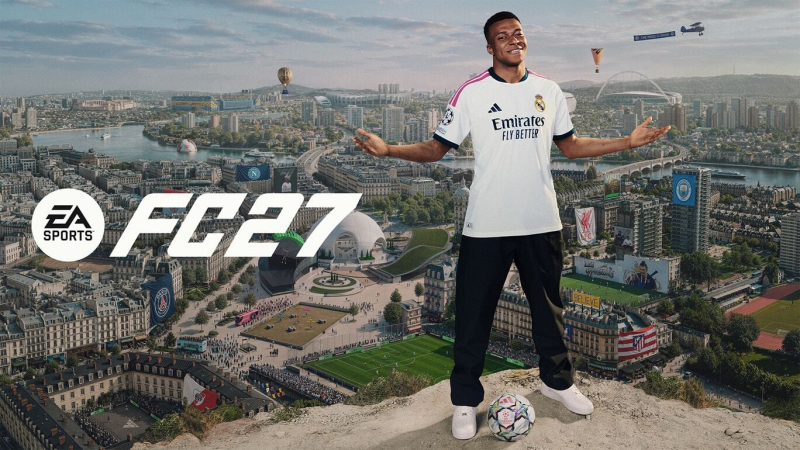
EA SPORTS FC 27 (Switch, Switch 2): all the updates (latest: Ver. 1.1.0)
On this page, you will find all there is to know about the various updates for EA SPORTS FC 27 on Nintendo Switch and Nintendo Switch 2.
Click here for more games and consoles updates!
EA SPORTS FC 27 – Ver. 1.1.0
- Release date: October 27th 2026
- Patch notes:
Gameplay
Addressed the following issues:
-
In some cases, players could become stuck during the game opening tutorial.
Ultimate Team
Made the following changes:
- Streamlined SBCs filters will save previously applied filters when completing multiple Streamlined SBCs in the same session.
- Reduced the duration of the pack opening sequence.
Addressed the following issues:
- SBC Storage Player Items that were submitted into Simplified SBCs could still temporarily appear for when completing other SBCs.
- In certain cases when previewing Pathway Evolutions, the incorrect stats could appear highlighted in green.
- National flags could appear incorrectly for Holographic Player Items while in gameplay.
- The FUT Badge icon could be displayed incorrectly on the scoreboard.
- The Time of Day setting would not save properly when changed from the Ultimate Team Menu.
- Opponent’s Player Items could appear incorrectly during the match intro when using certain formations.
- Goal net colours could not be previewed.
- Equipped goal net colours were not appearing in gameplay.
- Under specific circumstances, when completing an SBC players could receive an error when accessing the Club tab from the Squad Screen.
- When converting a Loan Player into a Concept Player, a freeze could have occurred in certain situations.
- The Gallery UI could be shown as having S rank sets complete when no S ranks have yet been completed.
- In some cases, players may have seen their opponent’s equipped ball, net color, and pitch line color during Ultimate Team matches instead of their own selected items.
- The Rank 1-200 Icon and Description could show incorrectly in the Squad Battles Preview screen.
- The tradeable UI indicator was missing from the display of packs within the Premium Season Pass.
- Notifications for unclaimed objective rewards from The Grounds were showing in Ultimate Team.
- When earning multiple tokens, the notification pop-up could show an incorrect value.
- This was a visual only issue.
- When viewing a locked objective group, the counter would show as 0/0 instead of displaying the amount of objectives in that group.
- Regrading a set multiple times in The Gallery could cause the grading animation to overlap.
- In certain situations when claiming Gallery rewards, if a notification for a new set is pressed while on the Show Rewards screen, players are taken to the set but are unable to back out or navigate the menus requiring a title restart.
- Grades could show as lit up for incomplete sets when viewing Gallery set rewards.
- The Gallery level was not showing as intended when grading sets in certain situations.
- When navigating the Gallery in Ultimate Team, players may have experienced an issue where backing out of a selected subset, closing a Reward Preview, or exiting the Tag Glossary automatically resets the menu focus to the very first item in the list instead of keeping the previously highlighted subset selected.
- When completing Gallery objectives, no notification message would be displayed.
- A menu sound effect could have triggered during matches whenever a player equipped with a Cosmetic Evolution that featured active visual effects (VFX) gained possession of the ball.
- When loading into Ultimate Team, when navigating tabs on a message, this would reset to the first tab after entering Ultimate Team.
- Addressed a delay when navigating certain live messages in Ultimate Team.
- When entering Ultimate Team through the FC Hub, the News section could have been shown as blank.
- In 2v2 matches, after performing a slide tackle in the goal area, players could have become stuck in the net and unable to move.
- When applying an Evolution to a Goalkeeper, the upgraded stats in the preview would not be highlighted in green.
- In some cases, sorting Objectives by priority displayed the Objectives in the incorrect order.
- In specific scenarios, the Transfer Market search button may have stopped working.
- In rare cases, players may have appeared incorrectly in certain overlays.
- Pitch line colours set in Kick Off matches would appear in Squad Battles matches.
- After viewing Help information while in Rivals, the menu navigation could disappear until you back out of the menu.
- The Player Overview and Multi-Swap options disappeared from the squad options after returning to the Squad screen from the Evolutions menu via the Action Wheel.
- The Rewards Breakdown screen would be displayed after a Live Event match.
The Grounds
Addressed the following issues:
- Addressed instances of matches partially resetting after a player joins an ongoing match after initially failing to Hot Join.
- Expired Live Events could be seen in the View Live Events and Rush Stadium Menus.
- In some instances, players could queue for Kickabouts and Street Football outside of the intended area.
- When reaching the maximum Archetype Level, the Archetype Level would display incorrectly.
- When at the maximum Archetype Level, the Post-Match Screen would display a visual error that gave players a Match Rating of 0.
- Clubs sideline referees could have a grey skin tone.
- In specific circumstances, teams could have 2 goalkeepers in Clubs 11v11 Live Events.
- Players could not enter the Grounds Store from the Clubhouse.
- After viewing Alex Hunter’s cinematic when first entering The Grounds, no notifications were showing to highlight new objectives.
- VoIP channels were being created for 1v1 modes.
- Players in a party could have become stuck in an invalid matchmaking state and lost Menu functionality if the party leader left the game while queued at a Rush pitch.
- In some cases, the Match Rating displayed as blank on the post match screen.
- In certain situations, commentary from different world matches could overlap in The Grounds.
- In certain situations, if players lose connection to the game servers while waiting in a matchmaking queue, they may remain stuck on the queue screen indefinitely without receiving a notification.
- In certain situations, players may experience an infinite loading screen when attempting to join a Clubs lobby if they decline the prompt to enable cross-play.
- After selecting a PlayStyle players would be brought to the Attributes tab instead of staying in the PlayStyle tab.
- In certain situations, players could have become stuck and lost menu functionality if they pressed the advance button before a claimed reward was fully displayed on the screen.
- Player names could remain visible on screen when transitioning into gameplay in some modes.
- When checking objective progress directly through the FC Hub for the Hit 50 Street targets Objective, the progress would not show as updating.
- The music player would open when rotating an Avatar in the customisation screen.
- In 1v1 matches, the Goal Keeper could hold the ball for longer than expected even if a pass had been requested.
- In 1v1 matches, if the Goal Keeper was fouled, they would take the free kick in place of the player controlled character.
- In certain situations, own goals could be scored when performing high powered passes in 3v3 matches.
- After playing an 11v11 Live Event, the lobby could remain active if all players did not leave the previously completed match.
- In rare cases, audio from the Grounds world could have carried over into Grounds activities.
- In Street Football, players could score free kicks without aiming.
- In Bucket Ball, on rare occasions, players could get stuck in the pitch walls.
- In Bucket Ball, the ball could go through some walls during gameplay.
- In Bocce Ball, newly spawned targets would not register points for balls that were already on the ground.
- In some cases, players could become stuck in the FC Hub after purchasing an Amp from the Clubs Store.
- The FC Hub could be accessed from the Archetypes Tab when going through the Player Profile screen.
- Players were not automatically returned to the Grounds world after completing an in-world Rush match.
- After winning in 3 rounds in a Classic Tournament Live Event, the round 2 match would incorrectly show the tournament win.
- The notification icon did not appear on the Edit Appearance screen after unlocking certain outfits.
- In some cases, the Clubhouse background did not display as intended after navigating the menus.
- In some cases, items in the Grounds Store could not be previewed on the Player Avatar.
- When attempting to use an Emote in a queue area, players could be unintentionally brought to the Emotes section of the Appearance Menu.
- In certain situations, the Objectives tab in The Grounds menu could become unresponsive and could not be opened.
- In some Live Events, if a specific Archetype was required and this was not already active, the event requirement would not be updated after making it active until another pitch was visited or re-entering The Grounds.
- Accepting a party invite during a match countdown canceled the match without notifying the opponent.
- If a party host cancelled a queue at the exact moment party members were accepting a Play Here with Party invitation, players could still have been teleported to the destination game site. Upon arrival, these players were unable to join the activity and would see an All Slots Full message.
Career Mode
Made the following changes:
- Two new objective types have been added to Player Career Rivalries.
- Consistency Rivalries: Avoid being the first to fail an Objective.
- Match Limit Rivalries: Complete Objectives within a specific time limit.
- Visual updates have been made to the Team Management UI for cleaner navigation and better readability.
- In Manager Career, a setting was introduced to allow for user control over having Press Conferences available or not in that save file. Additionally, two new settings were introduced, allowing control over the frequency of Press Conference interactions, as well as Unexpected Events.
- These settings, along with the existing Unexpected Events setting, are all now editable during a save file, and not only when setting up a save file.
Addressed the following issues:
- In some rare cases, in Manager Career, managers may have found themselves unable to renew contracts for existing players if the option to disable transfer market activity was selected during career creation.
- In some cases, the Custom CPU AI Behavior slider settings would reset to the default value of 50 after closing and restarting the game, even though the setting was still displayed as Custom.
- In Manager Career, players may have found themselves unable to personally negotiate further after delegating a contract renewal for a squad player.
- In Manager Career, when using Icon players, if more than 8 were available, no navigation option would be displayed to see the additional icons.
- In Manager Live, boots, ties and scarves were not shown as available to equip in the Avatar customisation when creating your new Avatar.
- In Manager Career, promoting a youth player would take you to the squad hub instead of remaining on the current squad.
- In Manager Career, players may experience an issue where they can immediately send another Enquiry to buy message for a player with a release clause, even after just receiving a not willing to sell rejection response from the club.
- In Manager Career, older players could demand crucial roles in contract negotiations.
- In Manager Career, after delegating a contract renewal, the weekly desired wage could have been shown as 0.0k.
- In Manager Career, when loaning a player and making a counter offer with a loan to buy clause, it was possible to get the AI club to agree to a low transfer fee for the player.
- In Player Career, refunding attributes could cause more than the intended attributes to be refunded.
- In Manager Career, when adding performance bonuses during a contract negotiation, wage demands from the player could be too high.
- In Manager Career, it was not possible to sort by scouting status in the shortlist.
- In Manager Career, after delegating a contract offer for a swap player, you would be directed to the buy tab instead of the sell tab.
- In Manager Career, if a club makes an offer for a player with a release clause, the task would not show correctly in the Central Hub.
- In Manager Career, it was not possible to pay the release clause for a player when attempting to buy them if they were from a rival club.
- In Manager Career, after receiving a re-negotiation request from another club, that player’s transfer status would display the wrong text.
- In Manager Career, swap deals did not display an option to negotiate a contract with the player from the Selling tab in Active Negotiations.
- In Manager Career, the icon indicating that a player is open to new contract talks was missing from the Financial tab.
- In Manager Career, release clause offers from AI clubs gave managers the option to decline the offer on behalf of the player.
- In Manager Career, managers were unable to offer new contracts to players in their own club who have received release clause offers from AI clubs.
- Fixture times could be displayed in different timezones across different screens.
- In Manager Career, if a transfer deal expired, two different tasks could appear in the Task List.
- In Manager Career, scout reports could become inaccessible after firing a scout.
- In Manager Career, players could be placed in the wrong positions in the formation after creating and saving a new tactic from the Team Management screen.
- National Anthems were not playing during the opening cinematic of Men’s International Tournament matches.
- In Manager Career, when a transfer deal falls through, a detailed reason for it not falling though was not showing in the buy tab.
- EA Music would not resume after some pre-match intros had finished.
- In Manager Career, if a player had declined an initial contract renewal offer the options to finalize the deal or decline the renewal were not showing on subsequent offers.
- In Manager Career, the player’s interest was not showing in the club contract section while viewing the shortlist.
- In Manager Career, if the Club’s budget is negative, a player could not be sold unless it would bring the Club’s balance back into a positive value.
- In Manager Career, player form could decrease after recent high match rating.
- In Manager Career, player value results from scouts were based on judgement instead of the intended experience stat.
- In Manager Career, incorrect currency symbols could show in some of the menus.
- In Player Career, rivalries could be started when there were not enough matches remaining to complete the rivalry objectives.
- In Manager Career, after a scouting mission had been completed, PlayStyles were not shown for Youth Academy players.
- In some cases, new tactics could be saved incorrectly and some players could be moved into the wrong positions.
General, Audio, and Visual
Made the following changes:
- Added a Claim All button in the objective screens.
- Updated some kits, text, cinematics, cameras, audio, commentary, placeholder images, artwork, hair, overlays, trophies, TIFOs, starheads, particles, stadiums, lighting, ad boards, scoreboard, boots, world elements, UI elements, button callouts, logos, tops, socks and pants.
Addressed the following issues:
- Addressed various stability issues that could have occurred.
- In some cases, referee kit colours could be too similar to those of the teams on the pitch.
- Player Avatars under the age of 21 could not be created.
- Player Avatar customization did not save when accessed from the Main Menu.
- When making a sub during a Kick Off match, the player name would not update on the team management screen.
- In certain situations the Player Creator could experience an issue where changes made using the “Randomize” option on a character’s head were not saved.
- The icon for claimable rewards was not showing in the Season Track for unlocked rewards.
- Addressed an issue that could cause parts of some boots to have a glowing effect.
- Only up to 5 Player Roles could be displayed in the Team Management screen.
- Some audio elements could be lost after pausing in the game opening tutorial.
- The EA SPORTS™ Music Widget could automatically close while it was in use.
- In certain situations, when a second profile is trying to link their profile in Kick Off, they could get stuck on the linking screen requiring a title restart.
- The main menu carousel did not directly respond to Left Stick inputs after enabling the Right Stick Remap option in Accessibility Settings.
- The Ball Trail Colour was not showing in the Accessibility Settings.
- Saved head presets were missing some facial details after saving and attempting to use one in new player creation.
- Flags were not showing as intended in the leaderboards for Co-Op Seasons.
- When attempting to overwrite a created player preset, the existing presets may not have appeared.
- In some cases, new tactics could be saved incorrectly and some players could be moved into the wrong positions.
- Additional notes: none
- Source: Electronic Arts
EA SPORTS FC 27 – Live Update #1
- Release date: October 14th/15th 2026
- Patch notes:
- Resolved an exploit where players could score from deep free kicks in specific circumstances.
- Additional notes: none
- Source: Electronic Arts
EA SPORTS FC 27 – Ver. 1.0.4
- Release date: October 7th 2026
- Patch notes:
Ultimate Team
Addressed the following issues:
- In certain situations a Service Unavailable error could appear after completing a match in FUT modes.
- Sometimes, players could have seen incorrect visuals of base items when opening certain Player Picks. Base items are not intended to have these holographic visuals.
The Grounds
Addressed the following issues:
- When viewing the active club from the Player Profile, a loading screen requiring a title restart could have occurred in certain situations.
- Addressed instances of incorrect post-math UI flow.
Career Mode
Made the following changes:
- Reduced the amount of High OVR or High Potential players that could be generated in Manager Career.
- In Manager Career negotiations, offering a transfer sum significantly higher than a club’s requested price will still trigger a response rather than an immediate acceptance of the bid.
Addressed the following issues:
- In Manager Career, players could have found themselves unable to sign Free Agents if the transfer market was disabled or if they were outside of an active transfer window.
- In some cases during Manager Career negotiations, the CPU could have responded with counteroffers that incorrectly exceed their originally demanded or guaranteed fees.
- A stability issue could have occurred when selecting certain teams in Live Start Points.
- The Liga MX season was restarting in May instead of the intended mid-January.
General, Audio, and Visual
Addressed the following issues:
- In FC Lite, unintended teams could show when randomising teams in Kick-Off.
- Addressed various stability issues that could have occurred.
- Additional notes: none
- Source: Electronic Arts
EA SPORTS FC 27 – Ver. 1.0.3
- Release date: October 6th 2026
- Patch notes:
Ultimate Team
Addressed the following issues:
- When accessing Moments challenges, a loading screen requiring a title restart could have occurred in certain situations.
- Female managers could appear incorrectly in cutscenes.
- Unintended match settings could have been changed in Squad Battles.
The Grounds
Made the following changes:
-
Improved matchmaking reliability in The Grounds.
Addressed the following issues:
- Some 5 Star Skill Moves could not be used in certain game modes.
- Players in the Goal Control kickabout could occasionally become stuck on a wall.
Career Mode
Addressed the following issues:
-
In some cases during Manager Career, players may have secretly requested a transfer without sending any prior messages or complaints, even if their morale was high.
General, Audio, and Visual
Made the following changes:
-
Updated some stadium themes, kits and text.
Addressed the following issues:
- Addressed various stability issues that could have occurred.
- Transferring a player from the Club Transfers menu could sometimes cause them to be duplicated.
- Additional notes: none
- Source: Electronic Arts
EA SPORTS FC 27 – Ver. 1.0.2
- Release date: October 2nd 2026
- Patch notes:
Ultimate Team
Addressed the following issue:
-
Some countries were not available in the FC Pro Open Registration List.
- Additional notes: none
- Source: Electronic Arts
EA SPORTS FC 27 – Ver. 1.0.1
- Release date: September 23rd 2026
- Patch notes:
Ultimate Team
Addressed the following issue:
-
When selecting a Player Item that did not meet the requirements of the Filter Evolutions By Player option, parts of the UI could have become unresponsive.
The Grounds
Addressed the following issues:
- Players were unable to perform 5 Star Skill Moves during Street Football matches in The Grounds, even if their Avatar had the appropriate skill level unlocked and equipped.
- Sometimes, players were not able to join the match using the Hot Join functionality.
- Sometimes, players would have unexpectedly high ping in League Matches.
Gameplay
Made the following changes:
- In Authentic Gameplay only (available in Career Mode and Kick Off) Jockey and Sprint Jockey Speed default slider values have moderately been increased. This change does not impact Competitive Gameplay.
- In The Grounds 11v11 matches, increased the impact of fatigue on long-term player stamina.
Addressed the following issues:
-
Sometimes, players using a custom controller preset were unable to perform their intended inputs.
General, Audio, and Visual
Addressed the following issues:
- Addressed various stability issues that could have occurred.
- [Switch Only] In some cases, players may be unable to use DLC commentary audio languages even if they are already installed on the system.
- Additional notes: none
- Source: Electronic Arts
How to download updates for EA SPORTS FC 27 on Nintendo Switch and Nintendo Switch 2?
To download the updates for EA SPORTS FC 27, you have three options:
- let the console do its thing if you have automatic downloads activated, and didn’t completely turn it off
If not…
- try to launch the game from the Home Menu while being connected to the internet. You should get a prompt when doing so: simply follow the instructions on screen;
OR
- select the game > press either + or – to go to the Options page > select Software update > select Via the Internet.
To check that you have the latest version installed, simply select the game on the Home Menu, and press – or + to go to the Options: the version number is displayed just below the game title.
