
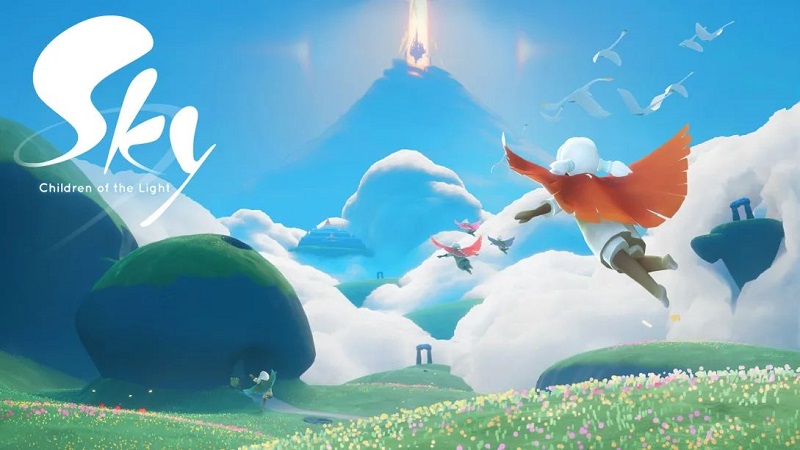
Sky: Children of the Light (Switch): all the updates (latest: Ver. 35.0)
On this page, you will find all there is to know about the various updates for Sky: Children of the Light on Nintendo Switch.
Archives: launch to July 2024 / August 2024 to December 2025
Click here for more games and consoles updates!
Sky: Children of the Light – Ver. 35.0
- Release date: October 14th/15th 2026
- Patch notes (highlights):
This update brings the following to the game:
- A brand-new Nest in Arles, plus fresh furniture coming to the Nesting Workshop
- Shared Memory Duets, so you can record yourself right alongside a Shared Memory
- The Sky Web Store Loyalty Program, with points you can trade for exclusive items
- and more!
- Patch notes:
New Features & Improvements
Arles Nest
In 35.0 we’re introducing the new Arles Nest, located in the Dear Van Gogh area: Arles.
- A new portal appears in the Aviary Village Nesting area. Will unlock for players that have a second nest unlocked.
- The Arles Nest will be available for unlock to players who have completed Season of Nesting Q2 and Dear Van Gogh Q3.
3 ways to access the nest unlock
- Entering Arles via the Starry Night’s Mantle teleport
- Repeating Dear Van Gogh 3rd Quest
- Joining a friend who is currently in the Arles Nest via the Visit a Friend’s Nest menu
Shared Memories: Duets
Ever wanted to jump into someone else’s Shared Memory?
With Shared Memory Duets, you can now record your reaction to an original Shared Memory as a brand-new collaborative Shared Memory. You and the original creators, together in the same moment.
- Access this new feature by pressing the new Duets button in the Shared Memory viewing menu.
Dye cost change
- The cost required to forge a dye has been decreased.
Friendship System
- Visual adjustments of the UI
- Progress preview polish
- The Player Friendship menu will show a red dot on recently unlocked level 1 emotes.
Presence
New animations
Players in Presence now have animations for emotes from the following Spirits:
- Bowing Medalist
- Nodding Muralist
- Confetti Cousin
- Indifferent Alchemist
- Festival Spin Dancer
- Troupe Greeter
- Leaping Dancer
- Twirling Champion
- Carnival Athletic Dancer
Other improvements
- The performance of the game while using Presence has significantly improved, especially for low-end devices.
- Festival Tech also receives these optimizations.
- Improved Recommendations: Presence will now give you better recommendations for who to play with. Joining a recommended player (golden with a star in the middle of their chest) is still optional.
- Presence has been expanded to:
- Hidden Forest
- Golden Wasteland
- Vault of Knowledge.
- Areas that automatically enable Presence no longer keep it enabled when you exit them.
- If you have manually enabled Presence, it will stay enabled when going to different areas.
- Areas where Presence is not allowed still disable it automatically.
Bug fixes
Items in Bold are representing a fix for something players reported to us.
Please keep reporting bugs, it helps us improve the quality of the game!
Art
- Fixed odd arm placement when offering a white candle.
- Fixed an issue where players could fall out of the map in the Valley of Triumph.
- Fixed incorrect arm positioning when holding props while sitting.
- Fixed the Sleeping Merchant returning to its sleeping animation immediately after being interacted with.
Gameplay
- Fixed a frequent crash on Switch occurring in Orbit that could leave players stuck in Eden.
- Fixed an issue where the Introduce Oddball Outcast to a big surprise daily could not be completed if a player had Skip Cutscenes enabled during multiplayer gameplay.
- Fixed an issue causing inconsistent Daily Quest status information.
- Fixed an issue where players could become stuck after picking up a Winged Light in Isle of Dawn.
- Fixed an exploit allowing players to avoid Dark Dragon attacks using mannequin props as bait.
- Fixed reflections flickering when the camera moved around on paintings in the Starry Gallery.
- Fixed an issue causing a brief loss of camera control when a player is progressing spirit quests away from you.
- Fixed a rare crash related to creating content in Daylight Prairie.
- Fixed a rare crash that could occur when returning to the Coliseum during the Aurora concert.
Localization
- Fixed an incorrect German translation for the Meditate by the Forest Boneyard Daily Quest.
- Fixed a text error in a Star Pin dialogue hint.
- Fixed Creator Awards trophies showing incorrect text when picked up by another player.
Outfits & Props
- Fixed plushies placed underwater floating up into the sky.
- Fixed the Starry Mantle effect not working correctly during quests 1, 4 and 5.
- Fixed clipping issues when sitting on the Moonlight Lotus Cushion.
- Fixed clipping between the Nature hair and Ocean Wave Veil t cosmetics.
Seasons & Spirits
- [DEAR VAN GOGH] Fixed brush strokes disappearing when the camera moved away during a quest 4 cutscene.
- [DEAR VAN GOGH] Fixed cape cosmetics on some spirits not displaying correctly in sketch during quest 1.
Services
- Fixed an issue preventing players from reporting chat messages from the chat log when using Presence.
- Fixed an issue where players using Oreo transformation spells would flip upside down when jumping in water.
- Fixed a visual glitch that appeared during the Artbook video.
User Interface
- Fixed the Closet menu remaining open after leaving the Closet area.
- Fixed a typo in the date for the ‘Self-Portrait with Grey Felt Hat’ Van Gogh painting.
- Fixed the New Quest hint appearing throughout Aviary Village instead of when approaching the Season Guide.
- Additional notes: none.
- Source: thatgamecompany
Sky: Children of the Light – Ver. 34.5
- Release date: August 25th/26th 2026
- Patch notes:
New Features & Improvements
Hall of Creativity
The Hall of Creativity is officially open! You’ll find it in Aviary Village, head into the Cinema Hall and look to your right, just inside the entrance.
While visiting, players can:
- Hang out with TGC Clementine
- Watch past Sky Creator Awards on two screens
- Socialize with other Skykids
You may also notice a second room inside. More information about it will be shared in a future update.
Challenges
- Added a new “Trivial” difficulty tier. Challenges that fall into this tier are hidden, so you’ll see fewer extremely simple Challenges.
- Adjusted difficulty scoring so fewer Challenges are classified as “Impossible.”
- Increased the amount of Light rewarded for easy, medium, and hard challenges.
Presence
Experimental Feature
Chat Across Presence
When you and your friends are all actively using Presence in the same level, you can now chat with each other as if you were playing together in the same lobby. Chats from friends who are not using Presence will not be shown to you.
New animations
Players in Presence now have animations for:
- Performing a deep call
- Earning a Candle
- Purchasing an item
- Using the Tearful Light Miner and Admiring Actor expressions
Improved Embers
Embers have been visually revised to look better and to resolve some performance issues. Festival Tech also benefits from this improvement.
Other improvements
- The Presence button in the Wing Menu no longer disappears when the feature is unavailable. Instead, it now explains why you may not be able to attune to Presence.
Localization improvements
- Player-suggested improvements updates for French, German, Portuguese and Japanese.
- Fixed a number of corrupted text in different languages
Bug fixes
Items in Bold are representing a fix for something players reported to us.
Please keep reporting bugs, it helps us improve the quality of the game!
Audio
- Fixed audio crackling and distortion on lower-end Android devices.
Gameplay
- Fixed an issue where equipped outfits would revert to the default appearance when logging back in.
- Fixed an issue where Chibi would clip through terrain while in water, preventing them from interacting with dark plants at the temple in the Hidden Forest.
- Fixed an issue where using a STAR Pin would consume matching spells already in a player’s inventory.
- Fixed an issue where Presence models would blink in and out.
- Fixed an issue where the drawing would clip fully into the ground for Chibi players when using the Draw emote.
- Fixed an issue where cancelling out of a transformation spell would leave the Presence button greyed out.
- Fixed an issue where the player who cancelled a Cradle Carry could no longer end the carry.
- Jumping while in Little Oreo form no longer has a slight delay.
- Fixed a crash affecting Android and PC players.
- Fixed a rendering crash affecting some lower-end Android and iOS devices.
- Fixed a crash that could occur when players at the friend limit received a gift.
- Fixed an issue where players could take photos while viewing a shared memory recorded in photo camera mode.
- Fixed an issue where attempting to change the name of a Skykid who has blocked you updated their appearance before the next level transition or session.
- Fixed an issue where a Challenge could display the wrong difficulty.
Level fixes
- Fixed an issue where Skykids behaved erratically or became stuck inside the trees near the windmill in the Season of Dear Van Gogh level.
- Fixed a flickering Sunflower Painting in the Van Gogh Gallery.
Localization
- Fixed an incorrect Season title on the questionnaire in Japanese.
- Fixed STAR Pin Spell descriptions for the Keychain and Tiny growth potions in Japanese.
- Added the missing description for the Little Oreo spell.
- Fixed placeholder text appearing when using the Little Oreo spell.
Outfits & Props
- Fixed clipping between the Season of Dear Van Gogh dress and classic capes.
- The Moth Plushie can now be placed on surfaces other than the floor.
Seasons & Spirits
- Fixed an issue where a Spirit could overlap with the Season Guide in Aviary and Home.
- Fixed an issue where Companions following the player would appear in Season of Dear Van Gogh story levels and cutscenes.
- Fixed an issue where Van Gogh scratched his head through his hat during Quest 2 cutscene.
- In Dear Van Gogh, the date now correctly appears on the title cards for Quests 3 and 5.
- Fixed an issue where the Friendship indicator appeared on Spirits and Season Guides that do not use the Friendship system.
- Fixed an issue where a Villager spawned on top of the chess table in the Season of Two Embers level.
- Fixed missing facial features on the Saluting Captain Spirit.
User Interface
- Fixed an issue where the frame rate setting did not match actual in-game performance.
- The Constellation can no longer be opened while in Camera mode.
- Additional notes: none.
- Source: thatgamecompany
Sky: Children of the Light – Ver. 34.3
- Release date: August 6th/7th 2026
- Patch notes:
- [Nintendo Switch, Van Gogh] Fixed an issue that caused some players to have to repeat Quest 1 before being able to move on to Quest 2
- [Starry Night’s Mantle neck piece IAP] Added a special teleport functionality to the neck piece from the Starry Night’s Mantle pack. This ability allows the wearer, and friends holding their hand, to teleport back to the town of Arles from Season of Van Gogh
- Wearer must have already visited the town via Quest 3 before the teleport ability will work
- The town will have a day/night cycle
- When visiting the town using the neck piece, players’ avatars will appear as normal instead of with the spirit effect that was present during the Dear Van Gogh quests
- Once in town, players can activate a painting activity followed by a photo-op
- Additional notes: none.
- Source: thatgamecompany
Sky: Children of the Light – Ver. 34.2
- Release date: July 28th/29th 2026
- Patch notes:
- [Van Gogh] Fixed an issue that sometimes caused a softlock when replaying Quest 3 due to the camera getting stuck in the wrong position
- [Van Gogh] Fixed some clipping issues with the paintings during Quest 3
- [Van Gogh] Fixed a graphical corruption issue for the Starry hair that would occur in Shared Memories
- [Van Gogh] Fixed a softlock that could occur during Quest 3 if the player moved too far away during Van Gogh’s monologue
- [Van Gogh] Fixed an issue in Quest 3 that caused Van Gogh’s backpack and canvas to appear black
- [Van Gogh] Fixed an issue that caused brush strokes to disappear after using the return shrine to return to Quest 4
- [Friendship] Fixed the friendship menu appearing empty after rekindling a friendship with another player
- [Challenge/Prop] Fixed an issue that caused some equipped props to remain disabled after exiting a Challenge
- [Nintendo, Nests] Fixed an issue where Nest capacity upgrades were not registering correctly, causing decorations to disappear from some players’ Nests. This fix was implemented for other platforms in update 34.1
- [Nintendo, Crash] Fixed a prop-related crash affecting some players after downloading 34.0. This fix was implemented for other platforms in update 34.1
- Additional notes: none.
- Source: thatgamecompany
Sky: Children of the Light – Ver. 34.0
- Release date: July 15th/16th 2026
- Patch notes:
New Features & Improvements
Quality of Life improvements
- The size of Season Candle fire is now visually representing the amount of the Candle Light pick up.
Expression Menu Categorization
Experimental Feature
With the Expression Menu Categorization, emotes and gestures are now organized into 6 collapsible categories instead of one long list:
- Gesture
- Cheerful
- Dance
- Performance
- Somber
- Group
How to enable the Expression Menu Categorization:
This feature is Off by default.
To toggle the feature, go to Settings > Graphics > Experimental Features.
In addition, we’ve done an organization pass on the Spell menu, which should result in it being easier to find spells you’re looking for.
Friendship system
As we continue updating and improving the Friendship system for both Player-to-Player and Spirits, we’re introducing a few new features that we hope will improve your experience.
- [Player-to-Player] Added Relationship Expression Upgrade Tutorial Players viewing their Player Friendship menu for the first time after unlocking a social expression upgrade will see a brief tutorial that shows how to use them.
- Updated Friendship System Info Cards Pressing “Info” or “?” while a Friendship menu is open will now display info cards that illustrate aspects of the new system.
- Added a simplified companion representation for Dear Van Gogh seasonal spirits.
- All items are now visible in a locked Friendship Tier
- The friend limit is now capped at 2,000 friends. Players who are already at or above this limit will need to remove some friends before they can add new ones.
Presence
Experimental Feature
Friend suggestions
A star will now appear within Presence players as a friend suggestion. Joining a starred player is optional and all friends and golden Presence players remain joinable whether or not they have a star.
Buddy System Integration
Players in Presence will now show when they’re requesting a guide. A guide request icon will appear over the player’s head, similar to an emote.
Improved interactions
- Players will display a temporary icon when they acquire items such as Season Passes, Season Candles, or items tied to charity donations, and more, while in Presence.
- Players will now orient themselves based on where they’re looking while standing still.
- Players no longer show when they’re actively in a quest, reducing visual clutter.
Added Presence to more Realms
Presence has been added to Daylight Prairie and Valley of Triumph.
Speech to Chat
- Speech to Chat can now be toggled on/off from the Settings menu! To toggle, go to Settings > Audio > Speech to Chat.
- When disabled, the Speech to Chat microphone icon will no longer appear and the controls to activate it will not work.
- The setting is only visible on Speech to Chat supported devices.
Bug fixes
Items in Bold are representing a fix for something players reported to us.
Please keep reporting bugs, it helps us improve the quality of the game!
Gameplay
- The Hopeful Steward Eden Quest can now be completed correctly.
- Props no longer automatically equip when sitting at a piano.
- The Season of Enchantment Guide now correctly appears in Aviary Village during quest progression.
- Hearts and collectibles are now correctly available after unlocking a new Friendship Tier with a Season Guide/Spirit.
- Fixed an issue where the TGC Wireframe Cape granted access to the TGC Office area outside of the event.
- Fixed an issue where players who had not unlocked High Five were unable to send Hearts.
- Fixed an exploit where players could use Shared Space to travel through levels.
- Fixed an issue where additional copies of an item were not added to a player’s inventory after purchase.
- STAR Pins now correctly unlock all emote levels after using the spell.
- Fixed an issue where players could receive rewards more than once per day for a given Challenge.
- The Days of Bloom STAR Pin now correctly enable the garden, fences and picnic blanket.
- Fixed an issue where Skykids would stand up and become movable after interacting with the piano. Skykids will now remain stationary while playing.
- Skykid legs no longer clip and bend incorrectly when flying.
- The Season of Moments Guide now correctly stays in the level after skipping a cutscene.
- When reliving the Playfighting Herbalist’s story, the right spirit is now using the playfighting emote.
- The Presence system no longer prevents players from using the Buddy system.
- The STAR Pin Crab Curse spell now correctly applies to the group when handholding with friends.
- Option to High Five with Stewie now appears immediately instead of after a short delay.
- Fixed an issue where placing multiple props in a shared space and then interacting with them would disable customization between props.
- The Child of Light in the Rebirth scene no longer has a Friendship menu.
- Fixed an issue in Aviary Village where a player would teleport back to their challenge when trying to travel to another level.
Level fixes
- Fixed an issue where a permanent red dot appeared in the closet after unlocking the Drone Camera Upgrade.
- Fixed an issue where rain particle effects would remain fixed at the location where the player was last hit by rain, instead of updating to match the player’s position.
- The Lemonade Stand in the Season of Carnival Level is now correctly positioned and no longer floats midair.
- Fixed avatar occlusion that would happen in the Wind Path Level.
- Fixed flags flickering on the mast of the main boat in the Season of Carnival level.
- Removed an unusual water spot in a tunnel in The Hidden Forest level.
- Removed a pink object in The Hidden Forest level.
- Fixed shaders during level transitions in The Isle of Dawn, Daylight Prairie and The Hidden Forest.
User Interface
- Fixed an issue where challenges with longer titles caused the difficulty indicator to display incorrectly.
- Fixed an issue where the ‘Tap to Update’ prompt did not open the device’s app store when a new version was released.
- Added localized Charity Item tag to the Sky Web Store.
- Fixed an issue where chat boxes would appear blank with no text.
- The correct hint text is now displayed when tapping on the ? prompt in the Constellation.
- Fixed an issue with a lack of details for items in the Season of Passage Guide tree.
Outfits & Props
- Fixed clipping issues with the Raven Cape.
- Anniversary IAPs have been moved from the main IAP menu to the returning IAP menu.
Audio
- Fixed an issue where a bubble popping sound would play unexpectedly when the players had headphones connected and playing sound from another application.
- Improved game audio responsiveness and latency on mobile.
- Additional notes: none.
- Source: thatgamecompany
Sky: Children of the Light – Ver. 33.8
- Release date: June 30th/July 1st 2026
- Patch notes:
- Fixed an issue causing saved audio preferences not to apply when opening the game
- [Aviary] Fixed an issue causing some accounts to encounter the resume shrine tutorial repeatedly
- [Carnival] We have a potential fix for the bug that prevented some players from being able to unlock tier 4 of a Carnival spirit’s friendship tree after watching the spirit’s Trust Moment. If you encounter this issue after updating to 33.8, please let us know by submitting a bug report. Thank you for your assistance in investigating this issue.
- Additional notes: none.
- Source: thatgamecompany
Sky: Children of the Light – Ver. 33.7
- Release date: June 9th/10th 2026
- Patch notes:
Changes and fixes in this update include:
- [Presence] The Presence feature no longer deactivates when suspending the application
- [Presence] Candle and chat icons no longer override the Shared Memory record icon
- [Presence] The chat icon appears correctly in Presence.
- [Challenges] When in edit mode, Challenge rules should no longer change when other players enter your space
- [Carnival] Fixed an issue that could cause some players to softlock during Season of Carnival if they didn’t have enough progress in the Aviary questline
- [Carnival/Presence] Fixed an issue preventing players from joining each other through Presence in the Season of Carnival Level.
- [Aviary] Released a tentative fix to address an issue that could cause some players to get stuck on the Return Shrine tutorial step in Aviary
- [Chat] Fixed an issue that caused chat boxes to appear blank
- [Player to Player Friendship] Players that have already unlocked Level 1 and 2 of the Cradle Carry social emote will now be able to correctly use it.
- [Crashes] Fixed a crash that would happen when interacting with Seasonal Spirits from the constellation.
Changes to Presence
Great news! Over the last few days, Presence has been extended to appear in the Social Areas of the following realms:
- Daylight Prairie
- Hidden Forest
- Valley of Triumph
- Golden Wasteland
With Presence, you’ll be able to discover and join nearby Sky Kids more easily throughout the world of Sky, making it easier to share moments as you explore and adventure together.
- Additional notes: none.
- Source: thatgamecompany
Sky: Children of the Light – Ver. 33.5
- Release date: May 26th/27th 2026
- Patch notes:
New Features / Improvements
Quality of Life improvements
- Season candles now mark the Daily Quest realm.
- Added a daily Quest: Wave to a Player
Aviary Update
We’re making updates to Aviary Village to create a smoother, more intuitive, and more connected experience as you explore. While these changes may take some time to adjust to, we believe they’ll improve the experience for both new and experienced players alike.
Layout & Location Changes
- Changed the layout of Aviary Village.
- Moved the Portals, Café, and Closet to the Aviary Plaza.
- Moved the Shared Memory Shrine to the edge of the Plaza, next to the steps leading to the Café.
- The Mural is now located above the Closet.
- The Map Shrine has moved to the former Cinema location.
- The Windpaths entrance is now near Aviary entrance, in the hills above the shops on the left side.
- The Cinema has moved between the Aviary News Board and the Nest.
- The Cinema entrance now leads directly into the Cinema and is no longer connected to the Hall of Stories.
- The Home Portal is now in the tutorial area before entering the Village.
- Items not mentioned in this list have not been moved.
Shops & Features
- Removed the Aviary Shop.
- The Moth, Sparrow and Spell Box can now be found in the Clothing Shop.
- The Journey Pack is now in the tgc Office.
- The Spell Box can now be found in the Carnival area.
- Traveling Spirits will now appear in the archway between the Portals and the Closet.
Additional Changes
- Consolidated Aviary spawn points into a single spawn location at the Village entrance.
- Added more ambient behaviors for Spirits in Aviary.
- Redesigned the Aviary entrance.
- Friendship Trees can now be accessed by interacting with Spirits in Aviary Village
Please continue sharing your feedback with our team as you explore the updated Aviary Village!
Player to Player Friendship system
Relationship unlocks have been reorganized into a tier-based progression system instead of the previous tree structure, following the Spirit Friendship system model.
- Unlocks are now grouped into progression tiers.
- Acquiring unlocks within a friendship menu grants progress toward the next relationship tier.
- Reaching new tiers unlocks additional friendship interactions and rewards.
New Ways to Build Relationship Progress
You can now increase relationship progress through more social activities:
- Sending a Heart Gift now contributes progress toward the next relationship tier.
- Lighting a friend’s daily candle also grants relationship progress.
- Completing Eden alongside other players will increase progression with each participating player in the group.
Expanded Friendship Emotes
Additional friendship emote levels have been added.
- Certain emotes can now be upgraded further with friends.
- New levels provide expanded expressions and interactions between players.
Enhanced Spirit personality systems
Spirits around Aviary Village are more lively than ever, with enhanced idle behaviors that help the world feel even more alive and immersive as you explore.
- Spirits are now more active in Aviary.
- Spirits will use personality-related emotes to express themselves.
Furniture & Props dyeing
Props can now be dyed:
- By interacting with the prop after it has been placed.
- At the Aviary Dye shop
Other additions:
- 2 dye sets can be saved by item
- Dyeable items are displayed in the closet with a dye drop icon, same as outfits.
Bug fixes
Items in Bold are representing a fix for something players reported to us.
Please keep reporting bugs, it helps us improve the quality of the game!
Gameplay & Quality of Life
- Fixed an issue preventing players from burning Dark Plants.
- Fixed Spirit Friendship progression. Players now correctly gain Friendship progression by inviting Spirits as their companions.
- The Daily Music challenge now correctly provides Light rewards.
- Fix a desync issue that occurs when players transitioned between levels while riding the Fortune Plush Mount.
- Pianos no longer force the player to stand up while playing Music Sheets.
- Removed a progression blocker for Season of Carnival quest 4. Quest 4 can now be completed during the same session as Quest 3.
- Season of Carnival Spirit Moments no longer display a “Game data is corrupt” message when interacting with Spirits.
- Season of Carnival boats are now correctly networked, and their movement no longer appear desynced between players.
- Using dyed cosmetics no longer applies dye color on the Fortune Plush Mount.
- Umbrella Props no longer unequip when tapping the screen.
- The Days of Bloom Sunflower Dress clipping issue has been resolved.
- Season of Carnival Quests 1 and 4 now correctly displays placeable objects in the Menu.
Level fixes
- Fixed a terrain issue where players could get stuck in Hidden Forest.
- Added missing candles at the end of Golden Wastelands on Playstation.
- Fixed a hole in the ground in Hidden Forest that caused players to fall through the floor.
- Fixed a large level gap that could block progression during onboarding.
- The Season of Shattering guide no longer flies high in the sky and is now easier to access after quest completion. (Yes, even if you’re a Chibi)
- During Quest 4 of Season of the Two Embers, planks knocked down by the crabs now remain in the level after the cutscene.
- The little traveling rock heard about an absolutely amazing scene in the sky: a floating carnival! They asked one of the jellyfish to give them a ride up to the giant, festive ship. There was so much to do, the rock spent days rolling around and exploring! They lounged by a “pool”, jumped on balloons, and even got mistaken for a cannonball a few times by the Sky Kids running around the area. After the cannonball incident, the rock found a quiet place to reflect on their latest adventure and relax a bit before rejoining the fun.
User Interface
- Season of Carnival is now correctly translated in Italian. Happy carnevale!
- The game creation menu prompt no longer appears when players are already creating content.
Outfits & Props
- The two Journey Packs added to the IAP store have been moved back to the Aviary shop.
- The Season of Carnival has restocked its popcorn! Popcorn spells are now correctly distributed at the popcorn stand… boat?
Audio
- The Airship Music Sheet now uses the correct key.
- Additional notes: none.
- Source: thatgamecompany
Sky: Children of the Light – Ver. 33.2
- Release date: April 29th/30th 2026
- Patch notes:
- [Localization: Russian, Vietnamese] Fixed an issue where some characters were not scaling correctly in the Challenge Rules section UI
- [Localization] Fixed some missing localization for Season of Carnival text
- [Carnival] Fixed an issue where players using an external controller were unable to throw the ball challenge prop
- [Carnival] Fixed an issue where sometimes players couldn’t see UI elements when joining another player in a Shared Space Challenge
- Fix for the softlock that affected some accounts if they hadn’t completed the Aviary tutorial content when Season of Carnival began
- [Constellation] Fixed an issue where friend names could shift when changing Constellation pages
- [Presence] Fixed an issue where the chat icon would not appear above avatars who sent chat messages
- [Spirit Friendship] Fixed an issue where Spirit companions would leave when trying to take them on an adventure
- [Harmony Hall] Fixed an issue that prevented the music challenge from granting light
- [Nintendo Switch] Fixed an issue that prevented Nintendo players from accepting friend codes
- Additional notes: none.
- Source: thatgamecompany
Sky: Children of the Light – Ver. 33.0
- Release date: April 14th/15th 2026
- Patch notes:
New Features / Improvements
Quality of Life improvements
Candles
- The size of the Candle Light is now visually representing the size of the Candle Wax pick up.
- Added Candle Wax to the Hermit Valley Slide race.
Button Selection Priority
Improved button selection priority for Gamepad and Keyboard & Mouse in high-traffic locations.
- Constellation Pads in Home and Aviary Village
- Outfit Shrines in all Maps & Nest
- All Meditation Pads
- Candle Wax pick ups
- All buttons with a red indicator
Shared Creation & Message Boat Prices
- Beginning with this update, basic Shared Spaces, Shared Memories, and Message Boats will all cost one regular candle.
Presence (Beta)
Presence brings the world of Sky to life like never before! Designed to fully embrace its massively multiplayer nature, this feature allows players to connect and discover nearby players and transforms the experience to genuinely shared gameplay.
Please note that Presence is currently in a limited beta and is subject to change.
- With the 33.0 update, Presence will be gradually rolled out to a randomly selected group of players as we monitor server performance. Not all players will have access at this stage.
- In this update, this feature is available exclusively in Aviary Village to the randomly selected players.
New Presence Menu Button
- Unlocks after completing Hidden Forest.
- Replaces the Buddy Request button in the Wing Menu.
- Activating the button triggers a visual effect that reveals nearby players using Presence.
- Presence can be toggled from the Menu.
Presence Feature
- Most players revealed through Presence can be joined instantly.
- Friends
- Appear as fully shaded, simplified moths.
- Players using DND spells, blocked players
- Will not appear in Presence.
- Player states in Presence
- Blue ethereal players and Embers are not joinable.
- Gold ethereal players and friends are joinable.
- Friends
- Introduces a new model for representing remote players:
- Improved animation including standing, sitting, running, stopping, flying, and wing flaps.
- Chirps when players chat or use expressions.
- Displays a small flame when a player has their candle out.
- Players become Embers when idle or AFK.
Constellation Improvements
Take control of your social experience with the new friend list view! You can now view all of your friends from an alphabetized list to easily manage connections, making room for the people who matter most. This update not only keeps your friends organized, but also improves visibility, ensuring a smoother experience for everyone.
- Added a List View toggle in the upper-right corner of the Friends Constellation, allowing you to switch between Constellation view and List view.
- In List View, you can tap the pencil icon to enter Edit Mode.
- Edit Mode lets you select multiple friends at once and remove them at the same time, making it easier to manage your friend list.
- Edit Mode lets you select multiple friends at once and remove them at the same time, making it easier to manage your friend list.
Multiplayer Shared Memories
By enabling co-creation, Multiplayer Shared Memory strengthens social connection and encourages players to engage more meaningfully with one another. Whether it’s a spontaneous gathering or a coordinated activity, players can now preserve moments that reflect a shared story rather than an individual one. This new option improves storytelling capabilities while maintaining safety for players.
- Added Multiplayer options to the Shared Memory creation system, allowing multiple players to participate in a single recording.
- Introduced a new indicator to show which players are actively recording a Multiplayer Shared Memory.
- Unfriended players will appear as either lit or unlit in recordings, depending on whether the creator has lit them.
- Blocked players will appear as ghosts in recordings.
- When viewing a Multiplayer Shared Memory, blocked players will still appear as ghosts. They may be visible to others watching if those viewers have not blocked them.
- Players who join after recording has started will not be included in the final Shared Memory.
Bug fixes
Gameplay & Quality of Life
- Fixed an issue where players’ wings appeared depleted when leaving a shared space.
- Plushie pick up prompt now correctly displays for all players.
- During Season of Lightmending quests, players who toggled the Skip Cutscene setting no longer experience a soft lock when mending a lantern.
- Companion Spirits are dismissed at reset.
- Players now consistently get affected by Rain, Krills, Dark Water and Storm Rocks in all levels.
- The Season of Lightmending Seasonal Spirits has been removed, they deserve a break!
- The button to record a Shared Memory and Hug a plushie are now different for Mouse & Keyboard, no longer blocking Shared Memory recording if holding a plushie.
- Players can now interact with the door blocking the underwater cave in the Treehouse area in the Hidden Forest.
Level fixes
- Gondolas in Valley of Triumph no longer skip and now float gracefully.
- Something is happening in Aviary. What is Stewie up to anyways?
User Interface
- The display is no longer distorted after exiting the Support Page when using Portrait Mode.
- Emoticons now display properly on iOS when language is set to Chinese, Japanese or Korean.
- Traditional Chinese font now has consistent font weight.
- Social Feed no longer overlaps with Recording buttons in Portrait Mode.
- Friend names no longer display as “?” when set in Arabic & Persian language.
Outfits & Props
- The Harp Prop Spell now functions properly.
- The Moonlight Lantern Decoration no longer has an invisible object blocking movement when placed in Shared Spaces.
- Days of Fortune Muralist’s Smock no longer stretches when emoting.
Audio
- Fixed a game Audio distortion issue that would occur on certain devices.
- Additional notes: none.
- Source: thatgamecompany
Sky: Children of the Light – Ver. 32.7
- Release date: March 24th/25th 2026
- Patch notes:
- Preparations for Days of Nature on April 10th
- Removing the camera permission requirement for Android devices
- The star icon for favorite/non-favorite friends should no longer appear reversed
- [Nintendo Switch 2] The chat keyboard should no longer close immediately when in undocked mode
- Players should no longer be softlocked on the device shelf when initiating a Lightmending challenge
- Spirits should be back to normal when following players on adventures, instead of hovering
- Dye icons should no longer appear greyed out in the menu
- Additional notes: none.
- Source: thatgamecompany
Sky: Children of the Light – Ver. 32.5
- Release date: February 26th/27th 2026
- Patch notes:
New Features
Spell Inventory Categorization
It’s here!
Go to your Spell Menu and witness the first iteration of the Spell Inventory Categorization, we hope this will help you sort through your countless spells!
Shared Creations
Shared Creations are now easier to use and purchase. Each day, you get a free spell of each creation type, with the option to buy more using candles. You no longer need to visit a realm shop. Access this feature through the new button in your Emote menu.
Interview Stage: Live Test
We are testing an interview stage on March 2 at 4:00 pm PST. Join us and let’s chat!
Bug fixes
Items in Bold are representing a fix for something players reported to us.
Please keep reporting bugs, it helps us improve the quality of the game!
Grandma refers to the Season of Belonging Guide.
Gameplay & Quality of Life
- Fixed Nintendo Switch spell issue.
- Fix for invisible wax issue.
- Fixed an issue preventing players from losing all their Winged Light and completing Eden.
- Fixed a bug where players holding hands would sometimes become stuck on a white screen during the transition between the Prairie caves and the Butterfly Fields.
- Grandma just received a new haircut, her hair no longer clips through her head.
- Grandma has returned to their normal size and no longer appears as smol.
- Fixed cutscene triggering incorrectly while in the Sanctuary area from the Season of The Two Embers – Part 1.
- Fixed Season of The Two Embers – Part 1 Quest 5 reset when the timer expires during the memory fragment sequence.
- Planted the Jolly Geologist’s feet firmly back on the ground.
- Players are able to carry the Prince to progress Quest 2 of the Season of the Little Prince.
- The Sleeping Boatman now allows themselves to sit and relax instead of standing the whole time.
- The Warrior of Love Spirit is now done with wandering around in the Golden Wastelands.
- Fixed crashes and a freeze happening when collecting wax at Grandma’s in Elevated Clearing.
- Players are no longer able to sit on the same chair as Grandma. Give her some space!
- The Point of no-return message at the Eye of Eden now properly displays if players previously declined to continue.
- Grandma now consistently shows up to her own dinner parties in Elevated Clearing.
- Grandma now sits when food is on the table!
- Fixed a crash that would happen when calling down the Lightmending Champion and the Lightmending Light Catcher from the Season Constellation.
- The Season of Lightmending spirits will no longer disappear after completing seasonal quests.
- The Season of Duets Guide’s spirit shop menu closes again during the ending cutscene of Quest 5.
Level fixes
- Removed the invisible wall in the Temple of the Valley.
- Shelters in the Hidden Forest now are properly textured.
User Interface
- The Map Anywhere Icon no longer overlaps with the chat icon when using the Emote Wheel.
- The setting menu now scales for all resolutions.
- The Map Anywhere Icon is now accessible when the Setting Menu has a red dot notification.
- Map Anywhere no longer shows incorrect Wing Light information for Isle of Dawn upon log in.
Outfits & Props
- The Season of Migration Antler Mask light orb now lights up properly after a cosmetic change.
Audio
- Fixed the sound effect when a friend joins on the Days of Fortune Plush Mount.
- Additional notes: none.
- Source: thatgamecompany
Sky: Children of the Light – Ver. 32.2.366939
- Release date: January 29th/30th 2026
- Patch notes:
Changes include:
- Tips and motivational messages returning to the loading screen
Bug Fixes:
AR Camera
- Fixes for some mobile devices that were crashing when attempting to use the AR Camera feature
- When entering the AR Camera mode, the in-game checkpoints will no longer be overwritten and should work as intended
Map Anywhere
- Fix for the Isle of Dawn map showing incorrect wing light count
Other:
- Capeless Sky Kids will no longer be shadowed after lighting/friending them
- Fix for the missing animation when friends accept the piggyback expression
- Fix for crashes when collecting spirit wing buffs in Orbit
- Fix for crashes when tapping the carry expression after reliving the Feudal Leader’s memory in the Nine-Colored Deer map
- Additional notes: none.
- Source: thatgamecompany
Sky: Children of the Light – Ver. 32.1
- Release date: January 13th/14th 2026
- Patch notes:
No patch notes available. This update brings the following to the game:
- fixes the crashes that players may be experiencing after updating to version 32.0
- Additional notes: none.
- Source: thatgamecompany
Sky: Children of the Light – Ver. 32.0.362723
- Release date: January 6th/7th 2026
- Patch notes:
New Features
Map Anywhere makes exploring Sky easier!
With one button, you can open the map and tap on areas to see:
- How many spirits remain
- Winged Lights
- Daily Quests
How to access
To access Map Anywhere, simply open it! Want to learn more about how Map Anywhere works? Go to the nearest Map Shrine and complete the Map Anywhere tutorial. With this update, the Map Shrines will be disabled after unlocking them since the map can now be accessed anytime. Using the map now shows a new reading animation, letting other Sky kids know you’re viewing it.
How to open Map Anywhere
- Touchpad: Tap the right corner of the screen. Tap the map button.
- Mouse & Keyboard: Press M or the map button on the top right corner.
- Controller: Hold left trigger. Press down on the D pad.
Bug fixes
Items in Bold are representing a fix for something players reported to us.
Please keep reporting bugs, it helps us improve the quality of the game!
Gameplay & Quality of Life
- The Introduce Oddball Outcastto a big surprise Daily Quest can now be completed even if the bridge is rebuilt.
- Players now remain lit after teleporting and / or travelling to another level together.
- Puzzle Messages are no longer viewable when hidden inside a container.
- After completing Season of Moomin quests, players are no longer stuck in the Black & White Moomin Valley without means to return.
- Players can no longer use the Cage Prop to move Spirits and other NPC.
- Player’s avatar no longer stuck in animation at the start of the Rebirth sequence.
- Player’s avatar no longer stuck in animation after hugging the Child of Light during the Rebirth sequence.
- Player’s avatar now consistently shows as a Shadow during the Rebirth sequence.
- Trust Companions that are ready to be dismissed no longer disappear upon game reload.
- The Admire Shared Spaces with Bearhug Hermit Daily quest no longer progresses if the player leaves the area.
- Player’s avatars are no longer stuck in animation after rewatching cutscenes in the Valley of Triumph coliseum.
Level fixes
- The Golden Wasteland Shipwreck Boat floating terrain piece has been removed.
- Fixed a gap in the level next to the stairs in the Season of the Two Embers market.
- Removed clipping issues with the jars in the Daylight Prairie cave.
- The waterfall is now correctly displayed from all sides in the Sanctuary Islands.
- Fixed some Level issues where players could see under the Levels by moving the camera around in the Treasure Reef.
- Fish textures were restored in the Treasure Reef.
- The Season of Migration first quest now progresses normally when teleporting to a friend during completion.
- Fixed an Out of Bounds issue in the Daylight Prairie Cave area.
User Interface
- Red dot notification now goes away after unlocking and selecting the Wonderland Hare Hairstyle cosmetic.
- Friend Posts now correctly display when using the View all option.
- The timer for Friend Posts and interactions is now stable and correctly displays when multiple posts are sent in succession.
- The level lighting is no longer dimmed when interacting with Friend Posts in the Constellation.
- Players no longer crash when attempting to View All on a large number of friend posts.
- Fixed an issue where blocked players could briefly see players that blocked them if they renamed them in the constellation while in the same server instance.
Speech-to-chat
- White noise should no longer trigger the Speech-to-chat feature.
Outfits & Props
- The Days of Color (2025) rolled sleeve outfit has been adjusted to follow the SkyKid’s model when crouching.
- The Season of Migration Manta Whisperer outfit now correctly appears in the outfit section in the closet.
Audio
- Instruments now play in the correct key in the Season of the Two Embers market level.
- Additional notes: none.
- Source: thatgamecompany
How to download updates for Sky: Children of the Light on Nintendo Switch?
To download the updates for Sky: Children of the Light, you have three options:
- let the console do its thing if you have automatic downloads activated, and didn’t completely turn it off
If not…
- try to launch the game from the Home Menu while being connected to the internet. You should get a prompt when doing so: simply follow the instructions on screen;
OR
- select the game > press either + or – to go to the Options page > select Software update > select Via the Internet.
To check that you have the latest version installed, simply select the game on the Home Menu, and press – or + to go to the Options: the version number is displayed just below the game title.
