
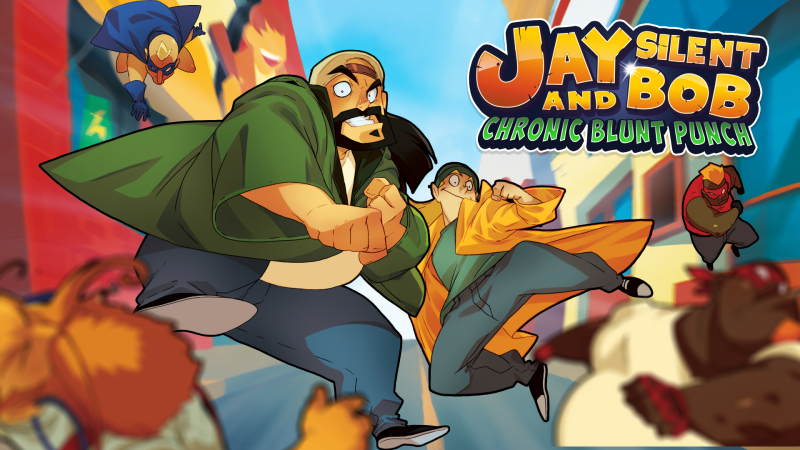
Jay and Silent Bob: Chronic Blunt Punch (Switch): all the updates (latest: Ver. ??? / Next: Ver. 1.5)
On this page, you will find all there is to know about the various updates for Jay and Silent Bob: Chronic Blunt Punch on Nintendo Switch.
Click here for more games and consoles updates!
Jay and Silent Bob: Chronic Blunt Punch – Ver. 1.5
- Release date: TBA
- Patch notes:
- New checkpoint system
- Faster combat and player movement
- Cancelable combos and movement
- Remixed and rebalanced enemies
- New enemy variations
- Updated boss battle patterns
- Improved hitbox detection
- Increased health and energy drops
- Performance, memory, and sprite optimization
- Level and VFX improvements
- Additional softlock safeguards
- Various bug fixes and adjustments
- Additional notes: none
- Source: Atari (Steam)
Jay and Silent Bob: Chronic Blunt Punch – Ver. ???
- Release date: May 20th/21st 2026
- Patch notes:
Combat Adjustments
i-frames on wakeup – When Jay or Silent Bob get knocked down, when they get up, the character flashes white, and they are invincible for a few frames, preventing them from getting stun locked and giving them time to get out of the way.
i-frames During Dash – When the player presses the dash button, Jay or Silent Bob will flash white and have a few frames of invincibility to dash through an opponent.
Jay and Silent Bob Hitboxes – Jay and Silent Bob have totally revamped hitboxes, which are closer to the center of their bodies and not extended, so when enemies connect with an attack, it will look and feel correct.
Hit-Stop Reduction – We reduced the timing of hit-stop in the game by half, so the game is snappier and faster-paced.
Walk Speed – We increased the walk speed of Jay and Silent Bob so they can maneuver faster.
Enemy Health –We decreased some of the enemy’s health.
Full Build Notes:
- Credit Updated
- Minor Level Adjustments
- Jay & Bob Combat Timing and Hitbox Adjustments
- Jay & Bob Breakable Pickup and Throw Adjustments
- Enemy Hit Stop Adjustments
- Fixed Gimp Chain Length
- Reduced Fat Hero Health
- Fixed 2-player pause/restart bug
- Fixed Projectile Spawn bug
- Changed Hipster and Old Man Hero death art
- Adjusted Key Pickup Detection
How to download updates for Jay and Silent Bob: Chronic Blunt Punch on Nintendo Switch?
To download the updates for Jay and Silent Bob: Chronic Blunt Punch, you have three options:
- let the console do its thing if you have automatic downloads activated, and didn’t completely turn it off
If not…
- try to launch the game from the Home Menu while being connected to the internet. You should get a prompt when doing so: simply follow the instructions on screen;
OR
- select the game > press either + or – to go to the Options page > select Software update > select Via the Internet.
To check that you have the latest version installed, simply select the game on the Home Menu, and press – or + to go to the Options: the version number is displayed just below the game title.
