
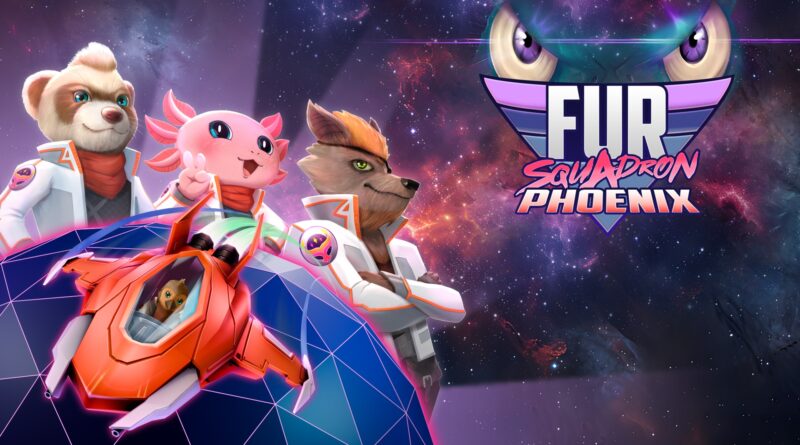
FUR Squadron Phoenix (Switch): all the updates (latest: Ver. 2.0.0)
On this page, you will find all there is to know about the various updates for FUR Squadron Phoenix on Nintendo Switch.
Click here for more games and consoles updates!
FUR Squadron Phoenix – Ver. 2.0.0
- Release date: August 23rd/24th 2026
- Patch notes:
No patch notes available. This update brings the following to the game:
- a story campaign with new biomes, enemies, brand new ways to play, and new unlockables.
- The new story campaign acts as an epilogue on the main story and will be unlockable after completing the main campaign.
- 3 story missions where you can move in 360 degrees, manually accelerate and brake, and perform evasive maneuvers.
- Additional notes: none
- Source: Raptor Claw Games (Bluesky) / Raptor Claw Games (Bluesky) / Raptor Claw Games (Bluesky)
FUR Squadron Phoenix – Ver. 1.1.0 (Advanced Pack)
- Release date: June 8th/9th 2026
- Patch notes:
Overall features
- Added a new Advanced Run for hardcore players. Unlockable after completing main campaign.
- Added new challenges: Ace Gauntlet and Phoenix Gauntlet. Unlockable after completing main campaign.
- New set pieces on sim levels. After this update, new action sequences may randomly appear on levels: Tropical Strike, Sakura Nights, Warp Tour, Tropical Depths and Sakura Assault.
- 2 new unlockable Skins.
Gameplay Adjustments
- Nerfed total health of bosses Crawler and Mecha Tola.
- Adjusted Warp Tour level sequence and total length.
Fixes & Improvements
- Improved usability of settings menu.
- Optimized performance during Mecha Tola encounter.
- Overall audio level improvements.
- Additional notes: none
- Source: Raptor Claws Games (Steam) / Raptor Claws Games (Bluesky)
FUR Squadron Phoenix – Ver. 1.0.2
- Release date: ???
- Patch notes:
Gameplay Adjustments
- Added Auto‑Shoot to the East button. Holding it fires 3-shots bursts.
- Increased the cooldown between shots to prevent excessive button‑mashing and improve gameplay comfort and balance.
- The final boss has been rebalanced: reduced total health pool while ensuring nuke attacks are less overpowered against it.
- Corrected the spawn timing of the left ship next to the carrier in Tropical Strike.
- Fixed a bug where items would still be coming to the player during pause.
UI Fixes & Improvements
- Improved text readability on small screens.
- Fixed an issue where social links and the news panel on the main menu were inaccessible when using a controller.
- Fixed an issue where the level selection screen did not reset the pointer position when returning to it.
- Resolved a bug in Stations Mod where changing the language and re‑entering the menu would still display the previous language in the mod description.
- Corrected a visual desync in the Mods menu where, after moving the mod selector, returning from the main menu showed the selector in the wrong position.
- Fixed a bug where clicking on a weapon category caused all other weapons to disappear.
- Added a cap of 999 Mod Points.
- Fixed repeated skin‑unlock notifications appearing even after the skin had already been unlocked.
- Adjusted Japanese text in Discord‑style message boxes so it no longer overflows outside the UI frame.
- Added each level’s High Score to the level selection screen. That information was not saved prior to this patch.
- Fixed an issue where the letter “r” would appear cut or corrupted during gameplay and menus until the game was restarted.
- Corrected the default UI value for Invert Y Axis, which caused the first toggle to behave incorrectly.
- Fixed Discord‑style character conversations appearing even after unlocking the final Overdrive level for that character.
- Improved default resolution detection: the game now detects the current screen resolution and assigns it automatically to UI.
- Additional notes: none
- Source: Raptor Claws Games (Steam)
How to download updates for FUR Squadron Phoenix on Nintendo Switch?
To download the updates for FUR Squadron Phoenix, you have three options:
- let the console do its thing if you have automatic downloads activated, and didn’t completely turn it off
If not…
- try to launch the game from the Home Menu while being connected to the internet. You should get a prompt when doing so: simply follow the instructions on screen;
OR
- select the game > press either + or – to go to the Options page > select Software update > select Via the Internet.
To check that you have the latest version installed, simply select the game on the Home Menu, and press – or + to go to the Options: the version number is displayed just below the game title.
