
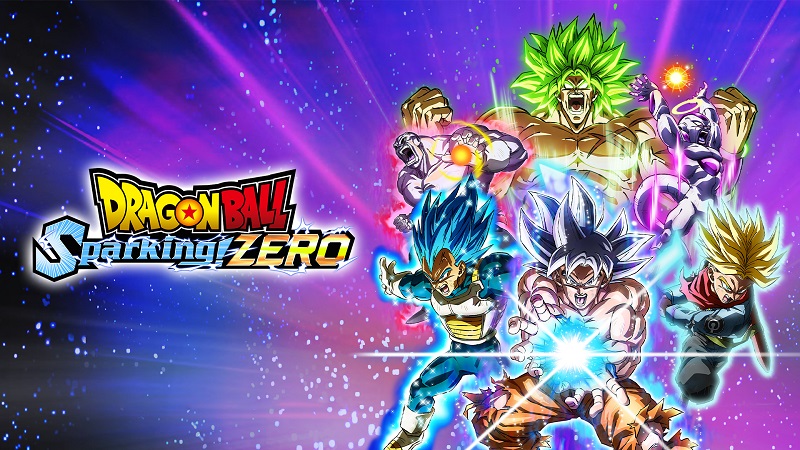
DRAGON BALL: Sparking! ZERO (Switch, Switch 2): all the updates (latest: Ver. 2A013.012.003.009.011 / Ver. 2013.012.003.009.011)
On this page, you will find all there is to know about the various updates for DRAGON BALL: Sparking! ZERO on Nintendo Switch and Nintendo Switch 2.
Click here for more games and consoles updates!
DRAGON BALL: Sparking! ZERO – Ver. ???
- Release date: TBA
- Patch notes:
No patch notes available yet. This update brings the following to the game:
- adds Survival Mode.
- Additional notes: none
- Source: Famitsu
DRAGON BALL: Sparking! ZERO – Ver. 2A013.012.003.009.011 (Nintendo Switch 2) / Ver. 2013.012.003.009.011 (Nintendo Switch)
- Release date: May 26th 2026
- Patch notes:
General Changes & Adjustments
Stage
- Added First Demon World.
Single Battle
- Characters who previously recovered health upon transformation will no longer heal. Characters that can transform will now gain a permanent attack increase buff when transforming using Skill Stock. This effect is removed when reverting transformation.
DP Battle
- Adjusted balancing so that differences in DP between characters are more pronounced in all modes (online and offline). Team battle rules remain unchanged.
Feature Changes & Adjustments
Battle Rules
- Total DP in DP Battles (Offline Battle, Player Match, World Tournament, Training) can now be set to 10 / 15 / 20.
- Settings will now be retained after the game ends.
Character Select Screen
- Added a display toggle feature.
Options
- Added ability to switch audio quality for some combat sound effects.
- Added a setting for battlefield boundaries, including an option to display boundaries when approached.
Game Mode Adjustments
Episode Battle
- Adjusted difficulty of some stages due to battle system changes.
Custom Battle
- Rebalanced some Extra Battles due to battle system adjustments.
- Added new 2D cut-ins and text.
Battle System Changes & Adjustments
Skill Stock
- Slightly reduced auto-recovery speed.
Short Dash
- Reduced recovery time when activating Dragon Dash during Short Dash.
- Players can now perform a second Short Dash immediately after initiating movement (once).
Ascend / Descend
- Increased speed at close range.
Rapid Ascend / Descend
- Increased Ki consumption.
High-Speed Dragon Dash
- Adjusted input window for smoother connection into rush attacks upon reaching the opponent.
- Reduced charge time for Smash attacks during use.
- Adjusted to ensure the player ultimately reaches the opponent’s front even if trajectory is altered.
Z-Burst Dash
- Reduced initial Ki cost; Ki is now consumed based on travel distance after activation.
Melee Attacks (General)
- Increased Ki recovery on hit.
- Reduced likelihood of attack direction misalignment against opponents who just used Step.
Rush-In
- Fixed issue where guards could interrupt rush attacks.
Rush Chain
- Rush Chain can now be executed even when attacks are being auto-dodged (e.g., Goku (Super), Ultra Instinct, Whis).
Rush Ki Blast
- Reduced damage of Rush Ki Blasts and increased scaling penalty on consecutive hits.
Smash Ki Blast
- Reduced damage for spread-type Smash Ki Blasts.
- Added ability to deflect certain Smash Ki Blasts of Goku (Super), Ultra Instinct -Sign- and Goku (Super), Ultra Instinct.
Guard-Breaking Smash Ki Blasts
- Now can be high-speed evaded.
- Slightly reduced homing performance.
Perception
- Cannot be used during guard stun.
- Increased follow-up input window after success.
- Increased Ki cost on activation.
- Increased Skill Stock requirement from 1 → 2 for Smash Attacks and Rush Chain.
- Follow-up attacks can now be charged by holding the button.
Super Perception
- Buff effects improved (stronger and longer duration).
- Slight Ki recovery added when deflecting blasts.
Ki Blast Deflection
- Improved responsiveness for Ki Blast Deflection → Smash attacks.
Guard Break
- Fixed Guard Break inconsistencies.
Super Counter
- Disabled auto Ki recovery during Super Counter.
Tornado Slash
- Fixed unintended guard interruptions in Tornado Slash.
Short Dash Attack
- Improved Short Dash Attack flow.
Stun-type Smash Ki Blast
- Increased Ki consumption.
- Enabled use of Revenge Counter when hit from the front.
- When hitting twice during a combo, the opponent will now be knocked away instead of becoming paralyzed.
Sonic Sway Attack
- Fixed an issue where, for some characters, a guard could be inserted even when the Sonic Sway Attack was executed at the earliest possible timing.
Blast Attacks
- Reduced damage when Blasts and Ultimate Blasts hit during a combo.
- Reduced damage when Blasts hit consecutively.
- Extended the input window for triggering a Blast Impact after one player fires a beam- or projectile-type Blast.
- Adjusted so that Blasts fired diagonally forward will no longer be nullified when used against an opponent who is firing a beam-type Blast.
- Changed so that when a standard-sized character’s charge-type Blast hits a giant character, it will now deal damage while knocking the giant character back.
- Increased damage of rapid-fire Ki Blast-type attacks.
- Enabled auto-evasion skills (such as Afterimage Strike) to evade unblockable charge-type Blasts.
Ultimate Blast
- Eased the damage reduction scing applied when hitting during a combo.
Auto-reflect
- Now only available to characters with DP 7 or higher during Sparking! Mode.
Other
- Increased the auto-recovery speed of the first Ki gauge only.
- Adjusted camera behavior during battles between standard-sized and giant characters.
- Reduced unintended throw inputs during aerial combos when using Classic controls.
- Adjusted the time required before switching characters becomes available.
Skill Changes & Adjustments
Buff-type Skills (e.g., Saiyan Spirit, Pump Up)
- Increased effect duration.
Turles: Fruit of the Tree of Might
- Increased stat boost amount upon activation and added a Ki recovery effect.
Skills that Instantly Trigger Sparking! Mode
- After activation, defense is now reduced for a certain period of time.
Afterimage Strike
- Will now end if the user is hit by a Super Counter.
Dyspo: Super Maximum Light Speed Mode
- Added an icon display during the effect.
- Reduced Ki consumption for Short Dash while active.
Full Ki Recovery Skills (e.g., Full Power Charge)
- After activation, defense is now reduced for a certain period of time.
Kale: Cry of Rage
- Increased activation time.
Character Changes & Adjustments
Giant Characters (General)
- Reduced damage of rush and smash melee attacks.
- Increased recovery time when those attacks miss.
- Increased damage taken from melee attacks.
- Reduced backward Short Dash speed.
Master Roshi / Mr. Satan / Yajirobe
- Reduced Ki recovery speed.
Dr. Gero / Android 19
- Using Super Perception against beam/projectile Blasts will now trigger Sparking! Mode, and the stat boost effect has been removed.
Ultra Instinct Goku -Sign- / Ultra Instinct Goku
- Increased cooldown before another Smash Ki Blast can be fired after one is used.
Dr. Wheelo
- Reduced maximum Skill Stock count.
Nappa
- Reduced health.
Recoome
- Reduced health.
Spopovich
- Reduced health
Gogeta (Super), Super Saiyan God Super Saiyan
- Reduced damage and homing performance of Smash Ki Blasts.
- Increased power of stationary Smash Ki Blasts.
Whis: Symphonic Destruction
- Now can be high-speed evaded.
Future Trunks (Super): Final Flash
- Increased Ki cost and damage.
Super Trunks: Finish Buster
- Increased damage.
Other
Flying Kicks
- Adjusted hit detection.
Battle Rules
- Fixed an issue where stepping out of bounds would not trigger a Ring Out in matches with Ring Out enabled.
- Improved usability and overall stability.
- Additional notes: none
- Source: Bandai-Namco
DRAGON BALL: Sparking! ZERO – Ver. 2A013.012.003.009.011 (Switch 2) and Ver. 2013.012.003.009.011 (Switch)
- Release date: February 18th/19th at 5PM PT / 8PM ET / 1AM GMT / 2AM CET / 10AM JST
- Maintenance: more details
- Patch notes:
Changes and Adjustments to Game Modes
Extreme Warrior Time Attack
- Added a new limited-time mode where players battle characters with significantly increased strength. (This mode is unavailable when not in the event period.)
Versus
- In Battle Together, all stages can now be selected.
Note: All stages become selectable only when either the Nintendo Switch™ 2 version or the Nintendo Switch™ version is played on a Nintendo Switch™ 2 console with the update data applied.
Feature Changes and Adjustments
Custom Battle
- Added new selectable scenarios, cutscenes, and text options.
Other
- Improved usability and overall system stability.
- Additional notes: none
- Source: Bandai-Namco
DRAGON BALL: Sparking! ZERO – Ver. ???
- Release date: December 15th 2025
- Patch notes:
Feature Changes and Adjustments
Options
· Added a settings menu that allows you to adjust “Ease of performing Rush Attacks,” “Ease of stopping Rush Attacks,” and “Ease of performing Smash Attacks” in three levels when using the “Motion Control” play style.
Battle System Changes and Adjustments
Burst Smash
· Fixed an issue where Burst Smash would fail to hit at close range when used by giant characters.
Great Ape Baby (GT): Rush Attack (Motion Control)
· Fixed an issue where, after the first hit of a Rush Attack landed, subsequent hits would not occur.
Ultimate Blast Changes and Adjustments
Great Ape Vegeta: Super Galick Gun
· Fixed an issue where the move would fail to hit depending on the distance from the opponent.
Other
Skill Descriptions
· Fixed discrepancies between the effects and descriptions of certain skills, such as “Afterimage Strike” and “Wild Sense.”
Versus
· Fixed an issue where, during “Online Battles” or “Local Wireless Battles” played with Motion Controls, Rush Attacks would break or experience delays for certain characters.
Improved usability and stability.
- Additional notes: none
- Source: Bandai-Namco
DRAGON BALL: Sparking! ZERO – Ver. 2.0.73
- Release date: November 12th/13th 2025
- Patch notes:
No patch notes available. This update brings the following to the game:
- Allows you to play an enhanced version on the Nintendo Switch 2 system
- By connecting your Nintendo Switch 2 system to the internet and downloading the update, characters and backgrounds will appear with improved clarity and richer detail.
Specs:
Nintendo Switch 2 version (native) and Nintendo Switch version when played on Nintendo Switch 2 after downloading this update
- TV Mode
- Resolution: 1920×1080
- 3D Resolution: 1920×1080
- HDR
- Framerate: 30
- Handheld Mode
- Resolution: 1920×1080
- 3D Resolution: 1440×810
- HDR
- Framerate: 30
Nintendo Switch version without the update
- TV Mode
- Resolution: 1920×1080
- 3D Resolution: 1280×720
- Framerate: 30
- Handheld Mode
- Resolution: 1280×720
- 3D Resolution: 856×480
- HDR
- Framerate: 30 (24 in some menus)
- Additional notes:
- battle replay data, edit data created in custom battles, and online battle records cannot be carried over after applying the update.
- after applying the update on Nintendo Switch 2, then returning to play Nintendo Switch version on original Nintendo Switch system, some data can be carried over, while others cannot.
- If you play the Nintendo Switch version on Nintendo Switch 2 with the update applied, you will be able to battle online or offline with users who are either playing the Nintendo Switch 2 version, or the Nintendo Switch version on Nintendo Switch 2 with the same update applied. However, you will not be able to battle online or offline with users who are playing the Nintendo Switch version of the software on the Nintendo Switch without the update.
- Source: Bandai-Namco / Bandai-Namco / Bandai-Namco
How to download updates for DRAGON BALL: Sparking! ZERO on Nintendo Switch and Nintendo Switch 2?
To download the updates for DRAGON BALL: Sparking! ZERO, you have three options:
- let the console do its thing if you have automatic downloads activated, and didn’t completely turn it off
If not…
- try to launch the game from the Home Menu while being connected to the internet. You should get a prompt when doing so: simply follow the instructions on screen;
OR
- select the game > press either + or – to go to the Options page > select Software update > select Via the Internet.
To check that you have the latest version installed, simply select the game on the Home Menu, and press – or + to go to the Options: the version number is displayed just below the game title.
