
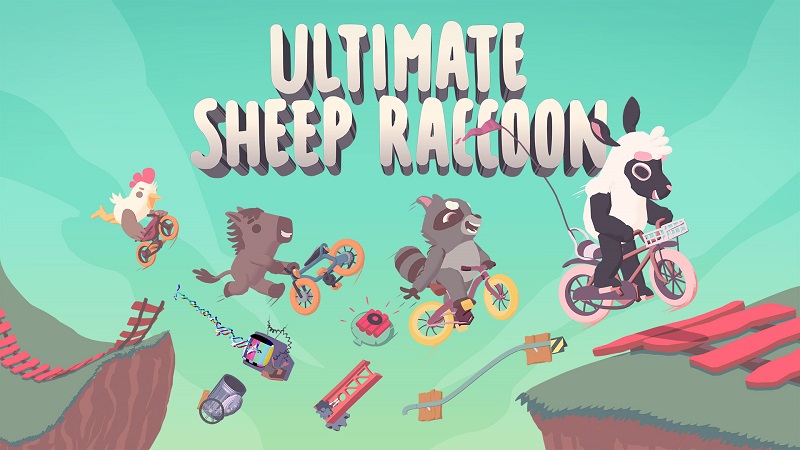
Ultimate Sheep Raccoon (Switch, Switch 2): all the updates (latest: Ver. 1.6)
On this page, you will find all there is to know about the various updates for Ultimate Sheep Raccoon on Nintendo Switch and Nintendo Switch 2.
Click here for more games and consoles updates!
Ultimate Sheep Raccoon – Ver. 1.6
- Release date: July 6th/7th 2026
- Patch notes:
Content
- Changed the physics of character movement to make it easier to stop and start (after testing with the community)
- Made power-ups into their own “game mode”, removing them from the main Party Mode*
- Rebuilt the entire camera system from scratch, making it much more stable, smooth and less janky/jittery
- Fixed the UI disappearing bug, which caused players to fall and never respawn! We know this is the “content” section but it’s such a big one and was SUCH a pain in the butt that we wanted to include it here!!
- Made Pasture and Bagel City levels longer
- Added new levels
- Castle
- Compound
- Roswell
- Waterfall
- Added new blocks
- Zapper
- Pillow
Improvements
- The “A to Interact” glyph in Training Grounds is now always shown when a player is near an interactive object
- Updated Training Grounds art and level layouts
- Added local multiplayer join prompt to training grounds levels
- Improved hookshot frog block, made the launch direction more predictable
- Improved vine grabber block to better preserve bike momentum (still more improvements coming on this one)
- Added invincibility flash indicator on character sprite
- Updated PS4 controller glyphs to PS5 controller glyphs (when playing on PS5) to be more clear
- Moved the “Restore Defaults” button in the options menu to the bottom right
- Added a notification message when the host disconnects and a client becomes the new host
- Rotated block button glyphs now always display face down
- Changed the “?” icon to a lock icon for locked characters
- Added a paste button for level code searching on consoles
- Improved non-build zones to be visible during block placement phase
- Added button for players to adjust camera zoom during block placement or racing
- Various UI consistency improvements
- Added Skunk and new staff to the credits
Bug Fixes
- Fixed players never respawning because they don’t touch the ground. Also fixed the (same) issue where a player could respawn into spikes in the tutorial and become stuck
- Fixed an issue where the client cursor would disappear during online level selection, causing the player to appear suspended during a match
- Fixed a softlock that would leave the entire lobby on a black screen when the host disconnected after a completed race
- Fixed an issue where the host returning to the main menu would disconnect clients from the server, both in-game and in loaded UGC levels
- Fixed a softlock that could occur when the host disconnected during a round start countdown or between rounds
- Fixed a softlock that could occasionally occur when launching Custom stages in Local Play
- Fixed an issue where rotating blocks in Free Play mode would not save their position
- Fixed an issue where other players’ cursors would appear in front of the options menu
- Fixed an issue where triggers would no longer rotate objects in the level editor
- Fixed an issue where the Theme menu could not be opened when re-editing a level
- Fixed an issue where the level editor would hardlock when saving a map name containing a ‘?’ character
- Fixed an issue where certain levels could not be played when searched via Level ID
- Fixed an issue where an error could occur when searching for a user-generated level using its share code
- Fixed an issue where the last 2 unlockables would not unlock
- Fixed an issue where the cursor and player indicator would disconnect from each other when the options menu was opened
- Fixed an issue where the cursor would disappear after entering and leaving the level editor
- Fixed a camera lock issue during the build phase on the Scrapyard map
- Fixed collision issues on swinging structures in the Cranes map
- Fixed an issue where rails could be placed inside geometry
- Fixed an issue where rails would no longer highlight red when a bomb hovered over them
- Fixed an issue where the in-race UI would sometimes not appear after playing multiplayer
- Fixed an issue where main menu music could persist into gameplay
- Fixed an issue where tutorial music would fail to play when launching the title with a new user
- Fixed an issue where the Gator tuque cosmetic was missing
- Fixed an issue where sound effects were missing during the opening gift animation for unlocked rewards
- Fixed an issue where the keyboard would not appear when selecting a text field on PC
- Fixed an issue where two players in a blank Online Level Editor session would not see each other moving start or end zones
- Fixed an issue where there would be no finish line if the host quit during an Online Challenge match
- Fixed an issue where the “Magnet hazards” option appeared in the menu despite Magnet not being in the game (a block inspired by the original magnet will be coming soon!)
- Fixed traditional Chinese text still displaying some glyphs in the incorrect font
- Fixed text being cut off in the options screen in certain languages
- Fixed the “Done” button on Keyboard and Gamepad settings tabs on PC not functioning
- Fixed the Cheat menu buttons not being clickable in the main menu
- Fixed the start zone and end zone in the level editor being removable if a player left while holding them.
- Fixed CRT filter toggle option missing on consoles.
- Fixed character being deselected when pressing back while gift popup was shown.
- Fixed a soft lock when pressing back during loading into training grounds.
- Fixed a soft when browsing local levels if any failed to load.
- Fixed level backgrounds sometimes failing to load when playing custom levels.
- Fixed cranes in Scrapyard level sometimes causing blocks to Z-fight.
- Fixed trick boosts not having a speed cap.
- Fixed missing sound effects for saws in Dam level.
- Fixed parallaxing background art jittering sometimes.
- Fixed vine grabber not releasing bike when going through a portal.
- Fixed host sometimes getting 2 cursors in menus.
- Fixed timeout banner text sometimes being hard to read on dark backgrounds.
- Fixed cursor disappearing when trying to adjust level editor settings if not the host.
- Fixed rails grinding sound effects never stopping for remote players.
- Fixed Scrapyard level treadmills to properly push bikes and dead players consistently.
- Fixed dead bike reset logic sometimes respawning players inside terrain or obstacles and causing them to get stuck.
- Fixed back flip / front flip tricks not always being detected properly.
- Fixed some unlockable progression items not being granted even when players had enough XP.
- Fixed input remapping not always saving changes consistently.
- Additional notes: none
- Source: Clever Endeavour Games
Ultimate Sheep Raccoon – Ver. ???
- Release date: ???
- Patch notes:
No patch notes available. This update brings the following to the game:
- fixes obvious but non-critical bugs
- Additional notes: none
- Source: Clever Endeavour Games (Bluesky)
Ultimate Sheep Raccoon – Ver. ???
- Release date: March 26th/27th 2026
- Patch notes:
No patch notes available. This update brings the following to the game:
- fixes issues introduced in previous update.
- re-enables cross-play
- Additional notes: none
- Source: Clever Endeavour Games (Bluesky)
Ultimate Sheep Raccoon – Ver. 1.3
- Release date: February 19th/20th 2026
- Patch notes:
Features and Feature Improvements
- Added a new character — Skunk!
- Added blocks
- Sea-mine
- Moving hazard
- Rotating terrain
- We had another one we worked on but didn’t make the cut (explain without saying what it was)
- Character control improvements
- fixed the issue where the bike wheels pop out to the side after turning
- made sure that a jump while falling or double jump always gives upward boost
- fixed an issue where the landing animation would get cut off and looked janky
- changed how coming down ramps and up ramps works slightly
- played with some physics values to make it feel better
- Nerfed the umbrella power-up
- Made hardcore mode (traps kill players, no respawning) more obvious and its own game mode
- “Too Easy, No Points” option added
- Added solo points
- Reworked the tutorial to include information about the different types of tricks, Hardcore Mode, and feedback for switching control schemes
Quality of Life Improvements
- Adjustable cursor speed
- Windowed & borderless window modes added
- Removed the smoothing (easing) on the control to change from level edit → run mode, and on the “hold to give up” control. This was causing frustration as people sometimes would let go of the button too early as the cursor fill circle slowed down.
- Added visual and audio feedback when you change control schemes in the tutorial
- Added a crown on the host in the lobby
- After sharing a custom level online, it now displays the level code so you can copy it and share with your friends
- Made saw blades on Dam level more clearly dangerous
Bug Fixes
- Missing UI bug, which we think causes the ghost bike issue where a player can control their fallen bike and never respawn — we made a lot of progress on this and it happens much less often, but still happens sometimes. We still have no idea why and can’t reliably reproduce the UI disappear bug, despite hours of QA… will continue trying.
- Players no longer get stuck between cannons if they’re placed closely together
- Achievement fixes (especially “Not That Way”)
- Honey now sticks properly to moving objects (Cranes level objects, rotating terrain)
- Game no longer crashes if a player joins as soon as a host leaves the lobby
- Resetting in the tutorial doesn’t break the game anymore
- Random level can no longer select locked levels
- Fixed more issues with Simplified Chinese text
- Ghost firework staying on-screen after placing and moving it in level editor mode
- Tons of under-the-hood stability improvements
- A bunch of UI and localization layout improvements
- Refactored the block placement system to allow for more flexibility of how things can be placed
- Additional notes: none
- Source: Clever Endeavour Games
Ultimate Sheep Raccoon – Ver. 1.2.30
- Release date: December 25th/26th 2025
- Patch notes:
Major Features
- added controller and keyboard remapping for Steam (consoles coming soon)
- reduced placement zone so blocks can be placed closer to each other in party mode and challenge mode
- fixed – private lobbies can be joined by random players
- added a visual showing when you’re going to respawn after falling
- made respawn countdown only start if you’re touching ground
Minor Features / Bug Fixes
- adjusted jetpack force and fuel amount (based on watching NorthernLion’s stream)
- made fireworks explode on impact with walls
- updated localization with improvements, especially in Chinese and Japanese
- art background improvements for layering issues
- fixed – level editor theme not changing properly in some cases
- fixed – player control scheme not saving properly
- fixed – pause game restarting Challenge Mode sometimes
- fixed – host leaving causes a joining player to have issues
- Additional notes: none
- Source: Clever Endeavour Games
Ultimate Sheep Raccoon – Ver. 1.1
- Release date: December 12th 2025
- Patch notes:
- improved controller support for players with 8BitDo and other controller types
- created a special case for local 8P input on older Windows versions which have issues supporting x-input controllers
- fixed issues with Traditional Chinese fonts missing glyphs
- fixed coin duplication bug in Challenge Mode
- fixed a few achievements triggering at the wrong time
- some minor bug fixes
- Additional notes: none
- Source: Clever Endeavour Games
How to download updates for Ultimate Sheep Raccoon on Nintendo Switch and Nintendo Switch 2?
To download the updates for Ultimate Sheep Raccoon, you have three options:
- let the console do its thing if you have automatic downloads activated, and didn’t completely turn it off
If not…
- try to launch the game from the Home Menu while being connected to the internet. You should get a prompt when doing so: simply follow the instructions on screen;
OR
- select the game > press either + or – to go to the Options page > select Software update > select Via the Internet.
To check that you have the latest version installed, simply select the game on the Home Menu, and press – or + to go to the Options: the version number is displayed just below the game title.
