
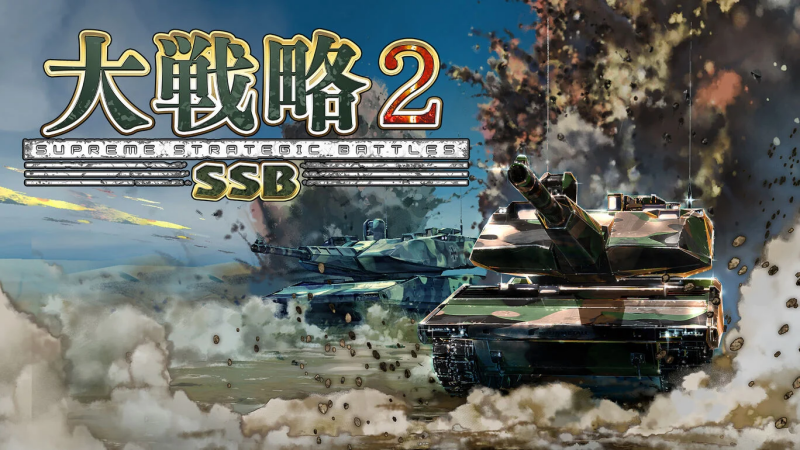
Dai Senryaku SSB2 (Switch, Switch 2): all the updates (latest: Ver. 1.0.22)
On this page, you will find all there is to know about the various updates for Dai Senryaku SSB2 on Nintendo Switch and Nintendo Switch 2.
Click here for more games and consoles updates!
Dai Senryaku SSB2 – Ver. 1.0.22
- Release date: August 26th/27th 2026
- Patch notes:
Feature Improvements
- Added new scenarios (scenario maps)
Bug Fixes
- Fixed bug occuring when the CPU fails to defeat an enemy for a certain number of turns, which causes the enemy air units of that faction to stop moving.
- Improved CPU behaviour regarding the rotation of units defending the capital.
- Fixed bug causing the CPU’s ships not to move.
- Additional notes: none
- Source: SystemSoft beta
Dai Senryaku SSB2 – Ver. 1.0.20
- Release date: July 29th/30th 2026
- Patch notes:
Feature Improvements
- Added new scenarios (scenario maps)
Balance Adjustments
- Changed Morale system so that morale no longer decreases when a unit does not take any action.
Bug Fixes
- CPU ships could not pass under bridges.
- CPU could not attack units on the same hex.
- Fixed minor bugs.
- Additional notes: none
- Source: SystemSoft beta
Dai Senryaku SSB2 – Ver. 1.0.18
- Release date: June 24th/25th 2026
- Patch notes:
This update brings the following to the game:
- new scenario maps
- game balance adjustments
- bug fixes
【機能改善】
- シナリオ(シナリオマップ)を追加。
【バランス調整】
- 一部戦車のパラメータ・価格を調整。
【不具合修正】
- 実績「マスターオブ大戦略」にシナリオマップが含まれている。
- ユニットを拠点に収納した場合、ターン開始時に士気が回復しない。
- 一部実績を達成後、セーブせずにゲームを終了すると未解放になる。
- 生産タイプ:日
「こんごう型護衛艦(巡航ミサイル装備)」の文章が「巡行」になっている。 - CPUの輸送ヘリが雪原・沼地・荒地上の道路でユニットを搭載できない。
- CPUが「首都」上に防衛部隊を配置しない場合がある。
- CPUのユニットが攻撃し、全滅した場合でも索敵範囲が広がる。
- CPUが空軍基地を所持していない場合でも空母を生産する。
- 軽微な不具合の修正。
- Additional notes: none
- Source: SystemSoft beta
Dai Senryaku SSB2 – Ver. 1.0.16
- Release date: May 27th/28th 2026
- Patch notes:
【機能改善】
- シナリオ(シナリオマップ)を追加。
- カメラの移動範囲を拡大。
- 潜水艦の生産金額を調整。
- 艦船、潜水艦の移動力の調整。
- 各基地で生産するために必要な工業力の表示を、各陣営のターン中は陣営ごとの数値を表示するように変更。
- 「燃料」と「士気」の数値によって色を変更するように変更。
- オプションの「戦闘シーンの表示」を「非表示」かつ「敵ターン反撃確認」を「なし」にした場合、戦闘結果表示が自動で進むように変更。
- 生産タイプ:日
「こんごう型護衛艦(巡航ミサイル装備)」追加。
【バランス調整】
- 生産タイプ:露
攻撃ヘリ「Mi-28」:対戦車ミサイルの射程調整。 - 生産タイプ:中
潜哨戒機「Y-9Q」:魚雷の攻撃力調整。潜水艦「093型原子力潜水艦」:巡航ミサイルを「鷹撃-21」に変更・調整。戦闘艦「南昌級駆逐艦」:対艦ミサイルと巡航ミサイル追加。 - 生産タイプ:韓
戦闘攻撃機「F-15K スラムイーグル」:空対地ミサイル「SLAM」追加。 - 生産タイプ:米
戦闘攻撃機「F-15E ストライクイーグル」「F/A-18E/F スーパーホーネット」:空対艦ミサイルを「SLAM」に変更・調整。 - 生産タイプ:瑞
輸送ヘリHkp.14の移動力を「1」低下。
【不具合修正】
- 「かの地を目指して」のRED陣営の生産タイプが「以」ではなく「露」になっている。
- 敵ターン中に範囲攻撃を受けると誤った撃破予測画面が表示される場合がある。
- CPUの歩兵が不適切なタイミングで「占領」する場合がある。
- CPUの航空兵器が墜落した場合、演出が表示されない。
- 生産タイプ:義 自走ロケット「キアム」:誤った武装が設定されている。
- 生産タイプ:瑞 歩兵戦闘車「Strf.9040歩兵戦闘車」:索敵範囲が「0」になっている。
- 軽微な不具合の修正。
- Additional notes: none
- Source: SystemSoft beta
Dai Senryaku SSB2 – Ver. 1.0.11
- Release date: April 29th/30th 2026
- Patch notes:
Improvements
- Added new scenarios (scenario maps).
- Added faction selection to scenarios.
- Changed system so that victory is awarded even if all enemies are eliminated in a scenario.
Balance Adjustments
- Adjusted the production cost and stats of the AAV7 personnel carrier.
Bug Fixes
- Fixed video playback stuttering occasionally.
- Fixed bug causing allied units positioned on enemy bases to become unable to move.
- Production Type: Medium
- Submarine “Type 093 Nuclear Submarine”: removed from the Production Type list.
- Minor bug fixes
- Additional notes: none
- Source: SystemSoft beta
Dai Senryaku SSB2 – Ver. 1.0.8
- Release date: March 25th/26th 2026
- Patch notes:
Improvements
- Added faction colours at the start of a turn.
- Added “Production Cost” to the “Edit Production Types” screen.
Fixes
- Fixed bug causing the game to crash when the CPU is thinking after producing a transport ship.
- The fix will only take effect when you start a new map after downloading the update.
- Fixed minor bugs.
- Additional notes: none
- Source: SystemSoft beta
Dai Senryaku SSB2 – Ver. 1.0.2
- Release date: February 26th 2026
- Patch notes:
Improvements
- Added Scenario Mode
- Industrial capacity required for production is now displayed at each base.
- Improved AI behaviour.
- Faction names are now displayed when the CPU is thiking.
- Adjusted game balance (weapons, maps)
Fixes
- Fixed a bug that could cause crashes on specific maps.
- Fixe minor bugs.
- Additional notes: none
- Source: SystemSoft beta
How to download updates for Dai Senryaku SSB2 on Nintendo Switch and Nintendo Switch 2?
To download the updates for Dai Senryaku SSB2, you have three options:
- let the console do its thing if you have automatic downloads activated, and didn’t completely turn it off
If not…
- try to launch the game from the Home Menu while being connected to the internet. You should get a prompt when doing so: simply follow the instructions on screen;
OR
- select the game > press either + or – to go to the Options page > select Software update > select Via the Internet.
To check that you have the latest version installed, simply select the game on the Home Menu, and press – or + to go to the Options: the version number is displayed just below the game title.
