
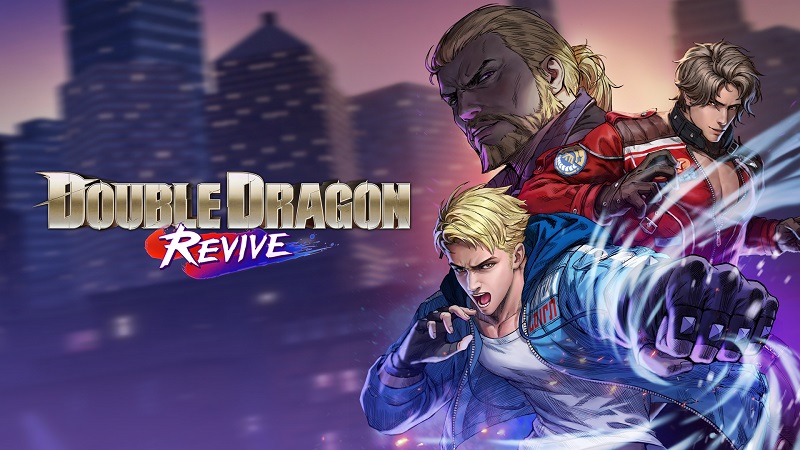
Double Dragon Revive (Switch): all the updates (latest: Ver. 1.5.0)
On this page, you will find all there is to know about the various updates for Double Dragon Revive on Nintendo Switch.
Click here for more games and consoles updates!
Double Dragon Revive – Ver. 1.5.0
- Release date: July 5th/6th 2026
- Patch notes:
●Additional functions:
・New player action: “Guard Counter”
Enables a counter-attack move upon successfully guarding an enemy attack.
・Added a Tutorial mode with its dedicated stage.
●Balancing/Improvements (playable characters)
・Widened the area Hyper Blows can be triggered from
・Widened guard range, making blocking attacks from front diagonal and sides possible
・Added invulnerability frames to some player damage animations
●Balancing/Improvements (enemies/stages)
[Brad]
Changed so that player combos are not interrupted when hit by his hand push.
[Kenneth]
Adjusted his grenade throwing rate and added an AOE effect to show point of impact.
Reduced his backstepping frequency.
[Brunov]
Reduced the homing ability of his double chop lunge attack.
[Al]
Reduced the amount of armor he has when charging his shoulder tackle dash attack.
[Assassin]
Adjusted to make it less likely to result in a mutual hit when intercepting his drop attack.
[Masato]
Reduced the time his pre-quickdraw round area of damage has and made it so it cannot only hit player multiple times in a row.
[Ralph (Motorcycle)]
Made it easier to hit him by widening his hitbox.
[Nick (Dragon Vein Contamined version)]
Added delay to some of his attack animations and reduced hitboxes range for some of his attacks.
[Ralph (Dragon Vein Contamined version)]
Reduced the homing capabilities of some attacks and/or their attack hitbox range.”
[Roper]
Added delay to the build up for his full-swing bat attack.
Reduced frequency of his unblockable attacks.
Reduced his armor durability on armored sweeping attacks.
[Abobo]
Added length to his build-up motion when throwing blue drums.
Timing when his grab attack hits the player has been delayed.
[Joji]
Activation timing of the armor on his drop kick move has been delayed.
[Williams]
Added a visual guide to the trajectory of his zigzag dash attack.
[Marcus]
Reduced the armor durability and homing capabilities of some of his attacks.
Increased the time to launch his big shockwave attack.
His airborne time before his shockwave slam attack has been increased.
[Abobo (Four Guardians Battle)]
Made visual markers for when he throws characters to show sooner.
[Four Guardians Battle]
Their overall attack frequency and enemy behavior patterns have been adjusted to reduce difficulty.
[Overall]
Reduced frequency with which enemies attempt unblockable attacks when the player is guarding.
[Molotov Cocktail]
Damage hitbox has been reduced, and the flame effect range has been adjusted.
Added a visual guide that displays the fire hitbox.
Other improvements include minor bug fixes, enemy behavior adjustments, and stage mechanics fine-tuning.
- Additional notes: none
- Source: Arc System Works
Double Dragon Revive – Ver. 1.3.0
- Release date: December 16th/17th 2025
- Patch notes:
Improved Controls
- Adjusted inputs for attacking downed enemies. Previously, attempting a follow-up attack on a downed enemy often resulted in a grab. We have adjusted the sensitivity to ensure attacks on downed enemies are easier to execute.
Hint Message Updates
- Updated the hint messages displayed when defeated in a boss battle.
Bug Fixes
- Fixed an issue that could halt game progress under certain circumstances.
- Addressed several other minor bugs.
Online Multiplayer Stabilization
- To ensure gameplay stability, the console’s capture feature has been disabled during online multiplayer sessions.
- Additional notes: this update included Ver. 1.2.0
- Source: Arc System Works
How to download updates for Double Dragon Revive on Nintendo Switch?
To download the updates for Double Dragon Revive, you have three options:
- let the console do its thing if you have automatic downloads activated, and didn’t completely turn it off
If not…
- try to launch the game from the Home Menu while being connected to the internet. You should get a prompt when doing so: simply follow the instructions on screen;
OR
- select the game > press either + or – to go to the Options page > select Software update > select Via the Internet.
To check that you have the latest version installed, simply select the game on the Home Menu, and press – or + to go to the Options: the version number is displayed just below the game title.
