
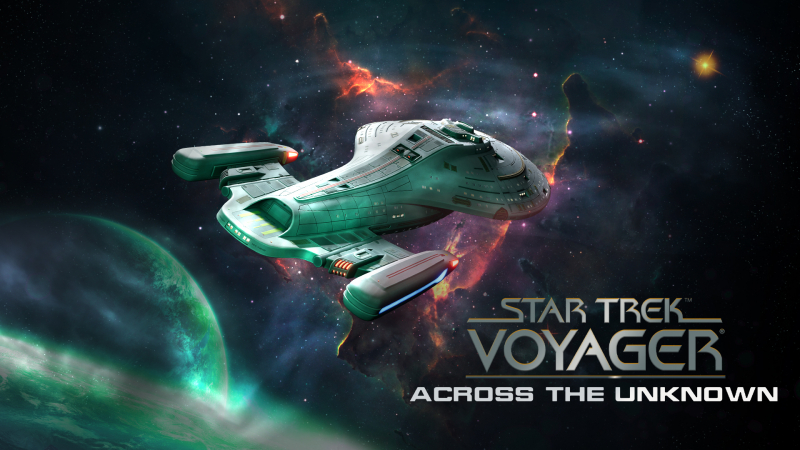
Star Trek: Voyager – Across the Unknown (Switch 2): all the updates (latest: Q Trials)
On this page, you will find all there is to know about the various updates for Star Trek: Voyager – Across the Unknown (and its demo) on Nintendo Switch 2.
Click here for more games and consoles updates!
Star Trek: Voyager – Across the Unknown – Ver. ??? (Q Trials)
- Release date: October 1st/2nd 2026
- Patch notes:
TIME TO PUT ON A SHOW FOR Q
If you know Q, you know he gets bored easily and the Voyager just became his new source of entertainment.
He reimagines the long journey home as a grand theatrical spectacle with himself as director, audience, and notoriously harsh critic, forcing you to play the lead role in his new masterpiece!
The Delta Quadrant is his stage, rewritten and reshaped whenever he pleases. You and your crew are his unwilling acting ensemble, and Q keeps shredding the script just to see if you can keep up.
Q Trials is a roguelite mode, grow your research and heroes each run, throw in modifiers that give extra rewards, and turn every journey home into a different test:
-
Randomized events posing new unexpected challenges and keep Q entertained
-
Far more freedom in how you build your crew, with the trade-offs that come with it
-
More gameplay, less reading, making for faster runs
Want to finally promote Harry Kim? Maybe go crazy and make him captain? Q will have opinions… He will most definitely have opinions, and he will not keep them to himself. Every unconventional decision you make earns a running commentary from the galaxy’s most powerful backseat driver.
- Additional notes: none
- Source: Daedalic Entertainment (Steam)
Star Trek: Voyager – Across the Unknown – Ver. 1.8
- Release date: July 16th/17th 2026
- Patch notes:
DLC [available for purchase]
- Added Expansion Pass (containing four premium DLCs) and upcoming DLCs to the main menu
- New DLC “Delta Chronicles” with new Side Missions “Distant Origin”, “The Omega Directive”, “Homestead”, “Cold Fire” and “Inside Man”, two new heroes (“Reg” and Forra Gegen), new NPC ships (Voth City Ship, Ferengi Marauder, Nacona’s Ship, Allos’ Ship) and new techs (Limited Omega Power, Advanced Neutron Microscope, Evolved Plant Seeds, Interphase Cloaking Device, Geothermal Charging Stations, Delta Quadrant Ambassador)
Tech Tree
- Improved description for navigational deflector techs
- Renamed tech “Talaxian Delight” to “The Survivalist’s Cookbook”
- “Ultra thin reactor plating” tech: Decreased warp core damage reduction from 25% to 20%
Away Missions
- Only one holo hero is allowed in away missions (due to single mobile emitter)
- Hovering over a hero in the away mission loadout screen now highlights that hero’s abilities/traits and recommended traits
Ship Events
- Ship Event “Outbreak” is now more managable: The sickness now only spreads 3 times after the initial event
- Added 7 new ship quests/events (“The Replicator Bypass”;”Gel Pack Dilemma”; “To Eat or to Empty”; “Prixin”; “A Lesson of Ethics”, “A Soul Divided” and “Forever the Ensign”)
POI
- Point of Interest “Crashed Borg Probe” Holodeck option: Decreased excellent outcome chance and reduced Borg Nanites reward
- PoI “Glaciated Planet”: The option using the Borg Cutting Beam now won’t appear before sector 7
UI
- The battery resource tile in the HUD now shows the total energy amount stored in batteries, even if these are switched off
- Added a visual indicator to the UI to show the influence of the Limited Omega Power tech
- Removed – and + for values from tech tree descriptions since the words in the text already describe increase or decrease, which resulted in a double negative
- Added a separate analysis bar to the tech tree button in the HUD for science lab item analysis
General
- All Ending Scenes now include a pop up for Joe Carey if he made it to the end
- Point of Interest “Marginal Planet” Option 2: Increased excellent outcome chances
- The grey mode tutorial is not assuming anymore that the player is out of Deuterium
- Significantly increased phenomenon “Ion Storm” warp core damage per cycle since its effect barely had impact and could be negated too easily
- Leaving an POI event to revisit later no longer increases the autosave counter
- “Old friends new enemies”: Increased morale when receiving letters from home
Bug Fixes
- Ship Quest “Hunter’s Due”: The quest now accounts for the Heroes death or unavailability and assigns random outcomes properly
- “Innocence”: Rivus’ portrait now looks more suited to his condition
- “Scorpion”: Kes is no longer visible after she already left the ship during the final dialogue
- “Eye of the Needle”: The crafting recipes in the dialogue options are now displaying their correct name
- “Prey” and “Old Friends New Enemies”: The dialogue of “Prey” now correctly changes if the player already met Hirogen through the main mission
- “Tomorrow’s Yesterday”: The diplomat’s ear technology is no longer automatically researched when unlocking the tech. This won’t affect already unlocked techs of existing save games
- “Child’s Play”: Janeway now acknowledges the existence of Nine of Nine during dialogue
- “Alliances”: Added missing text so the dialog option “Claim a planet” makes sense
- “Loyalties”: Characters now appear and disappear at the correct time during the final bridge dialogue
- “Dark Frontier”: Morale reward during dialogue is now correctly displayed
- “Uprising”: Fixed an issue where Borg were unable to surrender
- “Tribble Trouble”: The research quest can now be completed when attempting it after a failed first attempt
- “Cold Fire”: Fixed quest tracker counter for Kes being assigned to Hydro Bay
- Fixed being able to navigate to resource HUD (and potentially opening notifications or overview) outside of sector/system/side view
- Fixed an issue with homesickness being delayed
- After “Game Over”, the last save will now be loaded, regardless if it’s manual or autosave
- Fixed an issue with cycle calculation when saving manually during a flight
- Fixed an issue with hull repair not working properly with two work teams
- Fixed an issue where combat reticules were getting too big
- Suppressed calls are now properly cleared when returning to the main menu
- Fixed Biolab in certain circumstances removing resources without progressing
- A skill check now correctly requires Seven of Nine
- Ensured that removing a room only grants resources once
- Loading save games now correctly retains progress on some multi-cycle tasks where it didn’t before
- Activating batteries now immediately updates the UI
- Dialogue text now always only displays the typewriter effect once
- Fixed an issue where Voyager was unable to fire upon the Think Tank from certain sides
- Removed false surrender Threshold from Borg for the sector: Endgame
- Additional notes: none
- Source: Daedalic Entertainment (Steam)
Star Trek: Voyager – Across the Unknown – Ver. 1.7
- Release date: ???
- Patch notes:
Delta Flyer & Shuttle System
- Added the Delta Flyer as a new game mechanic!
- Added a new Delta Flyer introduction questline in sector 7 with Tom Paris.
- The Delta Flyer can be constructed in the Shuttlebay.
- The Delta Flyer is limited to one and requires a Shuttlebay level 3.
- The Delta Flyer can be used as a combat ally without splitting combat rewards!
- Added new Delta Flyer-related event options across several points of interest and sometimes adjusted balancing of normal shuttle options.
- Added Delta Flyer-specific branches to selected quests, including Old Friends, New Enemies, The Drone, and Uprising.
- Updated shuttle naming: “Standard Shuttle” is now “Class 2 Shuttle”.
Quest & Event Fixes
- Fixed several blockers in existing quests, including Duranium Infestation, Friendship One, Equinox, Dark Frontier, Scorpion, Good Shepherd, Innocence, State of Flux, Think Tank, and Live Fast and Prosper.
- Fixed cases where questlines could become stuck after loading older savegames.
- Fixed incorrect or missing POI visibility in several missions.
- Fixed several incorrect dialogue branches, missing conditions, and wrong outcome priorities.
- Fixed morale questline issues related to dissatisfaction, final warnings, and mutiny.
- Fixed cases where heroes could become unavailable incorrectly after events.
- Fixed several missing or incorrect quest tracker texts.
- Improved handling of questline resets for patched savegames.
- Fixed some multiple choice event options not being usable at high difficulty settings
UI & UX Improvements
- Reworked Bridge combat ally room management UI.
- Added HUD indicators for recruited combat allies.
- Improved Shuttlebay room management visuals.
- Added warning when switching production options to prevent accidental progress loss.
- Added cargo icons to Cargo Bay room overlays.
- Improved room descriptions for Sickbay, Bio Lab, Borg Alcove, Waste Deassembler, and other rooms.
- Improved custom difficulty UI text handling.
- Updated tutorial images to match the current UI.
- Improved gamepad tutorial images and controller input detection.
- Reduced visible gamepad cursor flashes between events.
- Fixed several text overflow issues in UI.
- Fixed missing or incorrect hero impact descriptions.
Balance & Gameplay
- Fixed shuttle build cost and build time tech bonuses.
- Adjusted morale penalties and morale quest timing.
- Weakened the second tutorial fight to better match shield balance.
- Adjusted threat level changes in selected quest outcomes.
- Fixed several room limit and resource modifier issues.
- Improved Borg encounter behavior so certain enemies can no longer flee or surrender repeatedly.
Stability & Bug Fixes
- Fixed crashes related to loading screens and game close.
- Fixed room widgets not reacting correctly after room removal or cancelled construction.
- Fixed room deactivation/destruction issues that could cause unintended resource loss.
- Fixed cases where inactive rooms still allowed UI interaction.
- Fixed resource modifiers not stacking or resetting correctly in some cases.
- Fixed build limit display issues.
- Fixed duplicate crew names.
- Fixed several localization, typo, and text formatting issues.
- Fixed missing explanation for Contamination Cloud phenomenon
Visual & Audio Updates
- Updated endgame visuals.
- Improved hull bar UI visuals and feedback for low hull.
- Fixed visual issues in several rooms and cutscenes.
- Additional notes: none
- Source: Daedalic Entertainment (Steam)
Star Trek: Voyager – Across the Unknown Demo – Ver. ???
- Release date: TBA
- Patch notes:
No patch notes available yet. This update brings the following to the demo:
- adds voice-over.
- The narration is performed by Tom Paris (Robert Duncan McNeill).
- Additional notes: none
- Source: Daedalic Entertainment PR (13/02/2026)
How to download updates for Star Trek: Voyager – Across the Unknown on Nintendo Switch?
To download the updates for Star Trek: Voyager – Across the Unknown, you have three options:
- let the console do its thing if you have automatic downloads activated, and didn’t completely turn it off
If not…
- try to launch the game from the Home Menu while being connected to the internet. You should get a prompt when doing so: simply follow the instructions on screen;
OR
- select the game > press either + or – to go to the Options page > select Software update > select Via the Internet.
To check that you have the latest version installed, simply select the game on the Home Menu, and press – or + to go to the Options: the version number is displayed just below the game title.
