
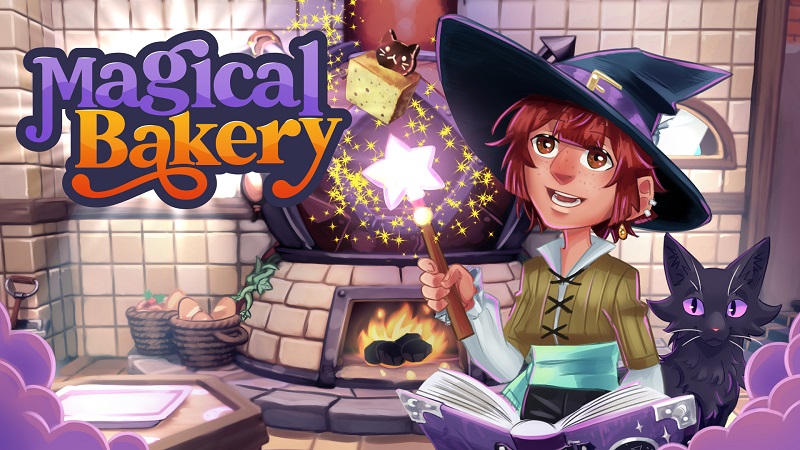
Magical Bakery (Switch): all the updates (latest: Ver. 1.4)
On this page, you will find all there is to know about the various updates for Magical Bakery on Nintendo Switch.
Click here for more games and consoles updates!
Magical Bakery – Ver. 1.4
- Release date: January 28th 2026
- Patch notes:
Fixes:
- Grimoire gets stuck in front of the character after pressing the Options button while climbing the Observatory ladder.
- The Cursor gets displayed even when the “Enable Cursor” option in unticked.
- The ‘Wake Up’ animation is displayed even when the character is far away from Baba’s bed.
- The user is unable to select the baking table when interacting from the middle of both tables.
- Interaction prompts for two interactions are displayed at the same time during the gameplay.
- The character’s head fails to turn with the body while switching between ovens using the lever.
- Unnecessary button prompt is displayed at the exam table when player has no food item in his hand during the gameplay.
- Placeholder icons are displayed for a few seconds for button depiction after invoking the Grimoire menu or at the start of the day.
- Drag and drop tutorial is displayed in ingredient tutorial.
- Once, Baba’s cutscene about the customer’s happiness was triggered while serving the customers.
- Stuck talking to merchant and subtitles randomly switch from English to Spanish.
- Vibration function is deactivated when switching between levels.
- The player can get stuck between the coal cart and Baba during the tutorial.
- Glitch during elemental cutscene.
- The sound of the buttons can be heard during a dialogue.
- Bold font to be removed for all Asian languages.
- NPC sits at a table that has dirty dishes.
- Glass dome disappears on Exam Level 2.
- The font of the characters for flour are too small when playing in Japanese.
- The button’s text is too small to read.
- Code string is visible during the dialogue with Baba.
- NPCs consume the sweets on a dirty table if the player sleeps without cleaning the table.
- Some of the OST’s under the Deluxe Content fails to play after setting the Music to zero.
- UI SFX is audible when the player gives input using the controller during the conversation with an NPC.
- Elemental’s sleeping SFX is audible while having a conversation with any NPC.
- Player is able to invoke quit confirmation popup and character confirmation popup at the same time.
- Player is able to invoke the GRIMOIRE and inventory by pressing the + button on the ending credit screen.
- The player character passes through the Shop door if standing in opening/closing spot.
- Multiple issues are noted while rotating the character during the character customization.
- The player character passes through the Shop door if standing in opening/closing spot.
- ‘Waiting Icon’ is displayed above the parcel customer’s head after delivering the sweet.
- The controller takes input in the background when the user invokes the inventory tab while sprinkling magical sprinkles from magical shakers on the table.
- The “Larger HUD” setting resets to default after returning to the Settings menu.
- The player can go back to the previous screen using the X button.
- Astral fruit disappears from the character’s hand when the player runs in any direction while pressing the “X” button after climbing stairs.
- The guidance arrow on the baking tray remains on the screen even after completing the tutorial.
- User is unable to navigate to the third Elemental on the second page of the Elemental section in Grimoire.
- Dark Aura VFX remains on NPC after using Baba’s special spell to give them the desired sweet.
- The user can invoke the inventory page after pressing the interaction button with Arbal the cat, causing the inventory page to overlap with the conversation.
- Highlighter disappears from the Main Menu options after pressing back from the Deluxe Contents screen.
- At random instances Customer NPC repeats “Hello” when another NPC blocks their path.
- The controller starts to vibrate when the user presses the back button during the conversation while the skip options are not displayed.
- The “Coal Cart In Observatory” upgrade text is not properly aligned in Amber’s shop.
- Purchase Animation is incorrectly displayed after confirming the purchase of the first item from the observatory even when the item is not unlocked.
- Illegible text is displayed for the skip option while playing in the German language during the gameplay.
- The player can switch oven only by moving the character after pressing both the interaction and pause menus at the same time.
- The previously selected ingredient gets stuck on the mouse cursor after holding it and pressing the back button from the Manual Cook screen.
- Unnecessary navigation SFX is audible on the Cauldron screen while navigating using the L-Stick.
- Improved how sprinkles get attached to sweets.
- The game gets stuck on interacting with the chalkboard immediately after confirming the recommendation.
- The player character gets stuck in Grimoire animation and slides on the floor after pressing both interaction (A) and pause menu (Options) buttons at the same time near any NPC.
- Debug symbols are displayed during the conversations on multiple instances in Simplified and Traditional Chinese languages.
- Controller keeps vibrating when the user activates the cleaning spell and simultaneously invokes and closes the ‘Grimoire’ pause menu.
- The changes made in-game language are reset after force-closing and relaunching the game.
- PC settings are displayed on the tutorial video.
- Turn pages by pressing D-pad is mentioned in the Grimoire tutorial however LT and RT are displayed in the game.
- The game overlaps the confirmation pop-up of items if the user selects any item and immediately presses the back button on the pop-up message.
- The “Better Hugs” upgrade fails to grant the bonus shard after hugging an elemental.
- Incorrect bookmark position is displayed in Grimoire during the Elemental Tutorial.
- The game gets stuck on the confirmation prompt after pressing the Options button while transitioning downstairs or upstairs.
- Inconsistency is observed in the font size during the conversation with Baba in Portuguese language.
- Customer NPC gets stuck between the chairs if the user prevents them from leaving the shop.
- Debug text is displayed during the interaction with NPC BABA.
- The player can move the character out of the game world by opening and immediately standing behind the Shop door.
- Tutorial window fails to close for future tutorials and pressing the skip button for the second time during the gameplay.
- The cleaning spell stays active when the player activates it and opens the inventory screen.
- The player can proceed in the gameplay by keeping the character name section blank.
- Customer accepts, eats and pays for the burnt sweet.
- The “X” button to advance dialogue does not function on the Tutorial Screen when the cursor is enabled.
- The character gets stuck after pressing the A and Option buttons together near any interaction point while carrying any item or dish.
- Unnecessary tooltip is displayed while hovering the mouse cursor on the name section during the conversation.
- The cleaning spell stays active when the player activates it and opens the inventory screen.
- The player can proceed in the gameplay by keeping the character name section blank.
- Customer accepts, eats and pays for the burnt sweet.
- The “X” button to advance dialogue does not function on the Tutorial Screen when the cursor is enabled.
- T Inventory menu stays open after performing certain steps.
- Incorrect button prompt (B) is displayed to close the Grimoire during the tutorial.
- The text is overflowing the text box when playing in foreign language.
- Please limit the number of letters that player is able to use when naming the character.
- Inventory tab fails to close when the player invokes with the shop door and immediately invokes the inventory tab during the gameplay.
- Arbal disappears before the fade out.
- Second baking tray can overlap sweet on the floor.
- Elementals goes to sleep mode if the player character visits the bedroom and returns.
- The ‘Buy’ popup performs the Sell action when the user switches between the Buy and Sell tabs and instantly presses the ‘A’ button.
- Water element tutorial triggers again if the player character returns after visiting the bedroom.
- Burn warning SFX and VFX are missing during the gameplay.
- Sound and Accessibility setting resets to default after relaunching the game.
- Placeholder is displayed for old elemental during new elemental unlock animation.
- Button prompt is missing on the ‘You can’t leave the shop now’ popup when trying to leave the shop.
- The application randomly entered an inoperable state when selecting the “Go to Bed” option during active gameplay.
- Incorrect D-pad button ‘Up’ is displayed for casting the second spell in the tutorial.
- Debug symbols are displayed during the conversation with Baba before the introduction of Ludovar.
- Debug text is displayed during the interaction with NPC AMBER while playing in the Suomi language.
- Title displays debug text in the “Sprinkles Table” tutorial in Suomi language.
- Debug text is displayed during the interaction with NPC BABA for baking the bread tutorial in the Turkish language.
- Ordered Parcel/Courier disappears after going upstairs and coming back to the kitchen area.
- Space is missing between the dialogue text during the conversation scenario with ‘Baba’.
- Conversation dialogue gets stuck on the screen if the player spams the B button during the conversation.
- The controller remains vibrating if the user presses the ‘B’ button to activate the cleaning spell just before the start of any cutscene.
- Multiple player characters are displayed after performing certain steps.
- Spoiled Sweet Turns into Burned Sweet After Bringing It from Bedroom to Kitchen.
- The applied color blindness setting is inconsistent when the user approaches an interactable object in the bedroom.
- Chalkboard menu disappears if the player visits upstairs and returns to the shop.
- Additional notes: none
- Source: Soedesco
Magical Bakery – Ver. 1.3.2
- Release date: January 9th 2025
- Patch notes:
This update fixes the following bugs:
- QMB-501: To implement an option to close the inventory with the back button.
- QMB-502: [JAP] Code string is visible during the dialogue with Baba.
- QMB-560: Code String appears on some tutorials when them are displayed.
- QMB-576: VFX – Ice aura looks grey.
- QMB-616: PC settings are displayed on the tutorial video.
- QMB-634: Incorrect button prompt (B) is displayed to close the Grimoire during the tutorial.
- QMB-646: Turn pages by pressing D-pad is mentioned in the Grimoire tutorial however LT and RT are displayed in the game.
- QMB-654: The game gets stuck on the confirmation prompt after pressing the Options button while transitioning downstairs or upstairs.
- QMB-658: Spoiled Sweet Turns into Burned Sweet After Bringing It from Bedroom to Kitchen.
- QMB-669: The changes made in-game language are reset after force-closing and relaunching the game.
- QMB-672: Some words displayed during tutorial text are incorrectly positioned outside their intended layout.
- QMB-679: Controller keeps vibrating when the user activates the cleaning spell and simultaneously invokes and closes the ‘Grimoire’ pause menu.
- QMB-685: Debug symbols are displayed during the conversations on multiple instances in Simplified and Traditional Chinese languages.
- QMB-701: Chalkboard menu disappears if the player visits upstairs and returns to the shop.
- QMB-702: The applied color blindness setting is inconsistent when the user approaches an interactable object in the bedroom.
- QMB-703: Player can give spoiled Favorite sweet to NPC characters.
- QMB-713: Space is missing between the dialogue text during the conversation scenario with ‘Baba’.
- QMB-715: Ordered Parcel/Courier disappears after going upstairs and coming back to the kitchen area.
- QMB-720: Customer accepts, eats and pays for the burnt sweet.
- QMB-721: Ingredients Mixture Disappears When the Player Starts Mixing and Moves to Bed.
- QMB-733: Debug symbols are displayed during the conversation with Baba before the introduction of Ludovar.
- QMB-744: Water element tutorial triggers again if the player character returns after visiting the bedroom.
- QMB-756: Elementals goes to sleep mode if the player character visits the bedroom and returns.
- QMB-761: A few letters are already present in the text box after playing the Over tutorial in Japanese language.
- QMB-806: NPC sits at a table that has dirty dishes.
- Additional notes: none
- Source: Soedesco
Magical Bakery – Ver. 1.2.1
- Release date: December 5th/6th 2024
- Patch notes:
- Arbal Kitchen – Arbal disappears before the fade out.
- End credits and the cutscene where Baba treats the player character replay after the game finishes.
- The ‘Sweets don’t burn’ and ‘Sweets don’t spoil’ settings fail to work as expected.
- The player can move the character out of the game world by opening and immediately standing behind the Shop door.
- The “Better Hugs” upgrade fails to grant the bonus shard after hugging an elemental.
- Inventory tab fails to close when the player invokes with the shop door and immediately invokes the inventory tab during the gameplay.
- Tutorial window fails to close for future tutorials and pressing the skip button for the second time during the gameplay.
- The game gets stuck on the confirmation prompt after spamming the A button while opening or closing the shop door.
- The character gets stuck after pressing the “A” and “Option” buttons together near any interaction point while carrying any item or dish.
- The game overlaps the confirmation pop-up of items if the user selects any item and immediately presses the back button on the pop-up message.
- Unnecessary tooltip is displayed while hovering the mouse cursor on the name section during the conversation.
- Localization Portuguese, Turkish.
- Localization Italian.
- Localization Portuguese.
- Localization Japanese, Italian, Suomi and Danish.
- Item names are not displayed while purchasing and selling items from Shen’s shop.
- The player character gets stuck in Grimoire animation and slides on the floor after pressing both interaction (A) and pause menu (Options) buttons at the same time near any NPC.
- The game gets stuck on interacting with the chalkboard immediately after confirming the recommendation.
- Multiple player characters are displayed after performing certain steps.
- The controller remains vibrating if the user presses the ‘B’ button to activate the cleaning spell just before the start of any cutscene.
- The “Bob’s Trash Can” upgrade fails to provide 2 ingredients for sweets thrown in the trash for a brief period of time after the upgrade.
- Conversation dialogue gets stuck on the screen if the player spams the B button during the conversation.
- Debug text is displayed during the interaction with NPC BABA for baking the bread tutorial in the Turkish language.
- Title displays debug text in the “Sprinkles Table” tutorial in Suomi language.
- Localization Suomi.
- Localization Japanese.
- Incorrect bookmark position is displayed in Grimoire during the Elemental Tutorial.
- The player can switch oven only by moving the character after pressing both the interaction and pause menus at the same time.
- Incorrect D-pad button ‘Up’ is displayed for casting the second spell in the tutorial.
- The ‘Buy’ popup performs the Sell action when the user switches between the Buy and Sell tabs and instantly presses the ‘A’ button.
- Additional notes: none
- Source: Soedesco
How to download updates for Magical Bakery on Nintendo Switch?
To download the updates for Magical Bakery, you have three options:
- let the console do its thing if you have automatic downloads activated, and didn’t completely turn it off
If not…
- try to launch the game from the Home Menu while being connected to the internet. You should get a prompt when doing so: simply follow the instructions on screen;
OR
- select the game > press either + or – to go to the Options page > select Software update > select Via the Internet.
To check that you have the latest version installed, simply select the game on the Home Menu, and press – or + to go to the Options: the version number is displayed just below the game title.
