
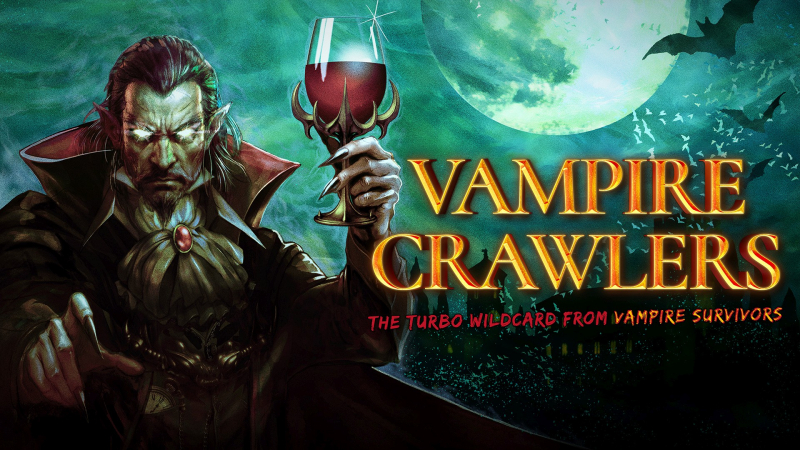
Vampire Crawlers: The Turbo Wildcard from Vampire Survivors (Switch, Switch 2): all the updates (latest: Ver. 1.5.0)
On this page, you will find all there is to know about the various updates for Vampire Crawlers: The Turbo Wildcard from Vampire Survivors on Nintendo Switch and Nintendo Switch 2.
Click here for more games and consoles updates!
Vampire Crawlers: The Turbo Wildcard from Vampire Survivors – Ver. ??? (Curdled Tunnels)
- Release date: TBA
- Patch notes:
No patch notes available yet. This update brings the following to the game:
- Top Secret
- 4 new Characters
- 7 new Cards
- 8 new Gems
- 4 new Arcanas
- Additional notes: none
- Source: poncle (Bluesky)
Vampire Crawlers: The Turbo Wildcard from Vampire Survivors – Ver. ??? (Bone Deep)
- Release date: TBA
- Patch notes:
No patch notes available yet. This update brings the following to the game:
- Bone Deep
- 2 new Characters
- 4 new Cards
- 4 new Gems
- 4 new Arcanas
- Additional notes: none
- Source: poncle (Bluesky)
Vampire Crawlers: The Turbo Wildcard from Vampire Survivors – Ver. ??? (Death Parade)
- Release date: TBA
- Patch notes:
No patch notes available yet. This update brings the following to the game:
- 4 new Cards
- Karoma’s Mana: Switch X. Gain X Mana. Adaptability.
- Unearthly Bolt: Deals X damage to an enemy. Prioritize Attackers. Crit, Crit Explosion, Afterlife.
- Spirit Disturbance: Deals X damage to an enemy. Crit, Crit Explosion, Roaring, Afterlife.
- La Robba: Deals X damage to multiple enemies. Bouncy, Scavenger X, Discrd X.
- 4 new Arcanas
- Infinite Combo
- Chair Game
- Crawler Brawler
- Unbreakable Spirit.
- 4 new Gems
- Switch
- Afterlife
- Scavenger
- Adaptability
- Moongolow
- 2 new Characters
- Sir Ambrojoe: Switch X cards. Crawler.
- Big Troubler: Discard X cards. Obtain X Coin Purse. Crawler.
- Relic toggle: Limit Hand Size.
- Additional notes: none
- Source: poncle (Bluesky)
Vampire Crawlers: The Turbo Wildcard from Vampire Survivors – Ver. 1.5.0
- Release date: July 14th 2026
- Patch notes:
You can now quit the game
- Settings Button and therefore Quit options always available in the bottom left corner
- Clearer messaging around Autosave timing added to Quit Confirm pop-up
Card Sorting
- Buttons to sort cards by Mana cost or Color
- Pressing up/down will quickly move your selection to the next category:
- In unsorted mode it moves to the start and end of the hand
- In colour sort mode it moves to the next colour
- In mana sort mode it moves to the next level of mana cost
Jeweller Clarity
- Jeweller UI now shows the chests you might find a Gem in
- Made several tweaks to make gems rarity behave in a more intutitive way (changes listed below)
- Sealing no longer requires the Player to bring a gem’s frequency below common; Gems can now be also instantly sealed.
New Deck View
- There is now a single deck view which shows you ALL your cards in one place, and whether they are in your deck pile, your hand, or the discard pile. This is accessible from multiple screens.
Tooltips
- Added Tooltip Visibility options to the settings to give players more flexibility
- Removed the controller button dedicated to Tooltip toggling (it is now used for card sorting)
Endless Mode
- If you have completed the game, a small new teaser area is unlocked on the map. This level contains a new Relic which unlocks Endless Mode
- With the Relic active, Endless Mode is available in any dungeon that you have previously cleared.
- In Endless Mode the difficulty is increased, and you can keep digging after completing the normal floors of a dungeon, allowing you to explore further and experience even tougher encounters.
- The Jeweller is disabled in Endless Mode to make it an a challenge about going as deep as possible in a stage having to rely on the base-game RNG rather than a preset gem configuration.
Other changes
- Grim Grimoire is now available during level-ups
- When levelling up you will be shown if any of the cards offered are part of an evolution with your existing cards (but only if you have Evo’d that combination previously)
- On the Pause screen we now default to the bottom row of buttons to make it easier to open the Grim Grimoire (or exit…)
- Previously hidden stats like Re-roll are now shown when they are not 0
- There is now a Luck-based chance to get 4 gems per chest intead of 3
- Luck increases the chance of getting better quality gems when levelling up
Coin Count is still OP
- Profit.
Nintendo Switch 2
- Game is now 1080p in handheld mode, and 4K when docked
- Mouse: the stick on the controller that acts as the mouse is now functional for dungeon navigation
Bugfixes and improvements
- Gems which move down in rarity (e.g Rare to common) will appear in both their original chest and current rarity chest. Gems which move up in rarity will be removed from their original Chests.

This helps reduce the chance of finding a gem which has been made rarer but allows high-quality gems (like the Evo Gem) to appear more often when rarity has been reduced.

- The gems which drop from different chests have been adjusted:
- Bronze: Common, Uncommon, Rare (unchanged)
- Silver: Rare, Epic, Legendary (Small chance of legendary)
- Gold: Epic, Legendary (unchanged)
- UI arrows added to the Jeweller for consistency with other Shops

- Scroll views in the Jeweller should work more consistently

- Fixed overflow bug with coin amount and enemies'health going negative

- Fix for Gorgeous Moon only targeting the front row

- Fix for Overkill UI getting stuck if rapidly re-triggered

- Fix for crash when rearranging cards in hand as the turn was ending

- Fix for ghost UI buttons showing on Credits when using mouse. This one’s for you Alex!

- Save Data time stamps are now shown in local time (rather than UTC used previously)

- End of Floor shovel now animates onto the screen instead of just appearing

- You can only revive if you’ve actually died, not when completing a dungeon

- Cards affected by Leader or Midas gems now show an indicator that this is happening

- A card with the right colour, which has the right colour gem inserted, can now unlock the Silver Chest by itself; any card with the rainbow gem can now unlock a Silver Chest

- Game now correctly respects the target framerate set in the display options (Unless Power Saving Mode is enabled, in which case framerate is locked to 30fps)

- Audio
- Extra attacks which happen at the end of a turn (e.g. Santa Water) now play their sounds correctly
- Shops should now pay their Buy/Fail sounds correctly
- Various small fixes to Drowner audio
- Localisation updates
- Clearer Quit behaviour (see above)
- Equip button label in Inn changed to “Add”
- Gem Description updates for Drain and Mug gems to improve clarity: Enemies that get hit by these gems will do the effect when they die and do not need to be killed at the moment the gem hits them
- Gem “Easy Combo” renamed to “Combo Breaker”, with improved text descriptions that better match the way it works (players were not understanding that the combo would end when this gem is used)
- General bug fixing and minor polish
- Additional notes: none
- Source: poncle (Steam)
Vampire Crawlers: The Turbo Wildcard from Vampire Survivors – Ver. 1.4.1
- Release date: ???
- Patch notes:
- Fix for a crash caused by Gatti Amari scuffle occuring as an encounter ends
- Fix for a save slot error caused by brand new players immediately exiting game before tutorial loads
- Better detection for corrupt data, or save data being carried from a later version back to an earlier version
- Added limit to frame rate based on monitor refresh rate, to fix too many resources being used (should reduce nubmer of crashes)
- Fix for a crash caused by the Echo gem
- Demo saves that were in the tutorial are now deleted when upgrading to main game (prevents broken save states)
- Improved saving integrity to avoid corruption in the case of power cuts or unexpected app closure
- Fix for being able to load 2 slots simultaneously
- Additional notes: none
- Source: poncle (Steam)
How to download updates for Vampire Crawlers: The Turbo Wildcard from Vampire Survivors on Nintendo Switch and Nintendo Switch 2?
To download the updates for Vampire Crawlers: The Turbo Wildcard from Vampire Survivors, you have three options:
- let the console do its thing if you have automatic downloads activated, and didn’t completely turn it off
If not…
- try to launch the game from the Home Menu while being connected to the internet. You should get a prompt when doing so: simply follow the instructions on screen;
OR
- select the game > press either + or – to go to the Options page > select Software update > select Via the Internet.
To check that you have the latest version installed, simply select the game on the Home Menu, and press – or + to go to the Options: the version number is displayed just below the game title.
