
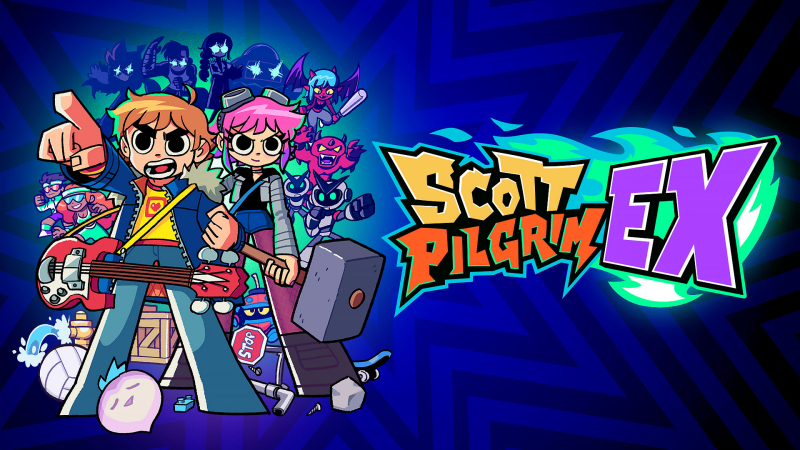
Scott Pilgrim EX (Switch, Switch 2): all the updates (latest: Coin-Op Chaos)
On this page, you will find all there is to know about the various updates for Scott Pilgrim EX on Nintendo Switch and Nintendo Switch 2.
Click here for more games and consoles updates!
Scott Pilgrim EX – Ver. ??? (Coin-Op Chaos)
- Release date: August 27th/28th 2026
- Patch notes:
New Features, Improvements & Fixes
-
Brand new “Arcade Mode”
-
- Experience Scott Pilgrim EX in a fast-paced arcade format featuring lives, credits, score chasing, and a streamlined progression from stage to stage.
- Rack up points, earn extra lives, beat the clock, and climb the local rankings in a mode inspired by the golden age of arcade brawlers.
- Experience Scott Pilgrim EX in a fast-paced arcade format featuring lives, credits, score chasing, and a streamlined progression from stage to stage.
-
Added new “Save Slot” system
-
- Choose from 3 different save slots for your new game or continuing your progress
- Added temporary “Online Save” that can be copied to a Save Slot to resume progression from your last Online game
- Reworked some achievement tracking to work with new Save Slot system
- Reworked “New Game+” to work with new Save Slot system and added an icon to identify them quickly
- Choose from 3 different save slots for your new game or continuing your progress
-
Playable Characters & Assists
-
- Taunt now activates automatically after holding for 2s, no need to release button
- Fixed stacked players not falling into pits when the bottom player falls into pit
- Fixed Ramona’s Combo Grab on Wrestler enemies potentially making them stuck
- Fixed Ramona’s Tech Attack to longer teleport into pits
- Fixed potential second jump with precise timing after an Air Throw
- Fixed client players not being able to enter shops when host is KO
- Fixed combo throw sometimes throwing enemies from too far away, will now always target closest engaged enemy
- Fixed some assist characters spawn position to avoid walls and pits
- Taunt now activates automatically after holding for 2s, no need to release button
-
Enemies:
-
- Improved pit detection for enemies
- Improved platforming logic for enemies
- Fixed aerial enemies sometimes getting stuck during their spawning sequence
- Fixed enemies sometimes remaining permanently armored when becoming furious
- Fixed enemies idling for too long after spawning
- Improved pit detection for enemies
-
Weapons
-
- Players no longer drop their weapons when bumping on walls or camera edges
- Improved “Gorde-Os” weapon: can now shoot cereal projectiles [*worth being a GIF for Social Media*]
- Improved pick up range for some weapons to make them easier to grab
- Fixed online weapons stutter when throwing them on client-side
- Fixed some incorrect interactions with the skateboard
- Fixed potential issues with Lucas’ weapon catch
- Fix weapons going through walls when throwing them while standing too close to wall
- Fixed Key weapon potentially causing infinite knockdown loop
- Players no longer drop their weapons when bumping on walls or camera edges
-
Bosses
-
- Fixed Fixed Patel’s clone heal FX showing up on Boss UI
- Fixed Patel boss potentially stuck in jump loop
- Fixed potential softlocks with some bosses in online multiplayer
- Fixed Metal Scott potentially phasing through the ground on client side
- Fixed Steamtrain Lucas potential softlock when using skateboard attack
- Multiple other fixes and improvements to boss fights
- Fixed Fixed Patel’s clone heal FX showing up on Boss UI
-
Achievements
-
- Fixed “Tag Team” achievement not working properly with Metal Scott
- Fixed some achievement tracking always triggering a game save and save icon display
- Fixed “Tag Team” achievement not working properly with Metal Scott
-
UI & Feedback
-
- Added “Level Up” and “Maxed Out” indicators in shops when buying consumable with stat upgrades
- Added “Low HP” indicator when trying to steal life from a player with low HP
- Added “Rich Presence” displaying current game mode, current stage/quest [Screenshot]
- Added missing SFX for some menu navigation
- Added tutorial info for “Inventory” screen
- Added more contextual information and active characters when displaying joinable lobbies [Screenshot]
- Added super secret “Sound Test” menu
- Unselect all characters when returning to the Character Select menu (Ramona’s apartment)
- Fixed Player’s snack consumed HUD animations not playing properly
- Fixed players’ “Shop Ready” background not always visible in online play
- Fixed some text formatting in “Training” mode
- Fixed GP bar position sometimes offset
- Fixed TechAttack flash stopping when another flash effect stops
- Added “Level Up” and “Maxed Out” indicators in shops when buying consumable with stat upgrades
-
Cutscenes
-
- Cutscenes will no longer always drop current weapon, unless necessary
- Multiple other fixes to cutscenes
- Cutscenes will no longer always drop current weapon, unless necessary
-
Settings
-
- Added “Flick Sprint” option in Settings menu
- Added option to enable/disable moving backgrounds in menus
- Added “Flick Sprint” option in Settings menu
-
Other:
-
Multiple localization fixes
-
SCOTT PILGRIM EX – BACK IN THE BAND: PAID DLC (note: out on September 10th in Europe, Oceania, and Asia)
The band is finally back together. Alternate versions of Stephen Stills, Kim Pine and Knives Chau warp into the fight, completing the full band lineup in Scott Pilgrim EX. Each fan-favorite fighter arrives with a distinct combat style, original animations, character-specific abilities and new ways to build over-the-top combos across Toronto.
Three New Playable Characters
- Stephen Stills: An aggressive rushdown frontman who keeps the pressure on with six string-fueled attacks. Whether he is smashing enemies with his guitar or blasting them away with ear-popping feedback, Stephen stays in opponents’ faces and orchestrates devastating beatdowns.
- Kim Pine: A hard-hitting mix-up fighter who combines brutal drumstick strikes, stomping breakdowns and goth-cutie attitude. Kim lays down devastating rhythms with explosive drum solos and trades BPM for PPM: Punches Per Minute.
- Knives Chau: A lightning-fast hit-and-run rogue specialist who overwhelms enemies with acrobatic attacks, shadow clone techniques and her emblematic battle scarf. Agile and elusive, Knives weaves through the battlefield while delivering precise punishment.
New Assist Characters
- Joseph: The legendary producer behind the band cranks the volume to 11, dropping a towering wall of sound that sends sonic projectiles crashing through the battlefield.
- Hollie: No-Account Video’s finest employee is done collecting late fees. Armed with her trusty remote, Hollie traps enemies in a relentless barrage of hits, giving players plenty of time to rewind the pain.
- Mr. Chau: Knives’ fiercely protective father joins the fight. Channel his unwavering determination to summon shadow clone support, turning every attack into a devastating multi-hit assault.
- Additional notes: none
- Source: Tribute Games PR (27/8/2026) / Tribute Games (Steam)
Scott Pilgrim EX – Ver. 1.0.0.14130 (Update 2)
- Release date: April 2nd/3rd 2026
- Patch notes:
Fixes
- VGenerator Badge now takes into account thrown enemies and enemies defeated with weapons
- Assist Character cost is now properly adjusted based on difficulty setting
- Fixed character progression not saved properly when playing online as a client without prior game progression
- Fixed cases where enemies would not despawn properly client-side after the end of some events
- Fixed enemies targeting and attacking ghost players
- Fixed bosses not updating current target after player gets KO’ed
- Fixed potential crash in status effects
- Fixed enemies jittering for clients after player KOs
- Fixed Tag Team achievement not reset properly on New Game or New Game+
- Fixed some camera movement issues when finishing an event
- Fixed Katayanagi Twins assist not working properly in certain areas with elevation
- Fixed issues with some events in online multiplayer
- Fixed some art layering issues with some room exits
- Fixed “Maverick Hunter” achievement not counting all robots properly
- Fixed some collection based achievements (Badger, Walk-In Closet) not properly registering items bought when playing as a client online
- Fixed some achievements not properly updating progress in Steam
- Fixed some VFX not displaying properly
- Fixed GP bar potentially being offset after trying moves without the GP requirements met
- Localization fixes & improvements
- Fixed Map Marker not showing up properly when reloading progress in Quest 6
- Fixed some NPC flickering on some cutscene endings
- Fixed key not being properly despawned when used by clients in online multiplayer
Improvements
- Added Assist Character GP Cost information in inventory panel
- Changed equipment “Unequip” flow:
- Currently equipped will be colored differently in the list
- Currently equipped will now also display description
- Currently equipped will be colored differently in the list
- Toned down tech attack charge flash effect
- Increase stats before applying healing when consuming food
- Not all cutscenes will make players drop weapons
- Improved weapon and object collisions and physics
- Added option to enable/disable Double-Tap To Run
- Damage numbers now appear lower for enemies on the ground
- Multiple cutscene improvements
- Multiple background and animation improvements
- Enemy spawn improvements
- Added new “Level Up” message in shop when buying food that upgrades stats
- Added “Coin” bubble over coin operated machines
- Added “Busy” bubble when players are in the menus in online multiplayer
Potential Spoilers
- Fixed potential crash in Lady Envy boss fight
- Fixed Steamtrain Luke impossible to KO after using Lucas Stunt Doubles on him
- Fixed Patel Big Band Clones resetting boss HP bar
- Patel Big Band Clones no longer counted for the “Fan Support” achievement
- Fixed some issues with Baby G boss falling off screen, or causing soft locks
- Additional notes: none
- Source: Tribute Games (Steam)
Scott Pilgrim EX – Ver. ??? (Update 1)
- Release date: March 11th/12th 2026
- Patch notes:
Fixes:
- Fixed multiple potential soft locks during quest progression
- Added save game fix system to unblock players currently locked in progression
- Fixed some collisions on breakable objects
- Fixed certain characters not landing on surfaces when using their jump attack
- Fixed issues with “Masterclass: Invincibility Frames” event in multiplayer
- Fixed weapons sometimes appearing flipped after scene transitions
- Fixed “Coin Block” badge issues in multiplayer
- Fixed “Seal of Quality” incorrect weapon durability after scene transitions
- Fixed multiple issues with status effects in online multiplayer
- Multiple localization fixes for overflowing texts in certain languages
- Fixed potential Out of Bounds issues with Roxie’s Sparkly Bomb attack
- Fixed inconsistent money text formatting
- Fixed multiple potential crashes
- Fixed some issues with boomerangs
- Fixed potential soft lock on the Inventory by reaching an area’s transition boundary while running
- Fixed potential blockers when standing on objects when starting cutscenes
- Fixed potential crash in Scott’s tech attack
- Fixed some instances of player position desync in online multiplayer
- Fixed Patel trident attack timing issues in online multiplayer
- Fixed Steam Overlay not pausing game
- Fixed multiple issues with object and player stacking in online multiplayer
- Fixed VSync setting not working as intended
- Fixed occasional missing input in “Drop Coins / Heart” UI
- Fixed Big Key disappearing too late after being used for clients in online multiplayer
- Fixed potential issues when joining during a scene transition
- Fixed client snacks sometimes not visible for hosts
- Fixed V-Generator badge not dropping veggies when enemies defeated by projectiles
- Fixed some enemy spawn sequences not displaying properly in online multiplayer
- Fixed Lady Envy Plushy activating on breakables, now only on enemies
- Fixed wrong inputs sometimes displayed for interactions
- Fixed dice value desync when client joins or switching scenes
- Fixed player icon sometimes incorrectly showing in store in online multiplayer
- Fixed potential incorrect input icons in How-to-Play
- Fixed room exit blockers not deactivating properly in some cases
- Fixed potential crash when Matthew calls a summon during a scene transition
- Fixed volleyballs from events remaining active after event finishes
- Fixed potential crash with Young Neil’s assist
Improvements:
- Added some BG animations
- Adjusted loot drop rates on certain breakables
- Adjusted some Rift Riffs collisions to be more permissive
- Adjusted some cutscene timings and animations
- Adjusted some enemy encounter balancing
- Enemies held by a player can now take hits from other enemies
- Players can now replace active snack when buying a new one
- Multiple improvements to quest flow and balancing
- Added sound effect for “Map Updated” popups
- Players can now drop multiple coins / hearts while keeping the drop UI active
- Rebalancing and adjustments for assist characters: Young Neil, Katayanagi Twins, Crash and the Boys
- Adjusted Robot-01 Electric Blast
- Added damage display when falling into pits
- Show “shake” UI when player is Winded, and only for local players
- Credits update
Console-Specific Fixes:
- Dollar sign not showing properly when picking up money on Nintendo & PlayStation consoles
Various missing SFX during dialogues - Rebind inputs not saving if quitting before going back to the main menu
Issue preventing users to create a lobby after resuming the game from a suspend - [Switch only] Unresponsive controllers if the game was launched with the touch screen in table-top mode and no controllers connected
Potential Spoilers:
- Quest 2: Fixed bombs destroying truck instantly in multiplayer
- Quest 2: Fixed potential crash during boss fight
- Quest 2: Fixed Vegan portrait and name in truck event
- Quest 5: Fixes to boss outro cutscene
- Quest 6: Fixed potential softlock during dialogue with Julienne when screenshake is disabled
- Quest 6: Fixed Julienne animations sometimes missing lava
- Quest 9: Fixed boss jittering when walking towards furnace
- Quest 9: Fixed Train Race interface still visible after a respawn
- Quest 12: Fixed enemies spawns during chain climb cutscene animation
- Quest 12: Fixed player jittering during chain climb cutscene animation
- Quest 12: Fixed potential softlock if host dies during King of the Hill event
- Quest 12: Fixed beacons sometimes not appearing for clients in online multiplayer
- Additional notes: none
- Source: Tribute Games (Steam) / Tribute Games (Bluesky)
How to download updates for Scott Pilgrim EX on Nintendo Switch and Nintendo Switch 2?
To download the updates for Scott Pilgrim EX, you have three options:
- let the console do its thing if you have automatic downloads activated, and didn’t completely turn it off
If not…
- try to launch the game from the Home Menu while being connected to the internet. You should get a prompt when doing so: simply follow the instructions on screen;
OR
- select the game > press either + or – to go to the Options page > select Software update > select Via the Internet.
To check that you have the latest version installed, simply select the game on the Home Menu, and press – or + to go to the Options: the version number is displayed just below the game title.
