
MARVEL Cosmic Invasion (Switch, Switch 2): all the updates
On this page, you will find all there is to know about the various updates for MARVEL Cosmic Invasion on Nintendo Switch and Nintendo Switch 2.
Click here for more games and consoles updates!.
MARVEL Cosmic Invasion – Ver. ???
- Release date: February 10th/11th 2026
- Patch notes:
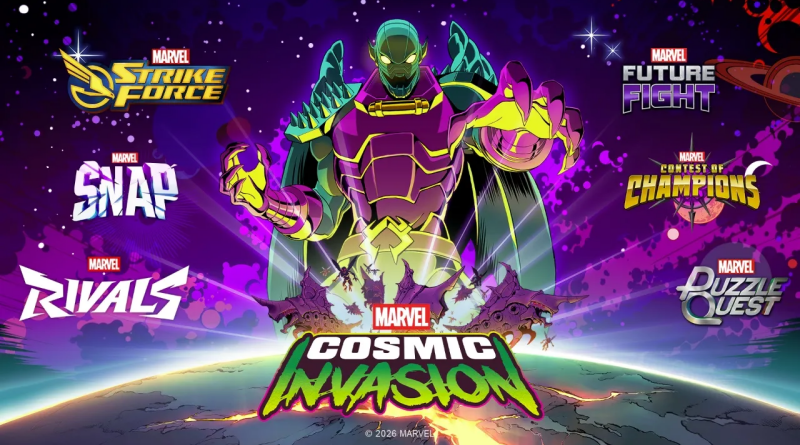
Epic MARVEL Games Collaborations!
We’re bringing in tributes to our favourite MARVEL Games experiences, including palettes for:
- MARVEL Rivals – Spider-Man and Venom
- MARVEL Snap – Black Panther and Rocket Raccoon
- MARVEL Strike Force – She-Hulk and Wolverine
- MARVEL Future Fight – Captain America and Nova
- MARVEL Contest of Champions – Phyla-Vell and Beta Ray Bill
- MARVEL Puzzle Quest – Storm and Iron Man
New Features!
- Hero Lab Upgrades – with new palette previews to help you get a great view of new cosmetic options, and a new Team Level indicator.
- Tweaked Arcade Modifiers – swinging into danger with modifications. The Double HP modifier is now an HP Multiplier – where enemy HP can now be multiplied by 0.5, 1, 2 or 3 times their standard amount!
Gameplay Improvements!
We’ve made a number of visual changes based on your feedback, designed to make it easier for you to keep up with the on-screen action, including:
- Heroes will now be highlighted when HP is low
- The Focus bar has been split to make it easier to read
- Special Damage number visuals have been changed to red – making them easier to identify
- The Heteropteron Level Larva Bug has been tweaked to make the enemy stand out. In addition, we’ve added flashes on the Larva during throw animations and introduced colour cycling effects on the attack!
We’ve also taken some time to go back for further balancing on boss fights, tweaking these to provide a little more fair play:
- Hela – Increasing cooldowns for both Grudge and Hellblades attacks.
- Venom – Reducing block and parry actions and removing combo parry, increasing reaction cooldown, lowering damage on the Bite attack and removing some post-Grudge attacks.
- Phyla-Vell – Reducing block actions and lowering chance of using Cosmic Attack. We’ve also added cooldown on some attacks, increased the cooldown on cosmic Fury and lengthened the initial block action to prevent instant parry.
Bug Fixes!
As well as all this, we’re squashing some bugs of our own!
- Fixed a blocker caused by using Cosmic Ghost Rider’s special attack just before triggering a boss cutscene
- Fixed an out-of-bounds issue when performing a dive attack during Master Mold’s Double Fist move
- Fixed a bug that would prevent Phoenix from dealing damage if she got hit during her grab animation
- Fixed another out-of-bounds issue when adding carousel object control to a menu
- Fixed an issue which would cause Arthrosian enemies to keep moving (and to seem invincible) after being defeated in Asgard
- Fixed network sync issues on return to character or mission select screens
- Also fixed an issue that would stop the online host from returning to Mission Select from the Character Select menu
- Fixed an issue replicating Queen of Annihilation’s Lane Switch which could cause a blocker while transferring hosts
- Fixed a bug where it was impossible to parry or guard against crashing Sentinel spawn
- Fixed Annihilus multiplier damage applying several times during Negative Bomb or Negative Rain
- Fixed an issue where bosses would fall through the screen if hit by an attack at the moment the fight starts
- Fixed possible exploit on bosses with player grab attacks
- Fixed an issue where boss summons would not be defeated alongside the boss, if the summon is receiving damage from a player
- Fixed Team Assist heroes being considered as “on the ground” when the active hero is in the air (making it previously impossible to use air grab)
- Fixed a bug that could cause Hela to become permanently immobilized when parried and pushed
- Fixed a bug where Taskmaster could become frozen in mid-air when hit during his jump attack (while playing online)
- Fixed a missing animation with Venom’s Parry Attack which could cause loss of control
- Fixed various issues related to Venom’s passive Slow effect for Standard Attack and Team Assist.
- Fixed an issue that would stop Storm from performing a combo if she performs a standard attack after being charged
Crash Fixes!
- Fixed a crash if Sauron attacks an Enemy (or anything that’s not a Player)
- Fixed a Thanos-related crash when hit by a turret projectile
- Fixed an issue which could cause a crash during follow-up attacks after Cosmic Ghost Rider’s Rising Attack
- Fixed a crash caused by the host disconnecting during Silver Surfer’s Rising Attack
Level-Specific Changes!
- Added more Gravity to one singular hot-dog that was lacking it on Level 01
- Added a Medkit and a breakable in the final area of Level 08
- Switched the Energy Crystal to a MedPack, reduced the number of Symbiote Pools and Corruption Wave (aka “Symbiote balloons”) and reduced HP for Corruption Wave on Level 09
- Enhanced spawn delay of Bug Barricade and Bug Larva, reduced Bug Larva spawn zones and altered the final Bug Larva attack delay on Level 13
Even More Tweaks!
- Fixed Captain America’s Pallette #2 from being described as a Corps File in the cosmic Matrix
- Improved Cosmic Ghost Rider’s chain visuals during online play
- Tweaked Spider-Man and Venom’s web grab connections
- Drones in Hala will no longer be alerted when scanning dead players
- Fixed an issue which would cause Cosmic Ghost Rider and Black Panther to remain flagged as having a Special Attack Team Up Bonus after the Special Attack ends
- Fixed an issue with Cosmic Ghost Rider’s chain which would remain on screen if interrupted while charging
- Fixed subtitles being cut off on certain lines
- Tweaked item despawns to avoid risk of repetition for off-screen items
- Added a failsafe for Web Pulled enemies so they don’t get dragged pass the Player (and potentially cause invincibility)
- Unlockable Super Heroes should no longer display greyed-out icons
- Fixed drone positioning in Hala which could cause incorrect attack warnings
- Fixed an issue that could cause position de-syncing in online play
- Fixed errors which would not show proper effects for destruction of breakables.
- Fixed errors related to Master Mold positioning.
- Fixed Wolverine’s Focus Bar refill rate to match other characters
- Fixed an issue which would cause special attack projectiles to not deal appropriate damage
- Additional notes: none
- Source: Dotemu (Steam)
MARVEL Cosmic Invasion – Ver. ???
- Release date: December 18th/19th 2025
- Patch notes:
Fixes!
- Heteropteron Blocker – We’ve fixed an issue where having camera shake effects OFF would stop the cinematic from triggering, keeping Super Heroes trapped in Stage 13
- Multiplayer Crashing – We’ve fixed an issue where joining a multi-player game session and resetting story progress would trigger a crash
- Enemy Cheating! – We’ve fixed an issue where Master Mold would become invulnerable and non-targetable, which if anything was just rude
- Venom Issues – We’ve fixed issues where Venom could become frozen after being parried during Symbiote Pounce or immediately lose armor during Venom Bite
- Upgrade Blocking – We’ve fixed an issue that would mean Super Heroes’ stats did not upgrade after levelling up unless players returned to the main menu.
- Enemy Superpowers – We’ve fixed an issue where enemies would deal abnormally high damage on their first hit during a grab
- Annihilus Invulnerability – We’ve fixed an issue (and related issues) where Annihilus wouldn’t re-enter the staggered/vulnerable state and players couldn’t deal damage
- Where’s Hela?! – Fixed an issue where Hela could de-synchronise while teleporting
- Annihilus Forever! – We fixed an issue where Annihilus wouldn’t stop attacking after his shield breaks
- Multiplayer Connections – Fixed an issue which could cause problems when the host disconnects while Super Heroes are joining a lobby (this should now simply return you to the multiplayer menu)
- Reigning in She-Hulk – Option now added to have controller shake only for players controlling the character (meaning that She-Hulk’s controller vibration only happens for the player controlling her)
- Cosmic Hold On What?! – We’ve fixed an issue where Super Heroes would sometimes be swapped when respawning
- At Least Credit Me – The character who threw the enemy will now be considered the instigator when determining who gets credit for knocking down an assembly line bomb
- Cosmic Stability – We’ve deployed some additional protection for lobby stability when players reach Game Over in Arcade Mode
- Interrogating the Vampire – We’ve fixed an issue which prevented Super Heroes from using the Vampire modifier in Arcade Mode
- We’ve fixed an issue which would prevent the “Special Attack Assemble” achievement from triggering in online modes
- We’ve given Wolverine and She-Hulk a pep talk – fixing their grab attack and stopping them from freezing mid action.
- We’ve fixed Annihilus moving out of view if his armor is broken by She-Hulk’s Spinning throw
- We’ve also stopped Annihilus from become intangible if his armor is broken by Wolverine’s grab and slash attack
- We’ve fixed missing subtitles for Spider-Man’s first post-Annihilus battle dialogue
- We’ve fixed a blocker that meant the last player couldn’t pick an already-selected Super Hero in Arcade Mode (even if the Doppleganger modifier was turned on)
- We’ve fixed an issue where move lists were displaying incorrectly in multiplayer, if Player One was using a keyboard
- We’ve also had a chat with Hela to ensure she doesn’t get bored and go idle if host players leave a multiplayer game during the fight
- We’ve also fixed achievement-related freezes on Windows and Xbox, as well as various crash issues on PlayStation 4, PlayStation 5, Nintendo Switch and Nintendo Switch 2
Smaller Fixes
- Fixed an issue where intro music was used instead of main stage music where players joined later in Stage 2 (Genosha)
- Fixed MODOK’s movement and behaviours (quite a lot of fixes here, actually)
- Tweaked Beta Ray Bill’s no-hammer attack to ensure it doesn’t register as a multi attack
- Fixed an issue where some enemies would do multiple hits instead of the expected one hit attack
- Fixed an issue where enemies would walk without actually moving
- Tweaked visuals to stop the OK / Back popup appearing while fading out.
- Negative Blast now automatically faces the center of the screen
- Worm enemies will now animate properly when turning to face their enemies
- The Mission Select timer should now count down correctly in Arcade Mode
- We’ve fixed an issue where players could immediately spawn in a pit when joining a mid-session lobby
- Cancelling character selection will not reset the selected skin
- Fixed visual glitching during tally and post-boss cutscenes
- Fixed Super Heroes appearing multiple times when confronting Annihilus
- Fixed an issue where Annihilus would play an incorrect animation following the Negative Wave attack
- Fixed an issue where egg spawners would not always appear in the correct state
- Fixed an issue where Bug Barricade dealt multiple attacks and a huge amount of damage
- Fixed online synchronisation issues related to Sentry Laser and Statue
- Fixed small graphical shadow errors
- Fixed a challenge completion issue related to multi-hit tasks
- We’ve fixed an issue that was making it impossible to change Super Hero’s colour profile after hitting Continue for Arcade mode
- We’ve fixed the life bar showing incorrect costumes when changing characters
- We’ve made sure that feedback is shown correctly when Super Heroes run out of ammo
- We’ve also fixed an issue where over-time damage numbers from Phyla-Vell’s cosmic damage was not displaying correctly in multiplayer
- We’ve fixed character select inconsistencies which could cause Super Hero icons to be incorrectly greyed out
How to download updates for MARVEL Cosmic Invasion on Nintendo Switch and Nintendo Switch 2?
To download the updates for MARVEL Cosmic Invasion, you have three options:
- let the console do its thing if you have automatic downloads activated, and didn’t completely turn it off
If not…
- try to launch the game from the Home Menu while being connected to the internet. You should get a prompt when doing so: simply follow the instructions on screen;
OR
- select the game > press either + or – to go to the Options page > select Software update > select Via the Internet.
To check that you have the latest version installed, simply select the game on the Home Menu, and press – or + to go to the Options: the version number is displayed just below the game title.
