
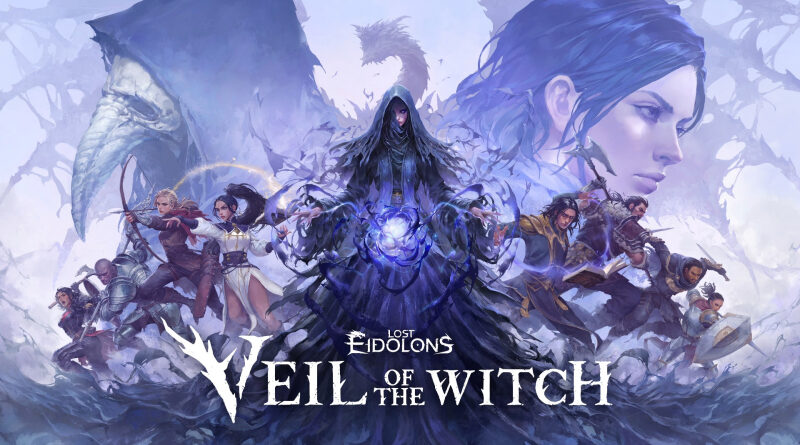
Lost Eidolons: Veil of the Witch (Switch): all the updates (latest: Ver. 1.2.12 / Next: Ver. 1.3.13)
On this page, you will find all there is to know about the various updates for Lost Eidolons: Veil of the Witch on Nintendo Switch.
Click here for more games and consoles updates!
Lost Eidolons: Veil of the Witch – Ver. 1.3.13
- Release date: TBA
- Patch notes:
New Features
-
Added the Quick Expedition feature
-
- Quick Expedition will be unlocked after you clear through Act 3 at least once
- You can toggle Quick Expedition in the Set Out scree
- Quick Expeditions have less battles and events, but we’ve adjusted various power-ups and rewards to keep the final power level to be similar to regular expeditions
- We also added a non-combat event specific to the Quick Expedition mode
- Quick Expedition will be unlocked after you clear through Act 3 at least once
-
Added difficulty adjustment with the Enemy Mastery Level slider
-
- You can set the Enemy Mastery Level for expeditions and the Phantom Arena, being able to create challenges that are not tied to Trial conditions
- Enemy Mastery Level is set with a multi-step adjustment slider, which affects all enemy stats except for Movement
- Enemy Mastery Level setting can be applied together with Trials; in this case, the enemy Mastery Level for the specific Trial level will be the minimum
- You can set the Enemy Mastery Level for expeditions and the Phantom Arena, being able to create challenges that are not tied to Trial conditions
-
Added the Phantom Arena
-
- Phantom Arena is a mode where you can save your build from a completed expedition, and utilize it to take on various other combat scenario
- When you complete an expedition, you can choose to save your build for use in the Phantom Aren
- Enemy Mastery Level can also be adjusted for Phantom Arena battles
- We also added 7 in-game Side Challenges and rewards for Phantom Arena content
Changes/Improvements
- Made improvements so that, when choices pop up during dialogue events, it would not result in an immediate selection
- Raised the stats of Fallen units created by the player
- Added text about Enemy Mastery Levels to the Trial Level Modifier info
- Adjusted the display area within the Unit Info window so that stat values do not end up with a line break
Bug Fixes
- Fixed the issue where Evie’s equipment ability, Hymn of Revival, gave less EXP than it should
- Fixed the issue where, when Marco’s Battlemaster skill triggered, the effects would display without the relevant text
- Fixed the issue where, if Fontaine’s Range Master skill was triggered while equipped with a pike, the relevant effects would not display properly
- Fixed the issue where some environmental reaction effects did not display properly
- Fixed the issue where the Talent Skills would not be marked as obtained in the Codex
* Even if you obtained Talent Skills before, you need to obtain them again after the patch to fill the Codex entry - Fixed the issue where some skills did not show up on the skill selection list at the start of an expedition for characters with the Ambitious or the Enthusiastic buff from the Morale Boost system
- Fixed the issue where the Wraith Guardian relic would not function properly under certain conditions
- Fixed the issue where the Raven Contract relic would sometimes provide blessings for weapons not equipped by any of your units
- Fixed the issue where undoing would remove tile markers for cyclones spawned in certain battles
- Fixed the issue where the Altar of Fire would sometimes display incorrect effects, under certain conditions while interacting with the UI using a controller
- Fixed the issue where, under certain circumstances, attacking Sable with Fontaine’s Range Master effect would make Sable end her turn without taking any action
- Fixed the issue in Karlotta’s 3rd battle variant, where the enemy stat boost from Trial effects did not apply to the giant when it was revived
- Fixed the issue where Rosalina’s Talent Skill, Arbiter of Light, would damage large enemies multiple times
- Fixed the issue where you could obtain multiple relics at once at the Map Destination node
- Fixed the issue where some combat events could not be properly completed, if an undo was used for a combat event decision made during Elena’s Shooting Spree windup
- Additional notes: none
- Source: Ocean Drive Studio (Steam)
Lost Eidolons: Veil of the Witch – Ver. 1.2.12
- Release date: December 12th/13th 2025
- Patch notes:
New Features
-
Added the new Morale Boost system
-
Characters who did not participate in expeditions have a chance to gain a 2-tiered buff: Ambitious and Enthusiasti
-
Ambitious buff
-
Obtain a class skill at the start of the expedition
-
Gain increased combat stats
-
-
Enthusiastic buff
-
Obtain an upgraded class skill at the start of the expedition
-
Two starting skills are upgraded
-
Gain increased combat stats
-
-
-
Added the Talent Skill system
-
Added 2 new Talent passives for each characte
-
Talent passives are included in the skill card pool
-
-
Added the Blessed Relic system
-
Relics now have a chance to be given as an upgraded version as Blessed Relics
-
Blessed Relics provide enhanced effects
-
-
Added the Relic Exchanger item
-
Relic Exchanger replaces a relic with another random relic
-
Relic Exchanger can be purchased from the shop
-
-
Added audio/visual effects for some passive skills when they trigger
Changes/Improvements
-
Changed the “Random” encounter to “Chaos” encounte
-
Added relevant new encounter events
-
“Chaos” encounters are not bound to specific rewards, meaning they could give rewards normally unavailable from Forked Road encounter
-
Blessed version of “Chaos” encounters will give an additional reward based on dice roll
-
-
Shortened some combat scenarios by reducing the number of enemies and combat dialogue lines
-
Reduced text and selection steps for certain encounters, especially when you are seeing them multiple times
-
Temporary allies now also receive various effects
-
Altar of Fire upgrades (including Greater Blessing effects) now apply to temporary allies as well
-
“Wear and Tear” and “Unbalanced Diet” trial effects now apply to temporary allies as well
-
-
Unguardable attacks will no longer be guarded even if the enemy unit has a guaranteed Guard chance
-
Improved audio/visual effects for Greater Blessings (sword, spear, and bow) from the Altar of Fire
-
Relic encounters now have a chance to grant a piece of the staff reli
-
Combined the “Partnership Points” encounter and the “Blessed Signs” encounter
-
Rewards have been adjusted accordingly
-
-
The Workshop now unlocks alongside Chamber of Trials, instead of after beating a Trial expedition
-
It is now possible to craft an accessory as soon as you unlock Trials, with the Mana Core given for free
-
-
When scrolling through the combat menu, the cursor now cycles in a loop instead of ending at the first/last option
-
Controllers now have dedicated hot keys for “Swap Weapons” and “Wait”/“Defend” command
Bug Fixes
- Fixed the issue where the Tree of Life’s interaction icon showed on incorrect tiles, if it was moved by the Behemoth’s “Crashing Ram” skill
- Fixed the issue where the “Counterstrike” effects were not properly applied under certain conditions
- Fixed the issue where certain non-combat events did not appear
- Fixed the issue where the “Blade of Balance” item would get discounted if the “Conspirator’s Ring” relic was acquired from the shop; “Blade of Balance” cannot be discounted
- Fixed the issue where you could not assign a key for custom “Rotate Battlefield” keybind, if the same key was assigned in a previous attempt that timed out before completing
- Additional notes: none
- Source: Ocean Drive Studio (Steam)
How to download updates for Lost Eidolons: Veil of the Witch on Nintendo Switch?
To download the updates for Lost Eidolons: Veil of the Witch, you have three options:
- let the console do its thing if you have automatic downloads activated, and didn’t completely turn it off
If not…
- try to launch the game from the Home Menu while being connected to the internet. You should get a prompt when doing so: simply follow the instructions on screen;
OR
- select the game > press either + or – to go to the Options page > select Software update > select Via the Internet.
To check that you have the latest version installed, simply select the game on the Home Menu, and press – or + to go to the Options: the version number is displayed just below the game title.
