
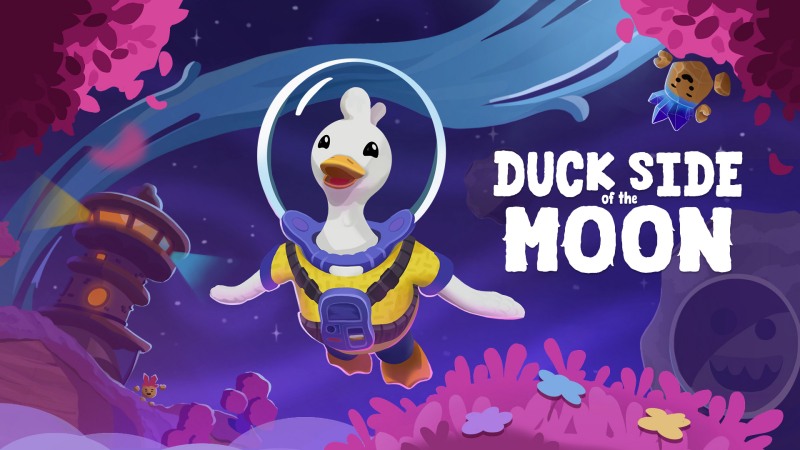
Duck Side of the Moon (Switch): all the updates (latest: Ver. ??? / Next: Homegrown)
On this page, you will find all there is to know about the various updates for Duck Side of the Moon on Nintendo Switch.
Click here for more games and consoles updates!
Duck Side of the Moon – Ver. ??? (Homegrown)
- Release date: November 17th 2026
- Patch notes:
No patch notes available yet. This update brings the following:
- Gardening: Plant, grow and harvest your own crops among the stars
- Spaceship customization: Make your ship your own. Gather chromas and customize each piece of furniture and wall in exactly the style you like.
- New adventures: With new characters to meet and areas to explore
Note: The Homegrown content unlocks around halfway through the game. Players who have already finished Duck Side of the Moon can load their existing save and find the new content waiting for them.
- Additional notes: none
- Source: Starbrew Games PR (02/11/2026)
Duck Side of the Moon – Misc. Updates
- Release date: ???
- Patch notes:
Hotfix 1
-
Fixed a soft lock that would occur when buying Somnium at the Marketplace stall before talking with Gresh at the Marketplace.
-
Fixed the Roombo Decoration not showing up when crafting.
-
Fixed a soft lock after extinguishing the fires, where you would no longer be able to swap gadgets.
-
Fixed Tooltips going off screen on non-HD resolutions when using a controller.
-
Made End Credits a bit less loud – wouldn’t wanna jumpscare anyone after just finishing the game.
-
Fixed the “Lake Audio” playing while in the forge.
-
Fixed Saving while floor is lava allowing you to cheat and start flying instead of jumping. Liam does not approve of any cheating that occured!
-
Fixed a soft lock when transitioning from forge to dancefloor.
-
Fixed some bowling pins falling over before starting the bowling minigame. I guess the wind in space was blowing a little too hard in snowfell.
Hotfix 2
-
New (highly requested) Controls settings have been added for Look Sensitivity and Look Smoothing.
Be aware the fixes below contain spoilers for the full game.
-
Fixed some achievements not being given out. If you have made a save prior to this fix the achievements should be given the moment you load into a save again. Please let us know if you’re still missing any.
-
Fixed some typos in the dialogue.
-
Fixed the Lightholm conductor hand clipping through the sign he was holding. Finally, I mean the game was pretty much unplayable before this.
-
Fixed the LOD’s for the Rubber making it look suspiciously like Astral Shards. The days of Rubber gaslighting you from a distance are finally over.
-
Fixed the engines staying in the minecart or in the cart at the Gemstone fields after they had already been fixed.
-
Increased the range of Scoot’s quest marker. He was getting a bit lonely with some many players flying past him.
-
Fixed Camera issue with Forge Key Chase.
Hotfix 3
-
There is now an “Emergency Return” button in the Pause Menu for if you get stuck in / under any terrain. Pressing this button will get you unstuck, but please use it with caution.
-
Fixed a circumstance where you could never get the Winter Outfit, if you didn’t talk to Walter before asking him about a gift for Dragon.
-
Fixed a soft lock with Astra when on controller giving suggestions for what to give to Dragon and picking the bottom option first between a cake and gifts.
-
Fixed Power the Boogie and Fix the Engines quests not starting for some players. For players who had this soft lock opening their save again should resolve this issue.
Return to Lightholm
-
Upon retrieving the engines from Gresh you will be able to return to Lightholm by talking to Cody the conductor.
-
Fixed being able to craft item recipes with a full inventory.
-
Changed Ending music to be less ear deafeningly loud.
-
Extended dancing section duration!
-
Chippy’s notification expression for Frame craftable message is now less sad.
-
Harry’s Stash corridor should be easier to find and less dark.
-
Mining coaster outcrops respawn faster.
-
Default camera settings are now set to intended values.
-
Bowling charge & rotate should be easier and more clear.
-
Shooting the river for water bubbles is now more consistent.
-
Many more small fixes.
Hotfix 4
-
Fixed Gadget UI showing the same gadget icon and name twice when collecting a third gadget.
-
Fixed not being able to pick up a shell reward due to the shell hatcher interaction volume consuming the interact.
-
Fixed a rare instance where the game wouldn’t continue past the loading screen due to the cinematic not playing. In these cases it might be that the cinematic is skipped to aleast make sure you can load into the game.
-
Fixed Quantum Storage not saving it’s repaired state when travelling between Lightholm and Boogiedale.
-
Fixed Walter’s door staying interactable after opening it, saving and loading.
-
Fixed Quantum Storage showing a hold interact UI prompt when a press is required to open it after saving and loading.
-
Fixed Scanner Input Tutorial saying only “Hold” it will now say “Scan (Hold)”
-
Fixed “Rescue Mission” errand quest requirement not progressing if you pulled the minecart out of the asteroid without first entering the asteroid.
Hotfix 5
- Fixed a bug where Shell Hatcher accessories could sometimes not be picked up
- Fixed a soft-lock where a gate would sometimes reset after traveling to Lightholm
- Fixed a rare soft-lock where a late-game item could disappear after traveling between Lightholm
Hotfix 6
-
Fixed the Meteor River softlock: the river should now always keep moving, allowing you to obtain the rubber properly
-
Fixed a rare train building softlock: in the case where Cody (the station NPC) incorrectly considers your track as invalid, talking to Cody again will get you unstuck
-
The Jukebox now continues to function after completing the ending
-
The Cosmic Cleanup quest can now be completed after the ending
-
Fixed a rare issue where Harry’s dialogue at the Mines entrance could freeze input
-
The train track system received a general quality-of-life pass to make building tracks smoother and less frustrating overall
-
The final dream now has clearer visual/contextual setup leading into the dream sequence
-
The basketball and precise challenges will now unlock already upon crafting their recipes, to make these challenges more clear to achieve
-
Somnium can now be purchased even if your inventory is full
-
Fixed rare scenario where bowling pins could vanish
-
Added clearer feedback for Harry’s stash door opening
-
Rocks around the spaceship no longer reappear after the ending
-
Crafting wind-up audio is now more robust
-
Improved general game performance in Lightholm
- Additional notes: none
- Source: Starbrew Games (Steam) / Starbrew Games (Steam) / Starbrew Games (Steam) / Starbrew Games (Steam) / Starbrew Games (Steam) / Starbrew Games (Steam) / Starbrew Games (Steam)
How to download updates for Duck Side of the Moon on Nintendo Switch?
To download the updates for Duck Side of the Moon, you have three options:
- let the console do its thing if you have automatic downloads activated, and didn’t completely turn it off
If not…
- try to launch the game from the Home Menu while being connected to the internet. You should get a prompt when doing so: simply follow the instructions on screen;
OR
- select the game > press either + or – to go to the Options page > select Software update > select Via the Internet.
To check that you have the latest version installed, simply select the game on the Home Menu, and press – or + to go to the Options: the version number is displayed just below the game title.
