
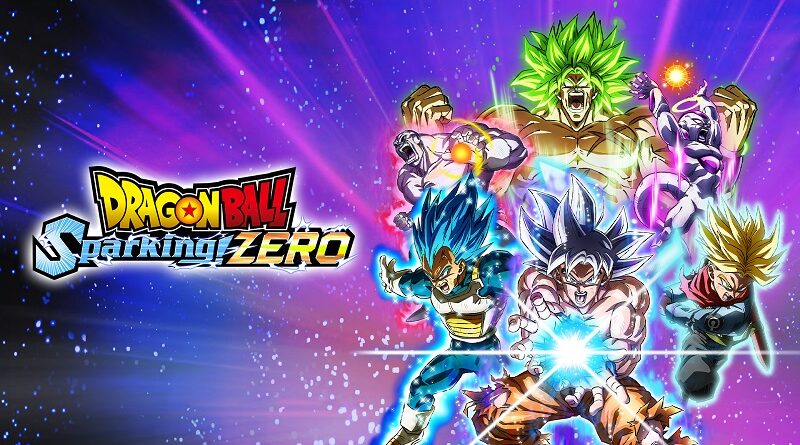
DRAGON BALL: Sparking! ZERO (Switch, Switch 2): all the updates (latest: Ver. 2A013.012.003.009.011 & Ver. 2013.012.003.009.011)
On this page, you will find all there is to know about the various updates for DRAGON BALL: Sparking! ZERO on Nintendo Switch and Nintendo Switch 2.
Click here for more games and consoles updates!
DRAGON BALL: Sparking! ZERO – Ver. 2A013.012.003.009.011 (Switch 2) and Ver. 2013.012.003.009.011 (Switch)
- Release date: February 18th/19th at 5PM PT / 8PM ET / 1AM GMT / 2AM CET / 10AM JST
- Maintenance: more details
- Patch notes:
Changes and Adjustments to Game Modes
Extreme Warrior Time Attack
- Added a new limited-time mode where players battle characters with significantly increased strength. (This mode is unavailable when not in the event period.)
Versus
- In Battle Together, all stages can now be selected.
Note: All stages become selectable only when either the Nintendo Switch™ 2 version or the Nintendo Switch™ version is played on a Nintendo Switch™ 2 console with the update data applied.
Feature Changes and Adjustments
Custom Battle
- Added new selectable scenarios, cutscenes, and text options.
Other
- Improved usability and overall system stability.
- Additional notes: none
- Source: Bandai-Namco
DRAGON BALL: Sparking! ZERO – Ver. ???
- Release date: December 15th 2025
- Patch notes:
Feature Changes and Adjustments
Options
· Added a settings menu that allows you to adjust “Ease of performing Rush Attacks,” “Ease of stopping Rush Attacks,” and “Ease of performing Smash Attacks” in three levels when using the “Motion Control” play style.
Battle System Changes and Adjustments
Burst Smash
· Fixed an issue where Burst Smash would fail to hit at close range when used by giant characters.
Great Ape Baby (GT): Rush Attack (Motion Control)
· Fixed an issue where, after the first hit of a Rush Attack landed, subsequent hits would not occur.
Ultimate Blast Changes and Adjustments
Great Ape Vegeta: Super Galick Gun
· Fixed an issue where the move would fail to hit depending on the distance from the opponent.
Other
Skill Descriptions
· Fixed discrepancies between the effects and descriptions of certain skills, such as “Afterimage Strike” and “Wild Sense.”
Versus
· Fixed an issue where, during “Online Battles” or “Local Wireless Battles” played with Motion Controls, Rush Attacks would break or experience delays for certain characters.
Improved usability and stability.
- Additional notes: none
- Source: Bandai-Namco
DRAGON BALL: Sparking! ZERO – Ver. 2.0.73
- Release date: November 12th/13th 2025
- Patch notes:
No patch notes available. This update brings the following to the game:
- Allows you to play an enhanced version on the Nintendo Switch 2 system
- By connecting your Nintendo Switch 2 system to the internet and downloading the update, characters and backgrounds will appear with improved clarity and richer detail.
Specs:
Nintendo Switch 2 version (native) and Nintendo Switch version when played on Nintendo Switch 2 after downloading this update
- TV Mode
- Resolution: 1920×1080
- 3D Resolution: 1920×1080
- HDR
- Framerate: 30
- Handheld Mode
- Resolution: 1920×1080
- 3D Resolution: 1440×810
- HDR
- Framerate: 30
Nintendo Switch version without the update
- TV Mode
- Resolution: 1920×1080
- 3D Resolution: 1280×720
- Framerate: 30
- Handheld Mode
- Resolution: 1280×720
- 3D Resolution: 856×480
- HDR
- Framerate: 30 (24 in some menus)
- Additional notes:
- battle replay data, edit data created in custom battles, and online battle records cannot be carried over after applying the update.
- after applying the update on Nintendo Switch 2, then returning to play Nintendo Switch version on original Nintendo Switch system, some data can be carried over, while others cannot.
- If you play the Nintendo Switch version on Nintendo Switch 2 with the update applied, you will be able to battle online or offline with users who are either playing the Nintendo Switch 2 version, or the Nintendo Switch version on Nintendo Switch 2 with the same update applied. However, you will not be able to battle online or offline with users who are playing the Nintendo Switch version of the software on the Nintendo Switch without the update.
- Source: Bandai-Namco / Bandai-Namco / Bandai-Namco
How to download updates for DRAGON BALL: Sparking! ZERO on Nintendo Switch and Nintendo Switch 2?
To download the updates for DRAGON BALL: Sparking! ZERO, you have three options:
- let the console do its thing if you have automatic downloads activated, and didn’t completely turn it off
If not…
- try to launch the game from the Home Menu while being connected to the internet. You should get a prompt when doing so: simply follow the instructions on screen;
OR
- select the game > press either + or – to go to the Options page > select Software update > select Via the Internet.
To check that you have the latest version installed, simply select the game on the Home Menu, and press – or + to go to the Options: the version number is displayed just below the game title.
