
Super Animal Royale (Switch): all the updates (latest: Hotfix)
On this page, you will find all there is to know about the various updates for Super Animal Royale on Nintendo Switch.
Archives: launch to December 2025.
Click here for more games and consoles updates!
Super Animal Royale – Ver. ??? (Hotfix)
- Release date: September 4th/5th 2026
- Patch notes:
No patch notes available. This update brings the following to the game:
- fixes issue causing audio settings to change incorrectly between rounds.
- Additional notes: none.
- Source: Pixile Studios (Bluesky)
Super Animal Royale – Ver. 2.2.1 (Super Natural Midseason)
- Release date: August 18th/19th 2026
- Patch notes:
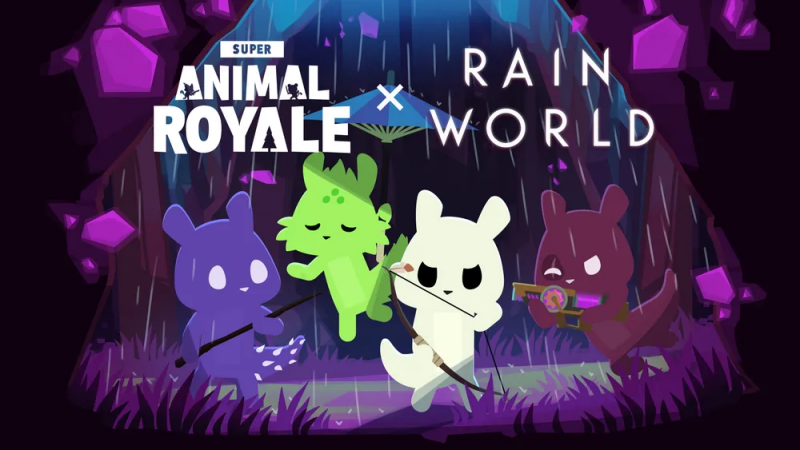
Rain World x Super Animal Royale
Rain World and Super Animal Royale look very different on the surface, but underneath they share a similar brutality: predator can become prey in an instant, and the cycle always begins again.
So for this collab, Dr. Dogna has reimagined 8 of Rain World’s slugcats as Super Animals. Meet the Super Slugcats:
- Super Slugcat
- Super Artificer Slugcat
- Super Gourmand Slugcat
- Super Hunter Slugcat
- Super Monk Slugcat
- Super Rivulet Slugcat
- Super Saint Slugcat
- Super Spearmaster Slugcat
To celebrate the launch of the collab, all 8 Super Slugcats can be researched starting at level 0 for the next month, so players can start hatching them early. After Friday, September 18th, they’ll move to their permanent spot at level 70. We’ve also made it rain a whole lot more in the Social Hub for the first 48 hours of the collab.
Anyone hear that buzzing?
The Lab Labs have been positively buzzing about their latest Super Bug creation: Super Bees! Just mind the stingers.
Unlock Super Bees in the Research Lab beginning at level 30:
- Super Bee
- Super Blue Bee
- Super Bumblebee
- Super Honey Bee
- Super Hornet
Killer Bee Starter Pack
Most Super Bees look pretty friendly (not counting the Super Hornet), but the Killer Bee Starter Pack has other ideas.
The Killer Bee Starter Pack includes:
- Killer Bee Outfit
- Bee Stinger Knife
- Super Killer Bee
- 600 SAW Tickets
- Bonus: Super Bee instant unlock (get it before reaching level 30)
Past Starter Pack Content Comes to the SAW Shop
Past Starter Pack content has been one of our most frequent community requests, so we’re especially excited to finally bring it back permanently through bundles in the SAW Shop Archive!
This also brings Starter Packs more in line with our approach to Animal Passes, where content remains available after each season rather than disappearing for good.
The returning Starter Pack bundles cost 1200 SAW Tickets, priced similarly to our other SAW Shop bundles based on cosmetic rarity tiers, and each includes its Super Animal breed and cosmetics.
Future Starter Pack content will also make its way to the SAW Shop after each pack rotates out, but getting each Starter Pack as DLC during its season will still be the best-value way to pick it up.
New in the SAW Shop
We’ve covered plenty of the natural side of Super Natural this season, so let’s get a little supernatural with the new Paranormal Bundle.
The Paranormal Bundle includes:
- Paranormal Outfit
- Flashlight
- Ouija Gravestone
Someone pointed out that we don’t have any koi in the game. So naturally, we fixed that with the new Koi Weapons Bundle.
- Koi AK
- Koi Sniper
- Koi Magnum
- Koi Uzi
Actual Super Koi or catchable koi would be pretty fun too, of course, so keep the suggestions coming.
Ask your best friend to pick up the Wedding Bundle with you for some next-level Duos coordination.
- Groom Suit
- Bride Dress
- Wedding Bouquet melee
Keep your games fair with the Referee Bundle!
- Referee Outfit
- Soccer Ball Cap
- Deflated Soccer Ball Gravestone
- Red Flag melee
Macawsome has also stocked the SAW Shop with some additional items, including an emote you’ll probably either really love or really hate.
- Jaguar Umbrella
- Pudding Hat
- Queen Dress
- 6-7 Emote
New in Carl’s Cart
Carl has stocked some new jerseys for anyone looking to coordinate their outfits and look like the Super Pros they are!
- Grey Esports Jersey
- Pink Esports Jersey
- Orange Esports Jersey
- Teal Esports Jersey
Changes & Bug Fixes
Changes
- Mini Animals will now sleep if their owner is using the Sleepy emote. Thanks for all the feedback and suggestions on this!
- New Super Animals in the Research Lab will no longer appear locked once you reach the required level, even if you haven’t found any of their DNA yet.
- The login screen has been fully redesigned to provide a more intuitive and straightforward flow.
- Using Fish Food on a naturally occurring frenzy now gives you a higher chance of catching larger fish.
- Party members now appear in the top-right of the HUD even when you aren’t in the same Social Hub. Their status will indicate whether they’re in a match, the main menu, or another hub.
- Added a setting to ignore party invites.
- Umbrellas are now loaded dynamically at runtime, reducing the size of the main character texture. Umbrella fans, unite.
- Increased the Bullpup’s clip size from 21 to 24 and reduced its burst interval from 0.40s to 0.35s.
- Quests that require donating fish or bugs now display the correct total amount required (e.g. 0/46 instead of 0/1).
- Added a tiny chance for Bug Detectors and Fish Food to drop from Rebel Caches in the Social Hub.
- Pinging a weapon with quick chat now indicates whether it’s bananafied.
- The emote wheel in the MTN now plays each emote’s animation when you hover over it.
- ‘Make it Rain’ emotes are now considered dances.
- Added an /allchat command for private matches to disable [All] chat.
- Toned down Cackling Carl’s sounds a bit in the Social Hub.
Fixes
- Fixed a bug where having a party member in a different Social Hub could cause the top-right HUD to only show you.
- Fixed an issue where some item reward popups wouldn’t show controller selection on the ‘OK’ button.
- Increased matchmaking request timeouts and the party wait time from 10s to 15s.
- Fixed color issues on some Super Animal skin details in the MTN.
- Adjusted chat in BananOS so it doesn’t overlap with the SAW Shop.
- NPC Mini Animals can now be petted while they’re sleeping at night, so related quests aren’t blocked by time of day.
- Fixed a bug in SvR where you could sometimes eject from the eagle with your armor or powerup hidden.
- Fixed an issue where the Bullpup’s shooting animation would sometimes not play when chain firing.
- Adjusted the Shotgun aim animation in the MTN so the arms don’t stretch as far.
- Fixed some minor dialogue typos.
- Additional notes: none.
- Source: Pixile Studios (Steam)
Super Animal Royale – Ver. 2.2 (Super Natural)
- Release date: June 30th/July 1st 2026
- Patch notes (highlights):
- The Museum of Super Natural History and functional aquarium tanks display your bug and fish collections
- First-ever playable Super Bugs arrive: Super Moths & Ants
- Day-Night Cycles arrive in the Social Hub, with certain fish and bugs appearing only at specific times
- 30+ new bugs and fish to catch
- Bug Detectors and Fish Food help you track down nearby bugs and improve fishing pools for everyone nearby
- The Super Natural Pass brings cosmetics themed around bugs, fish and nature, while the Super Natural Starter Pack includes the Super Luna Moth and unlocks Super Moths early in the Research Lab
- The Bullpup, a new burst rifle, joins the rotating weapon lineup with enough bark to match its bite
- Uzis & Dualzis permanently join the weapon pool
- SAW vs. Rebellion receives the new Merc class, custom class helmets, smarter bots, and more quality-of-life improvements
- Patch notes:
Museum of Super Natural History
The Museum of Super Natural History has finally opened its doors after months of beaver construction! This new point of interest is more than just a staging ground for your gunfights. Its exhibits let you show off your bug collection, and when you’re in a party, you can view your friends’ collections too!
But what about the fish?
Super Sea Land’s aquarium tanks are now fully functional, displaying your fish collection or the collections of your friends. We’ve wanted to bring these tanks to life ever since we first added Super Sea Land in the Sea Legs Update years ago, so we’re super excited to see them swimming with your very own fish at last!
Exterminators Beware: Super Bugs Are Here
The highly requested Super Moths and Super Ants have joined the fight as Super Animal Royale’s first playable Super Bugs!
Super Ants can be unlocked in the Research Lab at level 10:
- Super Ant
- Super Blue Ant
- Super Fire Ant
- Super Army Army Ant
Super Moths can be unlocked at level 70:
- Super Moth
- Super Red Moth
- Super Grey Moth
- Super Rosy Moth
Super Natural Pass
With such a nature-themed update, a nature-themed Animal Pass only made sense, naturally. The Super Natural Pass celebrates the arrival of Super Bugs and the grand opening of the Museum of Super Natural History with new cosmetics inspired by bugs, fish and nature, as well as the Mini Elephant pet and Shrug emote.
- During this season, the Super Natural Pass will be available for a discounted price of 550 SAW Tickets.
- As always, Animal Passes never expire, so you can continue working on passes you own from previous seasons on your second track, or purchase previous ones from The Archive for 750 SAW Tickets.
Super Natural Starter Pack
Like a moth to a lamppost, the Super Natural Starter Pack is here!
The Super Natural Starter Pack includes:
- Luna Moth Dress
- Lamppost Melee
- Super Luna Moth
- Bonus: Super Moth instant unlock (get it before reaching level 70)
- 600 SAW Tickets
The Bright Future Starter Pack and Alien Overlord Starter Pack will also remain available for one more week before going into the vault.
Fishing & Bug Catching Upgrades
The Social Hub and collecting are getting a lot of quality of life additions this update!
Day-Night Cycle
The Social Hub now has a (Super) natural Day-Night Cycle! Along with bringing new ambience to the island, certain fish and bugs only appear during the day or at night. Many NPCs and Mini Animals will even settle in for some sleep after dark, but you can still wake NPCs up to chat or continue their quests. All “come back tomorrow” quests now reset with the next in-game morning too, rather than making you wait a full real-world day!
You might be wondering: will this come to other game modes? The short answer is that we’re not sure yet, but it’s possible, and we’d love to hear what you think after trying it in the Social Hub. For now, matches will still be set during either the day or night from the beginning of each round, but let us know if you’d like us to explore bringing the full cycle to matches in the future!
30+ New Bugs & Fish to Catch
We’ve added 30+ new bugs and fish to discover across the island, with some only available during day or night! Good luck tracking them all down. Thankfully, the Museum staff have some new tools to help with completing your collections…
Fish Food & Bug Detectors
Introducing Fish Food and Bug Detectors! These new utility items can be purchased with Carl Coins from Museum staff members stationed around the Social Hub and carried in a new utility slot in your inventory.
- Fish Food can be thrown into fish pools to make fish bite and respawn faster for everyone fishing there.
- Bug Detectors reveal nearby rare-or-higher bugs, show how far away they are and how much longer they’ll be available. Indicators are shared with everyone in your party too!
Both tools make collecting with friends more active and engaging, while helping everyone fill out their collections!
To learn more about how the new tools work, visit Tantalus the Super Moth at the Museum of Super Natural History and Berryessa the Super Raccoon at Super Sea Land to start their new quests. Accomplished collectors will also find additional new quests from Wild Bull Hickok and Nibbles.
New Weapon: Bullpup Rifle
Thomas Sledison has been working on the long-requested burst rifle and is proud to unveil the Bullpup, a gun with enough bite to match its bark! He wanted to call it the DAUG, but the SAW higher-ups decided that was one pun too far.
The Bullpup fires in three-round bursts, making it ideal for mid to long-range combat, and holds 21 rounds per clip. Scoping in using the creep button also provides a small zoom.
The Bullpup can be found in Common, Uncommon, and Rare versions across all game modes, with an epic tier exclusive to the Tier 2 Merc class in SvR, and will take over the daily weapon rotation slot until Tuesday, July 21st.
Uzis & Dualzis Become Permanent
Uzis & Dualzis are graduating into the permanent weapon pool! They were among our best-received rotating weapons, so they now have kill tracking and a full set of milestone skins alongside some balance adjustments (detailed below) to better define their role in the full lineup.
Weapon Balancing
We’ve made several balance changes to better define each weapon’s role, with a particular focus on our rotating weapons. As the weapon roster continues to grow, we’ll keep looking for more ways to expand their availability.
- The range of Uzis and Dualzis has been reduced by approximately 22%, positioning them more clearly between shotguns and the SMG.
- X-Ray Cannon now uses 3 Superite ammo per shot and no longer breaks armor, but still deals damage through it.
- Blunderbuss reload time has been reduced from 1.8s to 1.5s.
- Bwoking Launcher ammo capacity has been increased to 6, and time between shots reduced from 0.50s to 0.45s.
SAW vs. Rebellion Improvements
SAW vs. Rebellion has received new additions and improvements thanks to all the feedback you shared when we asked what you’d like to see next! We received more great ideas than we could fit into one update, including some that would need more time and a larger SvR refresh, so we’re keeping those in mind for the future and you can keep the feedback coming.
New Class: Merc
A new class has entered the rotation: Merc! You’ll spawn with a randomized loadout drawn from rotating weapons and others that don’t normally appear in SvR, with possibilities including the Bullpup, Dualzis, Bwoking Launcher, X-Ray Cannon, and Blunderbuss. With so many different combinations, you’ll need to adapt your strategy to whatever equipment you’re dealt!
Class Helmets
Each class now has its own helmet, making them easier to identify at a glance. The helmets are also shown on the class selection screen, alongside how many of your teammates are playing as each class.
Bot Improvements
Bot improvements were one of the most popular requests, so we’ve adjusted how they rotate between and defend flags:
- Bots stick around flags while a teammate is capturing them.
- Bots that capture a flag will remain there and defend it for a short time.
- Some bots will visit team-owned flags more often and hold their position there briefly.
Save Multiple Tier 2 Upgrades
Changing classes no longer resets your progress toward tier 2, so you can switch more freely and even have tier 2 upgrades ready to activate across multiple classes at once. Each upgrade can still only be activated once before you’ll need to earn it again.
New in SAW Shop
For those looking to relax on the island, or look extremely cozy while eliminating the competition, the Cottage Bundle has arrived!
The Cottage Bundle includes:
- Cottage Hat
- Cottage Dress
- Cottage Glasses
To match the island’s new, and totally natural, day-night cycle, the Moon Weapons Bundle and Sun Weapons Bundle have also landed in the shop!
The Moon Weapons Bundle includes:
- Moon Shotgun
- Moon Bow & Sparrow
- Moon Dualzis
- Moon Silenced Pistol
The Sun Weapons Bundle includes:
- Sun SMG
- Dogna’s Sun Dartfly Gun
- Sun Uzi
- Sun M16
The SAW Shop is also stocked with a new emote, a sharp new melee weapon, and the strongest apron around:
- Sleepy Emote
- Vegetation Scythe melee
- Abs Apron
Mini Mart has also welcomed two new Mini Animals:
- Mini Pigeon
- Mini Hyena
New in Carl’s Cart
Carl has stocked his Cart with an assortment of new items for the buggy new season, including a few that pair nicely with cosmetics from previous Animal Passes.
- Potted Plant Gravestone
- Cockroach Antennae
- Ladybug Cap
- Ladybug Antennae
- Butterfly Antennae
Code LOVE Update & Super Plush Shark
Two new rainbow cosmetics have arrived! Redeem code LOVE2026 to get your paws on the Rainbow Sunglasses and Rainbow Scarf before they move into Carl’s Cart at the end of July.
The SAW Lab Labs have also created the Super Plush Shark, now available permanently in the Research Lab!
Twitch Drops: Explore the Wilderness in Style!
With all the time you’ll spend exploring the island for new creepy crawlies and fish, you’ll need an outfit fit for the expedition! Earn the Scout Set by linking your Super Animal and Twitch accounts on the SAR Drops website and watching Drops-enabled SAR streamers on Twitch:
- Scout Outfit
- Scout Dress
- Scout Cap
The campaign runs until Friday, July 31st!
Updates, Improvements & Bug Fixes
Quality of Life & Other Improvements
- Added a setting to use default weapon sounds for your own weapon skins
- Mini Animal pets now remain idle and quiet while you’re fishing to avoid spooking the fish
- Servers will now make additional attempts to find a non-ocean gas circle in Animal Royale
- Reduced the volume of the Legendary Fish sparkle sound
- Updated the style of the Museum NPC indicator icon
- Bwoking Dead and SvR matchmaking in the South American region will now use North American servers to reduce mode splitting. This may result in higher ping for players in the region, but should help create fuller matches
Performance & Optimization
- Updated the Spine SDK to v4.2 and changed some animation file imports from JSON to Bytes for faster loading
- Reworked floor textures in SAW Research Buildings 1 and 3 and the Health Juice Factory to use smaller tiles and stamps, reducing memory usage with minimal visual differences
- Several game objects are now reused between scenes to reduce memory allocations and fragmentation, including environment objects, roofs, ground textures, and zip-lines
- Reduced memory allocations during map loading
- Adjusted several audio import settings to reduce memory usage during gameplay
Bug Fixes
- Fixed a missing wall on the right side of Crocodile Club
- Fixed a long-standing issue where changing direction while rolling could cause some incoming shots not to register
- Hopefully fixed a rare throwable desync issue that could occur after using bananafied weapons
- Fixed glasses not appearing on the Preview FX screen
- Fixed grenades sometimes leaving behind a shadow when client simulation finished after the server
- Fixed respawn serum disappearing in private matches
- Fixed some dialogue buttons using the game language instead of the selected story language
- Fixed typos in NPC dialogue
- Fixed an error that could occur when loading in near a player who was emoting
- Fixed overly bright lighting while freely moving in Ghost Mode
- Fixed players being able to drink Health Juice while using a respawn tank
- Additional notes: none.
- Source: Pixile Studios (Steam)
Super Animal Royale – Ver. ??? (Bright Future Midseason)
- Release date: May 12th/13th 2026
- Patch notes (highlights):
- The new Alien Overlord Starter Pack has arrived, featuring the Super Alien Wolf, the Alien Overlord Robe, Alien Overlord Crown, 600 SAW Tickets and a bonus early unlock of the Super Wolf if you don’t have it. Galactic conquest sold separately.
- 9 new Super Animal breeds are now available in the Research Lab, including the Super Maine Coon, Super Alien Raven, Super Wolverine, and more.
- You can now link Super Animal Royale with Discord in the Steam version of SAR to see your Discord friends list in-game and send them crossplay party invites straight to the Discord client.
- The SAW Shop now has cosmetic previews, and we’ve updated 50+ existing cosmetics with new and improved sounds.
- Tutorial skip: New players can now skip the Super Animal World intro sequence if they want to get into the action with friends faster (although we still recommend playing it).
- More quality of life, additions and fixes.
- Patch notes:
Alien Overlord Starter Pack
For the first time in a midseason update, we’re releasing a new Starter Pack! The Super Alien Wolf is fresh out of the Research Lab and ready to conquer the entire galaxy, starting with Super Animal World. Definitely the galaxy eventually, though.
The Alien Overlord Starter Pack includes:
- Super Alien Wolf
- Alien Overlord Robe
- Alien Overlord Crown
- 600 SAW Tickets
- Bonus: Super Wolf early unlock (if you don’t already own it)
The Alien Overlord Starter Pack will be available alongside the Bright Future Starter Pack for the rest of the Bright Future season.
We’re planning to make cosmetics from past Starter Packs available again in the future too, but Starter Packs will remain the best-value way to pick them up during their original run.
9 New Super Animal Breeds
The Super Alien Wolf wasn’t the only creature to escape the Labs this update: 9 new Super Animal breeds are now available to unlock!
- Super Maine Coon (Super Cat – Level 1), suggested by cherry_lollipop
- Super Black and Tan Shiba Inu (Super Dog – Level 1)
- Super Black Poodle (Super Dog – Level 1)
- Super Canada Goose (Super Duck – Level 10), suggested by Leon13639
- Super Siamese Mouse (Super Rat – Level 20), suggested by Shaz
- Super Squirrel Monkey (Super Monkey – Level 20)
- Super Alien Raven (Super Raven – Level 40), suggested by ilovebts7752
- Super Wolverine (Super Badger – Level 60)
- Super Peahen (Super Peacock – Level 70)
A huge thanks to everyone in our Discord who shared breed suggestions, including the community members credited above. Also, if you saw the Super Wolverine briefly escape confinement earlier this month: no you didn’t, bub.
New Features
Cosmetic Previews + New Sounds
The SAW Shop now has cosmetic previews, so you can check out an item’s sounds and visual effects before purchasing it.
We’ve also added new custom sounds for 50+ existing SAW Shop cosmetics, giving many items you may already own a bit more character and personality. A lot of care went into these, so try out some old favorites and give them a listen!
Tutorial Skip
New players can now skip the Super Animal World intro sequence if they want to jump straight into the action. We still recommend experiencing it, since it’s more than just a tutorial: it introduces the world, characters, and storylines that future quests will build on. For anyone just looking to join their friends faster though, it’s now an option.
This feature is rolling out first on Steam for PC/Mac players, and will arrive on consoles in a later update.
Other Quality of Life Improvements
We’ve also made a fresh batch of quality of life improvements and behind the scenes updates:
- Updated the game’s engine from Unity 2019 to Unity 2021. This under the hood upgrade helps support features like the new Discord integration, modernizes the game’s technical foundation, and may bring small stability or performance improvements in some cases. The game should otherwise feel the same!
- The Mac version is now an Intel and Apple silicon build. Some users might find that their local settings have reset, so be sure to check if you use this version.
- Ambient music has been added for the Hamsterball Stadium.
- Friends in the Social screen now show the platform icon on the right side.
- Renamed “Additional Info” in settings to “Extras.”
- Updated the floor grid design under the character on some BananOS screens.
- After winning a match, your next Social Hub join will send you to Victory Island. If your next match is a loss, you’ll now be sent to the Welcome Center instead, but you can still return to Victory Island for the rest of the day between wins. This keeps Victory Island focused on celebrating wins, while the Welcome Center remains the main Social Hub gathering spot.
Changes rolling out today on PC/Mac first, with consoles to follow in a future patch:
- Added a Super Animal unlock animation in MTN Research Labs, similar to the old main menu tanks.
- Milestone category buttons now show markers when they contain unclaimed items.
- Talking to Carl when visiting the shop now automatically scrolls to Carl’s Cart. Clicking shop categories also has a new animated transition between sections.
- On the Customize and Emotes screens, the “None” option will now remain present while searching.
New in the SAW Shop
Thomas’s Apprentice Bundle
Sledison is always looking for more helpers in his workshop! He seems to go through them pretty quickly for some reason, but the good news is that aspiring new apprentices now have plenty of gear in stock.
The bundle includes:
- Thomas’s Apprentice Outfit
- Thomas’s Apprentice Hat
- Pliers
Cyber Weapons Bundle
Bring a sleek, high-tech edge to your loadout with the new Cyber Weapons Bundle.
The bundle includes:
- Cyber Pistol
- Cyber Hunting Rifle
- Cyber AK
- Cyber Shotgun
Bright Future Midseason Items
Ms. Macawsome has also stocked new cyber gear, retro sci-fi outfits, and the new Robot Dance emote:
- Cyber Tactical Outfit
- Cyber Glasses
- Super Simian Space Outfit
- Purple Galactic Dress
- Blue Galactic Outfit
- Robot Dance emote
New in Carl’s Cart
Super Space Simian Cosmetics
Carl has also stocked his cart with new retro-future styles, and these Super Apes have taken a suspiciously strong liking to them.
- Tan Space Simian Outfit
- Blue Space Simian Uniform
- Green Space Simian Robe
- Green Space Simian Uniform
Bug Fixes
And of course, we’ve been hard at work smashing bugs. Don’t worry, not the cute catchable kind. We would never.
- Fixed skunk bombs from Banan Altars appearing with a white outline.
- Fixed an issue where your status in SAR Friends would not load correctly, causing players set to invisible to appear online next session.
- Fixed friend statuses not updating after reconnecting to SAR friends.
- Fixed game mode music playing indefinitely after canceling auto-accept as a non-host.
- Updated Rabbita’s photo for “The Gift of Gab” quest to fix some continuity errors.
- Fixed two broken bug spawns at Pete’s Swamp and the farm.
- Fixed bananas thrown at Banan Altars causing invisible interactions for the Banana Forker.
- Fixed players spawning outside of the end-of-world MTN station.
- Fixed the “Grand Theft Emu” quest completing with just one player in Solos. To account for the extra difficulty, the allowed time for stealing has been increased.
- Fixed a bug where being killed in the Bwoking Dead mid-zipline while infected would leave you downed as a zombie.
Fixes rolling out today on PC/Mac first, with consoles to follow in a future patch:
- Fixed the Friends tab sometimes not showing the “JOIN SOCIAL HUB” button.
- The racing end screen will now automatically hide when talking to an NPC.
- Fixed an issue where buying and equipping shop or Animal Pass items would not play custom melee or gun skin sounds unless you swapped skins at the MTN.
- Fixed a bug where unlocking multiple weapon skins would only show new item markers on one skin at a time in the Customize tab.
- Fixed “new item” spam when installing SAR on a different device.
- Fixed a bug where changing your Super Animal preset and then researching a new Super Animal would cause your previous preset outfit to be copied onto the current one.
- Fixed a bug where canceling a Super Animal unlock in the Research Lab while using a controller would select the wrong Super Animal.
- Fixed a bug where quests that track numbers with decimal points (such as “Walk 5km”) would incorrectly appear as completed on the HUD before they were actually completed.
- Decreased the sorting order of bananas by 1 SAU, since they would sometimes appear over small walls like the ones at Hamsterball Stadium.
- Cleaned up a few unused/old menus and images that were still in the game, saving a few MB on game size.
- The Featured Weapon timer now switches from days and hours to hours and minutes when the remaining time is short.
- Additional notes: none.
- Source: Pixile Studios (Steam)
Super Animal Royale – Ver. ??? (Respawning Day Week 2)
- Release date: April 7th/8th 2026
- Patch notes:
Respawning Day Week 2
Super Animals are no strangers to getting their paws dirty, and Week 2 of Respawning Day is here with a gardening-themed batch of challenges and rewards that trade sowing chaos for sowing seeds.
The new Super Grass Capybara has sprouted from the Research Lab. Whether it was engineered that way or just sat still long enough for grass to grow over it, the island may never know, but like all event breeds it’s a permanent addition.
5 challenge rewards to earn
- Handkerchief Hat | Collect Super Eggs (1200)
- 1500 XP | Chop Grass with a Giant Emu(150)
- Rake | Deal Melee Damage (200)
- 750 Carl Coins | Drink Health Juice with Cupgrade (200)
- Adhesive Bandage| Heal Teammates or Giant Emus with Darts (250)
New Super Animal breed
- Super Grass Capybara (Available at Level 50)
Bug Fixes
We’ve also rolled out a few fixes since launch:
- Fixed Hot Mode showing progress ticks from the previous day.
- Fixed Chinese text input bug on Switch.
And the following fixes are also already live on Steam and will roll out to consoles in a later patch:
- Fixed an issue where friends would occasionally not have the Join Hub option.
- Fixed the cross-play party Kick button not working, though consoles will still need a patch for the fix to fully roll out.
- Fixed an issue causing quest auto-tracking to revert on the client UI.
We’re also working on a few other known issues. We’ve identified the cause of one where some cross-play parties with a Switch 1 player can fail to connect to matches, and a fix is already on the way in the next Switch patch. Thanks for bearing with us in the meantime!
- Additional notes: none.
- Source: Pixile Studios (Steam)
Super Animal Royale – Ver. 2.1 (Bright Future)
- Release date: March 31st/April 1st 2026
- Patch notes (highlights):
- A Banananite meteorite has landed in Super Animal World, bringing new NPCs, storylines, and quests
- Banan Altars have popped up in Animal Royale, where offerings of bananas and Giant Emus can reward you… or punish you
- The new X-Ray Cannon, Uzi, and dual-wieldable Dualzis arrive, along with a new featured weapon rotation system to keep matches feeling fresh
- Hot Mode, Play Again, Auto-Accept Queue, and a Customize search bar are just some of this update’s community-requested improvements
- The all-new Bright Future Pass and Bright Future Starter Pack bring the season’s retro-future sci-fi theme to life
- Respawning Day returns with three weeks of eggs, challenges, rewards, and the new Super Cloud Skunk
- New Super Gorilla, Super Chimpanzee, and “Alien” breeds are now available in the Research Lab
- Four new Super Animals are also available for a limited time through Twitch Drops
- Lots more is packed in too, including the new Swampwater Breezeway Hamsterball Racing track, Banana Crabs, shop updates, and plenty of updates to gameplay, Social Hub and UI (plus a Makeship plush tease)
- Patch notes:
A Meteorite Has Landed in Super Animal World!
Northeast of SAW Labs, a huge meteorite has landed, and the island’s factions have very different ideas about what it means.
The meteorite contains a strange, vibrant new material called Banananite. Thomas Sledison is eager to mine as much of it as he can for weapons development in his workshop, convinced it could lead to all kinds of wonderful, dangerous new inventions. The Cult of Banan, meanwhile, believes the Banananite meteorite is something much more sacred, and the yellow, softly-curved shape of its fragments does seem to suggest there may be something to their devotion.
They’re not the only ones captivated by it. The Super Simian Space Society has sprung up in response, an earnest new space-enthusiast club founded by two Super Apes, Ham and Enos, who are convinced the meteor points toward a bright future for Super Animal-kind among the stars.
Embark on new NPC storylines and quests by talking to Ham & Enos, Thomas Sledison, and the Deacon of Banan. Whether you’re helping a would-be space society win official recognition, testing Sledison’s latest experiments, or uncovering the mysteries of Banananite itself, there’s plenty to dig into.
A-peel to a Higher Power: Banan Altars
Since the meteorite crashed down, mysterious Banan Altars have been reported popping up around the island. Built from fragments of sacred Banananite and awaiting tribute, they can be found during Animal Royale matches in solos, duos, and squads.
According to some, offerings of bananas and even Giant Emus may reward the faithful, though worshippers should also beware of punishments. Large offerings can reward powerful weapons, and those gifts come with a twist: bananafied weapons that send slippery bananas flying mid-fight. Praise Banan, but worship at your own risk.
The Bright Future Pass Has Landed
The Bright Future Pass celebrates the meteor’s arrival while bringing the update’s retro-future sci-fi theme to life, with the Mini Rhino, Moonwalk emote, and loads of cosmetics inspired by classic sci-fi.
- During this season, the Bright Future Pass is available at a discounted price of 550 SAW Tickets.
- As always, Animal Passes never expire. You can keep working on passes you already own on your second track, or pick up older ones from The Archive for 750 SAW Tickets.
Bright Future Starter Pack
Gleeb glob bop? Glorp gleebin bintos. Gleebo Bright Future Starter Pack borp gleebins!
(EXTRA TRANSMISSION RECEIVED. TRANSLATING)
The Bright Future Starter Pack includes:
- Super Alien Cat
- Alien Spacesuit
- Alien Specimen
- 600 SAW Tickets
The Grand Opening Starter Pack that debuted alongside the Super Animal World expansion will only be available for one more week before going into the vault. We plan to bring back past season starter packs again in the future in a new format, but if you’ve been meaning to grab this one, now’s the time.
New Weapons: Uzi, Dualzis, and the X-Ray Cannon
Time to spray and pray: the Uzi has arrived as a faster, wilder, and more close-quarters version of the SMG! Plus, if you find two Uzis, you can dual wield them to make an extra-chaotic pair of Dualzis.
The Uzi and Dualzis are also part of a new featured weapon rotation. After Respawning Day, this featured slot will rotate daily between the Uzi and Dualzis, the Blunderbuss, and the Bwoking Launcher to keep gameplay fresh. As we add more limited-time weapons in the future, we expect that lineup to grow too.
The X-Ray Cannon has also arrived as our first limited-time Mole Crate weapon! It uses Superite ammo and deals 100 damage when fully charged, or 50 through armor. Shots can pierce up to 3 enemies, with damage falling off after each hit.
Sneaking while holding the X-Ray Cannon will enter x-ray vision mode, letting you see through walls and track down where other players are hiding. Be careful, though: x-ray vision slows you down and makes a distinct sound that nearby players can hear.
We’ll be keeping a close eye on how the X-Ray Cannon plays, so let us know what you think. Depending on the response, we may tweak it or bring it back again in the future!
Hot Mode and Community-Requested Improvements
Hot Mode is here! Every 24 hours, one game mode will be marked as the day’s Hot Mode. For the first 5 matches you play in that mode, you’ll get an extra 25% XP! And don’t worry too much if you get eliminated early; you’ll always get a minimum 100 XP from completing a Hot Mode match.
Our goal with Hot Mode is to encourage fuller lobbies in the featured mode each day with a small bonus, while still keeping it optional. It’s something we’ll be monitoring, and we’d love to hear your thoughts on how it’s working so far and any similar features you’d like to see in future updates.
More Featured Community Requests
We’ve also added some of the community-requested improvements we’ve been hearing about a lot from all of you, aimed at making both core modes and the Social Hub smoother to move between and easier to navigate.
- Play Again lets party hosts requeue everyone automatically once the group returns to the hub so you can re-queue right away without opening the modes screen. You can also cancel it by opening the Game Modes screen. Note: the spectate button has moved to the bottom right of the endgame screen, and can still also be triggered with the escape key.
- Auto-Accept Queue is here and enabled by default, with a 10-second cancel window to make it easy to finish up what you’re doing while avoiding a missed match. If you prefer the old manual queue flow, you can switch back to it in the Game Modes screen.
- We’ve finally added a Search bar to Customize and Emotes at MTN stations! With over 2,000 cosmetic items in the game, this is a really nice and long-requested addition.
- The BananOS Social screen now includes Recent and Nearby players to make it easier to add friends, report, or mute.
- It’s now easier to join friends’ Social Hubs directly from their profile (it works bi-directionally, not just for party hosts).
There are plenty more improvements and new features listed below as well, and we still have lots more planned for BananOS in future releases. Keep the feedback coming and we’ll keep refining it!
New in the SAW Shop
The LED Bundle and LED Guns Bundle are here to help you light up the island in proper retro-future style. You can pick them up from Ms. Macawsome’s shop, no trip to cyberspace required.
The LED Bundle includes:
- LED Helmet
- LED Outfit
- LED Sword
The LED Guns Bundle includes:
- Dogna’s LED Dartfly Gun
- LED M16
- LED SMG
- LED Silenced Pistol
Beyond the bundles, the SAW Shop has a great Spring 2026 collection to help you celebrate Bright Future and Respawning Day:
- Atom Hat
- Casual Dress
- Neon Umbrella
- Rainbow Emote
- Sakura Bonsai Gravestone (thanks to zomzartisticz for the suggestion!)
- Sakura Scythe (thanks to SAILORo7 for the suggestion!)
New in Carl’s Cart
Not to be outdone by Ms. Macawsome, Carl has stocked his cart with some new outfits if you’re looking to dress for the island’s latest space craze. Don’t worry, wearing the red one won’t get you killed first… probably.
Here’s what you can pick up from the Cart:
- Red Space Commander Outfit
- Yellow Space Commander Outfit
- Green Space Commander Outfit
- Blue Space Commander Outfit
Super Gorillas and Chimpanzees are Going Bananas
The Lab Labs have finally expanded the Research Lab’s simian lineup with Super Gorillas and a Super Chimpanzee breed! Turns out even the Lab Labs weren’t immune to the island’s space craze.
You can unlock these Super Gorilla breeds in the Research Lab beginning at level 40:
- Super Gorilla
- Super White Gorilla
- Super Brown Gorilla
- Super Grape Gorilla
- Super Chimpanzee
Bonus: Super Alien Breeds
The Lab Labs decided the island’s latest obsession with the stars could use a few more visitors, so they bio-engineered a whole invasion’s worth of new “Alien” Super Animal breeds.
Available now in the Research Lab (the required unlock level is listed beside each breed):
- Super Alien Bat (Level 80)
- Super Alien Chinchilla (Level 50)
- Super Alien Cow (Level 40)
Respawning Day Is Back With 3 Weeks of Challenges
Rejoice and Respawn! The Respawning Day event has begun, our holiday celebrating spring, eggs, and the miracle of clone-based functional immortality. Plus, free eggs on the ground.
From now until Friday, April 24th, colorful Super Eggs are hidden around the island. You can pick them up for a small heal, and you’ll also earn them by completing matches in any mode. Fabergé Giant Emu Eggs have popped up too, and smashing or shooting them will get you the prizes inside.
New challenge sets will unlock each week, so check back here or on social media to see what’s new. Once they unlock, you’ll have until the end of the event to complete them all!
Respawning Day Week 1
Week 1 is live now, and here’s what you can unlock right away:
5 challenge rewards to earn
- Easter Egg Pullover | Collect Super Eggs (1000)
- 1500 XP | Smash Fabergé Giant Emu Eggs (7)
- Eggshell Umbrella | Banana Slip an Enemy
- 750 Carl Coins | Destroy Skunk Mushrooms (5)
- Gestation Pod melee | Break Enemy Armor (50)
New Super Animal breed
- Super Cloud Skunk (Available at Level 20)
Banana Crab Frenzy
For the first 48 hours of the update, Banana Crabs will be swarming the beaches in a slippery April Fools frenzy. Watch your step, because touching them will make you slip! After the frenzy ends, Banana Crabs will remain in the Social Hub as a permanent new catchable bug, but at a much rarer Legendary tier.
As always, new Super Animal breeds introduced during events stay permanently available in the Research Lab, so unlocking them isn’t time-sensitive. Happy egg hunting!
Gameplay Changes
- Respawn Tank respawn timers have been adjusted. Respawning one teammate now takes 9 seconds, two teammates take 11 seconds, and three teammates take 13 seconds (previously, it always took 9 seconds regardless of how many players were being respawned).
- Accordingly, the number of teammates respawned is now based on how many vials you’ve collected when you start the respawn. Picking up a new teammate vial during the respawn will not add that player to the current respawn, so you’ll need to cancel and restart it to include them, or find another Respawn Tank.
- Respawn Tank cooldown has also been increased from 10s to 20s. These changes aim to make Respawn Tanks riskier when attempting larger comebacks and more difficult to use in rapid succession.
- The first 5 shots after spinning up the Superite Laser now have no recoil, as suggested by Bloop on Discord. This makes it a more predictable burst weapon when fired in short bursts.
- Respawn Tank icons now show on the map in duos and squads.
- Loot now visually fades after a short delay when a player or placed banana is behind it. This helps prevent edge cases where certain emotes or Super Animal breeds let players hide too well in loot piles.
- A new setting has been added to always show weapon skin effects, and it’s on by default. This lets everyone hear custom gun sounds like the Soil Revolver’s and see custom projectiles like the Cardinal Bow & Sparrow’s.
- Reduced barrel explosion knockdown duration from 1.3 seconds to 1.2 seconds. Reduced the range of barrel explosions where knockdown occurs from 21 SAU to 16 SAU.
- Increased movement tolerance slightly for picking up downed teammates.
- Lightning effect brightness has been decreased by 50% and duration has been increased from 1.8s to 2 seconds.
- Private matches can use /giant to spawn a Giant Sloth. Good luck.
- Added /altars command for private matches to disable Banan Altars.
Social Hub Changes
- New NPCs have been added at the Welcome Center and at the new meteorite site northeast of SAW Labs. New quest chains are available from these NPCs.
- Fish will now bite much faster on your fishing line if you land your lure in front of their mouth. An effect and sound will play if you land an effective cast.
- Added a 6th hamsterball racing track: Swampwater Breezeway.
- Hamsterball racing start/finish lines now have the same glow and fade effect as checkpoints.
- You can now choose all three of your tracked quests and toggle them on and off. We’ve also added a setting to toggle auto-tracking.
- Pearls can now stack up to 20 in your inventory.
- The Victory Island gardens have received a beautiful DNA-themed update with new flowers just in time for spring!
- Added hit animations when smacking NPCs with your melee.
- Added a radio in SAW Security that plays a song. Give it a listen if you’re paying the good dogs a visit!
- Catfive now has looping music coming from his headphones.
- Reduced some Super Dog and Beaver voice volumes.
- Early tutorial dialogue has been tightened and trimmed.
- Fixed several typos in various NPC and quest dialogue.
UI Changes
- A coupon code screen has been added to BananOS, so you can redeem coupons while in-game in the Social Hub in addition to the main menu.
- You can now see active hamsterball races on the map screen, and join them directly from the map!
- Customize now defaults controller selection to the left category buttons, and backing out of the item grid goes back to the left buttons before exiting to the presets screen.
- Charge-up weapons like the Bow & Sparrow will now show distance indicator dots similar to the BCG. There’s also a new setting available to disable these charge indicator dots if you prefer the regular recoil indicators. For controller users, disabling them will show the old static indicators instead.
- Weapons that don’t reload such as the Bow & Sparrow and X-Ray Cannon will now show a single ammo label on the UI. This makes it clear that they don’t need to reload and fixes edge cases such as a “0” being displayed in the current ammo text.
- Added hotkey icons for the middle mouse button, mouse 4, and mouse 5.
- The keybinds screen now shows LMB, RMB, MMB, Mouse 4 and Mouse 5 (instead of the default text ‘Mouse0,’ etc).
- The wait time on the ferry scene once the server connects has been reduced from 0.5 seconds to 0.25.
- The BananOS challenges widget now displays progress as a whole number out of five (#/5), rather than a percentage.
- Moved the “REMOVE FRIEND” button to the bottom of the player info card and colorized the text.
- Direct messages received while in the main menu or ferry scene will display when you next join a hub or match.
- Updated background art on player info cards with a prettier scene.
- Updated “BACK TO HUB” on the end-game and in-match escape menus to “LEAVE MATCH”.
- Added a loading indicator and improved text clarity on the post-match respawn screen.
- On the victory photo screen, the photo now remains displayed a bit longer after it’s taken to give you a chance to screenshot it. We’re planning to add a way to save these more easily in the future too!
- If BananOS news is displaying a seasonal event, clicking it will take you to the event rather than to the news UI.
- When reviving a teammate, you’ll now see the target player’s username in the interaction and reviving UI text.
- A clearer, new popup now appears when editing a preset name in the Customize screen.
- Fixed left side navigation buttons in BananOS shop not working correctly sometimes, and removed the dot indicators.
- You can now scroll BananOS news with the mouse wheel.
- Private matches: added true score column for ‘/getplayers’ to give more accurate placement in team games.
Bug Fixes
- Shooting gallery targets now have hitboxes that more closely resemble the player hitbox.
- Improved memory usage and reduced memory pressure, especially for Switch users, by reusing world objects and large data structures between matches instead of recreating them each time.
- Revised the JAG-7 reload sound to better match the actual reload time to avoid players cancelling it before it’s done.
- Fixed missing translations on Create Party and Exit Game UIs in the main menu.
- Fixed some UI elements on the matchmaking pill blocking left-click for attack.
- Fixed long breed names in the seasonal event UI not auto-sizing.
- Dynamic font size is now used for the secondary Animal Pass title to fit longer text.
- Fixed devices on the Umm al-Qura calendar causing BananOS to glitch out.
- Fixed Research Lab entries under the cursor not being selected properly after using the mouse wheel to scroll. This fixes an issue with DNA magnets applying incorrectly.
- Fixed weapon pickup text not using the proper pickup translation (mainly for Russian).
- Fixed the Superite Bomb graphic when following the player in hamsterball races so it uses the correct design.
- Fixed the player’s hamsterball racing placement always being 1st place in the “YOUR PARTY” results.
- Improved an issue where melee weapons could poke through the SAW Shop’s left wall.
- Fixed emote music muting match-ready music.
- Fixed ambient music playing while in MTN station if a player misses readying up.
- Fixed the back button not being clickable on the royale escape menu.
- Credits video typo fix.
- Private matches: fixed ghosted players not seeing admin messages like confirmations of commands.
- Super Friends will keep trying to reconnect now rather than stopping after 3 attempts, with longer intervals each time.
- Updated Photon SDK for Super Friends to the latest version, which fixes lag spikes caused by disconnecting from friends.
- Fixed friend status not setting to “Online” when connecting to Super Friends after previously disconnecting.
- Fixed rich text displaying in Super Friends’ names.
- Fixed being able to interact with objects while having the quick chat wheel open.
- Fixed quick chat wheel not closing when opening the escape menu.
- Fixed a bug where the map icons would be missing after finishing a race.
- Fixed environment shadows showing slightly through characters.
- Fixed teammate screen-edge markers not reverting to normal upon respawn.
- Fixed the SAR logo not showing up in the photobooth for transparent GIFs.
- Fixed Giant Sloth pathfinding occasionally being too wide and not being able to walk in some areas.
- Fixed short-charged Bow & Sparrow shots not registering hits inside an emu’s hitbox.
- Fixed players being able to melee attack emus behind a wall in certain conditions.
- Additional notes: none.
- Source: Pixile Studios (Steam)
Super Animal Royale – Ver. ??? (Year of the Super Horse)
- Release date: February 3rd/4th 2026
- Patch notes (highlights):
- Year of the Super Horse event (until Feb 27): 3 weeks of challenges, cosmetics, new NPCs, and festive island decorations.
- New Super Horse breed each week, starting with the Super Red Hare.
- SAW Shop: new Lunar New Year cosmetics, 80’s dance emote and the Stable Boy Bundle.
- Victory Island: Guan Yu set is now available for Carl Coins.
- Carl’s Cart: legacy Lunar New Year items from past events are back in the Cart.
- Quest Balancing: easier pearl hunting while their quests are active, plus multiple quest difficulty/requirement adjustments.
- Quality of Life: long-term quest tracking improvements, UI polish, and new animations.
- Bug fixes + performance improvements across CPU/memory, UI, and more.
- Patch notes:
Year of the Super Horse Event Week 1
To kick off the Year of the Super Horse, the SAW Lab Labs have created the Super Red Hare, based on the legendary steed of Guan Yu.
While you’re out on the island dodging bullets, Zombie Joes, and bananas, make sure to pick up Red Envelopes to restore a small amount of health and advance your challenges. You’ll also earn some bonus Red Envelopes at the end of each match.
Keep an eye out for seasonal Firework Crates and use them strategically: they explode when hit and drop Red Envelopes too!
In the Social Hub, the SAW Welcome Center fountain has been updated for Lunar New year, with seasonal music featuring instrumentals from Pang Wing Man, who we collaborated with after hearing their amazing cover of the Super Animal Royale theme with Chinese instruments a few years back!
Stop by the event kiosk to meet the new Super Siamese Cat NPC, Miao Nian, and learn more about the Year of the Super Horse. And if you’re visiting the SAW Bamboo Resort, keep an eye out for another new face: the Super Horse, Ma Ji!
5 challenge rewards to earn
- Lunar Aviators | Collect Red Envelopes (1000)
- 1500 XP | Break Firework Crates (2)
- Lunar Outfit (2026)| Get Kills (12)
- 750 Carl Coins | Chop Bamboo Bushes (75)
- Lunar Umbrella | Land at the SAW Bamboo Resort
New Super Animal Breed
- Super Red Hare (Available in the Research Lab at level 60)
Victory Island Shop
The Guan Yu set, previously only obtainable via Twitch Drops, has been added to the Victory Island Shop and its items can be purchased with Carl Coins!
We’ve heard you loud and clear on bringing back more legacy Twitch Drops sets, and we plan to make more of them available again in the future.
We’ve also added sparkling effects to the Golden Tophat and SAR Trophy melee to make them extra fancy!
New LNY Items in the SAW Shop
Ms. Macawsome’s stocked the shop with six new standouts:
- Blue Chinese Outfit
- Traditional Chinese Glasses
- Hobby Horse melee
- Heart Collar
- Firecracker Necklace
- 80’s Dance Emote
Note: Heart Collar and Firecracker Necklace both use the neck accessory slot.
80’s Dance Emote
Stable Boy Bundle
The Stable Boy Bundle is here, because obviously all these Super Horses aren’t going to groom themselves:
- Stable Boy Outfit
- Stable Boy Flatcap
- Broom melee
- Wheelbarrow Gravestone
All of the Lunar New Year items (including the Stable Boy Bundle) will be available in the SAW Shop for the full duration of the event, until Feb 27!
Lunar New Year Legacy Items Return
Legacy Lunar New Year items from past events are back in Carl’s Cart, and 2025’s Year of the Super Snake items are now in the event’s Super Legacy Item track.
Carl’s Cart items:
- Lunar Headband
- Lunar Flower
- Lunar Paper Umbrella
- Bunny Pendant
- Lunar Bunny Ears
- Water Rabbit Umbrella
- White Hanfu
- Hanfu Headwear
- Lunar Hat 2023
Claim Year of the Super Snake items from 2025 in the event’s Super Legacy Item track:
Pearl Changes, Quest Adjustments, & Quality of Life Updates
Before our v2.1 Major Spring Update arrives, we wanted to ship a few targeted improvements alongside this event based on your feedback, mainly around quest difficulty and tracking.
Pearl quest drop rate adjustments
We’ve heard a lot of feedback about how long Gold and Black Pearls can take to obtain for their quests. Higher-tier pearls are still meant to be rare “flex” finds, but having quests for them made the grind feel more like a requirement than a long-term project.
Normal pearl drop rates are unchanged. However, while you have the matching pearl quest active, your first pearl for that quest has boosted odds from Giant Giant Clams:
- Gold Pearl quest: first Gold Pearl is 2x as likely to drop.
- Black Pearl quest: first Black Pearl is 4x as likely to drop.
They’ll still be rare, but this should feel more forgiving while you’re actively working on the quests.
For players who already completed them, we’ll be granting an additional 200 Carl Coins for the Gold Pearl quest and 2000 Carl Coins for the Black Pearl quest this week as a little recognition for completing them before this change.
The Purple Pearl quest now also awards 150 Carl Coins (up from 100).
Bonus: our composer Catbaux has released Louie’s version of the Crab Dance on YouTube!
Quest tracking + small QoL updates
- Several quests are now tagged as “long-term” and won’t appear on the HUD unless you manually track them. They’ll also sit at the bottom of your Side Quests list.
- Players working on Bwoking Dead quests that require playing as a Zombie Joe will now be prioritized to start the match as the Red Zombie Joe in The Bwoking Dead (space permitting).
We’ve also made a few difficulty tweaks to smooth out these quests:
- Quest “Emusing Ourselves to Death” now works in any game mode.
- Quest “Scout’s Honor” changed from 3 to 1 flag capture.
- Quest “Insistent Gifting” changed to 1 kill required.
- Quest “The Gift That Keeps on Giving” changed to 1 infection.
- Quest “The Straight and Sparrow Path” changed to “Course Combat Course”, a quest about using any weapon in racing.
- Quest “Chonky Tonk” now works in any game mode.
- Quest “A Speedy Steed” changed to 5km.
- Quest “War Horse” changed to 1 kill and now works in any game mode.
- Quest “Eagle Scout” changed to 3 flag captures.
- Quest “Zip-line Sting” now allows any type of zip-line.
More Improvements
- Made some animation changes that should improve CPU performance, especially on Switch or lower-end PCs.
- Donk has more sound effects now when idling/walking.
- Lab Labs now have their own unique animations with clipboards and vials.
- Added total animals unlocked count in the Research Lab.
- MTN entrance interaction overrides player interaction.
- Lowered Shotgun bullet spawn distance by 0.5 SAU (4 pixels) so it matches JAG-7 approximately.
- Pearl and other item show off animations now play sound based on rarity, similar to fish & bugs.
- Cardinal Bow & Sparrow effects are now visible to spectators.
Bug Fixes
- Fixed typos in various NPC dialogues, along with updated translations. We’re still actively updating translations.
- Fixed and polished several Hamster Ball race track lines.
- Improved memory usage on several different screens.
- NPC exclamation marks no longer update while off-screen, improving CPU usage.
- Fixed a bug where HUD Quest listings would sometimes show Side Quests over Story Quests.
- Fixed matchmaking pill briefly showing 0 on the ready timer.
- Fixed the position of squad members being too close in the victory photobooth (when it’s 4 players).
- Fixed 2 crates on the map that were unbreakable.
- Fixed a tent roof and loot spot in Murre Woods.
- Fixed one of the roofs at Pixile Port.
- Fixed a Sea Land jellyfish wall that had z-order issues.
- Fixed an issue where opening Rebel Caches while connecting could cause the player to see an unopenable cache.
- Removed duplicate English subtitles for on-screen titles, and fixed a couple of broken subtitles.
- Fixed the map biome hotkey working while typing in the map screen.
- Fixed a bug where users in Australia and New Zealand had BananOS glitched. Sorry mates.
- Fixed Gold & Black Dress having wrong sleeve size.
- Fixed Cardinal Bow & Sparrow missing sparkle icon on Customize.
- Additional notes: none.
- Source: Pixile Studios (Steam)
Super Animal Royale – Ver. ???
- Release date: January 12th/13th 2026
- Patch notes:
- Fixed skunk mushroom gas not appearing on “low” VFX quality.
- Fixed a soft crash issue in shops with many categories in one section (for instance at Victory Island where there are exclusive items).
- Fixed an infinite leveling visual bug.
- Fixed a variety of crashes.
- Chat bubbles are now layered above player names.
- Fish & bug catching popup is now a bit wider.
- Updated the map image with Murre Woods changes.
- Fixed being able to push through blocked areas by talking to NPCs.
- Removed a SAW Tickets and Carl Coins label in the Royale that was displaying “0”.
- Shops can now be properly navigated with a controller when at high resolutions (such as 4K).
- Fixed the shop screen showing Victory Island items with a timer.
- Fixed a rare case where controller users couldn’t use the shoulder buttons while in a MTN Station or access BananOS Social UI.
- Fixed the Animal Pass tier purchase screen choosing an incorrect tier after using the (+) and (-) buttons to change it.
- Fixed “Join Social Hub” being broken if the party was previously hamsterball racing.
- All reward popups hide the equip button during the tutorial to prevent overriding animal presets.
- The proper error message will now be displayed when accepting a friend invite while offline.
- Fixed “Aim” not referencing a hotkey in NPC dialogue.
- Adjusted audio mixing so emote volume is reduced while near the jukebox.
- Added wider NPC dialogue bubble limits for German and Russian to prevent words from being occasionally clipped.
- Fixed the player level gem displaying incorrectly on the BananOS profile.
- Fixed the chat hotkey working in the Photo Booth and while the UI is hidden.
- You can no longer enter the Photo Booth while the UI is hidden.
- Switched to TCP protocol for SAR friends and cross-play lobbies (should be no noticeable change).
- Fixed Japanese subtitles on the opening cutscene.
- Updated translations for story dialogue and UI.
- Memory use improvements to help reduce crashing.
- Added a missing icon for the button to exit a hamsterball race.
- Updated dialogue translations and fixed several cases where the dialogue bubble would glitch out due to formatting.
- Quests that end with a cutscene will now play the video even if the player cancels out of the dialogue early before getting to it.
- Reduced cases of “Matchmaking request timed out” errors.
- Players can now use the matchmake accept hotkey while fishing and during item show-off (accepting is no longer blocked).
- Fixed the BananOS character animation playing while fishing.
- Fixed a bug where the matchmaking queue wouldn’t reset for other party members if the party leader disconnected.
- Hit animation now plays for victims of the tundra monster.
- Fixed tracked quest UI not updating progress.
- Fixed Bug Spray melee missing a swing sound.
- Fixed gems appearing in the Welcome Center after using the photo booth.
- Fixed the gem reveal emote not showing gems in transparent photo booth photos.
- Controller users with (A) bound to ‘Use / Pickup’ no longer have NPC dialogue and responses accidentally skip.
- Fixed binding (A) on controller glitching out in settings.
- Fixed one of the mole NPC icons being incorrect.
- Fixed the Supercharge Fox icon.
- Fixed Fish Frenzy on the map sometimes appearing blank.
- Fixed a missing translation on the default controls popup.
- News entries now only show the external link icon when they open in your browser rather than in-game.
- Additional notes: none.
- Source: Pixile Studios (Steam) / Pixile Studios (Steam) / Pixile Studios (Bluesky)
How to download updates for Super Animal Royale on Nintendo Switch?
To download the updates for Super Animal Royale, you have three options:
- let the console do its thing if you have automatic downloads activated, and didn’t completely turn it off
If not…
- try to launch the game from the Home Menu while being connected to the internet. You should get a prompt when doing so: simply follow the instructions on screen;
OR
- select the game > press either + or – to go to the Options page > select Software update > select Via the Internet.
To check that you have the latest version installed, simply select the game on the Home Menu, and press – or + to go to the Options: the version number is displayed just below the game title.
