
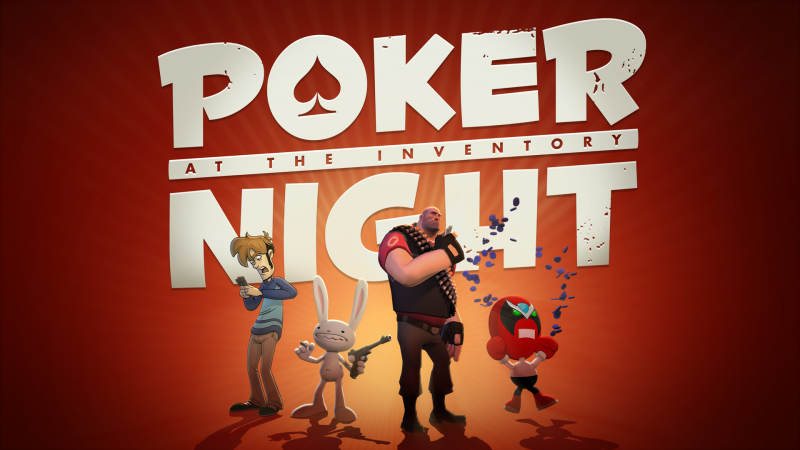
Poker Night at the Inventory (Switch): all the updates (latest: Ver. 1.4.0)
On this page, you will find all there is to know about the various updates for Poker Night at the Inventory on Nintendo Switch.
Click here for more games and consoles updates!
Poker Night at the Inventory – Ver. 1.4.0
- Release date: April 16th/17th 2026
- Patch notes:
- The game can now also automatically deal the next hand, skipping past the “Click anywhere to deal” screen entirely. Go to gameplay Settings and turn “Auto Deal Next Hand” to “On.” The host will still call out the raised blinds verbally, and you’ll see them up in the top UI as people around the table pay the blinds.
- When playing with a gamepad, you can now press Left Trigger to see your current call amount, and Right Trigger to see your bet amount.
- Tells no longer occasionally play during showdowns and while skipping to the next hand.
- Fixed instances where a character’s acting performance would blend in on top of their poker playing animation, causing strange hovering hands or other visual glitches.
- The Heavy’s minigun sound now loops when he brings it out after a big loss. His laugh also doesn’t get cut off when he wins.
- Fixed the “Three Wise Men” achievement being possible when your Full House only had two wise men. Three kings are now required, as intended.
- Characters around the table will now more accurately look at the competitor they’re taunting about their bad hand.
- Characters around the table won’t play dialog that uses plural nouns when there are only two players left in the game.
- Fixed Tycho’s hair getting overly bright when he walks away from the table after busting out.
- Fixed mid-game music sometimes starting up a new track during showdowns.
- Fixed a bad game state that could be caused by adjusting your buy-in amount, saving and loading.
- Fixed empty pots not always getting removed properly, which may help resolve rare instances where someone can appear to win a hand after folding.
- Fixed a handful of pops and glitches, including: Strong Bad’s cards flying into his hand when he checks them before folding, Tycho popping in and out of a folded “leaning back” pose when he loses, and Max taking his chips twice when claiming the pot when he wins against Tycho.
- Added a bunch of missing poker chip sound effects.
- Found places where Tycho’s uncensored lines were still not showing up properly in subtitles, and fixed them. Also fixed a missing uncensored version of Tycho’s “I guess you don’t f*ck around” line.
- Fixed a bunch of little typos in subtitles.
- And finally, we found a few short “check” and “fold” related lines of dialog that never got played in any version of the game due to logic errors in the dialog scripting. You’ll now occasionally hear them!
- Additional notes: none
- Source: Skunkape Games (Steam)
Poker Night at the Inventory – Ver. 1.3.0
- Release date: ???
- Patch notes:
- If you play with uncensored dialog, the subtitles are now also uncensored. We also fixed Tycho’s “sh*t hot” line: it is no longer censored when playing in uncensored mode.
- You can now adjust the bet or raise the amount using your scroll wheel.
- Ambient Sound now has its own volume slider in settings.
- If you felt like you won an item and it went to the wrong player, it was almost definitely a game where the pot was either split, or there were one or more side pots. We found and fixed some instances where the item would go to nobody if the pot was split, or to the winner of the last side pot. Now, if a character has bought in with a special item and busts out during a side pot, the winner of the biggest side pot gets the item. If the pot is split, both winners of the split pot get the item.
- Fixed the game sometimes not progressing after certain conversations were interrupted.
- The Heavy’s minigun sound now loops when everyone at the table draws their guns on Tycho. (And yep, we missed the looping minigun sound where he flips the table over but will get it in the next patch.)
- Strong Bad doesn’t leave his shovel floating above the table when dialog is skipped mid-shoveling.
- Fixed a bunch of camera pops throughout the game.
- Fixed a bunch of subtitle typos and places where the text didn’t match the final recorded voice lines.
- Fixed instances where a character’s cards would sometimes pop or flicker when turning them over.
- Characters no longer harass you to stop taking too long when you’re in a menu (this sounds funny writing it out here, but really felt like a bug in the game, because it was).
- Fixed hole card textures not updating when switching decks after a player has folded.
- Fixed multiple instances of missing sound effects when Heavy slams his hand down on the table.
- Fixed other missing sound effects on Max and Heavy “all in” animations.
- Fixed instances where cards could be attached to Tycho’s hand even when they were way across the table, so they’d go flying around. Characters’ hole cards also no longer occasionally float above the table if a line is skipped at the wrong moment. Cards just generally float less after this patch.
- Fixed NPC’s chips sometimes disappearing while betting when there is a camera cut.
- When the player camera slides over to sit across the table from a character during heads-up play, your opponent now looks you in the eye, instead of looking at where you used to sit.
- When you win the Dangeresque, Too? shades, we show the updated model in the pop-up window congratulating you, instead of the old 2010 version.
- Max no longer says “Thanks, guys!” when he’s the last NPC at the table.
- When Tycho is anxious about the next card in a showdown and covers his eyes in close-up shots, his finger no longer intersects his eyebrow. Finally we can all relax.
- Additional notes: none
- Source: Skunkape Games (Steam)
How to download updates for Poker Night at the Inventory on Nintendo Switch?
To download the updates for Poker Night at the Inventory, you have three options:
- let the console do its thing if you have automatic downloads activated, and didn’t completely turn it off
If not…
- try to launch the game from the Home Menu while being connected to the internet. You should get a prompt when doing so: simply follow the instructions on screen;
OR
- select the game > press either + or – to go to the Options page > select Software update > select Via the Internet.
To check that you have the latest version installed, simply select the game on the Home Menu, and press – or + to go to the Options: the version number is displayed just below the game title.
