
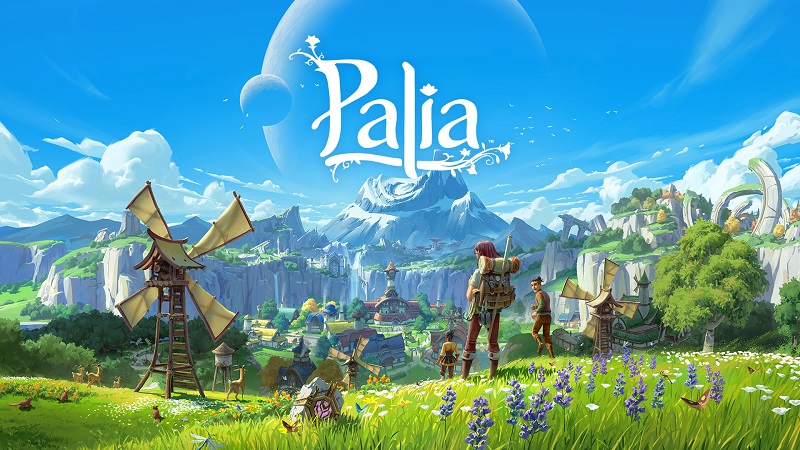
Palia (Switch): all the updates (latest: Ver. 0.207 – Fall’s Faire: Frights & Delights)
On this page, you will find all there is to know about the various updates for Palia on Nintendo Switch.
Archives: launch to June 2024 / June 2024 to December 2025
Click here for more games and consoles updates!
Palia – Ver. 0.208 (Fall’s Faire: Hearty Homecoming)
- Release date: November 2026
- Maintenance: Yes (more details)
- Patch notes (highlights):
Coming soon!
- Patch notes:
Coming on launch day!
- Additional notes: none
- Source: Singularity 6
Palia – Ver. 0.207 (Fall’s Faire: Frights & Delights)
- Release date: September 29th/30th 2026
- Maintenance: Yes (more details)
- Patch notes (highlights):
- Spiritfest is back, and the Spooky Moon Store is open for business!
- Help Elouisa ghost-bust in the new Bulletin Board quest!
- Brave the newest Lunar Path: Path of the Ghastly!
- Welcome the paw-sitively adorable Palcat to your Ranch!
- Grow closer with Sifuu, Hassian, Taylin, and Ulfe with Friendship Level 5 Quests!
- Deck out your Home Plot with new Spiritfest Decor!
- Give your home a frightfully festive makeover with new Tints!
- New Plushes add a lil’ spooky splendor to your collection!
- Claim a Spiritfest Player Title… but choose wisely!
- Show off with spook-tacular new Spiritfest Nameplates and Profile Icons!
- Haunt in style with new Premium Store arrivals, including the Devilish Imp, Casual Cutie, Fungi Forager, the Palcat Rogue, the Haunted Hollow Landscape, and more!
- …and more!
- Patch notes:
New Features & Updates
Spiritfest Returns
The Veil is thinning… Spiritfest has crept back into Kilima Village, and this year, we’re celebrating with a few new tricks along with the treats.
The Spooky Moon Store is open for business, stocked with all the delightfully questionable Decor your Home Plot could possibly need: coffin beds, gargoyles, bottled poison (!?!?!), and even a bat roost that sends its residents fluttering when you wander past.
You may also notice a couple of strange new materials turning up around the world of Palia during the event. Ectoplasm can appear as a rare bonus when gathering any forageable, and has all the gooey texture of melted marshmallow… but with considerably less appeal (to most). Tattered Cloth, meanwhile, can be collected from the prowling Ghastly Jaakcats, a type of spectral Jaakcat with little interest in being friendly. Bring both Ectoplasm and Tattered Cloth to the Bulletin Board and put your Spiritfest finds to good use.
Read below for the new Spiritfest materials and the acquisition methods/location(s):
| Item | Loot / Craft / Purchase Location |
|---|---|
| Ectoplasm | Rare drop from any forageable during Spiritfest. Turned in at the Bulletin Board. |
| Tattered Cloth | Dropped by Ghastly Jaakcats during Spiritfest. Turned in at the Bulletin Board. |
Spiritfest runs for a limited time only, so gather what you will while the haunts are fresh through the end of October (independent of patch cycles).
Bulletin Board: Spiritfest
Elouisa ain’t afraid of no ghosts! Help her track down the spectral scoundrel terrorizing Kilima by contributing requested items through the Bulletin Board.
Complete the Bulletin Board to earn L’il Ghosties, a cluster of tiny, easily-trodden-on spectres that will also become available from the Spooky Moon Store.
Finish the Outro quest and you’ll also receive a Spooky Moon Token, an especially rare Spiritfest currency, with only one available to earn each Spiritfest celebration. Choose how you spend it carefully… very carefully. For exactly what that means, see New Player Titles below.
New Player Titles
Four new Spiritfest Player Titles have arrived, but there’s a frightful little catch.
The Vampire, The Werewolf, and The Witch can be claimed from the Spooky Moon Store using a Spooky Moon Token. But with only one Token available to earn each year, you’ll need to choose your creature carefully. Claim one, and the other two will slip back into the shadows.
The fourth Player Title is earned through the Path of the Ghastly… no spooky sacrifice required, hehe.
Read below for the new Player Titles and the acquisition methods/location(s):
| Player Title | Loot / Craft / Purchase Location |
|---|---|
| The Vampire | Purchased at the Spooky Moon Store with a Spooky Moon Token. Only one of the three store Titles can be purchased per year. |
| The Werewolf | Purchased at the Spooky Moon Store with a Spooky Moon Token. Only one of the three store Titles can be purchased per year. |
| The Witch | Purchased at the Spooky Moon Store with a Spooky Moon Token. Only one of the three store Titles can be purchased per year. |
| The Undead | Acquired via Path of the Ghastly |
Path of the Ghastly
A new Lunar Path awaits only the most brave and stalwart Palians: the Path of the Ghastly.
This Lunar Path fully celebrates the joy of Halloween Spiritfest, with costumes fit for creatures of the night, Decor made for haunting your (Home Plot) halls, an e[y]erie-looking fishing bobber, and more.
The Path of the Ghastly features 21 levels of free and Premium rewards. The Premium Upgrade for the Path of the Ghastly is 1275 Palia Coins, but as always the free path is available for all players; so don’t forget to activate it when you login!
Head in-game for a full list of free and Premium rewards.
Welcome the Palcat to the Ranch
A new set of claws paws pads onto the ranch!
With sharp claws, a keen nose, and a talent for getting their paws dirty, Palcats are especially good at sniffing out and digging up Herbs thanks to their Herb Hunter trait.
Palcats come in six coat colors: Clove, Pepper, Wisp, Belladonna, Crystal, and Turmeric, and can inherit the Socks or Wild Stripes pattern. You may even encounter a Twinkling Palcat, with a distinctly magical glow that does absolutely nothing to help their case against the Flow allegations (iykyk).
Read below for the new Palcats and the acquisition methods/location(s):
| Item | Loot / Craft / Purchase Location |
|---|---|
| Palcat Voucher | Available for purchase at the Spooky Moon Store. |
| Twinkling Palcat Voucher | Available for purchase in the Premium Store for 999 Palia Coins |
New Villager Friendships
Friendship Level 5 has finally arrived for Sifuu, Hassian, Taylin, and Ulfe! Just make sure you’ve completed each Villager’s Friendship Level 4 quests before diving into their new stories.
Four new quests will take you even deeper into their stories, with new moments, new discoveries, and a little more insight into what makes each of them tick. Complete each quest and you’ll head home with a special piece of Decor inspired by each Villager.
And if you were curious about Sifuu’s literary tastes, well… let’s just say they’re apparently extremely high-brow.
Read below for the new Friendship rewards and the acquisition methods/location(s):
| Item | Loot / Craft / Purchase Location |
|---|---|
| Respectable Literature | Reward for reaching Friendship Level 5 with Sifuu. |
| Hunter’s Rug | Reward for reaching Friendship Level 5 with Hassian. |
| Artist’s Easel | Reward for reaching Friendship Level 5 with Taylin. |
| Artist’s Easel Stool | Reward for reaching Friendship Level 5 with Taylin. |
| Paint Brush Set | Reward for reaching Friendship Level 5 with Ulfe. |
| Painter’s Palette | Reward for reaching Friendship Level 5 with Ulfe. |
New Spiritfest Decor
Redecorating for the spooky season has never been easier, or worse for property values.
Read below for the new Decor additions and the acquisition methods/location(s):
| Item | Loot / Craft / Purchase Location |
|---|---|
| Bed of Eternal Rest | Available for purchase at the Spooky Moon Store. |
| Standing Jaakcat Gargoyle | Available for purchase at the Spooky Moon Store. |
| Bottle of Poison | Available for purchase at the Spooky Moon Store. |
| Potion Collection | Available for purchase at the Spooky Moon Store. |
| Bat’s Roost | Available for purchase at the Spooky Moon Store. |
| Abandoned Cottage Siding | Available for purchase at the Spooky Moon Store. |
| Widow’s Walk Jukebox | Available for purchase at the Spooky Moon Store. |
| Vying Jaakcat Gargoyle | Acquired via Path of the Ghastly |
| Kneeling Jaakcat Gargoyle | Acquired via Path of the Ghastly |
| Simple Headstone | Acquired via Path of the Ghastly |
| Bat Banner | Acquired via Path of the Ghastly |
| Black Rose Flower | Acquired via Path of the Ghastly |
| Jaak-o-Lantern Peg Light | Acquired via Path of the Ghastly |
| L’il Ghosties | Awarded for completing the Bulletin Board, then available for purchase at the Spooky Moon Store. |
| Wooden Wisteria Trellis | Found in Rummage Piles. |
New Tints
Two new Tints to take your home from cozy to cursed.
Read below for the new Tints and the acquisition methods/location(s):
| Item | Loot / Craft / Purchase Location |
|---|---|
| Coven Tint | Recipe available for purchase at the Spooky Moon Store. |
| Candy Corn Tint | Recipe available for purchase at the Spooky Moon Store. |
New Plushes
The new Spiritfest Plushes offer something soft for the season, because not everything spooky needs to be scary.
Read below for the new Plushes and their acquisition methods/location(s):
| Item | Loot / Craft / Purchase Location |
|---|---|
| Pumpkin Rockhopper Plush | Rare drop from Pumpkin Rockhoppers. |
| Banshee Beetle Plush | Rare drop from Banshee Beetles. |
New Nameplates and Profile Icons
Dust off your Nameplate, or don’t; because they likely suit the cobwebs.
Read below for the new Nameplates and Profile Icons and the acquisition methods/location(s):
| Item | Loot / Craft / Purchase Location |
|---|---|
| Spider’s Web Nameplate | Available for purchase at the Spooky Moon Store. |
| Tamala’s Cauldron Profile Icon | Available for purchase at the Spooky Moon Store. |
| Pumpkin Rockhopper Profile Icon | Acquired via Path of the Ghastly |
| Batty Nameplate | Acquired via Path of the Ghastly |
Improvements & Adjustments
Civic Project: Kilima Docks, Revisited
Players who take on the Civic Project: Kilima Docks after it has already been completed will now receive updated dialogue that reflects the Civic Project’s completion.
Lunar Path Notification Pop-up Frequency
Limited the frequency of Lunar Path pop-up notifications.
Premium Store Updates
New outfit collections have been added to the Premium Store, available immediately.
| Outfit Name | Outfit Names | Pieces | Price (Per Outfit/Collection) |
|---|---|---|---|
| Devilish Imp | Scarlet | Hat, Top | 3400 Palia Coins |
With metal and leather in all the right places, evil has never looked so good. Horns, wings, and the imp’s own skin can each be toggled on or off, so you can decide exactly how much of the underworld you bring to brunch in Kilima Village.
| Collection Name | Outfit Names | Pieces | Price (Per Outfit/Collection) |
|---|---|---|---|
| Casual Cutie | Bookstore Coffeeshop Picnic |
Top, Bottom, Hat | 1275 Palia Coins Each / 2550 Palia Coins |
A stylish, on-the-go look that will have you perfectly prepped for any meet-cute. The scarf can be worn or left at home… depending on how the wind is blowing in Bahari Bay, of course.
| Outfit Name | Outfit Names | Pieces | Price (Per Outfit/Collection) |
|---|---|---|---|
| Fungi Forager | Shmole | Top, Bottom, Hat | 2550 Palia Coins |
Deep in the Elderwood, the line between forager and fungus can get a little blurry. Fungi Forager leans all the way in, right down to your companion, who gets a fungal makeover of their own as a Shmole.
| Outfit Name | Outfit Names | Pieces | Price (Per Outfit/Collection) |
|---|---|---|---|
| Goobi Hat | Heartdrop | Hat | 1700 Palia Coins |
It’s very moisturizing (positive)! The Goobi’s expression shifts depending on what you are up to, and yes, wearing it does leave you a little slack-jawed.
A new Pet has been added to the Premium Store, available immediately.
| Pet Name | Pets | Price (Per Pet) |
|---|---|---|
| Palcat Rogue | Thief Ranger Scout |
999 Palia Coins Each |
Keep one eye on your catch, the Palcat Rogue has quick paws and absolutely no respect for personal property. Cloaked, hooded, and entirely unrepentant, this tiny troublemaker comes in three mischievous varieties.
*Head in-game to check out some scary-good Rogue Pet and Rogue Outfit bundles, hehe.
New Gliders have been added to the Premium Store, available immediately.
| Glider Name | Price |
|---|---|
| Macabre Parasol | 1275 Palia Coins |
Appearing aloof and mysterious while gliding through the air on an umbrella is no easy feat, but the Macabre Parasol may lessen the difficulty.
| Glider Name | Price |
|---|---|
| Calavera Glider | 850 Palia Coins |
The Calavera Glider takes the opposite approach entirely, carrying you aloft in a riot of color for the Day of the Dead.
New Tool Skins have been added to the Premium Store, available immediately.
| Tool Skin Name | Pieces | Price |
|---|---|---|
| Pumpkin Bomb | Bug Bomb | 1275 Palia Coins |
Freeze those insects with fright! The Pumpkin Bomb is a unique ordnance that tosses a random Pumpkin Pod with each throw!
| Tool Skin Name | Pieces | Price |
|---|---|---|
| Hellfire | Axe Pickaxe Hoe Bow Watering Can Fishing Rod |
1275 Palia Coins |
Brighten your look, literally. The Hellfire Tool Skin sets every tool you use alight.
New Emotes have been added to the Premium Store, available immediately.
| Emote Name | Price |
|---|---|
| Broom Vrooming | 1275 Palia Coins |
No owl, no acceptance letter, no problem. Grab your Broom and Vroom around Kilima Village like you’ve got somewhere magical to be.
| Emote Name | Price |
|---|---|
| “OB3Y by AZODi & Nella Vogue” Bow | 850 Palia Coins |
| Emote Name | Price |
|---|---|
| “OB3Y by AZODi & Nella Vogue” Boombox | 850 Palia Coins |
A new Profile Icon Bundle has been added to the Premium Store, available immediately.
| Profile Icon Bundle | Price |
|---|---|
| Gigachaad Chapaa Icon Eshelon Icon Horsin’ Around Icon Grinning Kitsuu Icon Pogbert Icon |
100 Palia Coins (Bundle) |
Your five favorite new faces.
A new Worktable has been added to the Premium Store, available immediately.
| Worktable Name | Price |
|---|---|
| Haunted Worktable | 850 Palia Coins |
It functions just like any other old worktable, although it might be straight-up cursed.
A new Consumable has been added to the Premium Store, available immediately.
| Consumable Name | Consumable(s) | Price |
|---|---|---|
| Witch’s Brew | 5x Per Bundle | 150 Palia Coins |
You’ve been transmogrified by the Witch’s Brew, an appearance-altering potion that will turn you green!
A new Landscape has been added to the Premium Store, available immediately.
| Landscape Name | Price |
|---|---|
| Haunted Hollow | 2550 Palia Coins |
From the shroud of eternal night to the forest of creepy trees and a looming castle, this accursed place has it all. There’s no better place to showcase this year’s haunted house.
Top Bug Fixes
Gameplay
- [Fixed in a previous Hotfix] Resolved issues with Valhast voucher redemption and with the Ranching skill level limit.
- [Fixed in a previous Hotfix] Corrected an issue where level 50 skill achievements were not awarding their Player Titles.
- Fixed an issue in the “It Must Flow” quest where one of the required items to gather may not have appeared in the world.
- Resolved an issue where Tish’s dialogue for the “Stores Galore” quest could be started before an earlier step was completed.
- Removed a quest marker that stayed on Ulfe after progressing a goal in Taylin’s second friendship quest.
- Corrected several of Taylin’s gift items that were appearing in the wrong Weekly Wants tiers.
- Fixed an issue where players could only Request Amber of any type in quantities of 20. Players can now request one Amber at a time (a far more reasonable request for someone to fulfill).
- Adjusted the Growables storage tab, which incorrectly appeared to have unlimited space.
- Fixed an issue where growable items incorrectly appeared in the Gatherables storage tab in addition to the Growable tab. They now only show in the Growable tab.
- Restored the overflow notification when deleting an item from a full inventory while items were still waiting in overflow.
- Fixed an issue where filtering the Animal Roster menu with a controller prevented players from navigating to the Donate button.
- Resolved an issue where players could scroll past the last row in the Breeding menu and the Animal Roster menu.
- On consoles, fixed an issue where the quest menu could still be used while the quest reward information window was open.
- Fixed an issue where being in camera mode during a cinematic would break the cinematic.
- Resolved an issue where entering dialogue while in camera mode left the player unable to exit dialogue.
- Fixed an issue where the ocean didn’t blend cleanly into the sky at the horizon in Bahari Bay.
Housing & Decor
- Fixed an issue where the Queen Ushindi Turret could visually overlap one immediately above it.
- Fixed an issue where the Queen Ushindi Turret could not accept Wall Decor and Wallpapers.
Accounts, Character Creation, Collections, and Wardrobe
- Fixed an issue where the online friends counter incorrectly displayed 99.
- On PC, removed tools that were appearing behind the Titles preview.
- On PC, fixed an issue where a grass surface unexpectedly appeared in some Collections previews.
Premium Cosmetics
- Fixed an issue where the Rising Phoenixfire Riffroc voucher used the same icon as the standard Riffroc voucher.
- Resolved an error message that appeared when trying to activate a Lunar Path that cannot be activated.
Top Known Issues
New to 0.207
- The Donate button may disappear after switching between tabs in the Animal Inventory.
- The Jaak-o-Lantern Wall Light may appear less detailed when viewed up close.
- Some Spooky-themed titles may display an incorrect rarity.
- The Pumpkin Rockhopper icon may appear twice in the profile icon selection menu.
- After changing outfits in the Wardrobe, the effects and pose from the previous outfit’s transformation may remain in place.
- Some idle effects may remain visible while playing the “OB3Y by AZODi & Nella Vogue” Bow emote.
- On PC, player name colors for party and community members may not persist after changing servers.
- On PC, increasing the number of items donated on the Contribute Board currently requires clicking twice instead of once.
- River water in Kilima Valley may render with a chunky, low-detail surface.
- An unintentional pulsing glow effect is applied on Flow Trees, foliage, and gatherables.
Other Issues
- VFX of previously worn outfits may be displayed when re-enabling the “Play Local Idle Animations” option.
- The Completed seal overlaps the Path name in some Lunar Paths with long titles.
- Player character is visible in the background when previewing Dye Palette rewards in the Lunar Path.
- The remaining path rewards indicator in the HUD does not match the actual number of unclaimed rewards.
- Baby animals taken into the world as Pets may be displayed as adult-sized after dismounting.
- Certain ranch animals’ cosmetic traits may not display correctly after changing servers.
- Graphical artifacts may be seen during the transformation animation of some outfits.
- K-pop outfit VFX disappear after toggling the housing menu on and off inside the plot.
- Equipping the Sharkbait Hat will incorrectly remove the player’s equipped hairstyle.
- Players may see issues with wallpapers on the Courtyard when a window alternation is chosen.
- In rare cases, ghosted players may become temporarily invisible on Switch.
- Players may find that the “It Must Flow” quest reappears as active after it has already been completed.
- The aim sensitivity slider may not currently change aiming behavior.
- On consoles, players may be able to exit placement mode using buttons that were not intended to do so.
- On consoles, the cursor may become stuck when opening new mail.
- Additional notes: none
- Source: Singularity 6
Palia – Ver. 0.206 (Fall’s Faire: Petals & Portraits)
- Release date: August 26th/27th 2026
- Maintenance: Yes (more details)
- Patch notes (highlights):
- All hands on deck for Palia’s first Civic Project! Pitch in with all Palians to help rebuild Kilima’s beloved docks together!
- Every great story begins with hello. A new Villager Friendship is ready to discover!
- Adventure leaps to new heights in the Path of the Great Sage Lunar Path!
- Give your home the royal treatment with the new Queen Ushindi Home Line!
- Make your mark! Player Titles are here with a new way to show off your accomplishments and personality!
- The Valhäst spreads its wings as Palia’s newest mount and ranching companion!
- Help Zeki pull off his latest scheme in the newest Bulletin Board!
- Strike every pose with the new Free Cam and Photo Filters in Photo Mode!
- Bring the heat with delicious new decor made for your dream kitchen!
- Cozy up your collection with several adorable new plush additions!
- Chic and on fleek! Frame your fabulous face with the all new Eyebrow and Eyelash customization feature!
- Fall into fantastic fashion with Premium Store arrivals like Winged Warrior, Sweater Weather, Valhäst, Storage Enhancements, Clouded Toolskins, Flying Nimbus Emote, and more!
- …and more!
- Patch notes:
New Features & Updates
Civic Projects
Palia’s first-ever Civic Project has arrived! The Civic Project: Docks calls on all Palians to contribute items that help shape the world of Palia and rebuild the Kilima Docks. Kick things off by speaking with Ashura to help rebuild the harbor, establish a route to the Royal Highlands, and strengthen trade relationships!
Contribute Building Supplies and Donation Kits at workbenches placed around the area, or from the comfort of your own Home Plot. Donation kits can be created from various skills, with each kit contributing 1, 2, or 4 points toward the community’s shared progress while also earning you Civic Project XP.
Some kits will ask for specific collections, like 12 of the same uncommon insect, so be sure to keep an eye on the requirements!
As for rewards? Your Civic Project XP can be used to unlock a huge variety of goodies, including recipes for new Kitchen Decor, Tailor Tickets, Treat Bags, Kilima Coins, Tints, Profile Icons, the Valhäst, and so much more.
While the Civic Project: Docks rewards are found under the Lunar Path tab, they’re part of their own project and do not need to be activated to participate. Even after the community finishes rebuilding the docks, you’ll be able to continue earning Civic Project XP and unlocking every reward at your own pace.
Your contributions can also earn you two special player titles before the docks are complete: one at 10 points and another at 400 points. Once construction is complete, these limited-time titles will no longer be available, making them a special memento for Palians who helped contribute to Palia’s very first Civic Project.
As milestones are reached, watch the docks come to life, transforming from a construction site into a bustling harbor for all Palians to enjoy, complete with a brand new route to the Royal Highlands.
Let’s build something that every Palian can be proud of!
“We’ve been wanting to create these game-wide objectives for a long time, and we’re incredibly excited to see the community come together to complete their first Civic Project. We built the vast majority of rewards for this project to be accessible to all players; however we saved the last few rewards for the truly die-hards who want to show off and give something for the very few to continue to pursue. Trust us when we say it’s ok to tap out!” -S6 Forseti
New Villager Friendship
Spoilers for post-‘The Lion and the Lamb’ content ahead: If you haven’t completed the story through The Lion and the Lamb, you may want to skip this section to avoid spoilers.
The story of the Beast of the Elderwood continues with the first four Friendship Levels for Taylin. Returning home after so many years isn’t easy, and rebuilding relationships with her family proves to be its own challenge. It’s up to you to help mend old bonds and bring this family closer together.
This is only the beginning of their stories. Friendship Level 5 for members of this family will arrive over the next few patches. If you’d like to jump into those quests as soon as they arrive, be sure to also reach Friendship Level 4 with Ulfe, Hassian,, and Sifuu so you can dive right into the next chapter. And keep your eyes peeled… romance is also on the horizon for Taylin and Sifuu!
Path of the Great Sage
Set off on an epic journey with our newest Lunar Path: Path of the Great Sage!
Inspired by the legends, this path is packed with regal rewards, from mystical outfits to new pieces of the Queen Ushindi Home Line.
Here are some of the rewards waiting for you on the Path of the Great Sage:
- All Queen Ushindi Homeline Recipes
- Great Sage Tint
- Great Sage Title
- Sages Crown Profile Icon
- Monkey Onesie
- Monkey Adventurer Onesie
- The Travellers Graphic Tee and Pants
- Crown of the Monkey King
- Wukong Mask
- Pigsy Mask
- Sandy Mask
- Sandy Bobber
- Staff of the Monkey King
- Dragon Prince Bow
- Pigsy Hoe
- Sanzang Watering Can
- Sandy Fishing Rod
- Sun Wukong Plush
- Large Wukong Plush
- Giga Wukong Plush
- Rainbow Wukong Plush
- Monkey Snout Makeup
- Cheek Scales Makeup
- Tusks Makeup
- Nimbus Mailbox
- Sandy Sticker
- Sanzang Sticker
- Pigsy Sticker
- Sun Wukong Sticker
- And more!
With 40 levels of rewards, this is one of our biggest Lunar Paths yet! The Path of the Great Sage is 1,975 Palia Coins for the Premium Upgrade, but as always, the free path is free, so everyone can embark on the journey.
Queen Ushindi Home Line
Build a home fit for royalty with the new Queen Ushindi Homeline, inspired by Queen Ushindi of Akwinduu herself and human Victorian-style architecture.
Unlockable through the newest Lunar Path, Path of the Great Sage, this Home Line introduces elegantly designed modules like patios, balusters, awnings, dormers, and more.
Like other Home Lines, including the Alchemist’s Cottage and Estate, theQueen Ushindi Home Line is fully compatible with existing modules, letting you mix and match pieces to create a home that is completely yours.
Read below for the titles and acquisition method of each Queen Ushindi Home Line piece:
| Item | Loot / Craft / Purchase Location |
|---|---|
| Queen Ushindi Turret | Recipe acquired via the “Path of the Great Sage” Lunar Path |
| Queen Ushindi House | Recipe acquired via the “Path of the Great Sage” Lunar Path |
| Queen Ushindi Dormer | Recipe acquired via the “Path of the Great Sage” Lunar Path |
| Queen Ushindi Mini Turret | Recipe acquired via the “Path of the Great Sage” Lunar Path |
| Queen Ushindi Tiered Post | Recipe acquired via the “Path of the Great Sage” Lunar Path |
| Queen Ushindi Column | Recipe acquired via the “Path of the Great Sage” Lunar Path |
| Queen Ushindi Stoop | Recipe acquired via the “Path of the Great Sage” Lunar Path |
| Queen Ushindi Patio | Recipe acquired via the “Path of the Great Sage” Lunar Path |
| Queen Ushindi Fancy Patio | Recipe acquired via the “Path of the Great Sage” Lunar Path |
| Queen Ushindi Balustrade | Recipe acquired via the “Path of the Great Sage” Lunar Path |
| Queen Ushindi Baluster | Recipe acquired via the “Path of the Great Sage” Lunar Path |
| Queen Ushindi Roof Trim | Recipe acquired via the “Path of the Great Sage” Lunar Path |
| Queen Ushindi Awning | Recipe acquired via the “Path of the Great Sage” Lunar Path |
| Queen Ushindi Gable | Recipe acquired via the “Path of the Great Sage” Lunar Path |
| Queen Ushindi Roof Edge | Recipe acquired via the “Path of the Great Sage” Lunar Path |
| Queen Ushindi Overhang | Recipe acquired via the “Path of the Great Sage” Lunar Path |
| Queen Ushindi Roof Corner | Recipe acquired via the “Path of the Great Sage” Lunar Path |
| Queen Ushindi Staircase | Recipe acquired via the “Path of the Great Sage” Lunar Path |
| Queen Ushindi Door | Recipe acquired via the “Path of the Great Sage” Lunar Path |
| Queen Ushindi Right Stair | Recipe acquired via the “Path of the Great Sage” Lunar Path |
| Queen Ushindi Left Stair | Recipe acquired via the “Path of the Great Sage” Lunar Path |
Player Titles
There’s a new way to show off your accomplishments with the new Player Title feature! Titles appear beneath your player name and let you show off your accomplishments, whether you’re a ‘Green Thumb’, ‘Deckhand’, ‘Animal Whisperer’, or one of many more titles to discover!
Titles, like Nameplates, are saved as part of your saved outfit, so you can pick the perfect title for the perfect fit.
Many existing accomplishments, quests, and achievements now award titles, and we’ve added even more new ones to unlock.
Already completed the requirements? Don’t worry, your titles will be awarded automatically!
Read below for the titles and acquisition method of each new Player Title:
| Player Title | Acquisition |
|---|---|
| Deputy Inspector | Purchased in Home Tours store with Home Tour Tickets |
| The All-Seeing | Purchased in Home Tours store with Home Tour Tickets |
| King of the Ocean/Ruler of the Ocean/Queen of the Ocean | Fishing – Skill Level 100 |
| Buggin’ Out | Bug Catching – Skill Level 50 |
| Keeper of the Swarm | Bug Catching – Skill Level 100 |
| Heavy Metal | Mining – Skill Level 50 |
| Lord of the Underground /Ruler of the Underground/Lady of the Underground | Mining – Skill Level 100 |
| Local Cryptid | Foraging – Skill Level 50 |
| Guardian of the Wilds | Foraging – Skill Level 100 |
| Sharpshooter | Hunting – Skill Level 50 |
| Master of the Hunt/ Captain of the Hunt/ Mistress of the Hunt | Hunting – Skill Level 100 |
| Green Thumb | Gardening – Skill Level 50 |
| Lord of the Loam/Sovereign of the Loam/Lady of the Loam | Gardening – Skill Level 100 |
| Gourmand | Cooking – Skill Level 50 |
| Five Star Chef | Cooking – Skill Level 100 |
| Crafty | Furniture Making – Skill Level 50 |
| Master of Crafts | Furniture Making – Skill Level 100 |
| Father of Beasts/Guardian of Beasts/Mother of Beasts | Ranching – Skill Level 100 |
| Part of the Pack | Friendship Level 4 – Taylin |
| Getting Into It | Login 7 days in a rowCell |
| Going Steady | Login 30 days in a row |
| Locked In | Login 90 days in a row |
| The Try-hard | Login 180 days in a row |
| The True Palian | Login 365 days in a row |
| Deckhand | Acquired by contributing in the Civic Projects: Docks before its completion |
| The Harbormaster | Acquired by contributing in the Civic Projects: Docks before its completion |
| Quartermaster | Civic Project: Docks Path |
| Seafarer | Civic Project: Docks Path |
| Lord of the Sea/Sovereign of the Sea/Lady of the Sea | Civic Project: Docks Path |
| Has the Midas Touch | Reach the gold cap |
| The Entitled | Earn 50 titles |
| Great Sage | Path of the Great Sage Lunar Path |
Welcome the Valhäst
Legends become reality with the introduction of the Valhäst! Once believed to be nothing more than myth, these companions are very much real and can be unlocked at Level 45 on the Civic Project: Docks.
Once settled on your ranch, Valhästs produce a steady supply of arrows for you to keep your bow stocked!
While riding a Valhäst, everyone in your party will also enjoy an improved turn rate, making it easier to stick together as you explore.
Bulletin Board
After hearing just how successful the Daiya’s were in the Bahari Province Faire last year, Zeki has decided it’s time for him to cash in. There’s just one problem: he was banned from running a booth after a few… questionable business decisions.
Help gather supplies for his disguise, game booths, prizes, and more, and you’ll earn four new wallpapers for your efforts. Check out the Wallpaper section below for more details!
Free Cam
Strike your best pose from every angle with our newly added Free Camera mode!
With Free Camera, you can now “fly” around your surroundings to line up the perfect shot from about any angle. You can zoom out up to 30 meters, so while you can’t quite reach the moon, you can still get pretty far! Just toggle Freecam directly from your camera.
We’re also adding two new Photo Filters to the Home Tours Store: Black & White and Golden Hour! Once unlocked, you can use them any time in Camera Mode to give your photos a little extra pizzazz!
New angles, new perspectives, and even more ways to take your perfect screenshot!
Camera Mode Controls:
- Left Stick / WASD: Move forward, backward, left, and right
- Hold Ctrl (PC): Slow movement for more precise positioning
- Right Trigger / E: Move up
- Left Trigger / Q: Move down
- Right Stick / Mouse: Rotate camera
- D-Pad Left & Right / Z & X: Roll camera left and right
- D-Pad Up & Down / Scroll Wheel: Adjust Field of View
- Select / Tab: Hide UI
- A / Left Click: Take a picture
- B / Esc: Exit Camera Mode
New Kitchen Decor
Cook up something delicious with the newest addition to your kitchen! The Stove, Mixing Table, Oven, and Prep Table are ready to help you whip up something wonderful, and each piece can be tinted to fit your home’s style.
Read below for the titles and acquisition method of each new Kitchen Decor pieces:
| Item | Loot / Craft / Purchase Location |
|---|---|
| Queen Ushindi Island | Recipe acquired via Civic Project: Docks |
| Queen Ushindi Stool | Recipe acquired via Civic Project: Docks |
| Queen Ushindi Cloche | Recipe acquired via Civic Project: Docks |
| Queen Ushindi Chandelier | Recipe acquired via Civic Project: Docks |
| Queen Ushindi Stove | Recipe acquired via Civic Project: Docks |
| Queen Ushindi Stove Hood | Recipe acquired via Civic Project: Docks |
| Queen Ushindi Sink | Recipe acquired via Civic Project: Docks |
| Queen Ushindi Wall Shelf | Recipe acquired via Civic Project: Docks |
| Queen Ushindi Drink Mount | Recipe acquired via Civic Project: Docks |
| Queen Ushindi Oven | Recipe acquired via Civic Project: Docks |
| Queen Ushindi Mixing Table | Recipe acquired via Civic Project: Docks |
| Queen Ushindi Prep Table | Recipe acquired via Civic Project: Docks |
| Queen Ushindi Table | Recipe acquired via Civic Project: Docks |
| Queen Ushindi Glass Cabinet | Recipe acquired via Civic Project: Docks |
| Queen Ushindi Wood Cabinet | Recipe acquired via Civic Project: Docks |
| Queen Ushindi Pan Rack | Recipe acquired via Civic Project: Docks |
| Queen Ushindi Spice Rack | Recipe acquired via Civic Project: Docks |
| Queen Ushindi Chair | Recipe acquired via Civic Project: Docks |
| Queen Ushindi Pitcher | Recipe acquired via Civic Project: Docks |
| Queen Ushindi Placemat | Recipe acquired via Civic Project: Docks |
New Wallpapers and Floors
Your dream home just got so many more decorating options!
This addition includes pieces that come from existing Home Lines, so you’ll have even more ways to mix and match your favorite Home Line pieces!
Read below for the titles and acquisition method of each Wallpaper/Flooring:
| Item | Loot / Craft / Purchase Location |
|---|---|
| Charcoal Damask Wallpaper | Acquired in the Home Tour Store |
| Dark Damask Wallpaper | Acquired in the Home Tour Store |
| Rustic Wooden Floor | Acquired via Bulletin Board Reward |
| Red Brick Patio Floor | Acquired via Bulletin Board Reward |
| Rain-spotted Wallpaper | Acquired via Bulletin Board Reward |
| Stripey Wallpaper | Acquired via Bulletin Board Reward |
| Swirling Stucco Floor | Acquired via Civic Project: Docks |
| Terracotta Tile Floor | Acquired via Civic Project: Docks |
| Blue Tile Flooring | Acquired via Civic Project: Docks |
| Dainty Wallpaper | Acquired via Civic Project: Docks |
| Delicate Damask Wallpaper | Acquired via Queen Ushindi Home Builder Accomplishment |
| Antique Siding | Acquired via Queen Ushindi Home Builder Accomplishment |
| Plum Scalloped Shingles | Acquired via Queen Ushindi Home Builder Accomplishment |
| Queen’s Paraquet | Acquired via Queen Ushindi Home Builder Accomplishment |
| Dark Wood Siding | Acquired via Alchemist Cottage Builder Accomplishment |
| Cobbled Stone Wall | Acquired via Alchemist Cottage Builder Accomplishment |
| Roof Shingles | Acquired via Alchemist Cottage Builder Accomplishment |
| Old Wooden Floor | Acquired via Alchemist Cottage Builder Accomplishment |
| Wood-paneled Brocade Wall | Acquired via Estate Builder Accomplishment |
| Mauve Stucco Wall | Acquired via Estate Builder Accomplishment |
| Green Shingled Roof | Acquired via Estate Builder Accomplishment |
| Sunbleached Wood Floor | Acquired via Estate Builder Accomplishment |
| Ancient Human Wall | Acquired via Ancient Home Builder Accomplishment |
| Gilded Ancient Human Wall | Acquired via Ancient Home Builder Accomplishment |
| Gilded Roof | Acquired via Ancient Home Builder Accomplishment |
| White Brick Floor | Acquired via Ancient Home Builder Accomplishment |
New Plushes
From mythical legends to comforting classics, these new Plushes have something for every Plush collector.
Read below for the new Plushes and their acquisition methods/location(s):
| Item | Header |
|---|---|
| Rainbow Wukong Plush | Acquired via the “Path of the Great Sage” Lunar Path |
| Giga Wukong Plush | Acquired via the “Path of the Great Sage” Lunar Path |
| Large Wukong Plush | Acquired via the “Path of the Great Sage” Lunar Path |
| Sun Wukong Plush | Acquired via the “Path of the Great Sage” Lunar Path |
| Ramen Bowl Plush | Rare drop when cooking Ramen |
| Cave Kitsuu Plush | Rare drop when mining Jadium |
| Jack the Pumpkin Pod | Acquired via Pumpkin Pod Prize Bag |
| Patty the Pumpkin Pod | Acquired via Pumpkin Pod Prize Bag |
| Franklin the Pumpkin Pod | Acquired via Pumpkin Pod Prize Bag |
| Francine the Pumpkin Pod | Acquired via Pumpkin Pod Prize Bag |
| Ghastly the Pumpkin Pod | Acquired via Pumpkin Pod Prize Bag |
| Boo the Pumpkin Pod | Acquired via Pumpkin Pod Prize Bag |
| Brainhidle the Pumpkin Pod | Acquired via Pumpkin Pod Prize Bag |
| Headgar the Pumpkin Pod | Acquired via Pumpkin Pod Prize Bag |
| Kit the Pumpkin Pod | Acquired via Pumpkin Pod Prize Bag |
| Kat the Pumpkin Pod | Acquired via Pumpkin Pod Prize Bag |
| Happy Palia Third Anniversary | Acquired via Log-In Reward |
Eyebrow and Eyelash System Upgrade
Give your brows and lashes the glow-up they deserve with our new Eyebrow and Eyelash customization system! You can now mix and match your eyebrows independently of your chosen head base, giving you even more control over your character’s look.
We’re launching with 38 free eyebrow options and 3 free eyelash options, with additional styles available through Tailor Tickets and the Premium Store.
It’s time to raise the bar… and your brows!
Improvements & Adjustments
Friendship Accomplishments
We’ve added new Accomplishments for Ulfe, Gardener, Subira, and Taylin’s Friendship Level 4!
New Storage Category Tabs
We’ve added new tabs to make organizing your storage even easier! Your items now sort into categories, such as:
- Surfaces (Wallpapers, Floors, Roofing)
- Lights
- Plushes
- Growables (Flowers, Trees, etc)
- Sittables (Chairs, Benches, Beds)
- Knickknacks (Bottles, Books, Clutter, and more).
Premium Store Updates
Several new outfit collections have been added to the Premium Store, available immediately.
| Collection Name | Outfit Names | Pieces | Price (Per Outfit/Collection) |
|---|---|---|---|
| Winged Warrior | Valhast | Top, Hat, Makeup | 3400 Palia Coins |
Rule the skies in the same armor once worn by the warriors of the ancient all-Valhast cavalry!
| Collection Name | Outfit Names | Pieces | Price (Per Outfit/Collection) |
|---|---|---|---|
| Sweater Weather | Autumn Summer Spring |
Top, Legs | 850 Palia Coins |
Stylish, yet cozy enough to use as pajamas – what more could you want out of an outfit?
New Starter Packs have been added to the Premium Store, available immediately.
The newest Mounts can be registered under the Riding License system, allowing it to be ridden as a Mount on your adventures.
| Riders’s License | Price |
|---|---|
| Valhäst Riding License | 2550 Palia Coins |
| Starter Bundle | Price |
|---|---|
| Valhäst Starter Bundle | 2975 Palia Coins |
A new Tool Skin has been added to the Premium Store, available immediately.
| Tool Skin Name | Pieces | Price |
|---|---|---|
| Clouded | Axe Pickaxe Fishing Rod Watering Can Bow Hoe |
850 Palia Coins |
Despite their considerable solidity, these tools feel lighter than air!
A new Glider has been added to the Premium Store, available immediately.
| Glider Name | Price |
|---|---|
| Clouded | 1,700 Palia Coins |
Skate through the air like the Monkey King himself on your very own nimbus cloud!
A New Emote has been added to the Premium Store, available immediately.
| Emote | Price |
|---|---|
| Flying Nimbus | 850 Palia Coins |
It’s a bit like riding the lightning, but a touch less extreme.
A NEW Sales Bin has been added to the Premium Store, available immediately.
| Item Name | Price |
|---|---|
| Queen Ushindi Salesbin | 850 Palia Coins |
Your newest royally splendid sales Bin. Equip it through the housing menu (under Plot Settings) – it adds a fun elegant touch to any plot!
A NEW Mail Box has been added to the Premium Store, available immediately.
| Item Name | Price |
|---|---|
| Queen Ushindi Mailbox | 850 Palia Coins |
A Mailbox fit for the most royal of mail!
A new Makeup Bundle has been added to the Premium Store, available immediately.
| Bundle Name | Looks | Price (Per Look) |
|---|---|---|
| Unusual Suspects | Bushy #1 Scarred Thin #1 Unibrow #1 Thin Notched Spiky #1 Strands #1 Three Pronged |
150 Palia Coins Each |
Chic and on fleek.
A new Landscape has been added to the Premium Store, available immediately.
| Landscape Name | Price |
|---|---|
| Seat of the Sage | 850 Palia Coins |
A breathtaking scene, where towering peaks and rushing water creates a landscape worthy of the wise.
A new Premium Storage Upgrade has been added to the Premium Store, available immediately.
| Upgrade Name | Price |
|---|---|
| Premium Storage Upgrade (Single) | 425 Palia Coins |
| Premium Storage Bundle X3 | 850 Palia Coins |
Storage can now be expanded even further with 25 total Storage Upgrades, with each upgrade adding 4,000 additional Storage capacity. Your first upgrade unlocks a Premium Storage Chest that can be placed on your Housing Plot and evolves in appearance as you reach new upgrade tiers. Your second upgrade unlocks the Premium Storage Chest recipe, allowing you to craft even more. Best of all, Premium Storage Chests don’t count toward your Storage Chest placement limit, so you’re free to place as many as you’d like across your plot.
Top Bug Fixes
Disclaimer: Please note this is not a comprehensive list of all fixed issues.
We put in a lot of work this cycle to clean things up across Palia. Tons of bugs were fixed, and we have listened to player feedback to make improvements in lots of areas to help everything run smoother and feel better to play.
Gameplay
- Restored a missing elemental icon for a dialogue choice during the “Tale of Two Binnies” quest.
- [Fixed in a previous hotfix] Fixed a set of stability issues that caused consistent crashes for some players.
- Improved animal and insect pathfinding so creatures now navigate around bodies of water as expected instead of wandering in.
- Updated the “Prove Your Generosity” quest so that fulfilling any of the 4 Weekly Want tiers will properly count toward quest progress.
- Removed lingering beach event set decorations that remained visible in the world.
- Fixed an issue where a quest marker for “It Takes a Village – Zeki” remained active even after picking up an egg.
- Fixed a visual glitch during Chapaa Chase where carrying a Chapaa and mounting/dismounting a horse caused the Chapaa to turn invisible.
- Fixed an issue where double gates would only open one side.
Housing & Decor
- Fixed an issue where the standard Pink Rose Bush was displaying the Belafontine’s Rosebush icon
- Fixed a placement bug where banner decor did not match their visual boundaries.
- Dark and Light Wisteria Trellis decor items now correctly contribute to your total Housing Plot Value.
- Fixed a bug preventing several Tints from being applied to a selection of decor items.
- Corrected the XP reward values for short string lights.
- The Ranch House Butterball Plushie can now be customized with all tints.
- Shimmerfly Garden can now be properly picked up using Top-Down Mode
- Restored the missing placement VFX when visiting players move the Shimmerfly Garden.
- Fixed an issue that allowed other decor to be placed on top of the Shimmerfly Garden.
- Shimmerfly Garden can now be picked up when placed on Yardwork Terraces or other decor.
Accounts, Character Creation, Collections, Controls, and Wardrobe
- Fixed a visual glitch that caused duplicate Highlands Shark icons to display in the Social Menu’s Request tab.
- Resolved an issue in the Credits window where only a small area of the Back button was clickable.
- [Console] Fixed a UI scrolling bug in the Gameplay Settings menu that prevented players from reaching the bottom options.
- Updated the item description for the Premium Fire Riffroc cosmetic to include details about trait rerolls and inheritance mechanics.
Premium Cosmetics
- Water in the Lily Pad glider now looks more natural while gliding.
- Eye Patterns now properly display in the Lunar Path.
- Makeup now properly previews in Bundles if the player was not wearing any makeup.
- The Very Serious Glasses now stay equipped when riding a horse.
Top Known Issues
Disclaimer: Please note this is not a comprehensive list of all known issues.
New to 0.206
- The Plumehound Plush Chair currently does not appear under the “Sittables” tab in storage, though it can still be found under the general Decor section.
- During her sleep schedule, Taylin may fail to appear alongside Sifuu inside Sifuu’s room.
- In some cases, characters may appear T-posed in the Character Profile.
- Entering in a cooking minigame while in idle pose causes the Valhast idle pose staff to remain visible.
- Valhast glider override does not spread their wings on the preview.
- Mount icons become invisible when the mount list exceeds 20 animals in the Collections.
- In some cases, Player Profile albums are not loading for other players to view. We’re actively investigating.
- When using Top-Down Mode on your Housing Plot, attachment indicators (“sockets”) may briefly flicker and disappear after selecting a building
- When contributing large quantities of items to the Civic Project: Docks, the “Total Donations” total on the Contribution Board may fail to update correctly until a subsequent donation is made.
- The Queen Ushindi Cooking Set currently does not appear under the “Crafters” tab at the Worktable, though it can still be found in the general crafting list.
- Placing the Plumehound Plush Chair, Howling Hounds Banner, or Plumehound Painting on the housing plot does not contribute toward the overall Housing Plot Value.
Other Issues
- The Rising Phoenixfire Riffroc voucher incorrectly displays the standard Riffroc voucher icon instead of its unique custom artwork.
- VFX of previously worn outfits may be displayed when re-enabling the “Play Local Idle Animations” option.
- The Completed seal overlaps the Path name in some Lunar Paths with long titles.
- Player character is visible in the background when previewing Dye Palette rewards in the Lunar Path.
- The remaining path rewards indicator in the HUD doesn’t match the actual number of unclaimed rewards.
- Baby animals taken into the world as Pets may be displayed as adult-sized after dismounting.
- Certain ranch animals’ cosmetic traits may not display correctly after changing servers.
- Graphical artifacts may be seen during the transformation animation of some outfits.
- K-pop outfit VFXs disappears after toggling on and off the housing menu inside the plot.
- Equipping the Sharkbait Hat will incorrectly remove the players equipped hairstyle.
- Players may see issues with wallpapers on the Courtyard when a window alternation is chosen.
- In rare cases, ghosted players may become temporarily invisible on Switch.
- Additional notes: none
- Source: Singularity 6
Palia – Ver. 0.205 (Sunkissed Summer: Beauty & the Beach)
- Release date: July 28th/29th 2026
- Maintenance: Yes (more details)
- Patch notes (highlights):
This update brings the following to the game:
- Sparkle and shine! Shimmerflies light up the skies of Kilima with their dazzling glow!
- Unlock your happiest-ever-afters with the newest Lunar Path: Path of the Briar!
- Take the floor with a friend in Palia’s first shared duo dance emotes!
- Based on your feedback, we’re extending the Summer Pop Up Event for an additional week, continuing into Patch 0.205, so there’s even more time to enjoy the summer festivities. This patch also includes a fix for the controller input issues affecting all console platforms, in addition to many more bug fixes.
- New Bulletin Board Activity: Show your Bug Scout Leadership by catching Shimmerflies with Auni during the Great Shimmerfly Migration!
- Buzz Buzz! Insect-a-Palooza is back for another round of community insect-catching fun!
- Your favorite Flutterfox can now call the ranch home!
- Fan the flames of adventure with the Phoenixfire Riffroc!
- From banners and tapestries to Roses and Royal charm, new decor brings storybook magic home!
- Pride shines on with new pride inspired tints!
- Catch a cuddle with the newest plush additions!
- More friends, more adventures! The Friends List cap has been increased to 250!
- Complete your fairytale with new Premium Store arrivals including Briar’s Grace, Bestial Formality,
- Shimmerfly Toolskins, Bready to Work Toolskins, Shimmering Bubble Glider, New Makeup, our first enchanting two-person Dance Emote, a charming French Village-themed landscape, and more!
- …and more!
- Patch notes:
New Features & Updates
Shimmerfly Migration
The Great Shimmerfly Migration has arrived, filling Kilima’s dusky sky with shimmering wings for a limited time.
Keep an eye out for Star Quality Shimmerflies to decorate your plot, and if you are lucky, you may even flutter away with a Shimmerfly Plush.
As summer comes to a close, the migration will continue on its journey. Don’t miss your chance to catch them while they’re here! But don’t worry, they’ll return next year during their annual migration.
Path of the Briar
Wander onto an enchanted Path with grand treasures worthy of a storybook with Path of the Briar!
Here are some of the magical rewards waiting for you:
- Bready to Work Toolskins
- Villagers Day Dress
- Shimmerfly Sunglasses
- Alchemist’s Goggles: A new type of goggles that gives you a Grimalkin-themed view.
- Beauty’s Crown
- Tamed Mane Hair
- Rose-tinted Eyes
- Fluttering Eyes
- Bluebelle Makeup Palette
- Watchful Chapaa Statue
- Proud Chapaa Statue
- Tall Glass
- Belafontine’s Rosebush
- Enfield’s Rosebush
- Painting of Equestrian Einar
- Royal Frogbert
- Umbral Wings Potion: A new type of potion which temporarily gives you Shadow Wings. (Additional potions will also be available in the store after acquiring these on the Path of the Briar.)
The Path of the Briar is blooming with whimsical decor, enchanting cosmetics, and storybook beauty.
The Premium Upgrade is 1625 Palia Coins, but as always, the free path is free, so every fairy tale can have a happy ending.
Duo Dance
For the first time ever, you can share the dance floor with another Palian in our new ballroom-worthy duo dance emote “Heart of Gold” (Song by Steffen Schmidt & Amanda Achen.) Each player performs their own unique role in the dance, featuring choreography captured from real-life professional dancers.
Dance solo to hear the instrumental version, or join another player to share and synchronize the music. If one dancer wears the full Briar’s Grace outfit and the other wears the full Bestial Formality outfit, you’ll unlock the song’s beautiful vocal performance.
Bulletin Board
Auni is on a mission to prove Kilima has the best Bug Scouts around. To do that, he’ll need your help to beat the Harvest Meadows Troop in this year’s Shimmerfly Challenge.
He’s appointed you Bug Scout leader and needs your help catching Shimmerflies, gathering flowers, preparing bug-catching snacks, and helping with farm chores. As a final reward, you’ll get the recipe for a Shimmerfly Garden!
Insect-a-Palooza
Calling all Bug Scouts… Insect-a-Palooza returns!
Catch insects across Palia and work together with fellow Palians to unlock rewards for everyone.
With the Great Shimmerfly Migration in full swing, there’s never been a better time to load up your bug bombs and chase down some of Palia’s cutest critters.
Insect-a-Palooza runs from August 17 to August 24, 2026.
For more details on rewards and participation, check out our blog post.
Welcome the Flutterfox
Want something sweet? Reach Ranching Level 10 to unlock Flutterhoney in the Amber Echo Store. If you encounter a wild Flutterfox, a little Flutterhoney may be all it takes to befriend one and welcome it to your ranch.
If you’re curious, Elouisa may have more information to share.
Flutterfoxes produce Silky Fluff, an alternative to Silk Thread.
Phoenixfire Riffroc
Phoenixfire Riffrocs have arrived in Palia!
These fiery friends are incredibly rare and seldom seen in the wild, but dedicated ranchers may discover a way to add them to their ranch!
These feathery friends produce a variety of grilled foods, fresh from the flames. When riding a Phoenixfire Riffroc they will also improve your party’s mounted stamina management.
The “Open-Minded” trait is now available for both Riffrocs and Phoenixfire Dawnspurs. 🤔
New Decor
Give your plot the royal treatment with enchanting new decor! As an extra treat, the winning “Mane Character Energy” art has officially arrived!
Read below for the new Decor and their acquisition methods/location(s):
| Item | Loot / Craft / Purchase Location |
|---|---|
| Chapaa Banner | Recipe purchased from Amber Echo Store |
| Maji Banner | Recipe purchased from Amber Echo Store |
| Phoenix Banner | Recipe purchased from Amber Echo Store |
| Riffroc Banner | Recipe purchased from Amber Echo Store |
| Shimmerfly Banner | Recipe purchased from Amber Echo Store |
| Dark Wisteria Trellis | Acquired Via Path of the Briar |
| Light Wisteria Trellis | Acquired Via Path of the Briar |
| Watchful Chapaa Statue | Acquired Via Path of the Briar |
| Proud Chapaa Statue | Acquired Via Path of the Briar |
| Belafontine’s Rosebush | Acquired Via Path of the Briar |
| Enfield’s Rosebush | Acquired Via Path of the Briar |
| Tall Glass | Acquired Via Path of the Briar |
| Painting of Equestrian Einar | Acquired Via Path of the Briar |
| Shimmerfly Garden | Acquired via Bundle Board |
New Pride Tints
We’re excited to introduce a new collection of Pride-inspired tints so you can celebrate year-round.
Read below for the new Tints and their acquisition methods/location(s):
| Item | Loot / Craft / Purchase Location |
|---|---|
| Trans Pride Tint | Recipe Acquired at Tish’s Shop |
| Lesbian Pride Tint | Recipe Acquired at Tish’s Shop |
| Bi Pride Tint | Recipe Acquired at Tish’s Shop |
| Gay Pride Tint | Recipe Acquired at Tish’s Shop |
| Ace Pride Tint | Recipe Acquired at Tish’s Shop |
New Plushes
Expand your plush kingdom with these new additions!
Read below for the new Plushes and their acquisition methods/location(s):
| Item | Loot / Craft / Purchase Location |
|---|---|
| Royal Frogbert | Acquired Via Path of the Briar |
| Shimmerfly Plush | Rare Drop from catching Shimmerflies |
| Princess Ladybug | Rare Drop from catching Princess Ladybugs |
Friends List Upgrade
Following the Social Menu performance improvements introduced in our last patch, we’ve increased the Friends List limit from 200 to 250.
Time to make some new pals with fellow Palians!
Improvements & Adjustments
Temple of the Gales Improvements
We’ve made the Temple of the Gale easier to navigate with additional quest markers, streamlined objectives, reduced progression requirements, and numerous bug fixes. For those who have already completed it, the story and overall adventure should remain unchanged.
VFX Toggle
We have added more control over your personal outfit VFX. A new Settings toggle allows you to enable or disable your own Idle VFX for yourself at any time.
Lunar Path Improvements
We’ve reworked the Lunar Path layouts to make previewing easier!
Premium Store Updates – July 28
Several new outfit collections have been added to the Premium Store, available immediately.
| Collection Name | Outfit Names | Pieces | Price (Per Outfit/Collection) |
|---|---|---|---|
| Briars Grace | Azure | Top, Hat, Face Accessory | 3400 Palia Coins |
Escape the confines of your small, provincial world with your skirts sweeping the ground and your crown glinting in the moonlight.
| Collection Name | Outfit Names | Pieces | Price (Per Outfit/Collection) |
|---|---|---|---|
| Bestial Formality | Royal | Top, Legs, Face Covering | 3400 Palia Coins |
Just the right combination of dashing and daunting, this sophisticated suit will keep the beast tamed, but never caged.
A new Pet has been added to the Premium Store, available immediately.
| Pet Name | Pets | Price (Per Pet) |
|---|---|---|
| Featherdusting Flutterfox | Featherdusting Flutterfox | 1275 Palia Coins Each |
This Flutterfox might not actually clean up after you or itself, but it sure looks cute!
Note: The Flutterfox can also be registered under the Handler’s License system, allowing it to join you as a Follow Pet on your adventures.
| Handler’s License | Price |
|---|---|
| Flutterfox | 2550 Palia Coins |
A new Riders License been added to the Premium Store, available immediately.
The newest mounts can be registered under the Riding License system, allowing it to be ridden as a Mount on your adventures.
| Riders’s License | Price |
|---|---|
| Phoenixfire Riffroc Riding License | 2550 Palia Coins |
| Starter Bundle | Price |
|---|---|
| Phoenixfire Riffroc Starter Bundle | 2975 Palia Coins |
New Tool Skins have been added to the Premium Store, available immediately.
| Tool Skin Name | Pieces | Price |
|---|---|---|
| Shimmerfly-dusted | Axe Pickaxe Fishing Rod Watering Can Bow Hoe |
1275 Palia Coins |
| Tool Skin Name | Pieces | Price |
|---|---|---|
| Shimmerfly-dusted | Bug Bomb | 850 Palia Coins |
These tools have been delicately sprinkled with Shimmerfly dust to give it a shimmery, translucent look.
A new Glider has been added to the Premium Store, available immediately.
| Glider Name | Price |
|---|---|
| Shimmering Bubble Glider | 1,700 Palia Coins |
No one’s penetrating this personal bubble! Especially not while floating way up in the sky!
Several new Emotes have been added to the Premium Store, available immediately.
| Emote | Price |
|---|---|
| “Heart of Gold by Steffen Schmidt & Amanda Achen” Dance 1 & 2 | 850 Palia Coins / 450 |
Gracefully twirl and dip on your own, or with as many partners as you like!
| Emote | Price |
|---|---|
| Heart of Gold Boombox | 850 Palia Coins |
Take your ‘Heart of Gold’ on-the-go!
A new Makeup Bundle has been added to the Premium Store, available immediately.
| Bundle Name | Makeup Looks | Price (Per Look) |
|---|---|---|
| Briar Makeup Bundle | Fluttering Blush Rosy Cheeks Nose Bridge Slash Butterfly’s Kiss |
425 Palia Coins Each |
Delicate, fluttery, and floral accents to your makeup looks.
A new Landscape has been added to the Premium Store, available immediately.
| Landscape Name | Price |
|---|---|
| Petite Province Landscape | 1275 Palia Coins |
A charming village quarter fit for any aspiring fairytale hero. This cozy square is the perfect place to build the magical townhouse of your dreams.
Top Bug Fixes
Disclaimer: Please note this is not a comprehensive list of all fixed issues.
We put in a lot of work this cycle to clean things up across Palia. Tons of bugs were fixed, and we have listened to player feedback to make improvements in lots of areas to help everything run smoother and feel better to play.
Gameplay
- Fixed a visual bug where Royal Sernuk in the Royal Highlands incorrectly appeared with the default Sernuk texture.
- The Royal Relic Hunter nameplate should now correctly award once completing the achievement.
- Increased the maximum stack limit for Molten Ore in inventory to match other standard ore limits.
- [Fixed in a previous hotfix] The Amethyst Tint recipe now correctly drops from mining nodes as intended.
- [Fixed in a previous hotfix] Fixed an issue where items with durability obtained from the Lunar Paths did not have their initial durability set correctly upon acquisition.
- Resolved an issue that allowed players to progress quests from expired Bundle Boards.
- Fixed a progression issue preventing Hassian’s romance quest, “Proper Courtship,” from starting correctly.
- Fixed several stretched and distorted visual textures on the terrain in the Royal Highlands.
- Gathering Royal Wisteria will now properly trigger and complete the “My First Epic Forage” accomplishment.
- Resolved a visual issue where held Chapaa’s would turn invisible after mounting.
- Fixed a logic loop where the ‘Unique’ and ‘Best Buddies’ animal traits would incorrectly activate each other.
- Corrected the donation values for Goobi’s flower cosmetic traits so they are now properly calculated.
- Updated the quest description for “Prove Your Generosity” to ensure all listed requirements are accurate.
- Fixed a bug where the ‘Fashionista’ trait was taking effect and granting more happiness than intended without an Animal having the trait applied.
- Cleaned up a UI bug where the focus point value of the last item fed to an animal would linger on the Donate button in the Animal Inventory menu.
- [Console] Resolved a UI issue that was preventing players from rerolling the very last daily quest slot on the Bulletin Board.
- Corrected the exchange value calculations for several specific Ignit animal traits.
- Adjusted the end-of-game rules for Crab Wars so that match scores within a 20-point margin are now correctly declared a tie.
- Fixed a minor typo in the item name for the Snowy Parasol.
- Capturing an uncommon Nightshadow Butterfly will no longer incorrectly award players the “My First Rare Bug” accomplishment.
- Fixed an erroneous text prompt in the Temple of the Gales that incorrectly labeled bird’s nest.
- Star Quality Sunstone items will now properly contribute to your total Housing Plot Value when placed.
- Corrected a spelling mistake in the gifting hint text for the Gardener.
Housing & Decor
- Fixed an issue in the Misty Moorlands landscape where grass would clip and poke through decor.
- Fixed an issue causing the Giga Rainbow Frogbert plush to appear smaller than intended when placed on a housing plot.
- Crab Wars Decor items can now be correctly placed on top of tables and other flat surfaces.
- Increased the physical size of the Champion’s Ball Decor item.
- Resolved an inventory issue preventing players from stacking several Decor items.
- Resolved a text issue in the Spanish localization where the Teatime Serving Tray and Teatime Tea Tray shared the exact same name.
Accounts, Character Creation, Collections, Controls, and Wardrobe
- Fixed a visual bug where cosmetic traits on Retired Horse Mounts were not visible to other players in the area.
- Fixed a navigation bug that prevented players from scrolling through the Player Requests screen.
- Removed an unintended stone wall asset that partially blocked the exit on the Harvest Homestead Landscape.
- Improved navigation layout and responsiveness when using a controller inside the Social Menu.
Premium Cosmetics
- The “Very Serious Glasses” lose their visual effect while mounted
- Some clothing physics are affected by pressing the Spring button while standing still.
- VFX of previously worn outfits may be displayed when re-enabling the “Play Local Idle Animations” option
- The Completed seal overlaps the Path name in some Lunar Paths with long titles
- Player character is visible in the background when previewing Dye Palette rewards in the Lunar Path
- The remaining path rewards indicator in the HUD doesn’t match the actual number of unclaimed rewards
- Baby animals taken into the world as Pets may be displayed as adult-sized after dismounting
- Certain ranch animals cosmetic traits may not display correctly after changing servers
- Graphical artifacts may be seen during the transformation animation of some outfits
- K-pop outfit VFXs disappears after toggling on and off the housing menu inside the plot
Top Known Issues
Disclaimer: Please note this is not a comprehensive list of all known issues.
New to 0.205
- The item descriptions for the Premium Fire Riffroc cosmetics are currently missing details regarding how trait rerolls and inheritance mechanics work.
- The Rising Phoenixfire Riffroc voucher incorrectly displays the standard Riffroc voucher icon instead of its unique custom artwork.
- The “Very Serious Glasses” lose their visual effect while mounted.
- Some clothing physics are affected by pressing the Spring button while standing still.
- VFX of previously worn outfits may be displayed when re-enabling the “Play Local Idle Animations” option.
- The Completed seal overlaps the Path name in some Lunar Paths with long titles.
- Player character is visible in the background when previewing Dye Palette rewards in the Lunar Path.
- The remaining path rewards indicator in the HUD doesn’t match the actual number of unclaimed rewards.
- Baby animals taken into the world as Pets may be displayed as adult-sized after dismounting.
- Certain ranch animals cosmetic traits may not display correctly after changing servers.
- Graphical artifacts may be seen during the transformation animation of some outfits.
- K-pop outfit VFXs disappears after toggling on and off the housing menu inside the plot.
Other Issues
- The description for the Sandy Wallpaper is only displayed in English.
- Equipping the Sharkbait Hat will incorrectly remove the players equipped hairstyle.
- The Lunar Paths screen may become stuck loading while opening.
- Emote names overrun the text area when purchasing the “Heartdrop Girlz” bundle from the store.
- Long names may overrun the text area on the ‘New’ tab in the store.
- Loading icons may not be cleared when viewing the purchase page in Lunar Paths.
- Players may see issues with wallpapers on the Courtyard when a window alternation is chosen.
- In rare cases, ghosted players may become temporarily invisible on Switch
- Additional notes: none
- Source: Singularity 6
Palia – Ver. 0.203 (Sunkissed Summer: Bahari Bliss)
- Release date: June 2nd/3rd 2026
- Maintenance: Yes (more details)
- Patch notes (highlights):
- Crush a crustacean or frog invasion with Crab Wars, a new Dynamic event with new rewards, Decor, and the triumphant return of King Hoppington!
- Rock and roam with the Riffroc as it makes its debut in Ranching and riding!
- KPOP Fever has taken over Kilima with the Heartdrop Girlz, bringing enough style and swag for you to form your very own KPOP group!
- Turn up the volume with a new Bulletin Board bundle, featuring rewards that bring the concert energy home!
- Adventure continues with 5 new Discovery Quests throughout the Royal Highlands!
- Go for glory with the newest Lunar Path: Path of the Champion!
- Added over 100+ Premium Outfits to the Dye System!
- Show your colors with the Pride Path and unlock bright new rewards while celebrating with Pride!
- New treasures arrive in the Echo Store with fresh Jukebox tunes, collectible Nameplates, stylish bath Decor, and more!
- Shine bright with the newest Starstone: the Sunstone!
- Reel it in with the introduction of the Chum Bucket, a new group fishing lure for shared catches and pondside fun!
- Crab Wars goes worldwide with The World Claw, a friendly competitive community event full of seaside rivalry!
- Collect cuddly Plush newcomers like the Royal Sernuk and Jam Plush!
- The Premium Store brings sunkissed flare with the Heartdrop Hottie collection, Lord’s Attire, Rustic Gourmet, a KPOP-inspired dance Emote, new makeup, new Landscapes, and more!
- …and more!
- Patch notes:
New Features & Updates
Crab Wars
Prepare for the Crustacean and Amphibian fight for supremacy.
Crab Wars is the newest Dynamic Event in Palia, bringing an ancient rivalry between frogs and crabs to the surface once more. King Hoppington has returned, alongside his longtime rival General Crabjorn Snips, and with them comes Crab Wars.
Crab Wars is a server-wide event in the Royal Highlands that occurs once per in-game day at 7AM. This event pits crabs versus frogs, and you’ll need to pick a side. While the event is active, crabs and frogs of varying rarity will begin spawning across the beach in increasing numbers. Catching the opposing side’s critters will award points based on the rarity of the insect. Each critter will also award currency, with Crabs awarding Amber Echo while Frogs reward gold. If you haven’t unlocked Amber Echo from the main story yet, you’ll receive gold instead.
After 4 real-life minutes, the battle will conclude and a chest will appear providing rewards to all participants. The types of rewards will depend on which team won the battle. The chest will stick around for several minutes after the conclusion of the event, so there’s plenty of time to get the rewards. Just don’t forget to collect it!
Though all players can jump right into choosing sides, there’s an additional quest that puts you right in the middle of the conflict, revealing who’s really pulling the strings. You’ll need to have met Binnie in the Royal Highlands before talking with Elouisa to pick up this quest.
The final chest is guaranteed to contain one of the decor items as well as a chance to include one of the unique tints or cooking recipes
| Item | Loot / Craft / Purchase Location |
|---|---|
| Crewmate Crab | Included in final Crab Wars chest as a possible reward if Crabs Win |
| Gunner Crab | Included in final Crab Wars chest as a possible reward if Crabs Win |
| Captain Crab | Included in final Crab Wars chest as a possible reward if Crabs Win |
| Rockhopper Squire (Stunned) | Included in final Crab Wars chest as a possible reward if Crabs Win |
| Rockhopper Knight (Stunned) | Included in final Crab Wars chest as a possible reward if Crabs Win |
| Rockhopper Lord (Stunned) | Included in final Crab Wars chest as a possible reward if Crabs Win |
| Rockhopper Squire | Included in final Crab Wars chest as a possible reward if Frogs Win |
| Rockhopper Knight | Included in final Crab Wars chest as a possible reward if Frogs Win |
| Rockhopper Lord | Included in final Crab Wars chest as a possible reward if Frogs Win |
| Crewmate Crab (Stunned) | Included in final Crab Wars chest as a possible reward if Frogs Win |
| Gunner Crab (Stunned) | Included in final Crab Wars chest as a possible reward if Frogs Win |
| Captain Crab (Stunned) | Included in final Crab Wars chest as a possible reward if Frogs Win |
| Crabjorn Snips Replica | Reward for completing the Crab Wars quest |
| Crab Boil Recipe | Additional chance of reward from final Crab Wars Chest if Frogs Win |
| Rockhopper Legs Recipe | Additional chance of reward from final Crab Wars Chest if Crabs Win |
| Team Crab Tint | Additional chance of reward from final Crab Wars Chest if Crabs Win |
| Team Frog Tint | Additional chance of reward from final Crab Wars Chest if Frogs Win |
In addition to being rewarded from the chest at the end of the event, there’s a small chance to acquire any of the rewards from one of the critters.
Choose your side carefully. May the best croak or claw win.
Introducing the Riffroc
Get ready to riff and rock with the newest addition to the Mount and Ranching system: the Riffroc.
Long mentioned in Palia lore, the Riffroc is finally stepping out of stories and into the world. The Riffroc is unlockable, available as a mount and Ranching animal to all players, through an extensive two part questline. To start the questline, you’ll need Ranching Level 10, and it’s recommended to complete up to”A Stitch in Time”. Once eligible, Nai’o will stop by your ranch to ask you for help with a very important problem involving Sugarfoot.
Sugarfoot is currently in full nesting mode, sitting on a nest of eggs and refusing most food, so Nai’o needs help finding the right snacks to get her eating again. In return, Nai’o promises you one of the baby Riffrocs when they hatch. From there, you can raise your own, purchase more, breed them, and ride them across the world. Plus, you can now permanently visit mama Sugarfoot as a permanent addition to Daiya Ranch!
Riffrocs also provide meat, hides, and fur as a ranching alternative to hunting. Riffrocs come in a vast variety of colors and patterns, so be sure to explore the breeding possibilities to find the right Riffroc combination to carry you across Palia.
KPOP Fever
KPOP Fever has officially hit Kilima, and the Sunkissed Summer of Tunes is officially underway. The Heartdrop Girlz breakout hit “KICK THAT” (written by Steffen Schmidt and performed by AZODi & RENÉE in the ‘real’ world) has Palians everywhere turning the volume all the way up.
For the first time ever, players can jump into the new “Kick That” Dance emote, our first-ever group dance emote, allowing friends to join in together and perform the choreography side by side. The Heartdrop Girlz also brought plenty of merch with them, including the Heartdrop Hottie outfit, our most customizable outfit to date, alongside matching tool skins, a glider, a brand new KPOP-inspired makeup bundle, and the Kick That Boombox for those who want to keep the party going.
From Kilima to Bahari City, one thing is clear this summer: KPOP is all over.
Rockin’ Bundle Board
The Heartdrop Girlz are officially headed to Bahari City on tour, and somehow Tish scored the ultimate fan dream: a ticket to go to their fansign event! There’s just one problem… She accidentally double booked herself running a charity drive the same day.
Help Tish keep things from going completely off the rails, and she promises to bring you back something signed straight from the concert!
Be sure to complete the bundle to earn the Heartdrop Guitar Recipe and the Heartdrop Guitar recipe. The Heartdrop Mic will amplify most audio nearby, while the Heartdrop guitar can be interacted with for your own rockstar moment.
| Item | Loot / Craft / Purchase Location |
|---|---|
| Heartdrop Guitar Recipe | Recipe acquired from the Bulletin Board. |
| Heartdrop Mic Recipe | Recipe acquired from the Bulletin Board. |
Discovery Quests
We’re adding 5 new Discovery Quests that continue expanding storylines across Palia, with Aristocrats furniture set pieces as rewards along the way. The set grows with a medium art piece, chaise, bench, fan, and canopy, rounding out the Rococo-inspired collection.
New Discovery Quests include:
- Crab Wars: To start, talk to Elouisa after meeting Binnie in the Royal Highlands for the first time.
- Bones of Stone: To start, speak to Elouisa after meeting Binnie in the Royal Highlands for the first time.
- Old Palian Remedies: Speak to Chayne after entering the Royal Highlands for the first time.
- Package for Esh: Find the package in the Royal Highlands to start. Must have completed the Main Story Quest.
- Clash of the Galdur: Find a Galdur scrap in the Royal Highlands. Must have completed the Main Story Quest.
Path of the Champion
Who are the Champions? We are, my friend!
We are kicking off the newest Lunar Path: The Path of the Champions.
This Path includes some unique rewards, such as the Champion’s outfit, which you can customize with World Cup competitor flags, jersey numbers, and Palia themed designs so you can fully rep your team.
Here are the goal-worthy rewards waiting for you on The Path of the Champion:
- Champion’s Hat
- Binoculars Recipe
- Champion’s Ball
- GOOOOOAAAALLL!!!! Sticker
- Champion’s Bobber
- Highlands Bratwurst – Campfire Recipe
- Champion’s Jersey
- Champion Kickups Emote
- Bluebonnet Tint Recipe
- Do the Wave! Emote
- League Champion Nameplate
- Champion’s Trophy
- Champion Roli
- Champion’s Shorts
The Path of the Champion features up to 14 levels of free and Premium rewards, The Premium Upgrade for the Path of the Champion is 1275 Palia Coins, but as always the free path is free so don’t forget to activate it before your kickoff!
Pride Path
It’s time to show your pride and celebrate with a free login-based event full of rewards! Simply log in during the event, claim your daily celebration token, and you are on your way.
The celebration token unlocks a free reward track filled with Pride themed rewards including:
- Prismatic Pride Wallpaper
- Rainbow Jam Plush
- Prismatic Pride Nameplate
- Giga Rainbow Frogbert
- Clothing Palettes inspired by a range of Pride Flags
- …and more!
We plan to continue building on Pride themed celebrations over time, using this as a starting base with more representation added in the future as an ongoing effort. This is a fully free login-based event, and the track is stacked with additional rewards beyond what’s shown here, so make sure you don’t miss a single celebratory claim.
Echo Store Updates
The Echo Store is getting a fresh shipment of additions, with new ways to decorate, customize, and add a bit more Aristocratic flare to your setup.
Read below for the new Echo Store additions and their acquisition methods/location(s):
| Item | Loot / Craft / Purchase Location |
|---|---|
| Amber Echo Nameplate | Purchased from Echo Store – To purchase subsequent tiers, you must first purchase the previous tier. |
| Aristocrat’s Handtowel Recipe | Recipe purchased from Echo Store |
| Aristocrat’s Throne Recipe | Purchased from Echo Store |
| Aristocrat’s Statuette Recipe | Purchased from Echo Store |
| Aristocrat’s Wall Mirror Recipe | Purchased from Echo Store |
| Aristocrat’s Sink Recipe | Purchased from Echo Store |
| Aristocrat’s Bathtub Recipe | Purchased from Echo Store |
| Aristocratic Wallpaper | Purchased from Echo Store |
| Aristocratic Floor | Purchased from Echo Store |
| Chumbucket Recipe | Purchased from Echo Store |
| Highland Jukebox | Purchased from Echo Store |
Sunstone
Say ‘Hello’ to the Sunstone!
This glowing universal Starstone is loved by every villager and gives a massive friendship boost when gifted, though each villager can only receive one Sunstone a week.
Sunstones are a rare drop from Jadium, and lucky players may even discover a Star Quality Sunstone that can be placed as dazzling decor.
Chumbucket
Introducing the Chum Bucket, a new consumable for fishers looking to reel in more Star Quality catches! Place one near fishable water to create an area where all fish caught will be Star Quality.
Chumbuckets last for 5 minutes, and everyone nearby can join in on the fishing fun. Be sure to place it close enough to the water for the effect to apply!
We’ve also updated the fishing reticle colors to better indicate where you’re fishing:
- Blue: Standard fishable water
- Red: Cannot fish here
- Light Gold: Star Quality fishing water
- Purple: Echo Pools
- Orange: Amber Pools in the Royal Highlands
The World Claw
The World Claw has arrived, and it’s time to pick a side in Palia’s most legendary friendly rivalry yet. Crabs versus Frogs, claws versus croaks, all wrapped into a community-wide event where every player can go claw to toe in a global battle for victory, hunting crabs and frogs in Crab Wars and beyond.
Choose Team Crab or Team Frog and contribute to a shared global tally that we’ll update throughout the event as The World Claw heats up. You’ll get updates through Discord and in-game announcements, so you can tell how your team is doing. Be sure to rep your team with optional Discord roles, jump into coordinated “Wave” moments as you cheer on your team, and help turn Palia into a full stadium of color, camaraderie, and crustacean chaos.
Not interested in joining the Crab Wars battles? No problem. All frogs and crabs caught anywhere in Palia will also count toward the event total.
At the end, the final plush reward goes to the winning side. If more crabs are captured, Team Frog wins supreme and receives the celebratory plush, and if more frogs are captured, Team Crab wins instead.
It’s competitive, it’s chaotic, and it’s absolutely claw-some.
The World Claw runs from June 16 to June 23, 2026.
For more information surrounding the event and its rewards, you can visit our blog post.
Eye Customization System
We’re expanding options with a brand new Eye Customization system, giving you more ways to personalize your look. You can now select from different eye patterns, adjust pupil and iris sizes, independently customize your left and right eye, and use unlocked dyes to customize eye color directly. All legacy eye colors are now permanently unlocked palettes usable for eyes, alongside any dyes you’ve unlocked through the dye system.
You can also use the “Match Left Eye” option to quickly sync both eye designs together. For those who own the Floral Fantasy outfit, you will now be able to use its special eye effects across any outfit. The new Heartdrop makeup bundle also introduces several KPOP-inspired eye patterns to complete your idol look.
New Plushes
We’re adding 4 new Plushes to collect and display on your plots. Be sure to make room on your couch for all your new perfect Plush pals!
Read below for the new Plushes and their acquisition methods/location(s):
| Item | Loot / Craft / Purchase Location |
|---|---|
| Highlands Sernuk Plush | Rare Drop from hunting Sernuk |
| Golden Sernuk Plush | Rare Drop from hunting Sernuk |
| Royal Sernuk Plush | Rare Drop from hunting Sernuk |
| Jam Plush | Rare drop from harvesting Apples |
Improvements & Adjustments
Outfit Additions to the Dye System
We have added over 100+ Premium outfits to the Dye System.
Wallpaper Updates
We’ve refreshed the way that wallpapers work. Wallpapers should now work correctly on all Harvest House and Home Lines houses.
Elderberry Funguy Addition
The Elderberry Funguy is now available through Zeki’s Wondrous Machine.
New Hair
We’ve added two new charming hairstyles, inspired by Bahari’s best. Available for purchase via Tailor Tickets.
Premium Store Updates – June 2
Several new outfit collections have been added to the Premium Store, available immediately.
| Collection Name | Outfit Names | Pieces | Price (Per Outfit/Collection) |
|---|---|---|---|
| Heartdrop Hottie | All-Rounder | Top, Bottom, Hat | 3400 Palia Coins |
Ready for a heartdropping new single? This fit is made to pop whether you’re on stage for hours or hitting the highest note of your career. Features an Epic Idle transform for full idol energy, and is one of our most customizable outfits yet, built so you can rock your own band and your own look.
| Collection Name | Outfit Names | Pieces | Price (Per Outfit/Collection) |
|---|---|---|---|
| Lord’s Attire | Kilima | Top, Bottom | 1275 Palia Coins |
Emulate everyone’s favorite Bahari, Eshelon, but in a palette that’s all Kilima.
A new Tool Skin has been added to the Premium Store, available immediately.
| Tool Skin Name | Pieces | Price |
|---|---|---|
| Heartdrop Girlz Toolskin | Axe Pickaxe Hoe |
1275 Palia Coins |
What’s more metal than chopping up a tree with a guitar axe? Not much!
A new Glider has been added to the Premium Store, available immediately.
| Glider Name | Price |
|---|---|
| Heartdrop Glider | 850 Palia Coins |
A fabulous, official Heartdrop Girlz glider! And an excellent last resort for getting into one of their sold-out shows.
Several new Emotes have been added to the Premium Store, available immediately.
| Emote Name | Price |
|---|---|
| Kick That Dance | 850 Palia Coins |
Work that choreo! Dance along to your favorite Heartdrop Girlz hit “KICK THAT” with our first-ever interactive group dance emote, allowing fellow Palians to join in on the performance together.
| Emote Name | Price |
|---|---|
| Kick That Boombox | 850 Palia Coins |
Take a breather while letting some bumping beats soothe your soul.
A new Makeup Bundle has been added to the Premium Store, available immediately.
| Bundle Name | Makeup Looks | Price (Per Look) |
|---|---|---|
| KPop Eye & Makeup Bundle | Heartdrop Glitter Heartdrop #1 Heartdrop #2 Diamond Ring |
425 Palia Coins Each |
A new Landscape has been added to the Premium Store, available immediately.
| Landscape Name | Price |
|---|---|
| Misty Moorelands | 1275 Palia Coins |
Beyond the Misty Moorlands old lies lands of plenty, lands of gold. And should you stay and make them home, these misty moors are yours to own.
Premium Store Updates – June 16
A new outfit collection will be added to the Premium Store, available June 16.
| Collection Name | Outfit Names | Pieces | Price (Per Outfit/Collection) |
|---|---|---|---|
| Rustic Gourmet | Sauté Flambé Sous Vide |
Top, Bottom | 1700 Palia Coins / 3400 Palia Coins |
Stylish, breathable, and easy-to-clean. This is truly the perfect outfit for rustling up a new recipe, or cooking a familiar favorite! Plus, your finest fishing friend circles you as you idle.
Top Bug Fixes
Disclaimer: Please note this is not a comprehensive list of all fixed issues.
We put in a lot of work this cycle to clean things up across Palia. Tons of bugs were fixed, and we have listened to player feedback to make improvements in lots of areas to help everything run smoother and feel better to play.
Gameplay
- Fixed river fishing hotspots in the Royal Highlands to ensure they properly reward the expected river fish variants.
- The Twisted Tree growth stages should no longer revert progress.
- Removed fishing hotspots in unexpected locations in the Royal Highlands.
- Fixed an issue where chopping down Flow-Infused Trees was failing to progress the weekly Foraging Guild challenges.
- Fixed an issue that prevented some players from riding their mounts within Bahari Bay.
- Fixed an issue where certain Daily Quest icons did not match the specific Skill associated with the quest.
- Fixed an issue that caused characters to briefly float or jitter when dismounting from a Mount at maximum speed.
- Resolved an issue where players were unable to progress the Royal Highlands main story questline after completing “Before the Dawn.”
- Fixed an issue preventing players from catching Star Quality King Crabs.
- Updated the “That’s a Moray” Daily Quest requirements so the fish needed actually matches the quest’s name and description.
- Fixed a visual bug under DirectX 11 where sections of the ground in the Royal Highlands would fail to load and display default gray textures.
- Fixed several stretched and distorted textures on the terrain in the Royal Highlands.
- Added a missing quest indicator to clearly show when the quest “Flame Wars” is available to start.
- Fixed an issue where certain Villagers would refuse to accept neutral gifts originating from the new zone.
- Mounts will now smoothly decelerate when approaching a zone transition boundary to ensure a safer travel experience.
- Corrected the interaction text prompt displayed when approaching the Elderwood’s Armchair decor.
- Fixed a UI bug where the text for Stables on the map menu was incorrectly grayed out.
- Fixed an issue where players would fall through the world if they sprinted out of the Barn on a mount.
- Fixed an issue where some players were unable to purchase Eloine’s Blessing II from the Royal Highlands Relic Store
- Fixed an issue where completing ‘Before the Dawn’ and sending the Dawnspur straight to retirement could incorrectly grant a baby variant instead of a Young Adult.”
- Fixed a terrain issue on a small area of land that was preventing players from leaving this space
Housing & Decor
- Jaakcat Plushies are now tradeable between players.
- Resolved a bug where Tish’s Shop would charge and grant two items instead of one when purchasing new Royal Highlands decor.
- Fixed a placement bug that prevented Star Quality Elemental Masks from being displayed on Home Line walls.
- The Jaakcat Mounted Trophy can no longer be incorrectly traded.
- Addressed an issue in the Housing Plot placement mode where attachment sockets were not visible on certain structures
- Resolved a housing restriction that prevented players from stacking multiple cubicles on top of one another, even after fulfilling the requirements.
Accounts, Character Creation, Collections, and Wardrobe
- Fixed an issue where Retired Mounts could not be ridden when equipped from the Collections menu.
Premium Cosmetics
- Fixed a bug where an endless loading screen would occur when trying to open the Founder or Starter Packs.
Top Known Issues
Disclaimer: Please note this is not a comprehensive list of all known issues.
New to 0.203
- Players may notice visual inconsistencies or misalignment with wallpaper designs when applied to exterior wall windows.
- In some cases, Crab Wars Decor items can be difficult to pick up unless your camera angle is aligned horizontally to the item.
- In rare cases, other players may see default dyes on your outfit.
- In rare cases, ghosted players may become temporarily invisible on Switch
- The Clouded Eyes are currently unobtainable, but will be free in the subsequent patch.
Other Issues
- Some visual decals appear stretched at certain graphic settings in the Royal Highlands
- Players on low end devices may see performance drops when cooking in large groups.
- Teatime Serving Tray and Teatime Tea Tray decors share the same name in Spanish.
- Renaming an animal while mounted can result in an unresponsive UI.
- During the quest “First and Last,” the sparkling trail effects leading to quest items may remain visible on the ground even after the items have been collected. They will disappear once the quest is fully completed.
- Using a filter in the Animal Inventory menu whilst using a controller may prevent players from being able to select the “Donate” button. Workaround: Clearing the filter or closing and reopening the menu should restore navigation.
- Some Star Quality Fishing Pools in the Royal Highlands are in shallow water.
- After completing The Lion and the Lamb, the Administrator shows an incorrect interaction prompt.
- When attempting to fish an Amber Echo hotspot before the Amber is broken, the player may receive an incorrect error message
- In some cases, players can spawn in partially invisible, but will be properly rendered after they move.
- Additional notes: none
- Source: Singularity 6
Palia – Ver. 0.202 (Spring Spectacle: Royal Highlands)
- Release date: May 12th/13th 2026
- Maintenance: Yes (more details)
- Patch notes (highlights):
- Welcome to the Royal Highlands, our largest Adventure Zone yet, filled with sunkissed rolling fields and a touch of old-world elegance!
- Saddle up! Mounts have arrived and your very own horse is rarin’ to ride across Palia!
- Rear and raise your dream horse on your Ranch with new traits and stunning variations!
- Adventure deepens with new Main Story, Guide, and Discovery quests around every corner!
- Achieve more than ever before with dozens of brand new accomplishments!
- Cross paths with a new Villager as you explore the Royal Highlands!
- Hidden treasures await with new Discoverables, including campsites, vaults, treasure chests, and Royal Amber!
- The world grows richer with new gatherables, minerals, trees, and more!
- The ecosystem expands with new creatures to hunt, fish, catch, and collect!
- Enhance your adventures with new potions and utility arrows!
- Cook up something cozy on the campfire with 10 new enticing recipes!
- Bring delightful Artistocrat’s Decor home with Rococo flair, charming Teatime Decor, and 10 new dazzling Fancypods!
- Make room for all your treasures with the new Jadium storage tier!
- Build across time with the Ancient Human Home Line and expand upward with a brand new third story upgrade!
- Join the club and take the reins on the new Lunar Path: Path of the Pony!
- Color your world with 4 new Tints for even more creative customization!
- Help Nai’o prepare for the return of the legendary Dawnspur with the new Bulletin Board!
- Dye-ing to stand out? The new Clothing Dye system is here to make every look uniquely you!
- Set out on The Long Ride, a community event all about journeying the world on horseback!
- Ride in Style with new Premium Store additions including Highland Champion, Ashwood Ranger, Paddock Prim, Courser Casual, new Supporter Packs, and more!
- …and much more!
- Patch notes:
New Features & Updates
Royal Highlands Essentials
The Royal Highlands Expansion introduces a brand new Adventure Zone, featuring a vast new map filled with content for every skill, new systems that reshape how you explore and interact with the world, and the next chapter in Palia’s main story.
At the highest level, this expansion brings:
- A new map, The Royal Highlands, featuring a vast regal landscape built for exploration, discovery, and sweeping cliffsides.
- Ride, raise, and breed your own horses, introducing mounts as a brand new way to traverse the world.
- A new chapter of our Main Story.
- A new regal Villager joins Palia.
- Amber Echo, a new core resource, is woven throughout the region.
- New Artifacts, Relics, Vaults, and Treasures are yours to discover and claim.
- New huntable creatures including Jaakcats, Royal Sernuk, and masked variants with unique abilities
- Dozens of new Insects and Fish to discover, shaped by ancient experimentation.
- New materials, including a new type of wood, ore, and a wide range of foragables.
- New arrow types, potions, and utility items to support your Royal Highlands adventures.
- A new set of Campfire cooking recipes including teas and food perfect for on-the-go cooking.
- Introducing a massive decor expansion featuring the elegant Aristocrat’s set, Teatime Set, new plushes and much more.
- A new storage tier, adding 4,000 more storage space to your collection!
- The brand new “Ancient Home Line” with refined architectural pieces and a third story upgrade.
- And so much more.
Welcome to the Royal Highlands
“We wanted every corner of this new zone to feel special and intentional, with its own personality and sense of place. Mounts ended up shaping a lot of that journey, with winding paths opening up into sweeping vistas. It’s the kind of place where you might set out with a goal, and then find yourself forgetting it completely and simply take in the breathtaking beauty of the world.” –S6 Jaddua
Long before the world of Palia you know, the Royal Highlands were a place of royalty and prominence. The Enfields built their legacy here, shaping a region that would later be abandoned in the wake of the Unification Wars. For over four centuries, no one (except a few unique creatures) has called it home.
Now, you are among the first to return.
With the return of humans, the Highlands are beginning to wake. Horses roam once more, and the land itself feels different. There’s beauty here, but also something deeper, something unsettled. Even Echo does not behave quite the same. Amber Echo has claimed pieces of the Highlands, holding moments of the past in perfect stillness.
You can access the Royal Highlands by traveling to the De Mer Docks in the Elderwood and taking the boat. We suggest finishing your Elderwood quests and adventures first before making the journey. Stables must be discovered before they can be used for travel.
See you in the Royal Highlands.
Horses & Mounts
Once thought lost to time alongside Ancient Humans, horses return with the Royal Highlands Expansion.
For the first time in thousands of years, you can meet, acquire, and ride your own horse across Palia. Mounts transform how you move through Palia, opening up faster and more fluid exploration across the zones, especially the Royal Highlands.
Riding is designed to feel both grounded and approachable, so you can comfortably navigate the world while soaking in the scenery and enjoying every hoofbeat of the journey.
Getting on your (high) Horse
When you first arrive in the Royal Highlands, you will have the opportunity to pick up a quest that introduces you to your first horse. This quest is immediately available upon entering the Royal Highlands and is not tied to the Main Story progression, so you are free to complete it no matter where you are in your questing journey.
Finishing the quest rewards you with your very first horse. It also allows you to engage with horse ranching, allowing you to purchase, breed, and raise additional horses with both new cosmetic and functional traits. Horses you breed can be ridden once fully grown, while younger ponies will need time to mature before they are ready to be ridden.
This patch introduces several unique horse breeds, inspired by both real world horses and more fantastical ideas.
- Dawnspur: Every player will meet a Dawnspur, a breed inspired by the American Quarter Horse, once favored by Ancient Human royalty and originally bred by the Mudan.
- Akwindu Thoroughbred: This Arabian inspired breed is unlocked by collecting a wide variety of horse traits through breeding. Riding access is granted via the Riding License that comes exclusively in the Highlands Supporter Packs.
- Phoenixfire Dawnspur: For those seeking something even rarer, the Phoenixfire Dawnspur is a mythical variant said to be touched by the Phoenix itself. Long thought to exist only in legend, it can now be obtained by progressing through Binnie’s side quests in the Royal Highlands, with riding unlocked via the Riding License purchased in the Premium Store.
Riding Experience
Riding a horse in Palia is designed to feel both realistic and accessible, giving you the freedom to explore in your own way and keeping the experience enjoyable. We wanted every ride to feel intentional, letting you relax and take in the world or grab the reins and focus on gameplay when needed.
Horses move through multiple gaits, including walking, trotting, cantering, galloping, and springing, with your full control over acceleration and direction. You can even move backwards if needed.
Keep in mind that riding at top speed uses stamina, so the more you push your horse, the more stamina it consumes. Stamina replenishes over time, but glowing Flow Sparks scattered across the Highlands instantly restore some of your horse’s stamina when collected. Running out of stamina will automatically reduce your horse’s speed back to gallop.
Horses can be ridden in most locations, including your housing plot, though some areas such as the VIllage Center, Underground, and certain private spaces will restrict mounts. That means no horsin’ around on the Hot Pot tables!
Here are a few ways you can customize your ride to be more comfortable for you:
- Steering and Camera: By default, the camera turns with your horse, but you can change this to manual, fully automatic, or hybrid modes in settings.
- Menu Behavior: Horses will pause automatically when you open menus like dialogue or the map. However, we realize some players may want to keep riding while they have menus open, like the map. You can adjust this to keep your horse moving while interacting with menus.
- Speed Control: Tap up and down to finely adjust speed, or hold up to move as fast as possible. Holding S (or holding down on the left stick) will stop your horse quickly.
- Stamina and UI: A user interface element near your horse shows current speed, controls, and stamina, similar to the climbing meter. You can disable this in the Menu if you prefer a more scenic ride.
- Collision and Jumping: If your horse hits an obstacle, it will buckle and stop. Horses can also jump, adding another layer of mobility to your travels.
So sit back, take in the scenery, and fully take the reins in your journey.
Breeding and Ranching
You can now raise a stable of your very own state-fair worthy horses, blending both aesthetics and functionality to create your dream mount.
Similar to other ranching animals, horses can display a variety of visual traits, starting with realistic coats inspired by real-life breeds, and extending to rarer, more fantastical options that occur through breeding.
Each horse produces resources, including fertilizer and other resources, with breed specific variations.
- Dawnspurs drop Weed Blocker, Water Retention, Star Quality Booster, Harvest Booster, and Growth Booster Fertilizer.
- Akwindu Thoroughbreds also drop the same resources as Dawnspurs, in higher quality but lower quantity.
- Phoenixfire Dawnspurs produce a variety of spicy foods!
Horses can also generate or inherit functional traits that affect behavior and performance. Traits often come in pairs. For example, “Wild” horses move faster but turn slightly slower, “Bulldozers” move quickly with reduced turning, “Marathoners” manage stamina better but move a little slower, etc.
Other traits like Steady, Fancy Feet, and Technical offer different balances of speed, stamina, and handling.
Through careful and selective horse breeding, you can combine both aesthetic traits with performance buffs to produce horses that are faster, more agile, or more enduring to create your dream steed.
Additionally, we’ve introduced Horse Treats that provide additional ways to influence breeding outcomes.
- Rider’s Pedigree Cookie: Increases the likelihood that riding traits will be passed down to offspring.
- Rider’s Reroll Cookie: Allows you to replace riding traits on a horse, useful if your mount is too unruly or not unruly enough.
- Rider’s Trait Cookie: Increases the chance that new riding traits will spontaneously appear, giving advanced breeders even more control over their stable’s potential.
Quest and Villager Updates
The Royal Highlands continues our Main Story with a brand new chapter, alongside a fresh set of side quests and a new face you will come to know along the way. This chapter picks up directly where the Elderwood leaves off, so you will need to complete the Elderwood quests before continuing forward in the story.
There is plenty to discover, plenty to piece together, and of course, new rewards to earn to celebrate your progress.
Main Story Chapter and Side Quests
The main story pushes you towards the source of the Echo that is threatening Kilima, leading you deeper into the Highlands and the truths hidden within it.
You will encounter new challenges, meet a new character named Eshelon, and eventually confront the Beast of the Elderwood, where the outcome is in your hands.
Along the way, Guide Quests will introduce important systems such as relic upgrades and how stables work in this region.
Additionally, Discovery Quests can be found across the Highlands. These quests bring back Binnie, the trash collecting Piksii you know and love from the Elderwood. If you ever ran into furniture that perhaps had a little… too much personality, that was them. Binnie has found their way to the Highlands and is eager for you to help collect more “treasures,” rewarding you with items like the Aristocrat’s Set.
Each quest offers more insight into the Highlands and its past, along with a variety of rewards to commemorate your journey.
Meet Eshelon
Eshelon arrives in style with a reputation that precedes him. As the first and only son of Duchess Kenyara Bahari, he was raised to succeed and has done little else. Whether speaking multiple languages, playing violin at a mastery level, or discussing state and politics, Eshelon commands excellence.
Now an expert at the Bahari Institute, he studies ancient human devices and strange energies. After being sent by the Duchess to investigate the strange explosion in the sky, he has begun uncovering something bigger and is looking to pair up with you to help continue the investigation.
Meet the Beast of the Elderwood
You will come face to face with the Beast of the Elderwood.
Enfield Artifact Store
Eshelon has taken a particular interest in the Royal Highlands history and the legacy of the Enfields. A history buff at heart, he is actively seeking out artifacts scattered across the region and will task YOU with helping to recover them.
You will begin collecting Amber Echo as you explore, with more details on how it works coming later in these notes. Eshelon uses Amber Echo to help upgrade your relics, rewarding your efforts with Certificates of Merit along the way. These can be spent in his shop on a variety of items designed to support your journey.
Amber Echo Store
As you progress through the Main Story Quest, you’ll unlock the Amber Echo Store, where Subira offers a selection of items for you to acquire.
Read below for the items and a list of their benefits:
| Item | Benefit |
|---|---|
| Bootleg Pyroflow Mask | A bootleg Mask by Zeki, which works the same as a regular Pyroflow Mask. Great for those who don’t like hunting! |
| Bootleg Terraflow Mask | A bootleg Mask by Zeki, which works the same as a regular Terraflow Mask. Great for those who don’t like hunting! |
| Bootleg Aeroflow Mask | A bootleg Mask by Zeki, which works the same as a regular Aeroflow Mask. Great for those who don’t like hunting! |
| Bootleg Hydroflow Mask | A bootleg Mask by Zeki, which works the same as a regular Hydroflow Mask. Great for those who don’t like hunting! |
| Amber-Touched Tracker | Tracks amber-touched resources on your compass for a limited time. |
| Masked Creature Tracker | Tracks masked creatures. Similar to a hunters horn, this tool helps you specifically track masked creatures. |
| Royal Arrow Recipe | Arrow that instantly breaks Amber on hit. |
| Firefighter’s Potion | When consumed, Pyroflow creatures will ignore you and not charge at you. |
| Tracker Arrow | When used on a creature, the creature is added to you and your parties’ compasses for tracking. |
| Titan’s Brew Recipe | Gives a several minute buff that makes your pickaxe and axe insta-break amber. |
| Amber Bomb Recipe | Insta-breaks amber in a radius from where the Amber Bomb is thrown. Allows you to collect a maximum of 20 Amber. |
| Jadium Storage | Chest that can store up to 2,250 Items. |
World Updates
As the story unfolds, the world around you responds in kind. After completing the Main Story Quests, you may notice several NPCs updating their locations and schedules as they react to the events of the Royal Highlands. While this patch does not include new friendship or romance quests, those stories are far from over.
Weekly Wants and Gifts have also been updated to include new items from the Royal Highlands, giving you more ways to give your perfect present to each of the VIllagers.
Daily Quests
With a whole new map to explore filled with new materials comes a whole lot more opportunities for Daily Quests. We’ve added a number of new Daily Quests that are tied to the Royal Highlands into the rotation.
Discoverables
Amber Echo
We’re introducing Amber Echo, the primary currency of the Royal Highlands.
Similar to Infected Essence from the Elderwood, Amber Echo can be gathered as you explore the region, but its presence is far more deeply embedded into the land itself. In order to collect Amber Echo, you’ll need to progress through the Main Story.
You’ll encounter nodes of Royal Amber scattered throughout the Highlands, and once you unlock the ability to collect it, Amber Echo can be gathered from nearly everything in the zone, making it a constant part of your exploration and progression.
Amber Echo Crystals are the physical manifestation of Amber Echo found throughout the Royal Highlands. It can encase nearly anything in the environment including mining nodes, trees, hunting creatures and insects. Amber Echo Crystals can be broken with a variety of tools such as your Pickaxe, Axe, and Bow and Arrows. Any tier of tool can break Amber Echo Crystals.
Although you’ll find some Amber Echo while gathering various items in the Highlands, breaking open these crystals and gathering what’s encased inside is much more rewarding.
Camp Sites
Campsites are scattered across the Royal Highlands, and each real-world day, two of them will be active for you to discover. These spots are little moments of respite along your journey, and they serve multiple purposes.
Each campsite includes a campfire you can cook at, along with a Traveler’s Cache that may contain useful rewards. Once you find and collect from a cache, that campsite will be marked on your map, making it easier to track down if it returns to the same location on another day.
You’ll also find rummage piles at these campsites, which offer a daily opportunity to uncover artifact pieces and other fresh finds.
We’ve also introduced new campfire recipes that are designed to be more approachable for different playstyles than traditional cooking. The Campfire recipes are great for players who are on-the-go and don’t want to head back home or engage with the full cooking system.
When using a campsite, you’ll pull ingredients directly from your storage, so there’s no need to carry all your ingredients with you.
Once your food is finished, it will be reserved for you for a short time before becoming available for others to pick up, so be sure to keep an eye out and eat up!
Aristocrat’s Set
The Aristocrats furniture set captures the refined, prestigious style once held in the halls of the Enfield family, showcasing elegance and opulence.
As you explore the Royal Highlands, you’ll be able to discover pieces of this set out in the world. When you come across a piece, its location will be tracked on your map, so even if you are not ready to unlock it right away, you can easily return later.
Recipes come from a mix of discovery quest rewards and purchases using Amber Echo, listed further below in the patch notes. We’ll continue expanding this set in future patches, so there will be even more opportunities to capture the elevated royal aesthetic into your home.
Vaults
Vaults are hidden treasures left behind by the Enfields, and now you have the chance to claim those treasures as your own.
There are 16 Vaults scattered across the Royal Highlands, plus 4 tied to quests, for a total of 20. Each Vault is aligned with one of four elements, and to unlock it you’ll need a matching Flow Mask of the same element. (More details on Flow Masks are later in the patch notes.)
Just like the Aristocrat’s set, any Vault you interact with in the world will be tracked on your map, so even if you don’t unlock it immediately, you can return and claim your prize later!
Treasure Chests
There are 16 treasure chests hidden throughout the Royal Highlands for you to find, with a variety of rewards hidden within. These chests are already unlocked and ready to be claimed, so you can dive right in and plunder these treasures right away!
Artifacts and Relics
Artifacts in the Royal Highlands are all tied to the influential Enfields, offering a glimpse into the lives and the ancient past of this affluent family. There are four main Enfield family members, and each has unique artifacts scattered throughout the world that reveal different aspects of their story, character, and history.
As you collect these artifacts, you turn them in to Eshelon, following a process similar to how other artifacts were acquired in the Elderwood. The artifact and relics system lets you uncover the Enfields’ legacy piece by piece whilst playing your way through the Royal Highlands.
Artifacts
There are plenty of new artifact pieces to discover in the Royal Highlands, each offering a look into the Enfields’ story. Most artifact pieces can be found in rummage piles and are tradable with other players at the Trading Stations in the Central Stables. A few rare ones come from the Echo Store or treasure chests and cannot be traded.
Completing an artifact rewards Certificates of Merit which can be used to acquire upgrades for your Relics.
Relics
Relics in the Royal Highlands are acquired as you progress through the Main Story. You’ll receive the first tier of all four relics, each tied to one of the four Enfields. Once you’ve completed the Main Story, Eshelon will guide you in restoring them to their full potential, now up to level 5.
Equipping a relic applies its benefits to all members of your party, making them a fantastic tool for you and your party’s adventures. Please note that these relics only work in the Royal Highlands, and previous relics will not work in this zone.
Read Below for a table of Relics and their associated benefits:
| Relic | Benefit |
|---|---|
| Eloine’s Blessing | Increases the amount of echo gathered. |
| Belafontine’s Blessing | Increased amount of non-echo materials gathered. |
| Halward’s Blessing | Increases tool effectiveness. |
| Amadeus’ Blessing | Increase the chance of receiving rare Highland-specific loot drops. |
Mining
Along with all of the new items in the Royal Highlands, you can also discover a new material called Jadium. This material is of similar quality to Palium, and can be collected via mining in the Royal Highlands. You can acquire the recipe for the Jadium bar at the Mining Guild Store.
Whitestone, Iron, and Gold are also available for mining in the Royal Highlands.
Foraging
We’re introducing a variety of new foragables in the Royal Highlands to expand your crafting and cooking options.
Dotting the Royal Highlands are Birch Trees and a new type of tree called Lantern Ash, which provide Lantern Ashwood. This new wood has the same requirements as Hardwood. The Ashwood Planks recipe can be found in the Foraging Guild Store. Lantern Ash Trees can also drop seeds which can allow you to grow them on your Home plot as well as rare Fossilized Amber Resin.
While you will still find familiar resources from other areas of Palia, the Highlands also features unique materials with brand-new uses, including special ingredients for the new campfire recipes detailed later within these patch notes.
Read below for a list of new foragables and their descriptions:
| Foragable | Description |
|---|---|
| Dawnspur Lily | Once thought extinct, these golden lilies are known to be a favorite snack of the Dawnspur horse, and have returned to the Highlands along with them. |
| Royal Heather | Unlike its commoner cousin, the Royal Heather blooms year-round. When made into tea it has a delicate, almost nostalgic flavor profile. |
| Golden Fern | The Golden Fern has cleansing properties, known to remove pollutants from the air and from one’s body if mixed into tea. Perhaps its presence helps explain why Echo has not completely overrun the Highlands. |
| Royal Wisteria | Royal Wisteria is toxic in all forms save one- when gathered at a specific time and specially prepared by drying over an open flame, the seeds can be used to make a delicious, if expensive, tea. |
Hunting Creatures
Masked Creatures
Echo has always been more present in the Royal Highlands, and as a result, the creatures have evolved magical masks in order to protect themselves and combat the effects of the Echo. Masked creatures all summon a shield. If the player shoots an unshielded part of the creature, it will be stunned for a few seconds and the shield breaks. But if the player shoots the shield, it breaks and the player cannot shoot again for a couple seconds. Dispel arrows are particularly effective, bypassing the shields. Each type of mask comes from a different type of from elemental flow giving them unique defensive abilities that require different tactics to take down:
- Pyroflow: (Red) The most aggressive, with a shield in front. Creatures will charge at you—getting hit by a charge also blocks you from shooting for a couple seconds!
- Hydroflow: (Blue) These are shielded on their back and are prone to fleeing.
- Terraflow: (Green) These stay down until the creatures are alerted. Once alerted, they create a 360-degree shield.
- Aeroflow: (Yellow) Their shield turns on and off in a 360-degree sphere.
Hunting masked creatures have a chance to reward their elemental masks as drops, which are used to unlock Vaults. Each mask type can be sold for a significant price and has a star-quality version which can also be used as decorative items for your home!
| Item | Loot / Craft / Purchase Location |
|---|---|
| Pyroflow Mask | Drop from Hunting Jaakcat or Sernuk of that element. |
| Hydroflow Mask | Drop from Hunting Jaakcat or Sernuk of that element. |
| Aeroflow Mask | Drop from Hunting Jaakcat or Sernuk of that element. |
| Terraflow Mask | Drop from Hunting Jaakcat or Sernuk of that elementCell |
We’ve also introduced two new types of arrows:
- Royal Arrow: Instantly breaks Amber Crystals on hit with a single arrow.
- Tracker Arrow: Tracks animals you hit and adds them to the compasses of you and your party members, making it easier to follow them.
Happy hunting!
Jaakcats
Introducing the Jaakcat, a new hunting creature found in the Royal Highlands.
These mischievous rascals are tricksters and thieves, and their name is directly tied to the playful chaos of Jaak-o-lanterns, which were inspired by the Jaakcats’ antics.
Jaakcats are quick, but they do not burrow and hide. If they get away, they will run off and escape until they feel safe to rest. Their quick rabbit-like movements make them an exciting, albeit less predictable addition to your hunting adventures.
Alongside the Jaakcats come new items, trophies and Accomplishments such as:
- Jaaked: Loot one of each kind of Jaakcat Foot.
- Halcyon Hunter: Jaakcat: Hunt all tiers of Amber-infected Jaakcats.
- Elemental Mastery: Jaakcat: Hunt all four types of Masked Jaakcats.
Royal Sernuk
The Royal Sernuk is a new variant of the familiar Sernuk. Once a domesticated breed of the Enfields that were left to wander, these creatures have returned to the wild and have a distinct appearance that sets them apart from the Sernuks you know and love.
They’re also tougher than regular Sernuks, requiring more hits to take down. But in return, they drop higher quality loot, making them a worthwhile challenge for hunters exploring the Royal Highlands.
Royal Sernuks come with their own set of Accomplishments such as:
- Halcyon Hunter: Sernuk: Hunt all tiers of Amber-infected Sernuk.
- Elemental Mastery: Sernuk: Hunt all four types of Masked Sernuk.
Insect Catching
Across the Royal Highlands, players will find a variety of new insects to collect.
The Enfields once carried out scientific experiments on both insects and fish in this area. When they disappeared, the effects of their experiments lingered. The offspring of their experiments began appearing as the native species across the Royal Highlands, many resembling known species with unexpected changes.
See below for the full list of new insects and their descriptions:
| Insect | Description |
|---|---|
| Enfield Moth | So named for its discoverer, Lucrezia Enfield, who ventured into the Royal Highlands to establish the Enfield Manor. She died of a mysterious illness soon after the construction crew broke ground, leaving Majordomo Enfield a grieving widower. |
| Banshee Beetle | Much like its cousin the Shadvaraak Beetle, it appears to be a genetic hybrid. When given a scent, the Banshee Beetle will let out a piercing shriek as soon as it detects the owner nearby. |
| Shadvaraak Beetle | Thought to be a genetic hybrid of a standard stag beetle mixed with a shadvaraak, leading to a highly aggressive creature with a venomous horn. |
| Blue Crab | Feeling blue? So’s this crab. |
| King Crab | Who made him king? Presumably, the other crabs. Only spawns from collecting shells. |
| Amber Mantis | Amber Mantises feast on the resin dripping from the Lantern Ash, which also gives them their unique golden hue. |
| Jewelled Mantis | The Jewelled Mantis is known to bury its eggs near Jadium deposits, then jealously guard the ore as its own. Only spawns from mining. |
| Heartdrop Mantis | The Heartdrop Mantis is a docile creature. It’s said that when one crosses your path, you’re soon to meet true love. |
| Mossy Moth | The Mossy Moth has adapted to the overgrown ruins that dot the Highlands by camouflaging as the moss that clings to the ancient stones. |
| Phoenix Moth | The Phoenix Moth is technically immortal- when it reaches the end of its natural life it engulfs itself in a cocoon of Flow, from which a caterpillar will soon emerge to start the cycle anew. |
| Whispering Widow Moth | Legends say those who hear the whispers of this moth will soon experience a great loss. |
| Flame Queen | The Flame Queen was once a Phoenix Moth. After reincarnating ten thousand times, the Queen emerged and established her dominion over the Royal Highlands. Perhaps it would be wise to pay fealty with a tasty tapestry or a bite of your favorite dress, lest you feel the Flame Queen’s wrath. |
Alongside these insects come new Accomplishments:
- Highland Entomologist: Catch every type of bug in the Royal Highlands at least once.
- Master Highland Entomologist: Catch a star quality version of every type of bug in the Royal Highlands.
- Amber Entomologist: Catch an Amber-infected version of every type of bug in the Royal Highlands.
Fishing
The waters of the Royal Highlands are also the home to a variety of new fish.
Like the insects, these fish trace back to Enfield experimentation. Some may look familiar, but are the evolved descendants from what once was.
Read below for the new fish and their descriptions.
| Fish | Description |
|---|---|
| Enfield Eel | Was the family named for the eel, or the eel for the family? (It was the second one.) |
| Kestra Eel | Named for the river in which it is found, the Kestra Eel is unusually docile for its species, often interrupting conflicts among other eels. |
| Amber Moray | The Amber Moray primarily consumes other river creatures who have become tainted by echo. Perhaps it likes the taste? |
| Dart Eel | Known both for its slippery movements and its venomous bite, the Dart Eel is best avoided by all but the most adventurous of fishers. |
| Highland Sturgeon | Once this sturgeon’s eggs were highly prized for caviar among Ancient Human nobility. Millenia left unbothered has made its population explode, and its price to drop. |
| Ragdoll Sturgeon | Known to flop like a ragdoll when held, leading to a confusing experience for the fish AND the fisher. |
| Copper Sturgeon | The Copper Sturgeon is born a brilliant shiny orange, which slowly shifts to green as it ages. |
| Muddy Manta | The manta is not native to the Vieuxport Sea, but no one’s told the Muddy Manta that. |
| Major Manta | Named after the patriarch of the Enfield family, who had a special fondness for breeding the creatures. |
| Heather Manta | This species often bullies the other fish in the lake. Really makes you wonder what its damage is. |
| Fairy Manta | It is imperative you do not mix this up with the Fairy Mantis, especially when decorating their tanks. |
| Highland Swiftscale | The early bird gets the worm, the second shiprunt gets the cheese, and the Highland Swiftscale eats them both. |
| Lesser Snakehead | Dreams of one day becoming greater. |
| Ooh Baracude | So named for Dr. Anna Ooh, a famous ichthyologist who studied the unique marine life of the Royal Highlands pre-Unification. |
| Sillyfin | Come on, why don’t you release him? He’s just a silly little guy! He’s done nothing wrong! |
| Royal Betta | Royal Betta demand three times as much territory as other betta, but rarely defend it themselves. This often leads to days long standoffs, until one of them gets tired and swims off to find a bigger pond. |
| Jade Koi | The Enfields heard about Ancient Humans breeding their own koi and figured they could do one better. |
| Green Anchovy | Somehow saltier than its less green cousin. |
| Charged Cadinal | The charged cardinal can swim dozens of leagues without tiring, which is probably how it ended up here. |
| Highland Floatfish | These floatfish were headed to the Elderwood when they took a wrong turn, and now they’re too embarrassed to leave. |
New accomplishments are also available:
- Highland Angler: Catch every kind of fish in the Royal Highlands at least once.
- Master Highland Angler: Catch every kind of fish in the Royal Highlands at star quality.
- Amber Angler: Catch an Amber-infected version of every kind of fish in the Royal Highlands.
Campfire Recipes
We’re introducing a new set of fresh recipes that are cooked directly at campfires. Our goal is to give players an easy way to create food with strong Focus value for its cost, while still keeping fully cooked meals at your housing plot as the most efficient option.
“Cooking is a big part of life in Palia, but we also know it’s not always how everyone wants to spend their time. Campfire recipes give you a more flexible option, letting you prepare simple meals while staying out in the world and continuing your adventure.” – S6 Jaddua
These campfire recipes can be acquired from a variety of sources and use a wide range of ingredients, with some meals even selling for a sizable amount! While these dishes can be made at star quality, they are not placeable. We’ve also added the “Royal Food Taster” Accomplishment for those who cook these unique Highland dishes! Cheese is also now an extremely rare drop that can be obtained from a variety of activities throughout the Royal Highlands.
As part of this update, we have fixed an issue where Canned Beans granted more focus than intended. We know this has been a highly efficient way to keep Focus up, and our hope is that these campfire recipes will fill that need while freeing up your preserves jar items to be used or sold.
Be sure to explore, enjoy, and sip your freshly brewed teas!
Read below for a list of new campfire recipes and their acquisition method:
| Recipe | Recipe Acquisition |
|---|---|
| Dawnspur Tea | Campsite – Traveller’s Cache |
| Heather Tea | Campsite – Traveller’s Cache |
| Fern Tea | Campsite – Traveller’s Cache |
| Wisteria Tea | Discovery Quest – Flame Wars |
| Lotus Leaf Tea | Campsite – Traveller’s Cache |
| Jaakcat Stew | Accomplishment – Jaaked |
| Anch’ ‘n Grits | Campsite – Traveller’s Cache |
| Rice n’ Beans | Main Story |
| Beans on Toast | Main Story |
| Breakfast Skillet | Campsite – Traveller’s Cache |
Furniture Making and Decor
With the introduction of the Royal Highlands, we’re introducing new decor which encompasses the beauty of the new lands.
Jadium Chest
To help you store all of the new items you can acquire in the Royal Highlands, we’re introducing a new storage tier that will increase your overall storage capacity by 4,000. Players can now have a maximum storage capacity of 18,000.
You can purchase the Jadium chest in the Amber Echo Store.
Aristocrat’s Set
Elegance, opulence, and Aristocratic Aesthetic. Live like true royalty with the Aristocrat’s Set.
Recipes for these items must be acquired through the methods listed below, primarily by purchasing them from Binnie or earning them through quest rewards.
However, if you’re just looking for the items themselves, all of them can also be purchased individually for gold from the Black Market or Tish’s shop! By crafting every item in the Aristocrats set, you can achieve the “Royal Visionary” Accomplishment.
Read below for the new Aristocrat’s Decor Items and their acquisition methods/location(s):
| Item | Loot / Craft / Purchase Location |
|---|---|
| Aristocrat’s Shelf | Discovered in the Royal Highlands |
| Aristocrat’s Rug | Acquired via quest “Tale of Two Binnies” |
| Aristocrat’s Sconce | Acquired via quest “Rigging the Game” |
| Aristocrat’s Mini Artwork | Acquired via quest “Fortuna Bound” |
| Aristocrat’s Candelabra | Acquired via quest “Beauty Hurts” |
| Aristocrat’s Big Artwork | Acquired via quest “Highland Home” |
| Aristocrat’s Screen | Acquired via quest “Flame Wars” |
| Aristocrat’s Drink Cart | Discovered in the Royal Highlands |
| Aristocrat’s Floor Lamp | Discovered in the Royal Highlands |
| Aristocrat’s Dining Chair | Discovered in the Royal Highlands |
| Aristocrat’s Chandelier | Acquired via quest “Stones Still Standing” |
| Aristocrat’s Bookcase | Discovered in the Royal Highlands |
| Aristocrat’s Cabinet | Discovered in the Royal Highlands |
| Aristocrat’s Sofa | Discovered in the Royal Highlands |
| Aristocrat’s Armchair | Discovered in the Royal Highlands |
| Aristocrat’s Armoire | Discovered in the Royal Highlands |
| Aristocrat’s Table | Discovered in the Royal Highlands |
| Aristocrat’s Vase | Acquired via quest “Ancient Adaptation” |
| Aristocrat’s End Table | Discovered in the Royal Highlands |
| Aristocrat’s Vanity | Discovered in the Royal Highlands |
| Aristocrat’s Vanity Stool | Discovered in the Royal Highlands |
| Aristocrat’s Coffee Table | Discovered in the Royal Highlands |
| Aristocrat’s Flower Vase | Acquired via quest “Canon Cannon” |
| Aristocrat’s Floor Mirror | Discovered in the Royal Highlands |
| Aristocrat’s Clock | Acquired via quest “First and Last” |
| Aristocrat’s Birdcage | Discovered in the Royal Highlands |
| Aristocrat’s Bed | Discovered in the Royal Highlands |
| Aristocrat’s Secretary | Discovered in the Royal Highlands |
| Aristocrat’s Bureau | Discovered in the Royal Highlands |
Teatime Set
What’s fancy decor without a proper tea party to match? With all the new flowers and teas coming out of the Royal Highlands, Tish has taken inspiration and created a brand new Teatime Set to complete the look.
The Teatime set unlocks at Furniture Making Level 7 and can be purchased for 6,000 gold from Furniture Making Guild Store.
Read below for the new Teatime Set Items and their acquisition methods/location(s):
| Item | Loot / Craft / Purchase Location |
|---|---|
| Teatime Pink Cup | Recipe Starter Kit – Acquired via purchase from Furniture Store |
| Teatime Pink Teapot | Recipe Starter Kit – Acquired via purchase from Furniture Store |
| Teatime Serving Tray | Recipe Starter Kit – Acquired via purchase from Furniture Store |
| Teatime Tea Set | Crafted from Inspiration |
| Teatime Blue Cup | Crafted from Inspiration |
| Teatime Blue Teapot | Crafted from Inspiration |
| Teatime Table | Crafted from Inspiration |
| Teatime Chair | Crafted from Inspiration |
| Teatime Tea Tray | Crafted from Inspiration |
| Teatime Brewing Pot | Crafted from Inspiration |
| Teatime Pitcher | Crafted from Inspiration |
| Teatime Silver Glass | Crafted from Inspiration |
| Teacup with Saucer | Crafted from Inspiration |
| Teatime Teeny Teacup | Crafted from Inspiration |
| Teatime Decanter | Crafted from Inspiration |
| Teatime Glass Teacup | Crafted from Inspiration |
| Teatime Glass Teapot | Crafted from Inspiration |
| Teatime Flower Pot | Crafted from Inspiration |
Tints
With the Royal Highlands, we’re also releasing four new tints related to the Enfield families that players can acquire.
| Item | Acquisition |
|---|---|
| Jadium Tint | Hidden in the Royal Highlands |
| Enfield Pthalo | Hidden in the Royal Highlands |
| Royal Ruby | Rewarded from the Bulletin Board |
| Highland Fields | Rewarded from the Bulletin Board |
Fancypods
What’s a new fancy decor line without a few equally fancy companions? Humbly introducing 10 new Potato Pods to round out your spud collection.
These pods are especially refined, each with their own aesthetic and just a teensy bit of courtly drama to keep things interesting.
Read below for the new Fancypods and their acquisition methods/location(s):
| Item | Loot / Craft / Purchase Location |
|---|---|
| George the Fancypod | Fancypod Prize Bag |
| Elizabeth the Fancypod | Fancypod Prize Bag |
| Darcy the Fancypod | Fancypod Prize Bag |
| Lacey the Fancypod | Fancypod Prize Bag |
| Dorian the Fancypod | Fancypod Prize Bag |
| Rebecca the Fancypod | Fancypod Prize Bag |
| Charlotte the Fancypod | Fancypod Prize Bag |
| Basil the Fancypod | Fancypod Prize Bag |
| Victor the Fancypod | Fancypod Prize Bag |
| Danvers the Fancypod | Fancypod Prize Bag |
Additional Decor
And of course, there’s a variety of new decor to discover in the Royal Highlands, including plushes and other collectible pieces to round out your space.
Read below for the new items and their acquisition methods/location(s):
| Item | Loot / Craft / Purchase Location |
|---|---|
| Jaakcat Plush | Rare drop from hunting Jaakcat |
| Midnight Jaakcat Plush | Rare drop from hunting Jaakcat |
| Hollow Jaakcat Plush | Rare drop from hunting Jaakcat |
| Jaakcat Mounted Trophy | Accomplishment Reward – Jaaked |
| Highlands Shadowbox | Accomplishment Reward – Highland Entymologist |
| Royal Shadowbox | Accomplishment Reward – Master Highland Entymologist |
| Mounted Sturgeon | Accomplishment Reward – Highland Angler |
| Mounted Manta | Accomplishment Reward – Master Highland Angler |
| Highland Map | Accomplishment Reward – Highland Riches |
Ancient Home Line
We’re introducing the Ancient Home Line, a collection directly inspired by the ruins you’ve explored and the way the Ancient Humans lived.
This line brings stone foundations, dramatic verticality, and refined architectural silhouettes, making it our most elegant Home Line yet.
It’s time to take your home to the next level… literally! The Ancient Home Line introduces a new capstone that increases the number of levels your home can have. This upgrade applies to all Home Lines.
The Ancient Home Line is unlockable through our newest Lunar Path, the Path of the Pony, and includes new modules such as awnings, railings, windows, and decor rewards.
Like other Home Lines, such as the Alchemist’s Cottage and Estate, the Ancient Home Line is fully compatible, letting you mix and match modules to create an abode that is completely your own.
Read below for the titles and acquisition method of each Ancient Home Line piece:
| Item | Loot / Craft / Purchase Location |
|---|---|
| Ancient House | Recipe acquired via the Path of the Pony Lunar Path |
| Ancient Bay Window | Recipe acquired via the Path of the Pony Lunar Path |
| Ancient Balcony | Recipe acquired via the Path of the Pony Lunar Path |
| Ancient Awning | Recipe acquired via the Path of the Pony Lunar Path |
| Ancient Roof Connector | Recipe acquired via the Path of the Pony Lunar Path |
| Ancient Wing Decoration | Recipe acquired via the Path of the Pony Lunar Path |
| Ancient Steps | Recipe acquired via the Path of the Pony Lunar Path |
| Ancient Dormer | Recipe acquired via the Path of the Pony Lunar Path |
| Ancient Window | Recipe acquired via the Path of the Pony Lunar Path |
| Ancient Railing | Recipe acquired via the Path of the Pony Lunar Path |
| Ancient Pillar | Recipe acquired via the Path of the Pony Lunar Path |
| Wooden Stairs (Left) | Recipe acquired via the Path of the Pony Lunar Path |
| Ancient Column | Recipe acquired via the Path of the Pony Lunar Path |
Lunar Path: Path of the Pony
Giddy-up on the newest Lunar Path: Path of the Pony!
This new Lunar Path lets you trot at your own pace while embracing your inner equine enthusiast. Like always, progress carries forward with no expiration, and both free and Premium rewards are sprinkled along the trail.
You can switch between Paths at any time and earn XP on whichever Path you choose, just make sure you’re saddled up to activate the one you want to gallop down next.
Here are just a few of the sparkling rewards that you can expect on the Path of the Pony:
- Unicorn Mask
- Ancient Home Line Pieces
- Sticker – Eshelon: Come Along
- Sticker – Horse Mask
- Amber Toolskins
- Sparkly Dawnspur
- Plushapalooza! Landscape
- Housing Capstone Increase (for that three-story home!)
- …and more!
Get ready to hoof it on the Path of the Pony which features up to 21 Levels of free and premium rewards.
Monthly Bulletin and Bundles
Nai’o is over the moon about the return of horses, especially the Dawnspur, and he desperately needs your help in getting the stable ready. Nai’o is so used to caring for other types of animals and has never handled a Dawnspur before so he’s quite panicked and wants it to be perfect!
Step in and help him prepare to make sure everything is in stable shape as he prepares for his Dawnspur Debut.
As a reward for your efforts, you’ll unlock two brand new tints: The Royal Ruby and Highland Fields tint.
Kilima Coin Store Rotation
The Kilima Store has rotated for this patch, bringing in fresh finds and seasonal favorites while cycling out some longtime items.
Leaving the Store:
- Year of the Naga Nameplate
- Bountiful, Blushing, and Royal Blossoms Nameplates
- Year of the Naga Poster
- Year of the Naga Plush
Staying around for another season:
- Vivid and Fiery Blossoms Nameplates
- Spooky Spectral Blossoms
- Fantasy Cottage Floor
New to Kilima Coin Store in Patch 0.202:
- Floral Fantasy & Lilac Stripes Wallpapers
- Pearlescent Petals & Eclectic Floors
- String Light Décor Recipes
- Roli Voucher
As always, limited-time items do cycle out, but that doesn’t mean they’re gone forever. Items leaving the store may return in future rotations.
Make sure to grab what you want before it trots out.
Outfit Dye System Customization
We’re dye-ing to introduce the new Clothing Dye system.
We’ve overhauled the clothing coloring system to give you much more control over your style. Previously, only a few presets for clothing were available. You’ll still have access to all of those presets, but now a world of dyes are at your disposal.
“We know that players have been asking for more ways to express their personality, and dyes will give players exactly that. You can take a traditional wedding dress and give it a gothic theme or change your Haute Dawg’s ketchup to mustard. The possibilities are endless and I can’t wait to see what the community creates!” –S6 Michael
Outfit pieces will have up to 4 separate aspects you can dye. In order to dye clothes, you’ll need to unlock Palettes. There are four available by default, but more can be unlocked, primarily by spending Tailor Tickets. Dyes now use the same Palettes as makeup and hair. While some players may have already unlocked these, outfit materials work a bit differently. Instead of applying individual colors, you’ll apply an entire Palette at once. This means you’ll need to unlock the full Palette to use it for outfit dyes. Once unlocked, those colors will be available across all relevant customization systems.
In Patch 0.202, this system supports all default outfits and a selection of our most popular premium outfits. Over time, we’ll continue rolling this feature out to most outfits, and we expect many additional outfits to be supported in Patch 0.203.
Palettes will typically continue to cost 25 Tailor Tickets each, so be sure to do those daily quests to unlock more options!
Lastly, we recognize that with so many color options available, acquiring enough Tailor Tickets can take time. While Tailor Tickets will continue to be earnable through their usual methods, players who prefer a more direct option can now purchase them at a rate of 25 tickets for 100 Palia Coins, or 200 tickets for 800 Palia Coins.
Be prepared to level up and polish up your perfect Palian look!
The Long Ride Event
It’s time to hit the trails and the reins are in your hands!
The Long Ride is a limited-time event that puts the spotlight on mounts, exploration, and Amber Echo collection… all rolled into one massive, community-wide collaboration.
For this event, every meter you ride mounted and every Amber Echo you gather counts toward a single shared goal: the Mount Multiplier. The more you ride and collect, the higher the number climbs. And we all know the bigger the number goes up, the better!
Here’s how the Mount Multiplier works: your distance traveled on a mount gets multiplied by the Amber Echo you collect along the way. Example: 30 meters traveled × 20 Amber Echo = 600 points toward the community total!
Whether you prefer a solo gallop, a casual canter with comrades, or an all-out Amber Echo expedition, every step counts. Organize riding parties, explore the Royal Highlands, or simply wander and collect at your own pace. Your journey contributes directly to a shared, growing total that the entire Palia community is chasing.
As always, we’ll keep you updated through the News Announcements section in-game and on the Official Palia Discord. Watch the Mount Multiplier climb, cheer on your fellow adventurers, and celebrate each milestone along the way.
The Long Ride is all about teamwork, exploration, and fun on the open trail, with rewards that are as royal as the journey itself. Once milestones are hit, all rewards will be delivered straight to your News Inbox, so every adventurer gets to celebrate as a whole.
The Royal Highlands are calling and the trails are rife for hoofin’ it. The Long Ride runs from May 25 to June 1, 2026.
For more information surrounding the event and its rewards, you can visit our blog post.
Improvements & Adjustments
Startup Cinematic
We’ve added a new launch startup cinematic!
New Player Nameplate
New players will now unlock a unique Nameplate when they complete Learning the Ropes. All players who have completed this quest should also receive this reward when logging in for the first time. We hope this nameplate will help new players communicate that they’re still learning the game and encourage others to help them out.
Cookie of the Day Update
We’ve adjusted the Cookie of the Day from uncommon to rare.
Ceiling decor no longer blocks placing additional floors above it.
You can now decorate ceilings freely without needing to remove items before building upward.
Alchemist Fireplace and Conservatory now support Wallpapers
You can now add wallpapers to the Alchemist Fireplace and Conservatory!
Premium Store Updates – May 12
A new outfit collection has been added to the Premium Store, available immediately.
| Collection Name | Outfit Names | Pieces | Price (Per Outfit/Collection) |
|---|---|---|---|
| Highland Champion | Cavalry | Top, Hat | 2550 Palia Coins |
Dangerous beasts prowl the Highlands, but this Champion’s seen it all before. Perfect for those with a sense of adventure AND style.
A new outfit collection has been added to the Premium Store, available immediately.
| Collection Name | Outfit Names | Pieces | Price (Per Outfit/Collection) |
|---|---|---|---|
| Ashwood Ranger | Vernal | Top, Bottoms, Hat | 2550 Palia Coins |
Take on any jaakcat with the Ashwood Ranger! Maybe Hassian will finally admit how good your bow form is, too.
A new outfit collection has been added to the Premium Store, available immediately.
| Collection Name | Outfit Names | Pieces | Price (Per Outfit/Collection) |
|---|---|---|---|
| Paddock Prim | Terrific Tweed | Top, Bottoms | 1700 Palia Coins |
Some ride for efficiency, some for travel, but you? You ride for style in this Paddock Prim suit and jodhpurs! Perfect for prim and proper dressage events, or wild trots through the Royal Highlands.
A new outfit collection has been added to the Premium Store, available immediately.
| Collection Name | Outfit Names | Pieces | Price (Per Outfit/Collection) |
|---|---|---|---|
| Courser Casual | Cornflower | Top, Bottoms | 1700 Palia Coins |
You aren’t afraid of mucking out a stall, but there’s no reason you can’t look good while doing it! The pants even come with stain-proof corduroy.
New Riding Licenses have been added to the Premium Store, available immediately.
The newest horses can be registered under the Riding License system, allowing it to be ridden as a Mount on your adventures.
| Riding License | Price |
|---|---|
| Phoenixfire Dawnspur Riding License | 2550 Palia Coins |
Introducing the Supporter Packs:
Palians new and returning can explore the Royal Highlands in style with a one time Supporter Pack bundle, now available in the Premium Store. These are real money purchases, similar to the immensely popular Starter and Founder’s Packs, and offer a ton of value for Palia enthusiasts. Two versions of the Supporter Pack are available.
The Highlands Supporter Pack Includes:
- 4000 Palia Coins
- Courser Casual Cornflower Outfit
- Paddock Prim Terrific Tweed Outfit
- Akwinduu Thoroughbred Riding License
- Highlands Courier Pet Slots (4 Slots)
- Highlands Palette
- Ancient Silver Salesbin
- Ancient Silver Postbox
- Dawnspur Plush
- Akwinduu Thoroughbred Voucher
The Royal Highlands Supporter Pack Includes:
- 8000 Coins
- Dawnspur Devotee Nameplate
- Ancient Gold Salesbin
- Ancient Gold Postbox
- Highland Flying Machine Glider
- Electric Akwinduu Thoroughbred Mount
- Animal Husbandry Treats
- Courser Casual Cornflower Outfit
- Paddock Prim Terrific Tweed Outfit
- Akwinduu Thoroughbred Handler’s License
- Highlands Courier Pet Slots (4 Slots)
- Highlands Palette
- Ancient Silver Salesbin
- Ancient Silver Postbox
- Dawnspur Plush
- Akwinduu Thoroughbred Voucher
Top Bug Fixes
We put in a lot of work this cycle to clean things up across Palia. Tons of bugs were fixed, and we have listened to player feedback to make improvements in lots of areas to help everything run smoother and feel better to play.
Gameplay
- Addressed a rare issue where players could become stuck in a “Pink Void” when traveling to their housing plot.
- Adjusted position of Villagers during several dialogue sequences in the Zendruu Tree Questline.
- Fixed an issue that caused the “Needy” animal trait to drop happiness regardless of intended conditions.
- Addressed an issue causing players to become stuck within the Zendruu Tree private space.
- Fixed an issue where deep water teleportation would not trigger near the Statue Garden in Bahari Bay.
- Fixed a text overflow issue in the Hunter’s Diary for the “Something Wicked” quest.
- Fixed an issue where the Temple maps would continue to display after exiting a Temple.
- Fixed the Super Zeki Coin icon, bringing back the original unique look.
- Fixed an unfriendly bench in Kilima that wouldn’t let you sit on it.
- Fixed an issue preventing players from removing the Elderwood Map decor item from inventory.
- Fixed an issue in the Elderwood that blocked players from walking up certain hills.
- Added missing localization for the Aura Wolpunny Voucher item.
- Addressed an issue causing excess quest markers on the compass.
- Addressed an issue where players would see “Missing String Entry” during dialogue while playing in French.
- Fixed an issue that would cause the water meter to stay visible after filling the bowl within the Water Temple.
- Fixed an issue that would cause water meters to stay visible when entering and exiting private spaces.
- Added missing quest markers to Ulfe’s Level 4 Friendship Quest.
- Fixed an issue where quest markers pointed outside of the map during Ulfe’s Level 4 Friendship Quest.
- Fixed an issue where the player can become soft-locked after partially tilling rummage piles and leaving the Zendruu Tree.
- Fixed an issue where Villagers would play incorrect idle animations during group conversations.
- Fixed an issue where quest markers placed in Mauvais Way would show incorrectly while the player is in the Zendruu Tree.
- Fixed an issue that allowed navigating the animal roster while in the Pen Selection screen.
- Addressed various missing localized dialogue lines for Ulfe.
- Improved padding on the server drain prompt on Consoles.
- Fixed a ranching bug where players were prompted to input animal names twice on Consoles.
- Addressed an issue where using the “Unstuck” command could cause the player to spawn in mid-air.
- Fixed an issue preventing players from progressing past the “Press Any Button” screen after toggling Airplane Mode on Switch.
- Resolved visual seams appearing in the water between the Tavern and the Lake in Kilima
- Improved water behavior and visual consistency throughout Kilima.
- Fixed the Sleeping Potion text to refer to Ulfe instead of Tamala.
- Addressed an issue where visiting Villagers would occasionally appear to be underground.
Housing & Decor
- Fixed an issue where wallpaper could not be applied correctly to the Alchemist Cottage Conservatory and Fireplace.
- Found the missing image for the Honeybunch Hexaframe in the Underground. Zeki seems to have hung the picture up backwards.
- The Rainbow Frogbert Plush now has proper collision.
- Corrected the rarity of Maji’s Mark and Electric Flooring decor items.
- Corrected the rarity of the Snowy Pavilion and Parasol decor items.
- Updated acquisition descriptions for various Tints to include acquisition information.
- Fixed an issue where players could not exit the Home Lines Stairs tutorial after crafting stairs on Consoles.
Accounts, Character Creation, Collections, and Wardrobe
- Addressed an issue that caused a never ending load when searching for players in the social menu.
- Resolved an issue where old photos were not accessible for some players.
- Collection Tabs titles now properly display in all languages, even for very long text.
- Resolved an issue where a photo taken immediately after clearing space no longer triggers an error.
- Added a more specific error message when reaching the photo album storage limit.
- Resolved an issue where ordering of photos could be incorrect in rare cases.
- The loading time for Album Photos has been improved on Switch.
- Fixed an issue where the “Show More” button in the Community tab could not be highlighted.
- Fixed an issue where accepting a party invite results in the player being unable to select options in the friends list on Console.
- Fixed a bug preventing players from viewing another player’s PSN profile after joining a party on Playstation.
Premium Cosmetics
- Quick Chat now properly works if Whisper is selected as the chat method.
- House of Omiata Skirt now shows 9 colors choices correctly on the Masculine version.
- Hearthhaven colors can now be unlocked properly.
- When players load into a new server, they will now properly see Emotes that were triggered before they joined.
Top Known Issues
New to 0.202
- On some occasions, a player will appear to be floating when riding their horse. Elderwood Armchair displays an incorrect prompt.
- On some occasions, players can fall through the world when exiting the barn while riding their horse at full speed. Using Unstuck will address the issue.
- The Faster Together Horse Trait overrides the Decrease Speed Trait. We plan to address this in a future patch.
- Some visual decals appear stretched at certain graphic settings in the Royal Highlands
- Flame Wars: Binnie does not have a quest activation marker.
- Players on low end devices may see performance drops when cooking in large groups. Please let us know if you encounter it as we are looking for more information on potential causes.
- The Bluebonnet Tint displays a temporary description.
- Teatime Serving Tray and Teatime Tea Tray decors share the same name in Spanish.
- Renaming an animal while mounted can result in an unresponsive UI.
- Horses can be mounted within the Phoenix Shrine.
- During the quest “First and Last,” the sparkling trail effects leading to quest items may remain visible on the ground even after the items have been collected. They will disappear once the quest is fully completed.
- Using a filter in the Animal Inventory menu whilst using a controller may prevent players from being able to select the “Donate” button. Workaround: Clearing the filter or closing and reopening the menu should restore navigation.
- Some Star Quality Fishing Pools in the Royal Highlands are in shallow water.
- After completing The Lion and the Lamb, the Administrator shows an incorrect interaction prompt.
- When attempting to fish an Amber Echo hotspot before the Amber is broken, the player may receive an incorrect error message
- On rare occasions, the escape key may not open the Esc Menu.
- The text shown on the mount equip screen when players have a Handler’s License, but have not unlocked the ability to ride a horse is unclear. You must complete Before the Dawn (given on first entrance to Royal Highlands) before you can ride your purchased horse.
- On rare occasions while using a controller on PC, the trigger buttons may stop working.
- Einar, Reth, and Tamala will not accept some Royal Highlands items as gifts.
- Trying to place a two story stack of rooms on top of another room will show the player an error and prevent placement.
- Setting the front door of a Home Line building to a solid wall will get reset if another building is attached to it.
- Runewarrior was adapted for the Dye System and is not pulling in arm color for its VFX, which will be fixed next patch.
- In some cases, players can spawn in partially invisible, but will be properly rendered after they move.
- In some rare cases, a new character will be invisible during the onboarding gameplay session. Please reach out to player support if this is not remedied with a restart of the game.
Other Issues
- During Ulfe’s Friendship Level 2 quest, players may encounter a progression block if Ulfe is inside his quest area as part of his regular schedule. Leaving the immediate area and returning should allow the quest to proceed.
- When redeeming a voucher for a Wolpunny, players may see a duplicate confirmation prompt. This is a visual error only and does not affect the reward.
- Players may notice a discrepancy between the names of Roli pet variants in the Premium Store compared to how they appear in the Collections menu.
- The Fun Guy pants are erroneously displaying the wrong material.
- In some cases, Tailor Tickets may not appear in the currency tab after being claimed.
- Large decor items, such as Game boards, may have issues being placed across two Home Line building rooftops.
- Several rugs cannot be placed in Yardwork large and medium terraces.
- The Estate Rooftop can overlap with the Estate Roof Connector when placed in placement mode.
- In some cases, Character Profiles do not respect the toggles of the equipped outfit.
- Players can incorrectly open the Tint Options menu using hotkeys while already in Copy Tint mode, which may cause overlapping UI.
- Players are currently unable to enter Tint mode if they are actively highlighting an item while in placement mode.
- Visiting players with “Visitor” or “Editor” permissions are not receiving a notification explaining they do not have permission to use Copy Tint mode.
- The Copy Tint mode interface is missing its background graphic, which may make the control instructions difficult to read.
- Follow pet animals with aura have less intensity than intended in the world environment.
- Rooms are incorrectly blocking the placement of second-story assets when ceiling decor is already present.
- Applying Tints to Decor items that have light sources (e.g. lamps) causes the asset’s light source to appear permanently active.
- Acquiring Animal Starter Bundle items when a player’s inventory is full causes the items to be incorrectly routed directly to storage instead of the inventory overflow.
- Home Tour plot names sometimes don’t update after you change them, if the plot has already been submitted to Home Tours.
- Moving objects with attached pieces can cause visual glitches. When moving a parent object with items connected to its socket, the socket itself may stay behind visually.
- The Social Panel may get stuck on screen if you open and close the Map and Premium Store quickly.
- Fireworks may not display the correct designs on some graphics settings.
- Placing buildings or cubicle pieces directly on top of your character causes your character to get stuck.
- The action bar UI may disappear while navigating your Home Plot.
- Snap points may reject second-story placement when ceiling decor is already placed inside them.
- Additional notes: none
- Source: Singularity 6
Palia – Ver. 0.201 (Spring Spectacle: Toadstool Tales)
- Release date: March 17th/18th 2026
- Maintenance: Yes (more details)
- Patch notes (highlights):
- Step into the Elderwood and continue the adventure with the Zendruu Tree in its quest to bring the forest back to life!
- Get to know Ulfe even better as Friendship Levels 1–4 unlock new quests and surprises!
- Leap into the Lunar Path with Path of the Tadpole and unlock ribbeting rewards!
- Capture and share picture-perfect Pailan moments on your Player Profile with the new and improved Photo Mode feature!
- Spring has sprung: Peep the Monthly Bundle Board for Bountiful rewards!
- Get wild with the new community event, Open Season, for hunters, anglers, and adventurers alike!
- Keep all your forever-favorite animals safe with the new Ranching Retirement Acres!
- The Wolpunny hops and hoots its way onto the ranch as the newest Ranching animal!
- Make your space buzz with new Honeybunch Decor with sweet bee vibes.
- Plush paradise expands with the Golden Glory and Bahari Bee Plush! Add warmth and wonder with the new Conservatory and Fireplace additions to the Alchemist Cottage Home Line!
- The Premium Store adds whimsical spring flair with the Floral Fantasy, Rockin Stompers, Lilypad Umbrella Glider, and more.
- Patch notes:
New Features & Updates
Zendruu Tree
Venture back into the Elderwood and stand before the ancient Zendruu Tree as you work to heal the forest and receive long-awaited answers to its mysteries. As you dig deeper, you will uncover more of Ulfe’s past, dive deep into the Elderwood’s scars, and finally confront the truth behind the Beast of the Woods.
Through the history of the Zendruu Tree, you will uncover the legacy of the Umbraan and the origins of the Beast of the Woods. (Or perhaps, beasts?)
Along the way, you will encounter Echolings, lingering spirits from Umbraa’s past, and uncover new clues about the mysterious stranger whose quiet interference has not gone unnoticed.
This marks the final Elderwood story arc, bringing this chapter to a close whilst planting seeds for what stories lie ahead. Plus, expect new puzzles woven throughout your journey to test both your curiosity and skill. For your efforts, enjoy enchanting prizes such as the new Zendruu Tree Nameplate, or unlocking the ability to bring the Wolpunny as an animal on your ranch.
The forest remembers everything. The question is, are you ready to learn the truth?
Ulfe Friendship
Ulfe may have once kept to himself, but he is ready to let you in and deepen your friendship. Once you complete the Zendruu Tree quest line, a new friendship progression unlocks that deepens your bond and continues the journey forward.
As Ulfe begins to confront the lingering shadows of his past, you will help him navigate the nightmares that have been haunting his sleep and guide him toward brighter dreams. This continuation builds on the Zendruu Tree and explores how it has shaped Ulfe’s story. You will be able to achieve up to Friendship Level 4 with Ulfe.
Along the way, you will earn rewards including a cozy Smores recipe, a meaningful sketch, and an intricate Orrery.
We hope you enjoy getting to know Ulfe and his story. Here’s to better dreams!
Path of the Tadpole
Hop on over to the newest Lunar Path: The Path of the Tadpole.
Expanding on the Lunar Path system, the Path of the Tadpole lets you earn rewards at your own pace while embracing your inner ambitious amphibian.
Progress carries forward, there’s no expiration, and both free and Premium rewards are sprinkled throughout the Path. Rep items such as the Frog Mask for free and make Frogbert proud! You can swap between Paths and earn XP on any Path at any time, just be sure to activate the one you want to hop along next.
Here are just a few of the toad-ally awesome rewards you can unlock on The Path of the Tadpole:
- Rainbow Frogbert Plush
- Frogbox
- Froggy Bobber
- Frogbert Hat
- Frogbert Face Paint
- Rockhopper Spots
- Frogfoot Eyeliner
- Rockhopper Eyeliner
- Frogbert Axe
- Frogbert Pickaxe
- Frogbert Fishing Rod
- Frogbert Watering Can
- Frogbert Hoe
- Frogbert Bow
- Pogbert Sticker
- Frogbert Tuxedo
- Frogbert Onesie
- Frogbert Eye Mask
- Frogbert Flare
- Frogbert Flare Recipe
- Frogbert Frogskirt
- Frogbert Frogshorts
- …and more!
The Path of the Tadpole features up to 40 levels of free and Premium rewards, giving you plenty of reasons to keep hopping along the path.
Get ready to leap your way to froggy rewards. The Path of the Tadpole is here, and it’s quite ribbiting! The Premium Upgrade for the Path of the Tadpole is 1975 Palia Coins, but as always the free path is free so don’t forget to activate it!
Photo Mode
Lights…camera…action!
Photo Mode has been updated with a cleaner, more future-forward interface that makes it easier than ever to capture and share your favorite Palia moments.
The updated system supports filters and special effects while taking your photo. To start, we’ve added the Sepia filter, with more options planned for the future. The new Photo Mode also allows players to add their favorite photos directly to their Player Profile.
Photos saved to the new system will have an initial limit of 200 images per player. You’ll receive an advance notification as you approach the cap. If you reach that limit, PC players can continue saving photos locally, though local-only saving will not be available on consoles initially upon launch.
You will also notice clear status icons that show where your photos are stored, along with a built in reporting system, similar to the chat message reporting system, to help keep Photo Mode a safe and welcoming space for all Palians.
Our team is also working on continuing to develop this feature, so please share your photos and feedback with us!
Get ready to strike a pose and say cheese… or Peki!
Spring Bundle Board
The Spring Bounty is here!
Everything is coming back to life after winter and the first harvest of the Spring is for giving back to the community. As part of the spring festivities, players can collect colorful eggs throughout their everyday activities…because what’s spring without a few eggs to hunt? Hassian donates his first hunt of the season, fishermen share their first catch, and everyone works together to recover from the long winter.
Contribute to the bundle board with Hunters Bounty, Fishing Bounty, Insect Catching Bounty, and Miners Bounty. Friendship and teamwork will truly make this season bloom.
Each bundle also asks for eggs: Red for Hunting, Blue for Fishing, Yellow for Bug Catching, Green for Foraging, and a random mix for Mining, Gardening, and Ranching.
Rewards include up to 6 Bee Honey Lures that exclusively summon bees (great for hunting the newly introduced bee plushes), along with the recipe for two unique tints, Amaranth and Dahlia.
Hop to it and let’s make this spring egg-straordinary!
| Item | Loot / Craft / Purchase Location |
|---|---|
| Honeybee Lure | Acquired from the Bulletin Board. |
| Amaranth Tint | Recipe acquired from the Bulletin Board. |
| Dahlia Tint | Recipe acquired from the Bulletin Board. |
Open Season Community Event
Spring has sprung… and so has Open Season!
This limited time, 14 Day event casts a spotlight on the Fishing and Hunting skills, with a little help from Boovar ranching!
Spring is a season of new beginnings, and Open Season is all about coming together to help keep the ecosystem balanced and thriving through thoughtful hunting, fishing, and ranching.
During the Open Season event, all Palians will work toward a shared community goal by hunting wildlife and collecting fish. Be sure to branch out into the Elderwood, as any animals hunted or fish caught there will count double toward the total.
How you participate is completely up to you. Track and hunt creatures through the trees, cast your line at your favorite fishing spot, tend to your Boovars through ranching to help supply fish, or mix and match your approach! We know not everyone loves the same skills, so Open Season keeps things flexible in the wilderness. Every catch and every clean shot helps contribute toward the community goal.
Open Season is all about working together to hit milestone goals and unlock limited time rewards with plenty of reasons to team up for hunting or fishing parties, or even just participate solo. Rewards will be delivered straight to your News Inbox, so everyone who joins the expedition can enjoy the bounty of the season.
Grab your bow, bait your hooks, pet those burly Boovars, and let’s all prepare for a reel-y great time. Open Season runs from April 24 to May 8, 2026.
For more information surrounding the event and its rewards, you can visit our blog post.
Ranching Acres Feature
Hang out with your furever friends with the new Ranching Acres system!
This feature allows players to store animals outside of their barn in a dedicated ‘retirement’ area. While retired, animals are essentially frozen in time. They will not age and their needs-bars will not change.
Retiring a Venerated animal is free, and removing an animal from the retirement area is always free. However, choosing to give an animal early retirement before it reaches Venerated status will cost 20 Ranching Skill Medals. Additional retirement slots are available for players who would like to store more animals. You may store up to 50 additional animals in the Retirement acres.
If you have unlocked a pet through a Handler’s License, you can still use that pet even while the animal is retired. There is no minimum level requirement for this feature, and it is available from the start.
Welcome the Wolpunny
Previously only a pet, the Wolpunny is now ready to join your ranch!
The Wolpunny is an animal that is native to all areas of Palia. While on your ranch, it gives you various seeds for gardening, including star-quality seeds.
It is similar in needs to a Ferris and is unlocked from the Zendruu Tree quest line.
Get ready to hoot and hop around with your newest barn buddy!
Honeybunch Decor
Buzz buzz. We’re adding new bee decor to the Honeybunch set! The Honeybunch furniture can be purchased at Tish’s Furniture Store.
These pieces are un-bee-lievably cute, so don’t delay!
Read below for the new Honeybunch Items and their acquisition methods/location(s):
| Item | Loot / Craft / Purchase Location |
|---|---|
| Honeybunch Shelf | Recipe Starter Kit – Acquired via purchase from The Furniture Store |
| Honeybunch Tea Table | Recipe Starter Kit – Acquired via purchase from The Furniture Store |
| Honeybunch Planter | Recipe Starter Kit – Acquired via purchase from The Furniture Store |
| Honeybunch Hexaframe | Crafted from Inspiration |
| Honeybunch Bee Plaque | Crafted from Inspiration |
| Honeybunch Lamp | Crafted from Inspiration |
| Honeybunch Rug | Crafted from Inspiration |
| Honeybunch Shower | Crafted from Inspiration |
| Honeybunch Mirror | Crafted from Inspiration |
| Honeybunch Sink | Crafted from Inspiration |
| Honeybunch Sconce | Crafted from Inspiration |
| Honeybunch Hand Towel | Crafted from Inspiration |
| Honeybunch Toilet | Crafted from Inspiration |
| Honeybunch Table | Crafted from Inspiration |
| Honeybunch Chair | Crafted from Inspiration |
| Honeybunch Settee | Crafted from Inspiration |
| Honeybunch Dresser | Crafted from Inspiration |
| Honeybunch End Table | Crafted from Inspiration |
| Honeybunch Screen | Crafted from Inspiration |
| Honeybunch Hivelight | Crafted from Inspiration |
New Plushes
Your plush collection is buzzing with brand new Bee Plushes!
Acquiring them is simple: catch the matching insects for a chance to bring home their plush counterparts.
For an even sweeter way to collect the plushes, we suggest using the new Honeybee lures so that you can summon bees exclusively.
All the snuggles, none of the stings.
Read below for the new Plushes and their acquisition methods/location(s):
| Item | Loot / Craft / Purchase Location |
|---|---|
| Golden Bee Plush | Rare drop from Golden Glory Bee |
| Bahari Bee Plush | Rare drop from Bahari Bee |
New Alchemist Cottage Additions
We’re updating how players acquire the Alchemist’s Cottage Home Line and expanding it with two new pieces: the Alchemist Conservatory and Fireplace.
With this patch, progressing through the Path of the Tadpole will now unlock the crafting recipes for the Alchemist’s Cottage pieces. Once unlocked, these items can be crafted directly at the workbench, giving more flexibility in how one can complete the set.
The Alchemist Conservatory and Fireplace are fully compatible with all Home Lines.
Read below for the new Alchemist’s Cottage Items and their acquisition methods/location(s):
| Item | Loot / Craft / Purchase Location |
|---|---|
| Alchemist Fireplace | Acquired from Lunar Path: Path of the Tadpole |
| Alchemist Conservatory | Acquired from Lunar Path: Path of the Tadpole |
Improvements & Adjustments
Kilima Flower Bloom Flower Updates
We’ve refreshed the flowers! You will now be able to harvest Tulips, Bluebells, and Purple Potato pods from the Kilima Flower Bloom event.
Updates to Campfires and Grills
Campfire and Grill facilities can now be placed indoors.
Dowsing Rod Improvements
The Dowsing Rod will now correctly track Flowtatos on the compass while the buff is active.
Premium Store Updates – March 17
A new outfit collection has been added to the Premium Store, available immediately.
| Collection Name | Outfit Names | Pieces | Price (Per Outfit/Collection) |
|---|---|---|---|
| Floral Fantasy | Titania | Top, Hat | 3400 Palia Coins |
Drift through your garden in the Floral Fantasy collection, a look inspired by fluttering wings, shimmering petals, and the effortless grace of folklore fairies. Light, elegant, and so undeniably enchanting, the flowers may have something to say about being upstaged. The Floral Fairy collection features illuminating eyes, a delicate butterfly companion, and a gliding ability that lets you truly take flight.
A new Glider has been added to the Premium Store, available immediately.
| Glider Name | Price |
|---|---|
| Lilypad Umbrella | 1275 Palia Coins |
Rainy days take a magical turn with the Lilypad Umbrella, a large leaf that does more than keep you dry. Glide through the air with pond-born poise!
A new Tool Skin has been added to the Premium Store, available immediately.
| Tool Skin Name | Pieces | Price |
|---|---|---|
| Floral Fantasy Toolskin | Axe Pickaxe Fishing Rod Watering Can Bow Hoe |
1275 Palia Coins |
The Floral Fantasy Toolskins prove that even the muddiest moments feel graceful when your axe, bow, and hoe are dipped in springtime splendor. They even change color to match your Floral Fantasy outfit when both are equipped at the same time!
A new Handler’s License has been added to the Premium Store, available immediately.
The Wolpunny can be registered under the Handler’s License system, allowing it to join you as a Follow Pet on your adventures.
| Handler’s License | Price |
|---|---|
| Wolpunny Handler’s License | 2550 Palia Coins |
New Wolpunny Starter Bundle has been added to the Premium Store, available immediately.
| Starter Bundles | Includes | Price |
|---|---|---|
| Wolpunny Starter Bundle | Wolpunny Handlers License Wolpunny Voucher with Guaranteed Traits (Aura [VFX Trait], Quirky V, Immature V) 2 Divine Donuts 3 Cookies of the Day 3 Reroll Cookie 10 Carrot Cookie |
2975 Palia Coins |
Premium Store Updates – April 7
A new outfit collection has been added to the Premium Store, available April 7.
| Collection Name | Outfit Names | Pieces | Price (Per Outfit/Collection) |
|---|---|---|---|
| Rockin’ Stompers | Old School | Top, Bottom | 850 Palia Coins |
Collar: popped. Jacket: sick. Boots: stompy. Turn up the volume with the Rockin’ Stompers collection, a rebellious look built for making noise and leaving an impression. Whether you’re strutting through Kilima Village, kicking up dust in Bahari Bay, or standing your ground in the Elderwood, this fit doesn’t whisper… it Screamos.
Top Bug Fixes
We put in a lot of work this cycle to clean things up across Palia. Tons of bugs were fixed, and we have listened to player feedback to make improvements in lots of areas to help everything run smoother and feel better to play.
Gameplay
- Improved Ulfe’s behavior during the “Something Wicked” quest; he will no longer immediately wander off after spawning near the Echo Wall.
- Fixed an issue where the Sensitive Stomach trait was failing to trigger when overfeeding animals.
- Resolved an issue where the Ages Gracefully trait was incorrectly increasing aging speed by 30% instead of slowing it down.
- Fixed the Needy trait so that happiness decay now correctly applies if a pet hasn’t been interacted with recently.
- Fixed a flow issue where players were forced to exit the interaction menu before being able to feed an animal a second time.
- Corrected the Overstimulated trait logic; over-petting your animal will now properly drain focus instead of restoring it.
Housing & Decor
- Fixed an issue where the Tint Tool could not be used on the Ranch House Butterball Plushie.
- Fixed an issue where players could accidentally interact with fences while in Tint Mode, which resulted in a loss of materials.
- Lunar New Year wallpapers can now be correctly applied to Homelines Cubicles.
Accounts, Character Creation, Collections, and Wardrobe
- Fixed a rare issue where inspecting items during a Home Tour would cause the player to remain stuck in “Tour Mode” after returning home.
- Resolved a bug that prevented players from rotating their Pets and Tool Skins while viewing them in the Wardrobe.
Premium Cosmetics
- Fixed an issue where Lunar Path rewards on subsequent pages would remain locked until players exited and re-entered the menu.
Top Known Issues
New to 0.201
- During Ulfe’s Friendship Level 2 quest, players may encounter a progression block if Ulfe is inside his quest area as part of his regular schedule. Leaving the immediate area and returning should allow the quest to proceed.
- Players will temporarily be unable to apply wallpapers to the Conservatory and Fireplace following the 0.201 update.
- While exploring new interior quest areas, some quest markers that should point to the exterior area may temporarily point to incorrect locations on the compass.
- Some of Ulfe’s greetings, gifting responses, and Level 4 Friendship dialogues may appear in English regardless of your language settings.
- During Ulfe’s Friendship Level 4 quest, quest markers may incorrectly point outside the map boundaries if a player enters and then exits the quest area.
- The description for the Aura Wolpunny voucher currently only appears in English.
- When redeeming a voucher for a Wolpunny, players may see a duplicate confirmation prompt. This is a visual error only and does not affect the reward.
- On Consoles, players may become stuck in the “Using Stairs” tutorial after crafting Stairs. Workaround: Restarting the game should allow you to bypass the prompt.
- Players may continue to receive a “Storage Full” error message when taking new photos immediately after deleting images from their Album. Note: The new photos are still being saved correctly despite the error message.
- On Switch, thumbnail images in the Photo Album may appear as solid white blocks after scrolling through a large collection. The images will still display correctly when selected individually.
- When attempting to take a photo with a completely full Album, players may see an erroneous error message.
- The button to remove a photo from a player profile incorrectly displays the text “Removing from Profile…” instead of “Remove from Profile.”
- The Rainbow Frogbert Plush currently lacks collision, allowing players to walk through it when placed on a housing plot.
- In certain languages, the text for the Collections menu tabs may extend beyond the edge of the screen.
- Players may notice a discrepancy between the names of Roli pet variants in the Premium Store compared to how they appear in the Collections menu.
- The Fun Guy pants are erroneously displaying the wrong material.
- In some cases, Tailor Tickets may not appear in the currency tab after being claimed.
Other Issues
- Large decor items, such as Game boards, may have issues being placed across two Home Line building rooftops.
- Several rugs cannot be placed in Yardwork large and medium terraces.
- The Estate Rooftop can overlap with the Estate Roof Connector when placed in placement mode.
- Quick chat does not send into the chat if whisper is selected, but this will be fixed in a patch in the near future.
- In some cases, Character Profiles do not respect the toggles of the equipped outfit.
- Players can incorrectly open the Tint Options menu using hotkeys while already in Copy Tint mode, which may cause overlapping UI.
- Players are currently unable to enter Tint mode if they are actively highlighting an item while in placement mode.
- Visiting players with “Visitor” or “Editor” permissions are not receiving a notification explaining they do not have permission to use Copy Tint mode.
- The Copy Tint mode interface is missing its background graphic, which may make the control instructions difficult to read.
- Follow pet animals with aura have less intensity than intended in the world environment.
- Rooms are incorrectly blocking the placement of second-story assets when ceiling decor is already present.
- Applying Tints to Decor items that have light sources (e.g. lamps) causes the asset’s light source to appear permanently active.
- Acquiring Animal Starter Bundle items when a player’s inventory is full causes the items to be incorrectly routed directly to storage instead of the inventory overflow.
- Home Tour plot names sometimes don’t update after you change them, if the plot has already been submitted to Home Tours.
- Moving objects with attached pieces can cause visual glitches. When moving a parent object with items connected to its socket, the socket itself may stay behind visually.
- The Social Panel may get stuck on screen if you open and close the Map and Premium Store quickly.
- Fireworks may not display the correct designs on some graphics settings.
- Placing buildings or cubicle pieces directly on top of your character causes your character to get stuck.
- The action bar UI may disappear while navigating your Home Plot.
- Snap points may reject second-story placement when ceiling decor is already placed inside them.
- Additional notes: none
- Source: Singularity 6
Palia – Ver. 0.200.0 (Winter’s Wonder: Rriffrocin’ New Year)
- Release date: February 3rd/4th 2026
- Maintenance: Yes (more details)
- Patch notes (highlights):
- Ring in Luna New Year at the Fairgrounds and celebrate the Year of the Riffroc in true Palian style!
- Rollicking rewards await in the Luna New Year Bundle on the Bulletin Board!
- Bring the festival home with new Luna New Year decor from Soji screens to a charming Riffroc Plush!
- Show off your style with new Luna New Year Tints and Nameplates!
- Ride the Lunar Path with rad rewards and skater vibes in the Path of the Shred!
- Roll out the welcome for the Roli, the newest Ranching animal!
- Stir things up and get steamy in Reth’s Soup-erb Bowl, a new Community Event all about making souper good fun!
- No more sneaking around, the Water Tower is now yours to collect! Gallop to the Premium Store for new fashionable flair with Elite Equestrian, Mountaineer, Gardener outfits, a Roli pet, and Year of the Riffroc gear!
- …and more!
- Patch notes:
New Features & Updates
Luna New Year
Luna New Year has returned to Palia, bringing the festivities back just in time to celebrate the rocking Year of the Riffroc! As lanterns fill the fairgrounds once more, players can look forward to familiar traditions alongside a few updates and refinements that bring new energy to the event, while preserving what has made Luna New Year a festival fan favorite.
Maji Treasure Chests have returned and can now be found in new locations throughout the fairgrounds, offering both new and returning players a reason to adventure The Fairgrounds. Zeki’s “A New Year to Remember” quest will not refresh this year, but the Stamp Card Achievement has been refreshed for all players so everyone can earn rewards by participating in the Luna New Year celebrations.
You’ll also notice a change to the way Hot Pot works at the Fairgrounds for Luna New Year. Instead of the game ending when the deck runs out, discarded cards will now reshuffle back into the deck, allowing the game to continue. Each match will automatically end after ten minutes if no one has found three sets. The Underground version of Hot Pot will remain unchanged for now.
“An increasing number of players have been playing a version of Hot Pot that removes decision making in the minigame because it’s the most efficient way to play the game, and can lead to some players pressuring others to play a certain way. We wanted to try out a possible solution with an exclusive version of Hot Pot in Luna New Year to gather feedback from you all. So please let us know what you think about this updated version, and if you’d like to see it brought to the Underground” – S6 Forseti
We hope you enjoy ringing in the Luna New Year in Palia. We wish you a wonderful and prosperous Year of the Riffroc!
Luna New Year Bundle
Kenyatta is working hard to run the Luna New Year celebration this year, but things are not going as smoothly as planned.
Zeki’s prize wheel broke, someone tampered with Delalia’s sweets, Hodari’s fireworks went off early, and Sugarfoot is too spooked to compete in the Year of the Riffroc pageant organized by Nai’o. But who could it be?
Players are invited to investigate the cause of these mischievous mishaps and help replace the items needed to get the celebration back on track.
Along the way, you may encounter someone who has a surprising connection to the trouble.
Completing the bundle rewards players with a voucher to welcome a Roli, the newest addition to the Ranching skill, to their ranching plot.
| Item | Loot / Craft / Purchase Location |
|---|---|
| Roli Voucher | Acquired from the Bulletin Board. Redeemable for a Roli at the ranching store. Unlocks the ability to purchase more Rolis. Requires Level 2 Ranching. |
Luna New Year Decor
The Luna New Year Fairground Booths are full of new decorations and rewards for players to collect. From the Year of the Riffroc Poster and Golden Riffroc Plush to seasonal items like the LNY Soji Screen, Harvest Basket, Market Basket, Tea Tin, and Treasure Box, there’s plenty of decorative trinkets to brighten your plots to celebrate in style.
Read below for the new Luna New Year Items and their acquisition methods/location(s):
| Item | Loot / Craft / Purchase Location |
|---|---|
| LNY Soji Screen | Available for purchase in the Chapaa Chase Prize Booth. |
| LNY Harvest Basket | Available for Purchase at Reth’s Street Specialties. |
| LNY Market Basket | Available for Purchase at Reth’s Street Specialties. |
| LNY Tea Tin | Available for Purchase at Reth’s Street Specialties. |
| LNY Treasure Box | Available for Purchase at Reth’s Street Specialties. |
| Year of the Riffroc Poster | Achievement Reward for visiting Luna New Year Fairgrounds. |
| Golden Riffroc Plush | Available for purchase in the Chapaa Chase Prize Booth. |
| Year of the Riffroc Wallpaper – Red | Available for purchase at Zeki’s Lucky Catch. |
| Year of the Riffroc Wallpaper – Orange | Available for purchase at Zeki’s Lucky Catch. |
| Year of the Riffroc Wallpaper – Blue | Available for purchase at Zeki’s Lucky Catch. |
New Tints and Name Plates
Players can also show their Luna New Year spirit with new customization options. Collect the Year of the Riffroc Nameplate and celebrate in style with two new tints: Celebration and Riffroc.
Read below for the new Luna New Year Items and their acquisition methods/location(s):
| Item | Loot / Craft / Purchase Location |
|---|---|
| Year of the Riffroc Nameplate | Available for purchase at Zeki’s Lucky Catch. Requires completion of Stamp Card Accomplishment “Get in my Belly! – III” |
| Celebration Tint | Recipe available for purchase at Chapaa Hut. |
| Riffroc Tint | Recipe available for purchase at Chapaa Hut. |
Path of the Shred
Grab your board and get ready to ride. The third Lunar Path, Path of the Shred, is here, and it’s rad.
Expanding on the Lunar Path system introduced in Patch 0.198, The Path of the Shred brings a skater-inspired twist to your time in Palia. Lunar Paths offer a chill way to earn rewards simply by playing the game at your own pace. Progress carries forward, there’s no expiration, and both free and Premium rewards are sprinkled throughout the Path. You can swap between Paths and earn XP on any Path at any time, just be sure to activate the one you want to ride.
Here are just a few of the items you can unlock on The Path of the Shred:
- Chapaa Hut Bahari Board and Sick Style Bahari Board
- Set of Builders Wood and Gold Blocks
- Proudhorn Street Skater Pants
- Proudhorn Street Skater Hat
- Proudhorn Street Skater Top
- Sandbox Timer
- Sandbox Bouncy Shrooms
- Emberborn Grind Rail (Fences)
- Banded Ferris
- Sweep the Bahari Board Wall Rack
- Gardener Pants
- Gardener Top
- Skate Hair + Super Lucky Prize
The Path of the Shred features up to 14 levels of free and Premium rewards (Premium is 825 Palia Coins), giving you plenty of reasons to keep shredding across Palia.
Get ready to roll your way to epic rewards. The Path of the Shred is waiting, and this one is meant to be ridden!
Welcome the Roli
A new friend has rolled onto the ranch! The Roli, an armadillo-like animal, loves digging and uncovering salt crystals, no shaking required.
The Roli provides salt that can be used in a variety of cooking recipes or sold for a profit.
Occasionally, the Roli can dig up Pink Salt, a special and more valuable salt that can be sold on its own or used to increase the selling price of any dish that calls for regular salt.
Players can obtain a Roli through the Luna New Year bundle, the Roli Starter Pack, or in the future via the Kilima Coin store.
Get ready to dig in and roll with the Roli!
Reth’s Soup-erb Bowl
Get ready for kick off!
Grab your ladles and fire up your stoves because Reth’s Soup-erb Bowl is here. This limited-time, 12-day community cooking event runs from February 6 to February 18, extended based on community feedback so more players have time to take part, and invites players across Palia to cook soups together in a foodie-forward showdown inspired by a classic winter kickoff moment. The goal? Cook a whole lot of soup (and soup-adjacent) dishes to impress Palia’s favorite flirty chef, Reth.
During the event, players will gather ingredients and work to keep the pots full and the bowls coming. Whether you’re hosting a cooking party with friends or hopping between stoves solo, every soup created helps push the community closer to the shared goal. This is a team effort, so pass those ingredients and keep that soup coming!
As the Soup-erb Bowl heats up, players will unlock tiered community rewards by hitting milestone goals together. Follow updates on Discord, news, and social channels to celebrate each souper achievement along the way.
Reth’s Soup-erb Bowl celebrates everything Reth loves most: good food, good company, and a really solid bowl of soup.
For more information surrounding the event and its rewards, you can visit our blog post.
Water Tower Officially Acquireable
Some sharp-eyed players may have noticed a very creative way to gather the Water Tower from the Players Ranch. We see you. And honestly, we liked it enough to make it official.
The Water Tower has been scooched a bit closer so it can be gathered without heading out of bounds. When you gather it, you will receive 1 Water Tower and a recipe to craft more.
Once claimed, the Water Tower can no longer be gathered again from the Player Ranch. Consider it a one-time find that unlocks future builds.
Thanks for going with the flow on this one!
Improvements & Adjustments
Quick Chat Additions
New Phrases have been added to Quick Chat!
Underground Updates
We have further restricted the use of Fireworks and Honey Lures within the Underground to better preserve the intended atmosphere and performance of the underground space.
Login Location Upgrades
If you log out in a private space, such as the Air Temple or a villager’s house, you will now log back in at the entrance of that space.
Piksii Blossom Bounce And Kilima Bloom Event Updates
We’ve updated both events to make watering easier, improving the experience for solo players.
Premium Store Updates – February 3
A new outfit collection has been added to the Premium Store, available immediately.
| Collection Name | Outfit Names | Pieces | Price (Per Outfit/Collection) |
|---|---|---|---|
| Elite Equestrian | Riffroc Rider | Top, Bottom | 2550 Palia Coins |
Lead the celebration in timeless elegance with the Elite Equestrian outfit. Inspired by classic riding attire and ceremonial flair, this refined ensemble blends confidence and grace, perfect for Palians who carry themselves with poise.
A new outfit collection has been added to the Premium Store, available immediately.
| Collection Name | Outfit Names | Pieces | Price (Per Outfit/Collection) |
|---|---|---|---|
| Mountaineer | Kilima Barafuu Highlands |
Top, Bottom | 1275 Palia Coins / 2550 Palia Coins |
For those who greet the new year with adventure in mind, the Mountaineer collection is built for the climb. Practical layers, rugged details, and a trail-ready look make it ideal for exploring Bahari Bay, braving chilly mornings, or charting an ever-rising path… one step at a time.
A new Glider has been added to the Premium Store, available immediately.
| Glider Name | Price |
|---|---|
| Year of the Riffroc Glider | 1275 Palia Coins |
Complete the celebration with the Year of the Riffroc Glider and soar into the New Year with grace and poise.
A new Tool Skin has been added to the Premium Store, available immediately.
| Tool Skin Name | Pieces | Price |
|---|---|---|
| Year of the Riffroc Toolskin | Axe Pickaxe Fishing Rod Watering Can Bow Hoe |
850 Palia Coins |
Dig into the Luna New Year with the Year of the Riffroc Toolskins, designed to help you welcome the year with intention and confidence.
A new Pet has been added to the Premium Store, available immediately.
| Pet Name | Pets | Price (Per Pet) |
|---|---|---|
| Roli | Sandy Obsidian Granite |
1275 Palia Coins Each |
Hailing from the Painted Desert, the Roli is the perfect compact armored companion. The Roli is ready to roll with you wherever the year may lead.
Note: The Roli can also be registered under the Handler’s License system, allowing it to join you as a Follow Pet on your adventures.
| Handler’s License | Price |
|---|---|
| Roli Handler’s License | 2550 Palia Coins |
Premium Store Updates – February 17
A new outfit collection has been added to the Premium Store, available February 17.
| Collection Name | Outfit Names | Pieces | Price (Per Outfit/Collection) |
|---|---|---|---|
| Gardener | Pocket Frog Fun Guy |
Top, Bottom | 1275 Palia Coins |
Peep the Gardener collection, a 90’s-inspired look that brings a laid-back attitude and everyday vibes to Palia. With oversized cargo pants, and a style fit for shredding, it’s a perfect look when you’re cruising through Kilima Valley, hanging out in the Underground Black Market, or just vibing on the Home Plot… no ramps or rails required.
Top Bug Fixes
Disclaimer: Please note this is not a comprehensive list of all fixed issues.
We put in a lot of work this cycle to clean things up across Palia. Tons of bugs were fixed, and we have listened to player feedback to make improvements in lots of areas to help everything run smoother and feel better to play.
Gameplay
- Resolved an issue where Rummaged Goodies Bags would occasionally be empty when opened.
- Resolved an issue where the Temple map would incorrectly stay on screen after exiting the temple if the player had logged in while inside.
- Adjusted Trufflet production rates to yield the expected 9 items instead of 6.
- Fixed an issue where the world map failed to update or display correctly while exploring Temple interiors.
- Removed the Winterlights Register from Kilima which was incorrectly appearing after its expected end date
- Updated several recent Plushes to ensure they trigger a “Major Notification” when acquired.
- Fixed a UI bug in Hot Pot where NPC opponents would display placeholder icons instead of their character portraits.
- Fixed a display error where the Tint menu incorrectly showed a cost of 0 before the actual price was calculated.
- Fixed an issue where entering Copy Tint mode would cancel the current preview; switching modes now correctly maintains your visual preview of the item.
- Resolved a placement restriction for the Estate Roof Connector, which now correctly attaches to all applicable areas of The Alchemist’s Cottage rather than just the sides.
Housing & Decor
- Fixed a bug where using the Housing Travel Board would not remove the gold required for traveling.
- Fixed a visual issue in Kilima Village where the stone wall at the Housing Plot entrance teleporter appeared to be floating or misaligned with the terrain.
Accounts, Character Creation, Collections, and Wardrobe
- Fixed a visual bug where menu highlights would flicker when the game was set to specific languages.
Premium Cosmetics
- The Cloud Pet now properly displays in the Store and Collections menus.
- Fixed an issue so that players can now rearrange via drag and drop for Emotes or Stickers within the Collections screen.
Top Known Issues
New to 0.200
- During the “Something Wicked” quest, Ulfe may walk away from his expected location. Players may need to speak with Ulfe at a further distance than intended.
- On Switch, Luna New Year Wallpapers cannot be applied to Alchemists Cottage and Estate Home Line Base Rooms.
- Large decor items, such as Game boards, may have issues being placed across two Home Line building rooftops.
- Several rugs cannot be placed in Yardwork large and medium terraces.
- The Estate Rooftop can overlap with the Estate Roof Connector when placed in placement mode.
- Compass in the Temples no longer displays the distance of the pinned quests, but this will be fixed in Patch 201.
- Quick chat does not send into the chat if whisper is selected, but this will be fixed in a patch in the near future.
- In some cases, Character Profiles do not respect the toggles of the equipped outfit.
- Riffroc Poster doesn’t currently work with Alchemist Cottage or Estate Walls.
Other Issues
- Players can incorrectly open the Tint Options menu using hotkeys while already in Copy Tint mode, which may cause overlapping UI.
- Players are currently unable to enter Tint mode if they are actively highlighting an item while in placement mode.
- Interacting with fences while in Tint mode may incorrectly consume or cause a loss of crafting materials.
- The Estate Roof Connector currently has limited placement and will only snap to the sides of the Alchemist’s Cottage.
- Visiting players with “Visitor” or “Editor” permissions are not receiving a notification explaining they do not have permission to use Copy Tint mode.
- The Copy Tint mode interface is missing its background graphic, which may make the control instructions difficult to read.
- Follow pet animals with aura have less intensity than intended in the world environment.
- Rooms are incorrectly blocking the placement of second-story assets when ceiling decor is already present.
- Applying Tints to Decor items that have light sources (e.g. lamps) causes the asset’s light source to appear permanently active.
- Acquiring Animal Starter Bundle items when a player’s inventory is full causes the items to be incorrectly routed directly to storage instead of the inventory overflow.
- Home Tour plot names sometimes don’t update after you change them, if the plot has already been submitted to Home Tours.
- Moving objects with attached pieces can cause visual glitches. When moving a parent object with items connected to its socket, the socket itself may stay behind visually.
- The Social Panel may get stuck on screen if you open and close the Map and Premium Store quickly.
- Fireworks may not display the correct designs on some graphics settings.
- Placing buildings or cubicle pieces directly on top of your character causes your character to get stuck.
- The action bar UI may disappear while navigating your Home Plot.
- Snap points may reject second-story placement when ceiling decor is already placed inside them.
- Additional notes: none
- Source: Singularity 6
Palia – Ver. 0.199.0 (Winter’s Wonder: Snowbound Sanctuary)
- Release date: January 13th/14th 2026
- Maintenance: Yes (more details)
- Patch notes (highlights):
- Get snug and stylish on the Lunar Path with the new Path of the Cardigan, inspired by cozy sweaters and Grandpa-core charm!
- Meet the Ferris in their new role as a Ranching animal, full of bright-eyed curiosity and frosty mischief!
- Dig into the new community event, Hodari’s Starstone Search, and gather dazzling starstones for your favorite hunky mining mentor!
- Bring a frosty fright home with the Snowy Skitterer Bundle with chilling new wallpapers and floors!
- New year, new Tints and a handy copy mode have arrived to help you bring color to every corner of your home!
- Stay tidy with the new storage tab for Ranching Treats and Tints!
- Snowflakes, sparkles, and scintillating surprises arrive with the newest snowy decor additions!
- Plush paradise grows with the long-awaited Fairy Mantis and the cheeky, cute Lil Sprout!
- No keyboard? No problem. Introducing the Quickchat feature!
- Fly, fight, and charm with the Premium Store’s new Draconic Knight outfit, Glider, and Tool Skin, the Cardigancore outfit, and adorable armored Ferris!
- …and more!
- Patch notes:
New Features & Updates
Path of the Cardigan
Step into the Path of the Cardigan. The Path of the Cardigan arrives wrapped in vintage charm and quiet comfort, expanding on the Lunar Path Journey with a new cozy-forward theme.
Introduced in our previous patch, Lunar Paths offer a relaxed way to earn rewards simply by spending time in Palia, with no expiration dates and no rush to finish. Progress carries forward at your own pace, with both free and premium rewards woven throughout each Path. You can swap between Paths and earn XP on any Path at any time. Just be sure to activate the Path that you want to progress.
Whether you’re tending crops, exploring Kilima, or checking in on your Daily Quests, every step brings you closer to new decor, cosmetics, and lasting account bonuses.
With Path of the Cardigan, settle in, take it slow, and enjoy the journey…this one’s meant to be worn in.
Here are a few of the items that are unlockable in The Path of the Cardigan:
- Cardigancore – Daring Daisy
- Mullet
- Sideburns #1
- Sideburns #2
- Cardigancore Jukebox
- … and more!
The Path of the Cardigan will consist of up to 14 levels of free and Premium rewards, and the Premium Upgrade will cost 1,000 Palia Coins.
Lunar Path Improvements
Additionally, when you log in you’ll notice a few changes to Lunar Paths. Starting in Patch 0.199, you’ll be able to earn Lunar XP simply by earning Skill XP doing all of the activities you already love in Palia. This means those of you who want to grind out Path rewards separate from Dailies and Bundles will have that option – but things like Dailies and Bundles will still be the most efficient sources of Lunar XP.
With the addition of this new system, a percentage of your Skill XP earned will additionally be awarded as Lunar XP, applying directly to your active Path passively. You’ll also be able to track your progress directly on the HUD!
But we don’t want players to feel like grinding Lunar Paths needs to be a second job – so we’re also introducing a bonus system to help players catch up who don’t have as much time to spend: Rest XP! Every new Palia day (each real life hour), you’ll bank a certain amount of Rest XP which will multiply the Lunar XP from skills by 10x until it is used up. If you don’t use it, you can bank up to 24 hours of this bonus XP so that the next time you log in you can really catch up quickly. We think this will help make sure players of all commitment levels can earn rewards at a reasonable pace.
As part of adding these new sources of Lunar XP, we’re also embiggening all of the Lunar XP numbers – by 100x. For instance, Dailies and Bundles will now give 5,000 Lunar XP, and Path levels will take 10,000 Lunar XP to complete. All of your current progress with the Path of the Kitsuu will remain the same – just with these new values – so don’t be alarmed when you log in to find everything is bigger than you remember!
We’re still learning a lot about Lunar Paths, so please continue to provide feedback and expect further changes as time goes on. Right now, we’ll be monitoring the new Skill XP source to make sure it’s fair and fun. We especially have our eyes on Furniture Making and how it contributes to Lunar XP, but for now it works the same as every other skill, so try it out before we make any changes in a future patch.
The Ferris Enters the Ranch
The Ferris is joining the ranch!
Formerly only known as just a pet, the Ferris is now a ranching animal that is unlocked at Ranching Level 12.
The Ferris produces fruit once per day, including blueberries, apples, and Piksii Berries, and has lower upkeep needs with hunger levels between a Peki and a Trufflet.
Get ready to welcome your tiny ranch helper with a knack for fruits!
Hodari’s Starstone Search Event!
Grab those pickaxes and get ready to sparkle! Dig deep in the newest community event “Hodari’s Starstone Search”, running from January 19th to January 26th.
During this week-long event, players across Palia will mine together to reach a dazzling Starstone community goal. Whether you’re a mining pro or just discovering the thrill of uncovering gems, every Starstone adds to the glittering goal and makes Palia’s resident hunky Hodari Happy.
Join friends for Mining Parties, or chip away solo while still contributing to the total, and unlock tiered rewards including star-quality starstones, consumables, decorations, and other rewards, delivered straight to your News Inbox.
Follow milestone updates on Discord and social channels to celebrate each sparkling achievement along the way.
For more information surrounding the event and its rewards, you can visit our blog post.
Hodari’s Starstone Search is a sparkling reminder that mining is better with friends…and maybe a little rugged inspiration!
Snowy Skitterer Bundle
Winter isn’t over yet, and that means it’s time to summon the elusive Snowy Skitterer!
You’ll need to help Elouisa gather a variety of requests to entice the Snowy Skitterer: cozy snowy decorations, glowing natural light sources, critters from your bug and fish collection, and the Snowy Skitterers favorite foods.
Check in with Elouisa to see if your offerings have worked, and in return for creating a welcoming winter space, you can expect new wallpapers and floors as a reward.
| Item | Loot / Craft / Purchase Location |
|---|---|
| Woodland Deco Wallpaper | Acquired from the Bulletin Board. |
| Desert Deco Wallpaper | Acquired from the Bulletin Board. |
| Eclectic Flooring | Acquired from the Bulletin Board. |
| Maji’s Mark Flooring | Acquired from the Bulletin Board. |
Tint Tool Updates
We’re expanding the tint system from Patch 0.198 with a brand-new feature: Copy Mode! Everything you could do in the previous tint update still works, but now you have a faster, easier way to apply colors across your decor.
There are two ways to enter Copy Mode: either select the new button in the Tint UI while in Placement Mode, or use a tint item from your hotbar to jump straight into Copy Mode.
Once in Copy Mode, you can select a color and run freely around your space, pointing at any tintable decor item to see a live preview. Confirm to instantly apply your chosen color, and watch your space bloom with color!
We’re also introducing two new tints. Read below for the list of the two newly added tints and their acquisition methods.
| Tint | Loot / Craft / Purchase Location |
|---|---|
| Leafy Green | Recipe Acquired via Skill Medals from Gardening Guild Store (Requires Gardening Skill Level 10). |
| Paddock | Recipe Acquired via Skill Medals from Ranching Guild Store (Requires Ranching Skill Level 10). |
Storage Tab Improvements
Storage just got a little more organized.
Two new storage tabs have been added, including a dedicated tab for animal treats and a separate tab for stored tints. Both of these are accessible at the top of storage, next to the other icons.
Finding what you need should now be quicker and easier!
New Snowy Decor!
Let it snow, let it snow, let it craft!
We’re introducing new snowy versions of recipes you already know and love, building on the frosty additions from the last patch.
All of these are snowy variants of existing decor, and you must have learned their corresponding non-snowy version in order to have a chance to loot these recipes.
See below for acquisition details and item pairings.
| Item | Loot / Craft / Purchase Location |
|---|---|
| Snowy Parasol | Recipe Acquired via Kilima Rummage Piles/Kilima Coin Rummaged Goodies Bag. Must know Summer Stripe Umbrella Recipe. |
| Snowy Pavillion | Recipe Acquired via Kilima Rummage Piles/Kilima Coin Rummaged Goodies Bag. Must know Cozy Camp Pavillion Recipe. |
| Snowy Lawn #1 | Recipe Acquired via Kilima Rummage Piles/Kilima Coin Rummaged Goodies Bag. Must know Yardwork Terrace (Found in City Hall, by purchasing all housing writs.) |
| Snowy Lawn #2 | Recipe Acquired via Kilima Rummage Piles/Kilima Coin Rummaged Goodies Bag. Must know Yardwork Terrace (Found in City Hall, by purchasing all housing writs.) |
| Snowy Lawn #3 | Recipe Acquired via Kilima Rummage Piles/Kilima Coin Rummaged Goodies Bag. Must know Yardwork Terrace (Found in City Hall, by purchasing all housing writs.) |
Introducing Two New Plushes
Two new plushes have arrived with small stature, but big charm.
The Fairy Mantis joins the plush collection thanks to a community vote and can be found by catching the elusive Fairy Mantis!
Keep an eye out for the cheeky Lil Sprout as they wiggle their way into your plush collection. Take part in the Kilima Flower Bloom event and you might spot Lil Sprout as a rare find!
| Item | Loot / Craft / Purchase Location |
|---|---|
| Fairy Mantis | Rare Drop from Fairy Mantis |
| Lil Sprout | Rare Drop from Kilima Flower Bloom Event |
Quickchat Feature
No keyboard? No Problem! Players can now send messages quickly using the Quick Chats wheel!
Access it by opening the Cosmetics Wheel (Next to Emotes, Stickers, Saved Outfits).
By default, the wheel includes 8 commonly used phrases, such as Hello, Thank You, Yes, and No. Additional customization options are planned for future updates of the feature.
Improvements & Adjustments
Tint Tool UI
Tinted items will display what tints they have on with the tooltip.
Seed Stack Increase
All seeds can now stack to 100.
Super Lucky Prize
The Super Lucky Prize has been added to the game.
New Workbench Category
Added a workbench category for Home Line pieces. (Alchemist’s Cottage, The Estate)
Update to Server Transfer Keybind
The Keybind to accept a server transfer has been changed to prevent any accidental acceptance of server transfer!
Premium Store Updates – January 13
A new outfit collection has been added to the Premium Store, available immediately.
| Collection Name | Outfit Names | Pieces | Price (Per Outfit/Collection) |
|---|---|---|---|
| Draconic Knight | Maji’s Chosen | Top, Face Covering | 3400 Palia Coins |
Bold, regal, and sculpted in gleaming plate. Stride into the cold like a legend from storybooks past with the Draconic Knight outfit.
A new outfit collection has been added to the Premium Store, available immediately.
| Collection Name | Outfit Names | Pieces | Price (Per Outfit/Collection) |
|---|---|---|---|
| Cardigancore | Flower Power Lovely Lotus |
Top, Pants, Hat | 1275 Palia Coins |
Light patterns, earthy tones, and hand-stitched details make it the perfect sweater-weather fit.
A new Glider has been added to the Premium Store, available immediately.
| Glider Name | Price |
|---|---|
| Draconic Knight | 1275 Palia Coins |
Sweep through Kilima Valley like a winter gale with wings unfurled, and footsteps echoing with heroism. This color-changing glider will pull in one of your equipped outfit colors as inspiration!
A new Tool Skin has been added to the Premium Store, available immediately.
| Tool Skin Name | Pieces | Price |
|---|---|---|
| Draconic Knight | Axe Pickaxe Bow |
1275 Palia Coins |
Carved with draconic motifs and tempered for the long winter ahead, these tools feel forged for legends.
A new Pet has been added to the Premium Store, available immediately.
| Pet Name | Pets | Price (Per Pet) |
|---|---|---|
| Armored Ferris | Armored Ferris Golden Armored Ferris Obsidian Armored Ferris |
1700 Palia Coins Each |
A new companion marches proudly into the snow: a fearless little knight in shining armor. Equal parts adorable and formidable, the Armored Ferris is ready to follow you into the deepest corners of the Elderwood.
Note: The Ferris can also be registered under the Handler’s License system, allowing it to join you as a Follow Pet on your adventures. Please note that the Ferris Handler’s License applies specifically to the Ferris animal being added to Ranching in Patch 199 – the Armored Ferris is separate and is not being added to Ranching.
| Handler’s License | Price |
|---|---|
| Ferris Handler’s License | 2550 Palia Coins |
Premium Store Updates – January 27
A new outfit collection has been added to the Premium Store, available immediately.
| Collection Name | Outfit Names | Pieces | Price (Per Outfit/Collection) |
|---|---|---|---|
| Snowy Socialite | Snowy Stripes Radiant Rouge Perfectly Plaid |
Top, Bottom, Hat | 1275 Palia Coins / 2550 Palia Coins |
The Snowy Socialite collection brings elegance in spades, perfect for your next stylish Winter soiree.
Top Bug Fixes
Disclaimer: Please note this is not a comprehensive list of all fixed issues.
We put in a lot of work this cycle to clean things up across Palia. Tons of bugs were fixed, and we have listened to player feedback to make improvements in lots of areas to help everything run smoother and feel better to play.
Gameplay
- Fixed an issue where Pavers were incorrectly sized.
- Fixed an error regarding the Maji Market operational schedule.
- Resolved an issue where Weekly Wants would fail to reveal if the requirements were met before the player interacted with the “Discover” button.
- Fixed a visual flickering issue where daily quest cards would briefly disappear when navigating the Bulletin Board menu.
- Added the missing description for the Adaptive Trigger setting within the Controller Settings menu.
- Fixed an issue where the Brighteye Amulet and Tincture of Infected Perception failed to correctly boost Echo fish loot rates.
- Fixed a visual UI bug where Worms incorrectly displayed a placeholder or wrong icon
- Fixed an issue where firework sound effects failed to play while in the Fairgrounds.
- Resolved an issue where the Chapaa Chase minigame music would continue playing after the match concluded.
- Improved the responsiveness and navigation speed when viewing reward popups on the Bulletin Board.
- Resolved an issue where Kenli’s dialogue was not translated (unlocalized) during the “Bulletin Blitz” quest.
- Fixed a map issue where the Bulletin Board quest marker incorrectly displayed notifications for completed or past quests.
- Updated the Shipping Bin interface text from “Swap” to “Move to Inventory” for better clarity.
- Resolved an exploit where Muujins could be killed repeatedly if they were struck at the exact moment they jumped into a tree.
- Fixed a progression issue where the Bulletin Board Outro quest could be triggered incorrectly before all necessary requirements were met.
- Corrected a typo in the item description for the “Rummaged Goodies Bag” item.
- Corrected spelling errors in the description for the Angler’s Fortune item.
- Resolved a UI issue where item tooltips were appearing larger than intended on the Bulletin and Bundle Boards.
- Fixed a UI issue where the XP preview bar failed to update when only a portion of a sub-bundle was completed.
Housing & Decor
- Fixed an issue where tint previews would not appear if the player accessed the menu while in Copy Mode.
- Resolved an issue preventing players from rotating furniture and decor while in the tint preview window.
Accounts, Character Creation, Collections, and Wardrobe
- Fixed a logic error where the Diva trait effect applies without cosmetic traits applied.
- Fixed an issue where Kilima Coins were contributing toward the “Medal Earner” achievement.
- Resolved a delay where the Progress Bar would not update immediately after a player completed a daily quest.
Premium Cosmetics
- Fixed some issues where transfer notifications were not exitable.
- Equipping a Boovar as a pet now properly displays the Boovar’s icon in the character menu.
- Color picker will now show additional options for players during Character Creation
- Fix made for players getting yeeted off the screen at the end of Character Creation.
- The “Equip” option after purchasing an outfit is now fixed.
Top Known Issues
Disclaimer: Please note this is not a comprehensive list of all known issues.
New to 0.199
Transitioning from the Tint Options menu to Copy Tint mode causes the preview to be removed from the selected decor asset.
- Players can incorrectly open the Tint Options menu using hotkeys while already in Copy Tint mode, which may cause overlapping UI.
- Players are currently unable to enter Tint mode if they are actively highlighting an item while in placement mode.
- Interacting with fences while in Tint mode may incorrectly consume or cause a loss of crafting materials.
- The Estate Roof Connector currently has limited placement and will only snap to the sides of the Alchemist’s Cottage.
- Visiting players with “Visitor” or “Editor” permissions are not receiving a notification explaining they do not have permission to use Copy Tint mode.
- The Copy Tint mode interface is missing its background graphic, which may make the control instructions difficult to read.
- At some times of day it may be difficult to see changes made in the tint previewer.
- Follow pet animals with aura have less intensity than intended in the world environment.
- In some cases, it is possible for folks not to receive the 3 warnings for the server is winding down.
- Players who log in directly inside a Temple will find the Temple map incorrectly persists after exiting the temple. This can be resolved by traveling to a different zone or changing servers.
Other Issues
- Rooms are incorrectly blocking the placement of second-story assets when ceiling decor is already present.
- The Tint Options menu incorrectly displays a “0” cost on initial open until a tint is selected.
- Applying Tints to Decor items that have light sources (e.g. lamps) causes the asset’s light source to appear permanently active.
- Some Estate Home Line pieces are not centered with the placement region shown to the player.
- Acquiring Animal Starter Bundle items when a player’s inventory is full causes the items to be incorrectly routed directly to storage instead of the inventory overflow.
- Home Tour plot names sometimes don’t update after you change them, if the plot has already been submitted to Home Tours.
- Moving objects with attached pieces can cause visual glitches. When moving a parent object with items connected to its socket, the socket itself may stay behind visually.
- The Social Panel may get stuck on screen if you open and close the Map and Premium Store quickly.
- Fireworks may not display the correct designs on some graphics settings.
- Placing buildings or cubicle pieces directly on top of your character causes your character to get stuck.
- The action bar UI may disappear while navigating your Home Plot.
- Spooky Candles do not show a placement preview before being set down.
- Snap points may reject second-story placement when ceiling decor is already placed inside them.
- Additional notes: none
- Source: Singularity 6
How to download updates for Palia for the Nintendo Switch?
To download the updates for Palia, you have three options:
- let the console do its thing if you have automatic downloads activated, and didn’t completely turn it off
If not…
- try to launch the game from the Home Menu while being connected to the internet. You should get a prompt when doing so: simply follow the instructions on screen;
OR
- select the game > press either + or – to go to the Options page > select Software update > select Via the Internet.
To check that you have the latest version installed, simply select the game on the Home Menu, and press – or + to go to the Options: the version number is displayed just below the game title.
