
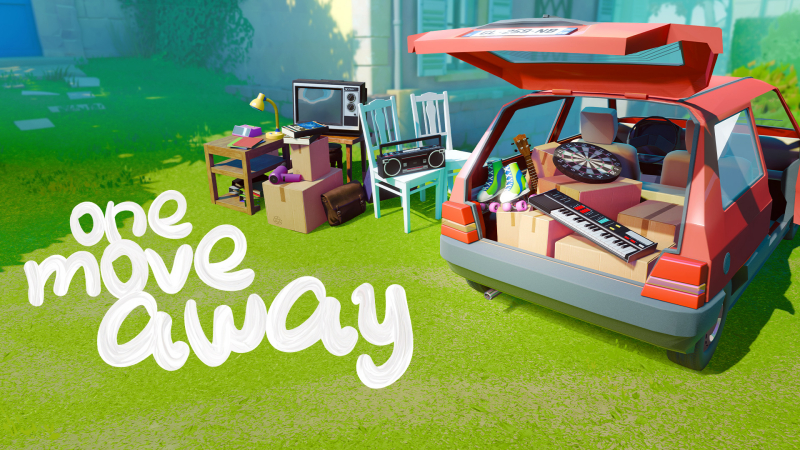
One Move Away (Switch, Switch 2): all the updates (latest: Ver. 1.1.0)
On this page, you will find all there is to know about the various updates for One Move Away on Nintendo Switch and Nintendo Switch 2.
Click here for more games and consoles updates!
One Move Away – Ver. 1.1.0
- Release date: August 5th/6th 2026
- Patch notes:
Difficulty
The Star system has been overhauled. Each level now have 3 distinct difficulties: Easy, Medium and Hard
- The Easy difficulty is selected by default
- Each difficulty has its own save slot by level so you can progress and restart any level independently
- A tooltip in the Level Selection menu explains the differences between them
- The next levels are unlocked by completing the Easy difficulty
- Grids in game adapts according to the difficulty level to be easier to see
Easy
The Easy difficulty (formerly First Star) has been rebalanced to allow players to pack without planning every detail.
- The UI in game have been reworked to remove mentions of the other difficulties
- Extra objects are not displayed
Medium
The Medium difficulty stays mostly the same
-
Balancing tweaks to improve progression
Hard
In the Hardest one, the difficulty is still very much there for anyone who wants to challenge themselves to a hard earned star.
- We recommend it for a second playthrough because it often requires a very specific plan and knowledge of the level to be completed
- Balancing: Sylvie 2014 & 2015. We took the second wheel off the bike!
- Objective panel is updated in real time
Progression
The saves from anyone who played the previous versions are converted on this patch so progress in each level is not lost
- A “Continue” button in the Level Selection is displayed for levels where progress has been detected
- All previously completed stars are retained
- No changes on achievements
Other updates and fixes
- Hard limit to the FOV angle settings go from 80° up to 100°
- The default value for new players is set to 70°
- The arm position is adjusted
- The default value for new players is set to 70°
- Bumpy ride is now fully disabled if the option is set to Disabled
- The riding sequence at the end of the level is shorter, without any timer
- Items are locked in place, nothing can fall during this sequence
- The riding sequence at the end of the level is shorter, without any timer
- The Bumpy ride pop up now prevents the pause menu to open as long as it is active
- Content limits grids have been updated in the following levels
- Sylvie 2014
- Cam 2005
- Cam 2013
- Ahmed 2013
- Ahmed 2011
- Ahmed 1999
- Sylvie 2014
- Fixed some colliders and level limits on the following levels
- Sylvie 2015
- Ahmed 2015
- Cam 2014
- Sylvie 2015
- Fixed a bug that could keep objects locked in the air after a Retry or a Undo/Redo
- Ahmed 2016 – Improved behavior on the “Never put objects on the ground” objective
- Cam 2003 and Cam 2005 – Dog cage
- You can now combine the top and bottom part of the cage with smaller items in it!
- Once combined, you can move the cage and its items inside as a whole
- You can now combine the top and bottom part of the cage with smaller items in it!
- Fixed the highlight on the following objects
- Ball Bag, Wood Chair, Ventilation Unit, Dryer and Washing Machine
- Ball Bag, Wood Chair, Ventilation Unit, Dryer and Washing Machine
- Updated the localization for all languages
- Additional notes: none
- Source: Ramage Games (Steam) / Ramage Games (Bluesky)
How to download updates for One Move Away on Nintendo Switch and Nintendo Switch 2?
To download the updates for One Move Away, you have three options:
- let the console do its thing if you have automatic downloads activated, and didn’t completely turn it off
If not…
- try to launch the game from the Home Menu while being connected to the internet. You should get a prompt when doing so: simply follow the instructions on screen;
OR
- select the game > press either + or – to go to the Options page > select Software update > select Via the Internet.
To check that you have the latest version installed, simply select the game on the Home Menu, and press – or + to go to the Options: the version number is displayed just below the game title.
