
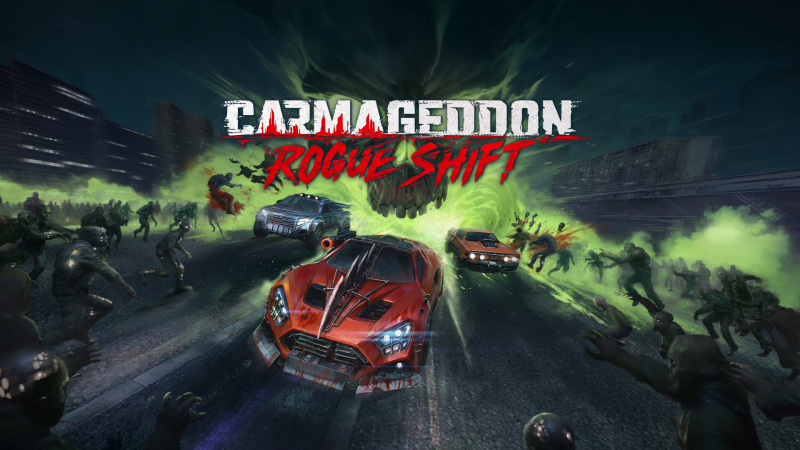
Carmageddon: Rogue Shift (Switch): all the updates (latest: Patch 3.3)
On this page, you will find all there is to know about the various updates for The Fox’s Way Home on Nintendo Switch 2.
Click here for more games and consoles updates!
Carmageddon: Rogue Shift – Ver. ??? (Patch 3.3)
- Release date: ???
- Patch notes:
- Fixed memory leak impacting initial level loading.
- Fixed prices of some permanent upgrades.
- Fixed camera position not being persistent across events.
- Additional notes: none
- Source: 34BigThings (Bluesky)
Carmageddon: Rogue Shift – Ver. ??? (Patch 3.1)
- Release date: ???
- Patch notes:
-
Many memory optimizations
-
Corrected a rare crash that occurred when quitting the game from the main menu
-
Engine sounds should now play consistently when loading completes
-
Respawning at the finish line should no longer add a bonus lap
-
Chief Biggun & Wastehead have lost their resurrection ability
-
Fixed dark lighting on some levels and time of day
-
Improved visibility of some vehicle components
- Additional notes: none
- Source: 34BigThings (Steam)
Carmageddon: Rogue Shift – Ver. ??? (Patch 3)
- Release date: September 9th/10th 2026
- Patch notes:
Challenge Modes
- “Old Fashioned Way” Can you crash through tougher competition without weapons? Opponents won’t respawn when wrecked, just like the good ol’ days.
- “No Second Chances” Buckle up and avoid damage like the plague, because every mistake WILL cost you in the long run.
Event Type
-
Added Arena event and 3 arenas to fight for survival on
Vehicle
-
Added Mitsushi, based on a particular Group B rally car. Frail and slippery, but fast and deadly!
Rebalancing
- Faster acceleration. All vehicles have more torque at low RPMs so they accelerate faster. Top speeds haven’t changed much, but…
- More boost is granted for wrecking enemy vehicles and killing Wasted
- Stronger boost push for harder and more satisfying bashing
- Firecracker and SQR-NE55 swapped in the Black Market
- Introduced “Lucky Finds” in the Campaign shops: you can occasionally find items that have not yet been unlocked in the Black Market, to encourage exploration and add variety in the early to mid game
- Tremorz gameplay improvements; review of the lock system, phases timing, weak spot collider position and size, melee damage multipliers. Improved response to weapon hits. Revised speed when close to the player vehicle, and more!
Bug Fixes
General
- Fixed a generic crash caused by certain physics interactions
- Fixed Common Wasted sometimes stuttering when player drives close
- Fixed Common Wasted flying on Tremorz’s Gorge
- Fixed Common Wasted blasting off into space after being killed while submerged in sewage
- Fixed a broken animation for Siren seen from far afield
- Fixed flying and underground Boomers
- Removed postmortem reflex from cars (sidebash animation no longer loops if used at the moment of death)
- Improved destruction effects of cardboard boxes (No green Mazdas were hurt during the process)
- Removed clipping on camera shake while using Bonnet Camera
- Tuned FOV and movement for Bonnet Camera on race intro sequences
- Intensified visible blood splatter visuals for Bonnet Camera
- Fixed weapons mounted on roof not disappearing with wrecked cars
- Fixed “Reset to default” option not resetting some options to default
- Fixed wrong default video settings for the Steam Deck
- Fixed issues related to wrong Scaling Resolution values while using Upscalers
- Fixed Machine Gun Turret missing word “Turret” in its name
- Fixed OG Eagle spontaneously emitting glass shards
- Fixed missing fins on OG Eagle if player have entered Photo Mode from Bonnet Cam
- Fixed lights on Enforcers being pink on low quality settings
Gameplay
- Fixed scoring actions on Enforcers in Survival not recognizing types of Enforcers and not granting correct bonus points from perks
- Fixed Weapon Dealer not offering upgrade to the currently owned weapon when the weapon tier difference was too big
- Fixed Horde containers not being able to be opened via weapons
- Shortened base boost duration of Piccolo to match the other cars
- Removed “beyblades” from barrels dropped by Bullzerker
- Fixed “Death Cheater” achievement being triggered by quitting the race while in Last Stand mode (We know it also fits the name but no, sorry!)
Performance
- Improved performance of Common Wasted and their navigation precision and collision
- Improved performance and various minor visual glitches of ragdolling corpses
Perks
- Fixed Score-related perks (such as Russian Roulette, M.A.X. or Big Game Hunter) not giving a correct amount of credits and boost points in certain cases
- Streamlined Pyromaniac’s description
- Altered Gun’s Game behavior: now counts amount of times a weapon has been bought since the start of the run instead of since acquiring the perk
- Fixed Bulk not scaling its bonus collision damage correctly
Tracks
- Fixed flying checkpoint flares on Downtown
- Fixed visible finish checkpoint flare effects over the cutscene ending the tutorial
- Smoothed ground collision near obstacles in the crash site area on The Hospital
- Removed a prankster with an umbrella from one of tunnel exits on Thunderhill events who made the rain appear and disappear rapidly over a specific track section
UI/UX
- Added “Wrong Way” indicator for the final boss fight
- Fixed various instances of “selection buildup” SFX not being played when it should
- Fixed possibility of “ELITE” caption of Elite events clipping through other icons on the campaign map
- Fixed a rare issue of Elite event’s finish position displaying 2nd place even though the player has finished 1st by a small margin
- Fixed wrongly formatted text for secondary objectives about boosting
- Fixed pivot point and rotation issues for Orbital Camera in Photo Mode
- Fixed Photo Mode camera clipping through the ground
- Fixed Weapon Dealer camera pointing at wrong weapon mounting spots on Piccolo Enforcer
- Fixed camera clipping through the car on rolling start cutscene while using Bonnet View
- Fixed rumble not working while firing a Lasergun
- Fixed challenge posters briefly showing Easy Mode poster on every challenge
Known Issues
- Rare crash affecting a small percentage of users on PS5, Nintendo Switch and Xbox Series S
- Additional notes: none
- Source: 34BigThings (Steam) / 34BigThings (Bluesky)
Carmageddon: Rogue Shift – Ver. ??? (Patch 2)
- Release date: ???
- Patch notes:
Challenge Mode
Have you beaten the Campaign? Think you’re hot stuff? Prove yourself with the 6 new Challenges, each twisting the rules and spicing up the gameplay in different ways. Some examples include The Long Road (which turns all Death Races into Elite Races), Infected! (heavier, deadlier, and more numerous Wasted), Expiry Date (free Restocks and cheaper items, but Perks expire after a few Events!), and Expert Handling (more realistic simulation of surface friction). Can you clear them all?
- Removed “Easy Mode” from game options. Easy Mode is now a Challenge Mode you must select when starting a new game.
Game Balance
- Added weakness to melee damage for Tremorz. Melee builds are now more effective against it.
- Improved readability of Tremorz’s various attacks.
- Lowered Tremorz’s HP on Easy Mode.
- Tweaked Tremorz’s melee hitbox.
- Tweaked Tremorz’s speed and behavior.
- Retuned the handling of the Shellbee, the Hawk GT and the Silverhound following player feedback.
- Tweaked behavior of Turfwar bosses.
Other Fixes & Improvements
- Fixed an issue which made buttons in the main menu disappear and show tips during transitions.
- Fixed a softlock caused by rapidly pressing inputs in the Main Menu.
- Fixed Boomers not being able to roam.
- Fixed an issue allowing opponents to sometimes skip a lap.
- Fixed the Batflock blocking Lasergun damage.
- Updated description of Economic Upturn (Now mentions +10% cap).
- Fixed the description for the Performance Kit: Transmission IV perk.
- Removed blue VFX on every scoring action when the perk Conversion is equipped.
- Fixed the description for Drift secondary objectives when using imperial units.
- Fixed permanent slo-mo state after using Photo Mode.
- Added feedback when taking a screenshot in Photo Mode.
- Added UI feedback to wrecking the first boss in the Turfwar Boss event.
- Fixed controller rumble not activating on consecutive boosts.
- Fixed the timer on the End Run victory screen showing total playtime instead of run time.
- Adjusted audio mix when using the Bonnet Cam camera view for a more immersive experience.
- Fixed Boss’ health bar not being visible when using the Bonnet Cam camera view.
- Fixed snappiness of camera movement when using the Bonnet Cam camera view.
- Tuned camera knockback on shooting when using the Bonnet Cam camera view to prevent clipping.
- Fixed SFX of opening a container on Scavenge Hunt playing twice.
- Fixed number pad camera navigation on Maim Street not working.
- Improved the experience when using the Bonnet Cam camera view for OG Eagle.
- Fixed overlapping text in some languages and screen resolutions on the controls overview screen.
- Fixed various wrong unlock amounts displayed in the Stats screen.
- Fixed Terrain Quality not being affected by Quality Preset change.
- Fixed localization issues in Simplified and Traditional Chinese (“Terminal” track name and notification about opponent finishing the race).
- Additional notes: none
- Source: 34BigThings (Steam)
Carmageddon: Rogue Shift – Ver. ??? (Patch 1)
- Release date: ???
- Patch notes:
New Free Vehicle: Grosso
As a token of our gratitude for clearing out 50 million Wasted, we stole this sweet AWD ride from the Enforcers.
The Grosso’s innate perk is Lock Jammer, which gives the player a longer immunity window to Weapon Lock after evading with a Boost or a Sidebash.
To unlock the new car, simply update the game and the Grosso should already be added to your garage
Bonnet Cam
Now you can really stare into the dead eyes of the Wasted as you run them over!
To change your camera, press ‘C’ on keyboard or up on the d-pad for consoles
Improved Handling and Other Fixes
A huge thank you to everyone who tested the new handling and sent us feedback! We made a few additional adjustments based on your input from the beta, and are now rolling these updates out to the main branch.
*SOME SETTINGS MAY BE OVERRIDDEN BY THE NEW PATCH / STEERING OPTIONS. Please check your settings if anything feels strange.
And as always, let us know if we overtuned anything!
Other Fixes, Enemy AI Improvements
- We continue to work on and implement various crashes and enemy ai/behaviour improvements.
- Fixed various issues related to the Final Boss disappearing for a long time or altogether.
- Fixed the cursor drift issue while on the campaign map.
- Vehicles now load faster in the garage.
- Reworked various sound effects that typically occur during a race to improve auditory clarity.
- Additional notes: none
- Source: 34BigThings (Steam)
How to download updates for Carmageddon: Rogue Shift on Nintendo Switch 2?
To download the updates for Carmageddon: Rogue Shift, you have three options:
- let the console do its thing if you have automatic downloads activated, and didn’t completely turn it off
If not…
- try to launch the game from the Home Menu while being connected to the internet. You should get a prompt when doing so: simply follow the instructions on screen;
OR
- select the game > press either + or – to go to the Options page > select Software update > select Via the Internet.
To check that you have the latest version installed, simply select the game on the Home Menu, and press – or + to go to the Options: the version number is displayed just below the game title.
