
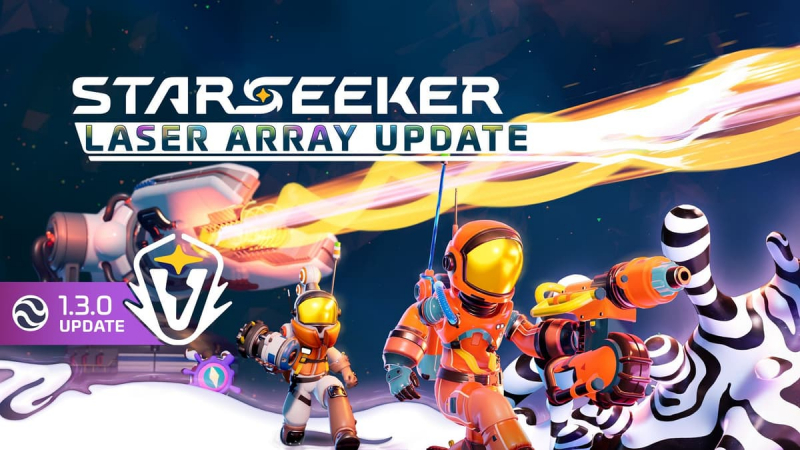
STARSEEKER: Astroneer Expeditions (Switch 2): all the updates (latest: Ver. 1.3.0 – Laser Array / Next: Ver. 1.3.3)
On this page, you will find all there is to know about the various updates for STARSEEKER: Astroneer Expeditions on Nintendo Switch 2.
Click here for more games and consoles updates!
STARSEEKER: Astroneer Expeditions – Ver. 1.3.3
- Release date: October 16th/17th 2026
- Patch notes:
- AG-20280 – Fixed an issue that was causing a game crash in the Uplink Voidbreak Offensive.
- AG-19955 – Fixed an issue that could result in players getting launched much further than intended when jumping into the vents of the Laser Array Voidbreak Offensive.
- AG-20063 – Fixed an issue with the Virtual Shadow Maps setting in the Visuals Quality options, incorrectly affecting overall brightness and how shadows display.
- Additional notes: none
- Source: System Era Softworks
STARSEEKER: Astroneer Expeditions – Ver. 1.3.0 (Laser Array)
- Release date: October 6th/7th 2026
- Patch notes:
NEW VOIDBREAK OFFENSIVE: LASER ARRAY
That Void Mass of pure corruption must be destroyed! If left unchecked, the Void will quickly spread in this Region. It’s up to you and your Squad to deploy to Tephra, assemble the BFL (Bilateral Fusion Laser), and fire it directly into the source of the corruption. There might even be some good stuff worth salvaging inside that Void Mass. Pretty simple, right?! What could possibly go wrong?
There are some fun new mechanics in this Offensive, so make sure to share your feedback with us about how they are feeling!!!
“IDENTITY CRISIS” COMMUNITY CHALLENGE
For the first time, we’re tying a Community Challenge to a Voidbreak Offensive. Astroneers are being tasked with finding the Backpacks of fallen crewmates and recovering their ID badges trapped inside the Void Mass. It’s only right to identify these fallen Astroneers so we can commemorate their sacrifices.
The Challenge
Successfully crack open the Void Mass with the help of the Laser Array and retrieve as many Lost IDs from Lost Backpacks as possible. Turn them in on the station, where each one contributes one point toward the Community Goal. It’s also possible to find Lost Backpacks during Free Roam Expeditions, so be on the lookout!
There are some nice rewards for all who participate, so make sure you turn in at least a few Lost IDs.
- Start Date: Today! October 7th, 2026.
- End Date: Sunday, October 18th, 2026. Ending at midnight PDT.
Open the DAD menu and under Objectives, look for the Event tab to track progress.
The Rewards
The more progress everyone makes toward completing the Community Challenge, the more reward tiers will be unlocked for all participating Astroneers! Please note that it can take a few minutes after reaching a milestone for the reward to show in your Inbox.
- Tier 1 at 20% of the Goal – Dronecore Hat
- Tier 2 at 50% of the Goal – Piping Hot Palette
- Tier 3 at 100% of the Goal – Laser Gazer Visor
Repeatable Stretch Goal Rewards: All participants will be granted a Voidbreaker’s Pack each time a stretch goal is reached. This pack includes: 5x Fire Canisters, 5x SPA Water Canisters, and 25 Credits.
Lost Backpacks
The Laser Array Voidbreak Offensive isn’t the only place you can find Lost Backpacks. During Free Roam, you might also be able to find Lost Backpacks out in the wild, similar to how you can find Baubles. Lost Backpacks will be sticking around even after the Community Challenge ends, so you’ll be able to sell Lost IDs for a few Bytes, and retrieving Lost IDs will also give you a few Credits every time, as an extra renewable source of Credits for the game.
VOICE CHAT
Some of the earliest feedback we got for the game was suggesting that we add Voice Chat for players to be able to communicate in-game without the need for third-party apps. We agree wholeheartedly that co-op games like ours shine the most when communication with your squadmates can happen seamlessly, so we’re excited to finally bring this feature to the game with this update!
This should match what you expect of your average Voice Chat in other games. It’s not proximity based; you only hear players you invite to your Squad. You can freely adjust the input device, volume, and push-to-talk settings.
It’s been tricky to add this to the game. We needed to do our research to ensure we did it right. We still know there are plenty of players out there who prefer to avoid voice comms in games or have concerns about what they might run into with voice chat on. These are legitimate concerns, so here’s how we’re tackling them.
Opt-In / Opt-Out
For starters, Voice Chat is completely optional and will always be something you can freely choose to enable or disable. Disabling Voice Chat means you don’t use it, and you don’t hear other players who do use it.
If you do enable Voice Chat, you now have the option to use the Comms Wheel (used for Pings and Emotes) to quickly mute all other players. You can also go to the Social tab in the DAD menu to manually mute a specific player. Just like it is with blocked players, muted players will be kept track of in the Social menu.
Keeping it Safe
Our first and top concern with adding Voice Chat to the game was ensuring that we’d be able to keep our players safe. We’ve done our due diligence in implementing industry standard best practices to help with moderation and identifying bad actors in Voice Chat. That said, using the in-game reporting tools will always be the strongest option in your tool set. We’ll keep a close eye on your feedback following this release.
New Emotes
Voice Chat only comes into use with other Astroneers in your Squad, so we’ve sent you all a new free Emote via your Inbox to help with this (added by default for new players). The Emote is called “Join my Squad?” and lets you hold out a sign to let those around you know that you’re looking for squadmates.
There’s also the new Speak Easy Set of Emotes available in the EXO Outlet, grouping up some new and old Emotes that are most useful for communicating with your Squad.
NO MORE BROKEN GEAR
That’s right! As of this update, your Gear doesn’t break anymore! Your Backpack slots won’t get damaged either. Now, whatever Nozzles, Mods, or equippable Gear you craft will stick around no matter how badly you get knocked around. However, you can still lose any resources or consumables in your inventory if you fail an Expedition. You can also still drop Gear and lose it if you leave it behind, though it’s hard to do that by accident.
In its first iteration, Gear breaking was meant to add a level of risk to your Expeditions in STARSEEKER. There should be consequences to failing, so having Gear break made sense at the time and also played into the game economy as something to channel the resources you gather into repairing your Gear.
With the game’s current direction, this no longer makes sense, as it can keep you from wanting to venture into riskier challenges like those in Voidbreak Offensives. It could also lead to unwanted consequences with players losing Gear over things beyond their control, like connection issues, despite our efforts to avoid that.
Economy Changes
Gear no longer breaking has knock-on effects on the game economy. We teased these changes recently on a livestream and some wondered what resource gathering would be good for if you’re no longer having to repair your Gear. Resources are still good for crafting consumables and Gadgets, but we’re also making adjustments.
Gear crafting recipes now require more resources across the board. With these changes, crafting Gear has become a long-term investment, so it’s more of a milestone. For existing players, you have nothing to worry about; you’ll keep the Gear you’ve already crafted. Your broken Gear items aren’t going anywhere either, and you still have the option to repair them until our next update.
And this isn’t the end to the economy changes we’re working on. Once we add the updates to Free Roam that we’ve been talking about, there will be further adjustments that will make all recent changes to the game better fit together. More info on that soon!
REPRISED COMMUNITY CHALLENGES
We’ve been asked before whether past Community Challenges would be returning to the game, and as we prepare to invite new Astroneers aboard the station, it’s a great time to do just that! In the coming weeks, we’ll be bringing back the State of Flux and Pulp Friction Community Challenges!
These are the same Community Challenges as you remember them, though any bugs that we identified previously will have been ironed out. It’s a good way for any newer players who missed out to get to experience these events, and we have a couple of additions for those of you looking to replay these challenges.
New Rewards
In addition to being another opportunity to earn the original cosmetic rewards for these challenges, we’ve added two new cosmetic rewards to each Community Challenge!
We’re also experimenting with asking for more personal contributions in order to unlock these rewards. Nothing crazy, though, just enough to help incentivize more participation. These changes might inform how we set up future Community Challenges. The old rewards are all locked behind only personal contributions, while the new rewards require personal contributions and community-wide milestones.
Past Progress
Both the State of Flux and Pulp Friction Community Challenges have their own associated Mission chains. If you’ve completed these Missions before, then you won’t have to do them again. Your progress is being carried over. You’ll also notice that the Flux Drive will be reset during the reprised State of Flux event.
|
Reprised State of Flux |
Reprised Pulp Friction |
|---|---|
|
Challenge: Turn in Astral Flux to power up the Flux Drive. Learn More. |
Challenge: Earn and turn in Barcodes of Honor to befriend Lord Carota. Learn More. |
|
Starts: October 28th, 2026 Ends: November 8th, 2026, midnight PST |
Starts: November 18th, 2026 Ends: November 29th, 2026, midnight PST |
|
Reprised Rewards: • Participation – Space Bandit Mask • 50 Contributions – Star Wrangler Hat • 100 Contributions – Skybreaker Visor • 150 Contributions – Aurora Palette |
Reprised Rewards: • 4 Contributions – Sticker Shock Visor • 8 Contributions – Carotene Spirit Palette • 12 Contributions – Loose Leaf Hat |
|
New Rewards: • 50% of the Goal + 100 Contributions – Cutting Edge Palette • 100% of the Goal + 150 Contributions – Cristalline Hat |
New Rewards: • 50% of the Goal + 8 Contributions – Purpetrator Palette • 100% of the Goal + 12 Contributions – Mad Mask |
|
Stretch Goals Reward: Overachiever’s Pack – 1x Disposable Air Cannon, 5x Excavation Canisters, and 25 Credits |
Stretch Goals Reward: Frequent Shopper’s Pack – 1x Super Fire Canister, 5x Stim Packs, and 25 Credits |
Open the DAD menu and under Objectives, look for the Event tab to track progress.
FASHION SEEKERS: SPOOKY EDITION
What better way to celebrate the spooky season than with a fashion contest! Starting today and ending October 18th, submissions are open for your best and spookiest customized Astroneer suits! We have cool cosmetic rewards for all who participate, and a rare special cosmetic prize for the winners!
LEARN MORE ABOUT THE FASHION SEEKERS CONTEST
Log-In for your FREE Carrot Rage Mask!
We’ve also got a special treat to help you celebrate the spooky month! Make sure to log in to STARSEEKER before the end of October (Pacific Time) to receive the free Carrot Rage Mask in your Inbox! This cosmetic item is the perfect thing to spook your squadmates in the dead of night. Now get creative with your spacesuit fashion!
Balance Changes
- Reduced movement penalties for jumping, swimming, and gliding while carrying heavy items.
- Increased mid-air control to help with making adjustments during jumping and platforming obstacles. Mid-air control is also possible now when letting go of a wall you’ve been climbing or clinging to.
Improvements
- Added a new subtab under “Objectives” in the DAD menu that shows a list of your tracked objectives. From this menu, you can choose to individually untrack any item. This provides the convenience of managing what is currently being tracked without needing to remember and go to all the different places where an objective can be tracked (i.e. Missions, Stickerbook, Data Logs, Printer, Events).
- Added DLSS frame generation as an option for PCs with compatible GPUs (RTX40xx and newer) to enable frame interpolation. This helps with smoothening frames but also increases input latency. This option can be enabled and disabled in the Visuals tab of the Settings options.
- Developer Note: This feature was actually added in the previous update; we just missed adding it to the patch notes.
Bug Fixes
General:
- AG-18208 – Fixed an issue preventing movement keys from being rebinded to other keys for mouse & keyboard controls.
- Developer Note: Additionally, most other inputs can now be unassigned and reassigned as desired.
- AG-19720 – Fixed an issue that excluded the Space Ball Blueprint from being available with Felix’s offerings in the Clowder Emporium.
- AG-6299 – Fixed an issue that would allow players to pick up and stow single-use Gadgets after throwing and activating them.
- AG-19840 – Fixed an issue with the Reset to Default option in the Settings Input tab unintentionally also resetting the controls of all inputs to default, not just the highlighted one.
- AG-19371 – Fixed an issue where changing the controller button binding for the Let Go action wouldn’t reset when trying to restore controls to default.
- AG-19487 – Fixed an issue preventing Nintendo Switch 2 Squad leaders from being able to invite other players to late join an Expedition that has already started.
- AG-18633 – Fixed a graphical issue causing the Snagvine tendrils not to render visibly when latched onto players underwater.
- AG-19234 – Fixed an issue that would occasionally cause the Bog Hound howl sound effect to not play.
- AG-19210 – Fixed an issue that would prevent the matchmaking music from playing for non-Squad leaders on the launch screen.
- AG-19773 – Fixed an issue where the ensign you need to sedate in the tutorial could prematurely exit sedation, blocking tutorial completion.
- AG-19108 – Fixed some graphical issues on the model of the Scrap item.
- Fixed multiple crash instances.
Expeditions:
- AG-19319 – Fixed an issue that could cause the Comms Relay Parts to fall through the floor and terrain in the Uplink Voidbreak Offensive.
- Developer Note: If you do run into this issue again, please let us know by sending a bug report: starseekersupport@systemera.net
- AG-19558 – Fixed an issue that was displaying a placeholder “You Died” message upon failing the Core Retrieval Voidbreak Offensive.
- Developer Note: We know a few of you actually liked it this way, but this was never intended to go live in the game. Hopefully it gave you a few laughs!
- AG-19554 – Fixed an issue that could occasionally cause Voidlings to spawn embedded inside the terrain.
- AG-19556 – Fixed an issue that would make Enraged Shroomlings fail to resume attacking players after said players exited a downed state during the Core Retrieval Voidbreak Offensive.
- AG-18313 – Fixed an issue in the Field Ops: Drilling where the EXO Drill Rover would occasionally stop moving until terrain in front of it was deformed.
- AG-19831 – Fixed an issue in the Field Ops: Drilling where creatures would continue to attack the EXO Drill Rover after its health was depleted.
- AG-19306 – Fixed an issue in the Launch Terminals where they didn’t list the available Field Missions for the Sinking Reef and Fungal Depths Regions.
Missions & Tasks:
- AG-19154 – Fixed an issue where Captain Jupiter’s Out for Medical Mission would grant players the Health Mod V3 Blueprint for both accepting and completing the Mission.
- AG-19599 – Fixed an issue where bringing a Carrotling to the Elysium Science Lab in the Tangle wouldn’t register as progress for the Cultural Exchange: Elysium Science Lab Task, available during the Pulp Friction event.
Gameplay:
- AG-19863 – Fixed an issue that was making the prompt to grab items thrown at you to show up too late.
- Developer Note: This fix should allow you to more effectively throw objective items between players, like the altimeter for Field Ops: Elevation and other Voidbreak Offensive objective items.
- AG-19679 – Fixed an issue that prevented players from being able to deflect Malfunctioning Demolition Device projectiles using the Air Blast or Air Cannon Nozzles.
- AG-19736 – Fixed an issue with the Lasso and Shock Lasso Nozzles that would cause ensnared creatures to slide excessively across the terrain when released.
- AG-19691 – Fixed an issue where the Lasso Nozzle would apply a stunning effect to Brutoliths and Grabcrabs upon release.
Stickers & Achievements:
- AG-19578 – Fixed an issue that would prevent the Overachiever achievement from unlocking after earning all other achievements.
- Developer Note: This fix should retroactively grant this achievement to everyone who should have previously unlocked it but didn’t.
- AG-19676 – Fixed an issue that would grant progress for the Airhead Sticker by shooting confetti at the Station instead of using the Air Blast Nozzle.
- AG-19340 – Fixed an issue that was causing multiple Stickers to not track progress as intended, including: Plantihero, Biologee Whiz, Empty Nester, Tossed Salad, Miner Miracle, Ship-Faced, and Built Different.
Player Customization:
- AG-19288 – Fixed an issue with the icon for the War Cry Emote displaying the same icon as the Cheer Emote.
- AG-19470 – Fixed an issue that could cause players to become stuck in the Examine view upon reopening the Customizer after exiting via Cancel Changes.
- AG-18858 – Fixed an issue where the cursor focus could be lost in the Customizer after opening and closing the Examine view on an Emote.
- AG-19510 – Fixed an issue that would cause equipped Hats to rotate 180 degrees every time the Customizer was opened.
- Fixed a couple of art and graphical issues with the Splattitude Palette, Adventure Suit, and Aquanaut Suit.
User Interface:
- AG-19575 – Fixed an issue that was causing all player nametags to be shown all the time at both the station and on Expeditions.
- AG-18808 – Fixed an issue with the Refiner UI incorrectly displaying the same category tabs as the Printer.
- Developer Note: We listed this in the previous update patch notes, but it managed to slip out of the build, so this time it’s in for realsies.
- AG-19192 – Fixed an issue that was preventing Printer recipes from being sorted alphabetically.
- AG-19919 – Made adjustments to the UI prompts on sedated creatures that can be picked up so that the Pick Up and Collect Loot prompts are now consolidated into the same tooltip.
- AG-19213 – Fixed an issue where the resolution scale would reset to 100% when toggling display modes by using the Alt + Enter keys on PCs.
- AG-19818 – Fixed an issue with the Dear Diary Data Logs undiscovered icon failing to update in the DAD menu after discovering all Data Logs.
- AG-19187 – Fixed a formatting issue with the text of tracked Missions and Tasks in the View Objectives overlay during matchmaking.
- AG-19339 – Fixed an issue where the Expedition Countdown Initiated message would be missing after abandoning and re-entering matchmaking.
- AG-19456 – Added missing key icons for certain inputs in the Settings Keyboard/Mouse Mapping menu.
- AG-15615 – Fixed an issue where the planet would occasionally fail to appear on the station’s Expedition launch terminals.
- Fixed multiple other smaller UI issues across the Settings and DAD menus, Dropship recall, and ping wheel.
KNOWN ISSUES
The following are some of the most relevant issues that have been reported by the community and we’re working to address.
- AG-12481 – Gliders aren’t applying Palette colors as intended. This is a bug and not intentional.
- AG-4484 – Gliders can sometimes stay unfolded while transitioning into a climb or during the climb over animation.
- AG-17103 – Player character’s right hand appears dislocated when previewing some cosmetics in the Customizer and the EXO Outlet.
Tips & Workarounds
- You can change your Display Name by opening the DAD menu and in the Social tab selecting your username under Squad Members. This will open your Player Profile where you can find the Change Display Name option.
- If you’re experiencing connection issues on the Nintendo Switch 2, try going to your Switch’s “Settings”, select “Date and Time”, and in that menu make sure “Synchronize Clock via Internet” is toggled on.
- Additional notes: none
- Source: System Era Softworks
STARSEEKER: Astroneer Expeditions – Ver. 1.2.0 (Voidbreak)
- Release date: September 2nd/3rd 2026
- Patch notes:
Voidlings
Spawned by the Void, Voidlings are the first Void entities to be introduced. These little one-eyed blobs may not seem like much of a threat by themselves, but getting swarmed by a bunch of them or getting jumped by one while your attention is divided can spell the end of any Astroneer.
Void entities all aid in the spread of the Void in different ways. In the case of Voidlings, that comes as the ability to burst into Void puddles that corrupt both the terrain and any Astroneers the Void comes in contact with.
To defeat them, most Nozzles and damaging Canisters should do the trick, but SPA Water is the bane of the Void, so it will be most effective against them and the Void they spread. Those disturbing purple eyes are also sensitive to Astroneer scanners, so scanning a Voidling will make the eyes pop for a quick take down.
Void Terrain
The spread of the Void threatens to engulf everything, including the terrain itself. Void Terrain appears to be covered in a monochrome swirl sludge, like an LRD spill. Void entities will do their best to spread Void Terrain, so you should do your best to clear it.
When you find growing tendrils of Void Terrain, use your scanner to identify their source. You should be able to find red spheres underground, LRDs and their decoy signals. These Void Terrain tendrils will continue growing and spawning Voidlings if left alone, but severing a tendril from its LRD origin will temporarily stop its spread and prevent Voidlings from spawning on the severed portion. As with Void entities, SPA Water can easily cleanse this corruption, but you can also deform the Void Terrain with your EXO Multi-Tool at the expense of slowly gaining some corruption.
To fully clear this Void Terrain, you must eliminate the LRD that is causing it. LRDs encase themselves in Undiggable Void Terrain, but these shells are ruptured by the tendrils of Void Terrain that grow from them. Follow the tendrils and track them back to their source. Destroy the LRDs with either SPA Water or terrain deformation, and you’ll also cleanse some of your own corruption.
Void Corruption
Coming into contact with the Void can create a buildup of corruption that progressively cuts down your health. Your health bar will be reduced more and more, replaced with Void corruption that limits your maximum health in stages until there’s almost nothing left. It won’t outright take you down, but it will leave you very vulnerable to incoming attacks.
You can use SPA Water to cleanse yourself and your Squad, but SPA Water can only do so much. There are five stages of corruption, and being exposed to corruption can push you into further stages. SPA Water can only cleanse the corruption buildup that would push you into the next stage. After reaching a stage of corruption, there’s no way to cleanse it, only returning to the Starseeker will restore your health to normal.
VOIDBREAK OFFENSIVES
Bringing players together around shared goals is when STARSEEKER shines the most, and that’s what Voidbreak Offensives are meant to prioritize. Voidbreak Offensives are a new type of Expedition that represent a new game mode. You can launch from the station and be matched with other players into an instanced scenario in which only your Squad will be present, unlike Free Roam Expeditions, which are the traditional way of playing STARSEEKER that you’re already familiar with.
There are different Voidbreak Offensives you can choose from, each in a set location with goals to accomplish. This mode will present players with a greater challenge. It’s possible to fail Voidbreak Offensives if your whole Squad is wiped out, so you’ll have to prepare properly with some of your best gear in order to improve your chances of success.
The Command Table
Launching into an Expedition is now done on different sections of the Starseeker bridge. You can still use the Launch Terminals at the bottom of the bridge to go on free Roam Expeditions. To launch into a Voidbreak Offensive, use the new Command Table, right where the planetary hologram next to Captain Jupiter used to be.
You also have the option to enable matchmaking for both modes now. You’re not forced to match into a Squad or bring your own Squad to play Voidbreak Offensives, but the difficulty is tuned around Squads, so solo players will have a really challenging time.
And for those who may be wondering, we’ll continue to support Free Roam Expeditions. They’re still a great way to gather resources, complete Tasks, and are generally a more chill way to play the game. Keep reading to learn more.
Earning Rewards
Voidbreak Offensives are meant to be a repeatable source of valuable rewards, which may see some further iteration in future updates as we add more ideas we’re working on and respond to feedback. Succeeding will reward everyone in your Squad with Credits, rarer resources like Carbon Fiber, and new Framework crafting items.
There are Mod Frameworks and Nozzle Frameworks. As their names suggest, they are used in crafting Mods and Nozzles, respectively, and are necessary components for crafting advanced gear. The newest Blueprints in the game for the most advanced Mods and Nozzles will be unlocked with these rewards, as well as new gear that we’re actively developing now.
VOIDBREAK OFFENSIVE – UPLINK
This Voidbreak Offensive brings you and your Squad into the Tangle Region, pitting you directly against the Void and other local fauna caught in the crosshairs. Creatures like Boghounds and Spewders will be as aggressive as ever, so plan for a tough fight in addition to bringing enough SPA Water to deal with the Void.
VOIDBREAK OFFENSIVE – CORE RETRIEVAL
This Voidbreak Offensive calls you into the cavernous maze of the Fungal Depths, where Shroomlings sing an eerie song amongst hazardous spores that are influenced by the Void. To what end? It’s hard to say. But it’s clear that the Void is benefiting from it, so it must be stopped. Be wary of those spores; they’ve been known to cause Delirium.
Speaking of the Fungal Depths…
NEW LANDING SITES – THE FUNGAL DEPTHS
Expeditions can now land directly in the Fungal Depths Region! This dark and barren land may be inhospitable on the surface, but underneath there’s a sprawling cavern system of hardened terrain filled with bioluminescent fungal life. Pack a Hard Terrain Mod and look out for Spewders or dangerous hazards, especially Hazecaps.
Check out the latest Regions of Tephra article to learn more about the Fungal Depths and what awaits you there.
FREE ROAM VS VOIDBREAK OFFENSIVES
As mentioned earlier, Free Roam is how we’re now referring to the original way of playing Starseeker that you’re already familiar with. There’s less pressure in Free Roam Expeditions, which are well suited for gathering resources, exploring, and hanging out with your Squad.
Speaking of Squads, this Update also introduces Matchmaking settings for Free Roam, letting you match into a Squad of other players looking to do some Free Roam exploring. Of course, you can also disable Matchmaking in this mode if you feel like heading out solo, though you might still run into other players roaming nearby.
We have some exciting plans for Free Roam that will also be bringing the Void into this mode, along with new ways in which you can contribute toward leaving a lasting mark on the world. This is part of the changes where we want to show players the impact they’re making with their Expeditions, and we hope to share more details on this soon.
New Blueprints
Since we’re no longer introducing new Missions, you may be wondering how Blueprints are earned now. All new Blueprints in this Update are earned with the first successful completion of each Voidbreak Offensive. Here’s the list:
- Air Cannon Nozzle – Uplink
- Climb Speed Mod V2 – Uplink
- Goop Gel Mod – Uplink
- Multi-Liquid Hose Nozzle – Core Retrieval
- Swim Speed Mod V2 – Core Retrieval
- Power Shield Utility Mod – Core Retrieval
In future updates, we’ll be changing how previous Blueprints are earned so that new players have a consistent experience. As for all of you who have already unlocked plenty of Blueprints, those won’t be going anywhere, so don’t you worry. We also have plans for new content that will replace Missions, so more information on that soon.
FUNGUS AMONGUS REGION RALLY
With a new Region opening up, we’re starting a new Region Rally today! Crew Members are calling for Cave Supplies to stock up on valuable minerals and gather new research samples. Cave Supplies are found in any of the deep caverns of Tephra but are most plentiful in the Fungal Depths. Make sure your faithful EXO Multi-Tool is good to go, pack a flashlight, and delve in.
The Challenge
There’s a wide variety of Cave Supplies that the Crew Members are looking for, each contributing one point toward the Community Goal. Generally speaking, as long as you only find it in natural caverns or damp dark places, it should count. The full list includes:
- Jelly Bulbs
- Inkcap Spores
- Digested Alloys
- Radiant Resins
- Helicores
- Crystal Clusters
- Gluodes
Make sure you leave plenty of Backpack space on your next Expedition! There are some nice rewards for all who participate, so make sure you contribute at least a few samples.
- Start Date: Today! September 2nd, 2026. Starting at 11 AM PST, or after maintenance is done.
- End Date: Sunday, September 6th, 2026. Ending at midnight PST.
Open the DAD menu and under “Objectives,” look for the “Event” tab to track progress.
The Rewards
The more progress the players make toward completing the Region Rally, the more reward tiers will be unlocked for all participating Astroneers! Please note that it can take a few minutes after reaching a milestone for the reward to show in your Inbox.
- Tier 1 at 20% of the Goal – Firefly Visor
- Tier 2 at 50% of the Goal – Shroomhead Hat
- Tier 3 at 100% of the Goal – Deep Light Palette
Repeatable Stretch Goal Rewards: These will award all participants with a Delver’s Pack each time a stretch goal is reached. This pack includes: 1x Climb Speed Mod V2, 5x SPA Water Canisters, and 25 Credits. The Climb Speed Mod V2 is only earnable the first time; the following stretch goals still grant the SPA Water Canisters and Credits.
Balance Changes
- AG-18778 – Changed the Lasso and Shock Lasso Nozzles behavior so that they can no longer latch on to other players.
- Developer Note: This feature was being used to grief players, so we felt it was best to remove it. If you experience any griefing, remember you can report them in-game. Go to the Social tab in the DAD menu, select the profile of the offending player, and select Report Player.
- Reduced the radius of the blast created by destroying a Null Field. Successfully eliminating one shouldn’t feel like you’re being penalized now.
- Made changes to Shock effects so that they now impart a little more Fatigue Buildup and reduced the time needed for Lassos to lock on to targets.
- Developer Note: We noticed some feedback about the utility of the Shock Lasso that we hope these changes will help address.
- Changed the duration of the Burning Status Condition from 5 seconds to 10 seconds. This also results in doubling the Fatigue Buildup by the end of the Status Condition.
Improvements
- AG-18500 – Added a Health bar for other members of your Squad that shows under their names when their Health is below 100%. This is to help give better awareness of Squad Health when using healing.
- AG-18498 – Changed the Sell action when trading with Crew Members so that it now sells the whole selected stack by default. There’s now a secondary action to “Sell Some” noted in the bottom right corner of the window UI that lets you select the specific amount you want to sell.
- AG-16993 – Made a change so that the button/key to open the DAD Menu is now the same one used to close it for both controllers and mouse & keyboard.
- AG-18058 – Added an error message that now pops up when you try to equip a second Utility Mod of the same type.
- AG-19270 – Made improvements to buffs affecting swim speed so that they now also improve swim speed while ascending and descending.
Bug Fixes
General:
- AG-18818 – Fixed an issue where sprinting while carrying heavy items wouldn’t cost Stamina.
- AG-19260 – Fixed an issue where the station highlight signs would not always display player characters.
- AG-12701 – Fixed an issue that would cause Carrotling Health bars to show while they were being held.
- AG-19213 – Fixed an issue where the Resolution Scale setting could be reset despite still showing the selected value in the Settings menu.
- AG-18310 – Fixed an issue that could cause controls to become unresponsive after cancelling a friend request when playing on the Nintendo Switch 2.
- Fixed various other VFX, display, and animation issues.
User Interface:
- AG-18808 – Fixed an issue that was causing the Refiner UI to show the same side tab options as the Printer UI.
- AG-15364 – Fixed an issue that was preventing Field Mission: Elevation Readings from correctly displaying on the Mission tab in the End of Expedition screen.
- AG-18835 – Fixed an issue where returning from an Expedition with no items in your inventory could show “Items Recovered” instead of “Items Lost” in the End of Expedition screen.
- AG-19049 – Fixed an issue where Landing Site waypoints would disappear after rejoining an Expedition a player disconnected from.
- AG-19110 – Fix an issue that would still show the Expedition countdown message while having the Planet View map up on the station.
- AG-16858 – Fixed an issue where the waypoint for the Altimeter during Field Mission: Elevation Readings would sometimes disappear.
- AG-18707 – Changed the notification message for unlocking multiple Community Challenge rewards at once so that it’s clearer now.
- AG-18649 – Fixed an issue in the Customizer UI where examining an item and then exiting the examine view would not keep the highlight on the same item that was examined.
- AG-16201 – Fixed an issue where the Expedition loading screen animation could momentarily show the icon of the Dropship heading in the opposite direction than intended while playing on the Nintendo Switch 2.
- AG-18333 – Fixed an issue present in Russian language where the “Keyboard/Mouse Mapping” header text in the Settings Menu would overlaps with the description window.
Stickers & Achievements:
- AG-19025 – Fixed an issue that was preventing the Golden Pathos achievement from being granted for completing a Mission chain.
- Developer Note: We’ve retroactively granted this achievement to everyone that should have earned it. Thank you to all who reported this issue!
- AG-19078 – Fixed an issue where using Super Medi-Mash would not count towards progress for the Wince and Repeat Sticker.
Expeditions:
- AG-16727 – Fixed an issue where the pod with the Elevation Console for Field Ops: Elevation Readings sometimes wouldn’t spawn on Undiggable Terrain.
- AG-18338 – Fixed an issue with Field Ops: Creature Wrangling where it could grant its rewards twice for a single completion.
Missions:
- AG-19237 – Fixed an issue where the Claws Out Mission wasn’t granting the Anti-Shock Screen Blueprint with its rewards.
- Developer Note: We’ve also retroactively granted this Blueprint to everyone that should have earned it by completing the Mission.
- AG-19235 – Fixed an issue with the set of rewards of Science Officer Jessandra’s Safety Loop Mission, where it was granting the Shock Lasso Blueprint despite that also being the reward of the previous Mission.
KNOWN ISSUES
The following are some of the most relevant issues that have been reported by the community and we’re already working to address.
- AG-12481 – Gliders aren’t applying Palette colors as intended. This is a bug and not intentional.
- AG-4484 – Gliders can sometimes stay unfolded while transitioning into a climb or during the climb over animation.
- AG-11032 – The Expedition launch screen can often repeat a Squad member’s name and make it appear as if the Squad is larger than it is.
- AG-17103 – Player character’s right hand appears dislocated when previewing some cosmetics in the Customizer and the EXO Outlet.
- AG-18354 – Controller button mapping changes are reset when closing and relaunching the game.
- AG-18208 – Movement keys cannot be rebinded for Mouse & Keyboard controls.
In our previous Hotfix, we messaged the fix we implemented for bug number AG-17822. This fixed an issue that could result in a number of encounters to spawn in a broken state, resulting in unresponsive, floating, and/or invisible creatures and hazards. If you’ve continued to run into similar issues following this hotfix, please send us a bug report with any relevant details: starseekersupport@systemera.net
Tips & Workarounds
- You can change your Display Name by opening the DAD menu and in the Social tab selecting your username under Squad Members. This will open your Player Profile where you can find the Change Display Name option.
- If you’re experiencing connection issues on the Nintendo Switch 2, try going to your Switch’s “Settings”, select “Date and Time”, and in that menu make sure “Synchronize Clock via Internet” is toggled on.
- Additional notes: none
- Source: System Era Softworks
STARSEEKER: Astroneer Expeditions – Ver. 1.1.0 (Sinking Reef)
- Release date: August 5th/6th 2026
- Patch notes:
NEW LANDING SITES AVAILABLE!
That’s right! The Sinking Reef Region is already open with new Landing Sites to choose from. The Region is ready for you to explore, discover the new Sea Labs, and carry out new Missions with new Blueprints to unlock. Check out the latest Regions of Tephra article to learn more about the Sinking Reef and what awaits you there.
New Blueprints for Gear & Gadgets
While some of you have been able to acquire this stuff via a lot of swimming and good luck, new Gear is now available via new Crew Member Missions! Complete them to unlock Blueprints that allow you to print these anytime and help you explore the Region:
- Shock Lasso Nozzle
- Bouncy Terrain Launcher Nozzle
- Swim Speed Mod
- Swim Dash Mod
- Hard Terrain Mod V1
- Power Mod V3
- Health Mod V3
- Stamina Mod V3
- Vacuum Canister
- Shock Canister
- Tranquilizer Bomb
SEA LABS
The ESS Starseeker forward team set up portable Sea Labs underwater to try and track more Elysium wreckage in the Sinking Reef, but they’ve fallen into varying states of disrepair since then. Sea Labs aren’t limited only to the Sinking Reef, though; they can be found all around the oceans of Tephra.
There may be valuable discoveries to be found here, or at the very least precious salvage. Just be careful when attempting to explore them, since they can be quite hazardous.
“LIFE’S A BEACH” REGION RALLY
The Sinking Reef is the first Region we’ve opened up new Landing Sites for since the Tangle, and this time we’re opening it up right away! We’re using a new type of Community Challenge to help reward your exploration of this Region called Region Rallies.
To prepare for the unfamiliar Region, Crew Members have asked every Astroneer aboard the Starseeker to bring back various organic samples found among the beaches and deep oceans throughout Tephra. Put on your favorite swimsuit (of the space variety) and dive in!
The Challenge
There’s a wide variety of organic samples that the Crew Members are looking for, but generally speaking, as long as you find it on the coast or underwater, it should count. The full list includes: Coilcup Husks, Bristle Bulbs, Star Shells, Floral Corals, Seamelons, Glimmerstones, Algae Bulbs, Glow Bulbs, and Kelp Bulbs.
Make sure you leave plenty of Backpack space on your next Expedition! There are some nice rewards for all who participate, so make sure you contribute at least a few samples.
- Start Date: Today! August 5th, 2026. Starting at 11 AM PST, or after maintenance.
- End Date: Sunday, August 9th, 2026. Ending at midnight PST.
Open the DAD menu and under “Objectives,” look for the “Event” tab to track your progress.
The Rewards
The more progress the crew makes toward completing the Region Rally, the more reward tiers will be unlocked for all participating Astroneers! Please note that it can take a few minutes after reaching a milestone for the reward to show in your Inbox.
- Tier 1 at 20% of the Goal – Bubble Head Visor
- Tier 2 at 50% of the Goal – Lily Livery Hat
- Tier 3 at 100% of the Goal – Little Daddy Mask
Repeatable Stretch Goal Rewards: These will award all participants with a Swimmer’s Pack each time a stretch goal is reached. This pack includes: 1x Swim Dash Mod, 5x Swim Boosts, and 5x of the new Vacuum Canisters. The Swim Dash Mod is only earnable the first time; the following stretch goals still grant the Swim Boosts and Vacuum Canisters.
New Suits – Aquatic Drip
The drip is quite literal with these new cosmetic additions to the EXO Outlet! The shop has been updated with a new set of aquatic-themed cosmetics as permanent additions, all available for Credits. These include the Aquanaut Suit and the Scuba Suit, perfect for your next watery Expedition. Like every other currency in STARSEEKER, Credits are earnable-only.
It’s also worth noting that we’ve decided to leave the Stellar Suit in the EXO Outlet a while longer, for those of you still looking to earn enough Credits to get it. And as a reminder, once the Stellar Suit does leave the EXO Outlet, it will still return to the Clowder Emporium in the future and will be available for purchase from Felix for Baubles.
Improvements
General:
- Made improvements to character movement so that it now feels more natural while gliding and aiming to throw an item.
- Repositioned a Malfunctioning Demolition Device in the Tangle Region so it no longer spawns on the very edge of a cliff.
Bug Fixes
General:
- Fixed a number of crashes across PC and consoles, including a PS5 specific crash.
- Addressed an FPS drop that players were experiencing when opening the Customizer on the station.
- Fixed an issue specific to the Nintendo Switch 2 where deforming terrain on the planet would create missing voxel pieces.
- Addressed a number of visual issues with flora spawning above the terrain and appearing like it’s floating.
Player Customization:
- AG-17949 – Player Customization items now show up in their correct positions in player profile pictures and highlighted in station screens.
- AG-17430 – Fixed an issue that was preventing the “Explorer” Animation from looping its Walk and Run cycles when toggling it in the Customizer’s Expression tab.
- AG-18598 – Fixed an issue that was preventing swapping between the Animation and Emote categories in the Customizer’s Expression tab.
- AG-18268 – Fixed an issue that was causing the preview area in the Customizer to get out of sync after opening and closing the “Examine” view in the EXO Outlet.
- AG-17996 – Fixed an issue that was maintaining the same character orientation when previewing items in the EXO Outlet, exiting it, and re-entering it.
UI:
- AG-17955 – Fixed an issue that could cause the Account Linking option to be highlighted after closing the Player Info window in the Main Menu’s Game Settings.
- AG-18339 – Made a correction to the Crew Member Mission interaction buttons so that they display in green rather than red.
- AG-18485 – Fixed a visual issue on consoles where accessing the Settings from the Main Menu would show no highlight of the selected option in the Visuals tab.
- AG-18009 – Fixed an issue that would prevent player characters from displaying on the station screens when getting highlighted for earning a Sticker.
- AG-18650 – Fixed a visual issue in the EXO Outlet, where switching between tabs would show the UI dashing in from beyond the intended UI boundaries.
- AG-14736 – Fixed an issue where there were no assigned keys in the bottom UI of the EXO Outlet for navigating between tabs while using Mouse and Keyboard.
- AG-18308 – Fixed an issue where there was no assigned button to confirm and close the pop-up message for using the EXO Outlet for the first time.
Fixed – Get Fluxed Palette
In our most recent Hotfix, we messaged that players who completed Ensign Blandrew’s Mission Chain would be receiving the Get Fluxed Palette reward in the next content update. That’s this update! So as long as you completed all Missions of the “State of Flux” Community Challenge, up to the “Splashdown” Mission from Muriel, then you should now have this Palette waiting for you in your Inbox.
If you didn’t manage to earn it this time around, then don’t worry. It will return in the future to the Clowder Emporium and be purchasable from Felix for Baubles.
KNOWN ISSUES
The following are some of the most relevant issues that have been reported by the community and we’re already working to address.
- AG-19025 – The Golden Pathos Achievement that asks players to complete a Mission Chain currently can’t be earned. Once we issue a fix for this, we’ll make sure to grant it to those who should have earned it.
- AG-12481 – Gliders aren’t applying Palette colors as intended. This is a bug and not intentional.
- AG-4484 – Gliders can sometimes stay unfolded while transitioning into a climb or during the climb over animation.
- AG-11032 – The Expedition launch screen can often repeat a Squad member’s name and make it appear as if the Squad is larger than it is.
- AG-17103 – Player character’s right hand appears dislocated when previewing some cosmetics in the Customization Closet and the EXO Outlet.
- AG-18354 – Controller button mapping changes are reset when closing and relaunching the game.
- AG-18208 – Movement keys cannot be rebinded for Mouse & Keyboard controls.
Tips & Workarounds
- If you experience any griefing from other players, remember you can report them in-game. Go to the Social tab in the DAD menu, select the profile of the offending player, and select Report Player.
- You can change your Display Name by opening the DAD menu and in the Social tab selecting your username under Squad Members. This will open your Player Profile where you can find the Change Display Name option.
- If you’re experiencing connection issues on the Nintendo Switch 2, try going to your Switch’s “Settings”, select “Date and Time”, and in that menu make sure “Synchronize Clock via Internet” is toggled on.
- Additional notes: none
- Source: System Era Softworks
STARSEEKER: Astroneer Expeditions – Ver. 1.0.10
- Release date: July 27th/28th 2026
- Patch notes:
Get Fluxed Palette Reward
Normally, players should be earning the Get Fluxed Palette for completing all of Blandrew’s Missions, but a bug is preventing this from happening. In response, we will be granting this Palette to all players who completed these Missions with the release of our next content patch.
For now, aim to complete all Missions as normal if you want to earn this Palette. The final Mission you need to complete is the “Splashdown” Mission from Muriel.
Team Blandrew Mission
For the “Team Blandrew” Mission, the description reads you need to reach Bronze Tier or higher, but it’s currently only registering as completed if you specifically reach Bronze Tier. Given the duration of the Community Challenge and other updates that are in the works, we won’t be able to fix this before the end of the event.
Instead, we recommend teaming up with friends who know you’re trying to get Bronze or completing the Field Ops quickly before other players show up. Make sure the drill reaches the first Bog Hound encounter and then let them destroy it. Since there’s only one Mission requiring this, you’ll only need to do it once.
PATCH 1.0.10
This Hotfix makes it so that the Field Ops: Drilling variant that spawns Null Fields embedded in hard terrain won’t trigger any more. In the future, we’d like to update our activity UI to give some information about the challenge in advance so that you can better prepare before launching on an Expedition.
CHANGES
- Made a change so that Field Ops: Drilling no longer spawns in one of two variants, one of which included Null Fields embedded in hard terrain. This Field Ops now spawns only in one variant, and Null Fields will no longer appear.
- Additional notes: none
- Source: System Era Softworks
STARSEEKER: Astroneer Expeditions – Ver. 1.0.9 (Astral Flux)
- Release date: July 22nd/23rd 2026
- Patch notes:
NEW “STATE OF FLUX” COMMUNITY CHALLENGE
The ESS Starseeker’s Flux Drive is in desperate need of fuel, so it’s up to the whole crew to pitch in and scour the planet Tephra for Astral Flux to contribute. It may look like candy, but don’t eat it! It’s powerful stuff.
The Challenge
Astroneers are being called to help collect and contribute any and all Astral Flux! Some of you may have already been stockpiling Astral Flux, so this is the time to use it! Don’t worry about saving more for later. Astral Flux’s main purpose is fueling the engine. There are some nice rewards for all who participate, so make sure you contribute at least a few nuggets.
- Start Date: Today! July 22nd, 2026.
- End Date: August 2nd, at midnight PST, 2026.
Open the DAD menu and under “Objectives”, look for the “Event” tab to track your progress.
The Flux Drive
You may have noticed that the Flux Drive, the engine at the very center of the station, has been suspiciously empty so far. The circumstances that led to this fuel drought are still unknown and being investigated, but now that the crew is rallying around the call for Astral Flux, you’ll start seeing the Flux Drive come to life with your contributions.
The Rewards
The more progress the crew makes toward completing the Community Challenge, the more reward tiers will be unlocked for all participating Astroneers!
- Participation Reward – Space Bandit Mask
- Tier 1 at 20% of the Goal – Star Wrangler Hat
- Tier 2 at 50% of the Goal – Skybreaker Visor
- Tier 3 at 100% of the Goal – Aurora Palette
And for all the go-getters out there, we’ll also have repeatable stretch goal rewards for the duration of the Community Challenge. These will award all participants with an Overachiever’s Pack each time a stretch goal is completed. This pack includes: 1x Disposable Air Cannon, 5x Excavation Canisters, and 25 Credits.
New Missions
You’ll now be able to find Ensign Blandrew toiling away at drear… I mean, doing very important work, by the bridge where Captain Jupiter is. He’ll have new Missions to assign you during the event, and though Blandrew may be difficult to work with at first, completing his Missions is worthwhile for the sweet new Get Fluxed Palette final reward.
Stellar Suit
You may be looking now for the best suit to use with all the new cosmetics you can earn during the Astral Flux Community Challenge, which is why you can now find the brand-new Stellar Suit available at the EXO Outlet for 2,000 Credits. Like every other currency in STARSEEKER, Credits are earnable-only.
If you’re unable to acquire this suit during the Astral Flux Community Challenge, don’t worry! You’ll be able to use Baubles to purchase it from Felix at the Clowder Emporium in the future.
FIELD OPS: DRILLING
A new limited time Field Ops activity is now available for the duration of the Astral Flux Community Challenge! Alongside other Astroneers, you’ll be able to leverage a massive drill (lovingly dubbed Drilliam by Muriel) to extract large amounts of Astral Flux, along with additional resources if you do a good job at keeping it cooled down and well defended.
Navigating to the Lagoon
After completing some of Blandrew’s Missions, he’ll direct you to use the EXO Drill Rover to help gather more Astral Flux. Once you track this Mission, you’ll have a marker during your Expedition to show you the way to the Field Ops: Drilling on a large island to the northeast of the Wetlands or northwest of the Tangle, referred to as the Lagoon.
You don’t need Blandrew’s Mission to run this Field Ops, but the Mission marker can be good to help you navigate there the first time. Using the Air Blast Nozzle in combination with a Dash Mod can be a good way to make fast progress through the water, but you didn’t hear that from me.
Overheating
As the EXO Drill Rover drills its way through hard terrain, it will begin to overheat. A large canister in the rear corner has a meter to help you track this. Make sure to bring a Water Hose Nozzle, Water Canisters, or anything that can apply the Wet condition to the drill. This will keep the drill running efficiently, so you don’t need to do repairs on the go.
Defend the Drill
There are various hazards on the path of the EXO Drill Rover that you’ll need to clear to ensure it keeps running. Things might differ from your previous run, stay alert!
- Null Fields embedded in hard terrain can stop the drill in its tracks, so come prepared! Null Fields can be dug out with Excavation Canisters, or you can Goop up the area and throw Fire Canisters to blow them up (just be careful).
- Explosive Kablooms may be growing on the path. Try grabbing or lassoing them with the Lasso Nozzle after they’re dug out to dispose of them.
- Malfunctioning Demolition Devices may also bombard the area, so running ahead of the drill to break them down can be very helpful.
The drill knows where it’s going but has no regard for what may be in its path, including Boghound Burrows, angry Brutoliths, or even Carrotlings with the insane idea of bringing you Kablooms. Make sure to keep the drill defended, especially when it stops to recalibrate its path; it won’t move until nearby nests are broken down. It will take multiple Astroneers to face off against these creatures, so keep that in mind before starting the Field Ops.
Rewards
Once the Field Ops has ended, interact with the drill to claim heaps of Astral Flux nuggets as your reward. The further you manage to keep it cooled down, repaired, and well defended, the greater the rewards. Even if the drill breaks down and the Field Ops ends, make sure to still claim the Astral Flux you managed to mine.
Doing a good job at escorting the drill can also make it pop like a piñata with nuggets of other resources. The further you’re able to get the drill, and the more Astroneers participating, the more resources will pop out every time it survives an encounter. Just like a piñata, these are up for grabs for anyone who claims them first.
PATCH 1.0.9
This update features approximately 300 bug fixes across all areas of the game. We tried to tackle some of the most visible issues you’ve reported as well as tidy things up in areas we knew needed another pass. If you don’t see a particular issue you were hoping would get addressed, don’t worry! Some things take more than a quick bug fix to resolve, and we’re working on other UX improvements (looking at you, Stash!) alongside new content for future updates. In the meantime, here are the highlights of this patch:
Creatures
The Creatures team dedicated a chunk of time this update to addressing issues in all areas of the Creature system. Creature Spawners and habitats were a big area of focus, ensuring that Creatures spawn correctly, and their homes and nests react appropriately to interactions from Players. As a part of this, Creature behavior and their response to combat were revisited so that Creatures behave more reliably when waking/sleeping, attacking, or healing.
Player interactions with Creatures also received a pass, fixing several cases where sedation, scanning, and items like the Energy Leash, Camouflage Mod, and Spa Water would fail unexpectedly. Carrotlings won’t wake up so easily now and will also give a bit of a warning before entering their Enraged state. We even reminded Bog Hounds that they do, in fact, like to eat Life Fruit!
As this is one of the most complex systems in STARSEEKER, we will continue monitoring for major issues and improving all things Creatures.
Improvements
General:
- Dropping an abundance of loose items in the station can cause performance issues for all players present in that instance. To address this, we’ve added a timer to remove these items after enough time has passed, 15 minutes for loose items, 30 minutes for deployable Gadgets like the Trampoline. Please be kind and don’t litter.
- Developer Note: To clarify, trading stuff on the station is perfectly fine; the issue is dropping large numbers of items and letting them sit there. We’ll monitor to see if these times feel like they strike a good balance at addressing the issue and not becoming an inconvenience. We have a few other fun ideas on how we’d like to tackle this.
- We’ve added more triggers to respawn players into the station if they manage to exit the intended station boundaries.
- Developer Note: We’ll continue to tackle locations where players can sneak past the station walls to mess around in space and have a poke around. Even if you do manage to clip through, you should now get respawned.
- To avoid confusion, we’ve updated the names of Ooze Balls and Ooze Bushes to Boingle Balls and Boingle Bushes.
- Developer Note: The old name gave the impression that they might be a source of Goop, so hopefully that’s clearer now.
- Seamelon Blorbs should spawn more often now in underwater biomes.
Player Customization:
- All owned Palettes can now be applied to Dropships!
- Developer Note: We always intended to enable this feature; it just took us a bit longer to polish the results for all Palettes.
- Made improvements to how cosmetics preview and apply in the Customization Closet and the EXO Outlet.
- Made improvements and implemented clearer messaging for purchases and discount displays in the EXO Outlet.
Bug Fixes
General:
- Fixed a number of crashes across PC and consoles.
- Developer Note: We will continue tackling the most commonly reported crashes with each update we put out. Unless there’s a crash that’s very well understood and identified by the community, we will likely keep this general line in patch notes going forward to summarize stability work.
- Made various art improvements to address collision, spawning, VFX, animation, and texture issues throughout the game. Thank you, Art team!
- Fixed a number of localization issues across all languages, including missing translations and corrections for clarity and grammar.
- AG-18319 – Fixed an issue where service to Steam players would get interrupted during Steam’s regular scheduled maintenance on Tuesdays.
- AG-17694 – Fixed an issue that could cause EXO Caches to sometimes fall through the floor of the Science Lab in the Tangle and become unreachable.
- Developer Note: This issue was also occurring at the Elysium Bridge in the Wetlands. We believe this issue has also been resolved, but please let us know if it happens again at either location after this patch.
- AG-18214 – Fixed an issue where the Malfunctioning Demolition Device near the Elysium Bridge would destroy itself with its own projectile’s area damage.
- AG-18428 – Fixed an issue that prevented Spa Water from sedating exhausted creatures and would heal them instead.
- AG-17456 – Fixed an issue where players on the Steam Deck would see a black screen after viewing the introductory cinematic for the first time.
- AG-17847 – Fixed an issue where players without a Squad would get a “Departed Squad” notification when selecting the Main Menu option in Settings.
- AG-17945 – Fixed an issue that was preventing vendor NPCs from displaying their vending dialogue when attempting to buy or sell to them.
- AG-18186 – Fixed an issue that caused the Creature Wrangling Field Ops activity to display the incorrect text.
Expeditions:
- AG-17141 – Fixed a rare but extremely frustrating issue where players would receive a Failed Expedition result even if they successfully left the planet on a Dropship, damaging their gear and losing their items.
- Developer Note: We now more thoroughly examine player logs upon returning to the station to ensure successful Expedition tags are appropriately caught.
- AG-16968 – Fixed an issue where players would sometimes be unable to launch a solo Expedition due to a “Waiting For Squad leader” error message.
- Developer Note: This bug has been haunting us since our pre-release playtests earlier in the year. We believe we have addressed the root cause but do let us know if this is still happening to you!
- AG-15680 – Fixed an occasional but very annoying issue where the player’s Backpack would show only one slot for storage and one slot for mods after traveling down to the planet.
- AG-18243 – Fixed an issue where Bytes, Credits and Baubles counts would show up as 0 in the player’s DAD menu while on planet.
- AG-16956 – Fixed an edge case issue where a different mod become displayed as “Broken” instead of the mod that actually broke after Players rejoined an Expedition following a game crash.
- AG-16947 – Made changes so that when a player is downed, disconnects the game on purpose, and then rejoins, they will remain downed instead of getting a free revive.
- AG-18188 – Fixed an issue where the introductory cinematic played again right after landing on the planet.
- AG-17928 – Fixed an issue that prevented players from transitioning properly out of the loading screen when traveling to the planet.
Gear & Progression:
- AG-18353 – Fixed an issue where Super Water Canisters would not grant progress for Missions or Tasks with an objective to use a Water Canister.
- AG-12185 – Fixed an issue that required controls input to transition from gliding into a wall to climbing when using the Glider. This should now happen automatically.
- AG-17510 – Fixed an issue where the Air Cannon would not bounce back projectiles.
- AG-16874 – Fixed an issue where a player’s character would crouch when running out of Power while using the Camouflage Mod.
Stickers & Achievements:
- AG-12954 – Fixed an issue where using the respective liquid from the Multi-Liquid Hose would not count as progress for the “Super Soaker” or “Slime Sorry” Stickers.
- AG-18370 – Fixed an issue where using Disposable Nozzles to apply Status Effects would not count as progress for Stickers that track applying Status Effects to Creatures.
Player Customization:
- Fixed a number of UI navigation and input issues that were affecting presentation in the Customization Closet and EXO Outlet menus.
- AG-17805 – Fixed an issue that would cause a player to run into another when trying to perform a synced two-player emote while down on the planet. Now you can Hug anywhere!
- AG-9958 – Fixed an issue where Hats and Masks would disconnect from a player’s helmet and bob around when moving around.
- AG-18297 – Fixed an issue where players couldn’t directly apply a cosmetic item in the EXO Outlet menu right after purchasing it.
KNOWN ISSUES
The following are some of the most relevant issues that have been reported by the community and we’re already working to address.
- AG-18313 – Sometimes the EXO Drill Rover in the Field Ops: Drilling activity can stop moving at an unintended location. In the meantime, this can be fixed by deforming the terrain underneath it with the EXO Multi-Tool.
- AG-12481 – Gliders aren’t applying Palette colors as intended. This is a bug and not intentional.
- AG-4484 – Gliders can sometimes stay unfolded while transitioning into a climb or during the climb over animation.
- AG-11032 – The Expedition launch screen can often repeat a Squad member’s name and make it appear as if the Squad is larger than it is.
- AG-17103 – Player character’s right hand appears dislocated when previewing some cosmetics in the Customization Closet and the EXO Outlet.
- AG-18354 – Controller button mapping changes are reset when closing and relaunching the game.
- AG-18208 – Movement keys cannot be rebinded for Mouse & Keyboard controls.
Tips & Workarounds
- If you want to change your Display Name, you can do so at any time. Simply open the DAD menu and in the Social tab select your username under Squad Members. This will open your Player Profile where you can find the Change Display Name option. No need to contact our Support team for this.
- If you’re playing on the Nintendo Switch 2 and are experiencing connection issues, this tip will likely resolve that issue. Go to your Switch’s “Settings”, select “Date and Time”, and in that menu make sure “Synchronize Clock via Internet” is toggled on.
- Additional notes: none
- Source: System Era Softworks
STARSEEKER: Astroneer Expeditions – Ver. 1.0.8
- Release date: June 24th/25th 2026
- Patch notes:
MISSING BACKPACK V3
We’ve seen players reporting not getting their Backpack V3 reward by completing the “Dig Deep” Mission from Captain Jupiter, and we have a fix for that going out today alongside this patch. For all affected players, you should look at your INBOX once you log back into the game to claim this missing reward.
We’ve identified the cause of this issue and it shouldn’t be a problem moving forward.
BUG FIXES
General:
- AG-18037 – Fixed an issue that was preventing players from appropriately getting progress in Tasks and Missions that require splashing another player with a SPA Water Canister.
- AG-18198 – Made corrections to where the SPA Water Nozzle and SPA Water Canisters unlock in player progression.
- Developer Note: 18037 and 18198 address two very commonly asked questions in our Community Discord. Before unlocking the Tangle, these recipes weren’t shown in Printers. While this is moot now that the Tangle region is unlocked, it’s still worth issuing a fix in case this becomes relevant again in the future.
- AG-18259 – Fixed a major issue where certain Stickers, like “Ship Faced,” “Biologee Whiz,” and “Plantihero” would revert their progress upon server travel.
- Developer Note: This seems to have been occurring with Stickers which shared progress with another activity. We’ve hardened the system so that Sticker stats increment and retain their progress correctly even if a similar Task or Mission has been completed.
- AG-17862 – Fixed an issue where certain audio tracks would continue playing after landing on Tephra.
User Interface:
- AG-18212 – Palettes that cannot be equipped on your Dropship no longer show up in the Customization Closet.
- Developer Note: The ability to apply any owned palette to your Dropship will be included in an upcoming update! In the meantime, we don’t want to confuse players by showing palettes that cannot actually be applied.
- AG-18223 – Fixed an annoying bug where players would unintentionally purchase the “EXO Suit” in the EXO Outfitters instead of their intended suit selection.
- AG-18053 – Fixed an issue where Opening and Closing the “Examine” view with certain visors equipped would cause the player to lose input in both the EXO Outfitters and the Customization Closet.
- AG-18177 – Fixed an issue in the Customization Closet where the View Store button can sometimes go missing.
- AG-16972 – The “Team Up” ping is now visible to players not in your Squad.
- Developer Note: The goal of the “Team Up” ping is to signal that you would like to squad up with players you encounter on the ESS Starseeker or on the planet. That doesn’t work too well when only your existing squadmates can see it! There are some distance and timing limitations on the ping to prevent spam, but with this change you should now be able to clearly signal that you’re LFG!
- AG-18035 – Fixed an issue where certain resources could not be pinged on the Planet View map.
- AG-18255 – Fixed an intermittent issue where opening the profile of a player you searched for by name would not work.
- Additional notes: none
- Source: System Era Softworks
STARSEEKER: Astroneer Expeditions – Ver. 1.0.7
- Release date: June 17th/18th 2026
- Patch notes:
BALANCE CHANGES
- AG-18011 – The objective for JAM-BX’s Mission ‘Let’s Get Clinical’ no longer requests an item before its crafting Blueprint has been unlocked.
- Developer Note: While most players were getting through this Mission by stumbling upon the required item in caches, the intended experience is that players are able to craft an item before it becomes required for Mission progress. Except for Ensign Muriel’s Missions. She’s just eccentric.
IMPROVEMENTS
- AG-17900 – To assist with readability, Crew Member Mission text now stays on screen longer.
- AG-18086 – To assist with wayfinding, the type and size of waypoint icons have been adjusted in the Tutorial for the Depot and the Landing Zone.
BUG FIXES
- Addressed our most common GPU start up crash.
- Added a number of fixes for observed server crashes.
- Fixed a common source of performance decline encountered during Expeditions.
- Fixed a common source of performance decline on the ESS Starseeker, when rendering the player’s avatar on the station signs.
- Fixed an issue that showed unreleased cosmetic items in the Customizer. Nothing to see here, move along.
- AG-15001 – Made improvements to address an issue where players can appear invisible to their squadmates after landing on Tephra.
- Developer Note: This bug has been harder for us to pin down, and we’ve issued a number of fixes for it over the course of Beta testing. We may need to continue deploying fixes until we fully resolve the problem.
- AG-4153 – Fixed an issue where synced emotes were not properly showing across different clients.
- AG-11707 – Added missing Crew Member idle animations.
- AG-17894 – Fixed an issue that could allow players to move around while in a downed state after opening Planet View.
- AG-18028 – Made improvements to address a UI memory leak. Additional fixes will come in future patches, but this should reduce the occurrence.
- AG-17906 – Fixed an issue that could cause cinematics to stretch on ultrawide monitors. They are now properly locked to a 16:9 ratio. No more Widestroneers.
- AG-18144 – Fixed an issue that was preventing all three Palettes included in the Engineering Pack from appearing in the in-game EXO Outlet preview.
- AG-18028 – Implemented a fuller fix for the UI memory leak that could occur when interacting with DAD and Stash UI systems.
- AG-18027 – Fixed an issue that was showing incorrect messaging on the launch screen when the game is in planned maintenance mode.
- AG-18206 – Fixed an issue where players were getting stuck in the game’s startup flow when rejoining after a server crash.
- Additional notes: none
- Source: System Era Softworks / System Era Softworks
STARSEEKER: Astroneer Expeditions – Ver. 1.0.5
- Release date: June 12th/13th 2026
- Patch notes:
BALANCE CHANGES
- AG-17880 – Moved the Backpack V3 reward out of the Wetlands Mission chain to later in the player progression.
BUG FIXES
- AG-16156 – Fixed the ‘Fit Check’ Sticker notification so it no longer triggers with every completed Expedition.
- AG-15094 – Fixed an issue affecting the progress bar on “Press and Hold” actions on the Nintendo Switch 2.
- AG-17966 – Fixed an error that would not properly track ownership of the Engineering Pack cosmetics across different platforms.
- Additional notes: none
- Source: System Era Softworks
How to download updates for STARSEEKER: Astroneer Expeditions on Nintendo Switch 2?
To download the updates for STARSEEKER: Astroneer Expeditions, you have three options:
- let the console do its thing if you have automatic downloads activated, and didn’t completely turn it off
If not…
- try to launch the game from the Home Menu while being connected to the internet. You should get a prompt when doing so: simply follow the instructions on screen;
OR
- select the game > press either + or – to go to the Options page > select Software update > select Via the Internet.
To check that you have the latest version installed, simply select the game on the Home Menu, and press – or + to go to the Options: the version number is displayed just below the game title.
