
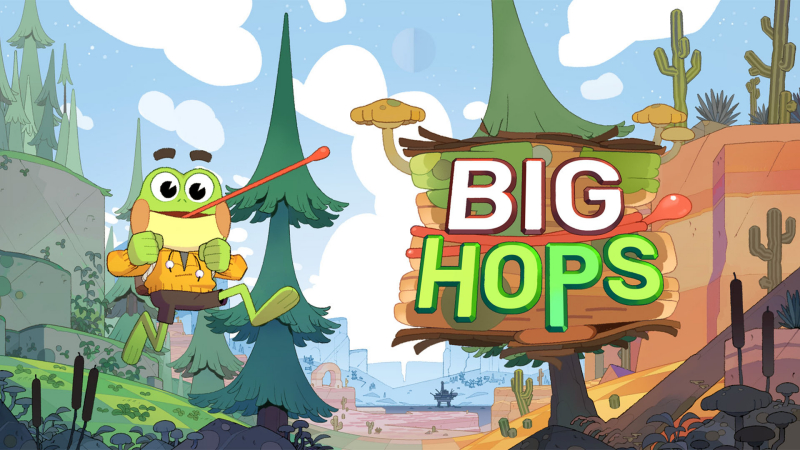
Big Hops (Switch): all the updates (latest: Ver. ???)
On this page, you will find all there is to know about the various updates for Big Hops on Nintendo Switch.
Click here for more games and consoles updates!
Big Hops – Ver. ???
- Release date: April 1st/2nd 2026
- Patch notes:
Cappler’s Conspiracy
- A new conspiracy theorist owl Cappler, with full VO from Chester Rushing
- 21 Photography Jobs to help Cappler prove (or disprove) conspiracy theories
- 17 Filters including Retro, Watercolor, Fisheye, Bug Vision, Naked, and more
- Zoom lenses, so you can take better shots from far away
- Sky Shifter gadget, which lets you change the world around you
- 6 new Trinkets that let you play in 1st person, climb ceilings, throw further, and more
Update
- Adds the ‘Completionist Tablet’ to the Airship to help with finding the last collectibles
- Adds a new settings menu option after beating the game to ‘Hold to Skip Dialogue’ for speedrunners
- Adds ‘Hat Stays On’ Trinket which keeps your hat from falling off when bonking
- Adds ‘Frog’s Eye View’ Trinket which lets you play in first person
- Adds ‘Strong Arm’ Trinket which lets you throw objects farther with more accuracy
- Adds ‘Sticky Hands’ Trinket which lets you climb ceilings
- Adds ‘Coin/Bit Magnet’ Trinket which increases the collect radius of bits and coins by 3x
- Additional notes: none
- Source: Luckshot Games (Steam) / Luckshot Games (Steam)
Big Hops – Ver. 1.0.5
- Release date: March 5th/6th 2026
- Patch notes:
- Fixes semi-common Minecart related crash on fail or death in Treasure Room
- Fixes bug where costume, trinkets, and backpack contents from last save are brought into challenge room levels when accessed from title screen (note, we will be resetting the leaderboards)
- Fixes Piston Launchers in Forest Shrine sometimes not releasing the player after exiting their triggers
- Disallow taking damage during loading
- Rework of how save data is written to make save files much smaller
- Lowers total runtime memory usage by 150mb
- Reduces max memory usage during spikes during scene loads and when saving
- Removes all per frame memory allocations so should see better frame pacing and fewers hitches, especially on lonw end devices
- NavMesh tweak to help Hydro Plant Caterpillar not get stuck under the level
- Fixes floating Otters in Rig Main
- Tweaking some Dark Bit positions to not be intersecting ground
- Adds individual translators to credits
- Fixes placement of bubble spawners in Hydro Plant and Junktown
- Removes broken material fish school in Ocean Island Intro
- Nerfs speed and following of finale projectiles
- Fixes title menu button sizes so centered mouse position doesn’t highlight them
- Fixes Hops placement when loading to Mines Entrance, each Mineshaft, Airship, Duster Bluffs, Desert Canyon, eztc
- Screen fade behaves more consistently during low framerate
- Screen fade will keep consistent fade color instead of sometimes popping
- Fixes rare one-frame popping to random camera view during loads
- Extends distance attenuation for bug sounds
- Fixes lines causing confusion about Junio’s relationship to Jackson
- Adds missing Hop vocalization when using Grapple Barrel
- Adds missing sounds on Boneyard stone movers
- Audio mix changes for music, title UI, challenge room countdown, bonepile footsteps, bug facts, forest ambience
- Better bedbug sounds
- Additional notes: none
- Source: Chris Wade (Bluesky)
Big Hops – Ver. 1.0.3
- Release date: January 27th/28th 2026
- Patch notes:
- Fixes bad performance and crash in Void Finale Remix Rooms
- Fixes most common crash when leaving scenes where fire is propagating
- Fixes horizontal swing poles sometimes ignoring Hop after first use
- Adds buttons in settings menu ‘Save and Quit’, and ‘Help I’m Stuck’
- Improves tunneling through the floor when moving at high speeds (even better fix coming next patch)
- Reduces memory footprint of the game by 300mb everywhere to reduce likelihood of crashes
- Fixes Trinket Trunk soft lock when opening while no Trinkets / Slots remain to be unlocked
- Prevents save loss in rare cases of crashes by saving before scene transitions
- Fix false negatives when throwing Peppers at Tumbleweed
- Peppers no longer fall off trees when caught on fire, preventing infinite Pepper feature
- Reworks all checkpoints and navmesh in Void_OceanToMountain to prevent death loops
- Makes a few Goo Ball segments easier in Sewer Exit
- Places Potato Beetle and Grasshopper somewhere to be found in Mines Entrance and Beach Island, respectively
- Removes unreachable Dark Bits in Void_ForestToDesert and Mineshaft C
- Camera and Mixtape Player now worth zero coins and don’t give health when eaten
- Fixes issue where repeatedly entering Grapple Barrel could turn you invisible
- Hop will detach from Hookshots after 3 seconds to protect against soft locks
- Veggie bushes plucked from the ground will respaw Veggies infinitely
- Fixes Tumbleweed and Rock voxel shapes teleporting you when standing on them and looking away
- Fixes Bug Shop / Veggie Shop heart rewards not giving extra hearts
- Nerfs the difficulty of Wall Run 2 Challenge Room
- Removes some bad respawn spots in Deep Mines, Shattered Forest Intro, Desert Canyon
- Tweaks slingsho distances for Grapple Swings in hidden canyon section of Desert Plains
- Known issues:
- The switch to unlock Slingshots in the Desert may cause a long hang. Wait it out, the game will proceed
- Leaving scenes with minecarts can still cause crashes, but your progress will be saved
- Framerate issues after pausing/unpausing.
- Additional notes: none
- Source: Chris Wade (Bluesky)
Big Hops – Ver. 1.0.2
- Release date: January 14th/15th 2026
- Patch notes:
No patch notes available.
- Additional notes: none
- Source: Chris Wade (Bluesky)
Big Hops – Ver. 1.0.1
- Release date: January 12th 2026
- Patch notes:
No patch notes available.
- Additional notes: none
- Source: game
How to download updates for Big Hops on Nintendo Switch?
To download the updates for Big Hops, you have three options:
- let the console do its thing if you have automatic downloads activated, and didn’t completely turn it off
If not…
- try to launch the game from the Home Menu while being connected to the internet. You should get a prompt when doing so: simply follow the instructions on screen;
OR
- select the game > press either + or – to go to the Options page > select Software update > select Via the Internet.
To check that you have the latest version installed, simply select the game on the Home Menu, and press – or + to go to the Options: the version number is displayed just below the game title.
