
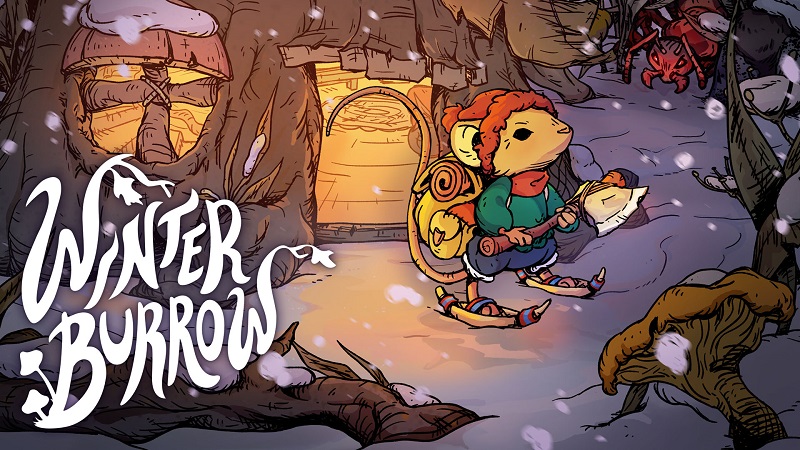
Winter Burrow (Switch): all the updates (latest: Tidy Up)
On this page, you will find all there is to know about the various updates for Winter Burrow on Nintendo Switch.
Click here for more games and consoles updates!
Winter Burrow – Ver. ??? (Tidy Up)
- Release date: ???
- Patch notes:
- Separate Burrow Storages: Each storage item you craft will now represent its own storage space. Now you can sort your stuff into whatever system you like using different chests or wardrobes. This also means that the infinite Burrow Storage is now a limited storage space.
- Increased Backpack Inventory Space: We heard you! ;) The base amount inventory in the backpack has been increased with 4 slots, hopefully saving you from some trips back and forth.
Furniture Gives Benefits: Don’t underestimate the benefits of a nice and comfortable home. Furnishing your burrow will now increase your maximum stats giving you an added benefit. Different types of furniture affects different stats. The better quality the furniture has, the higher the stat bonus increase. More Furnishing Options: Furniture rotates in four directions, so now you can finally see what your wardrobe looks like from behind! But not only that, you can now decorate your burrow with an increased level of possibilities. We’ve also added Layered Furnishing, so you can finally place a rug under your favourite dinner table. - Play Modes: You can now play the game in two different modes. Story Mode is for if you just want to relax and enjoy the story, and Challenge Mode is for when you want the game to pose an even harder challenge. You can swap between them while playing.
Extra Save Slots: With 3 save slots you can now run several game sessions at the same time, allowing your close ones to embark on their own winter adventure without messing around in your extremely well decorated burrow. - Recycle items: We’ve added recycling! A way to dispose of unneeded items, and (if you are lucky) there will even be some materials left that you can use for another purpose.
- Fast travel: If you want to get home quick, then see if you can find one of the secret mole tunnels to use as a shortcut.
- Sleeping Animation: Curl up for some mousy dreams with subtle signs of rest and recovery as this cozy new sleeping animation unfolds around you.
- Bug fixes.
- Small improvements.
- Additional notes: none
- Source: Pine Creek Games (Steam)
Winter Burrow – Ver. ??? (Winter Solstice Update)
- Release date: December 17th/18th 2025
- Patch notes:
What’s New in the Winter Solstice Update
- New Story & Quests – Learn more about Solstice traditions & revisit the forest locals
- Lights & Decorations – For both the inside & outside of your burrow
- New Holiday Clothing – Dress warmly (and stylishly) with new Solstice-themed outfits
- New Holiday Cooking Recipes – New holiday-inspired recipes
- New Furniture Set – 22 new furniture pieces for cozy winter living
- New Map Feature – Based on your feedback, we’ve added a new map feature to help you navigate the Northlands more easily during your journey!
Plus Many Other Fixes & Improvements
This update also includes a large number of quality-of-life improvements and bug fixes, including:
- Fixed ambience issues around certain locations
- Adjusted Aunty’s bag spawn location to prevent it from disappearing
- Fixed multiple item spawning issues
- Updated several art assets
- Fixed NPC voice playback so all voices play correctly
- Furnishing grid adjustments
- Fixed invisible and misplaced colliders across the world
- Doubled burrow storage size
- Fixed burrow weather masking on the upper floor
- Fixed an issue where the mole tunnel could become inactive
- Resolved duplicated items and berry respawn abundance issues
- Many fixes to furniture interactions
- Additional notes: none
- Source: Pine Creek Games (Steam)
How to download updates for Winter Burrow on Nintendo Switch?
To download the updates for Winter Burrow, you have three options:
- let the console do its thing if you have automatic downloads activated, and didn’t completely turn it off
If not…
- try to launch the game from the Home Menu while being connected to the internet. You should get a prompt when doing so: simply follow the instructions on screen;
OR
- select the game > press either + or – to go to the Options page > select Software update > select Via the Internet.
To check that you have the latest version installed, simply select the game on the Home Menu, and press – or + to go to the Options: the version number is displayed just below the game title.
