
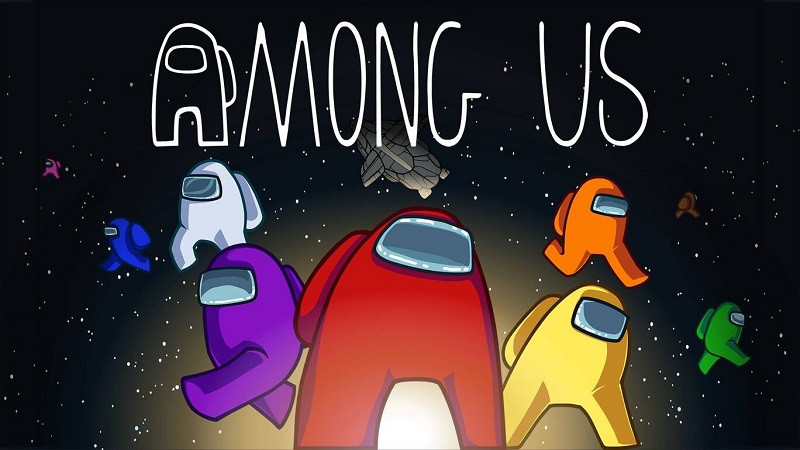
Among Us (Switch): all the updates (latest: Ver. 19.0.0)
On this page, you will find all there is to know about the various updates for Among Us on Nintendo Switch.
Archives: launch to 2025.
Click here for more games and consoles updates!
Among Us – Ver. 19.0.0
- Release date: September 29th/30th 2026
- Patch notes:
Influential Beans
Ah, dang it! An Impostor killed you. If only you could tell someone about who killed you… Gasp. Wait!
Meet the Influencer, the newest Ghost to haunt the crew. Guardian Angels are no longer alone in their ghostly quest to help out living Crewmates! If you meet an unfortunate end, here’s what you need to do:
- Message Ability: Choose up to 3 random images to send to a living Crewmate. Use these images to help them catch an Impostor, warn them when one is around, or clear any suspicions!
- Be careful! The images you pick might get misinterpreted and get another Crewmate ejected instead.
- Refreshes are limited, so give it your best shot to influence the outcome of the next meeting with the pictures you get.
- You can adjust the Influencer’s cooldown via the Settings menu in the Dropship.
- Even though you’ve got more to do as a Ghost – remember to do your tasks!
This new role combined with the efforts of a Judge could spell victory… or a very untimely defeat. You get the picture – or, at least, you will when an Influencer sends you one! Once you get your hands on the role, remember to tell us what you think on social.
Patch Notes
- Duplicate login pop ups: We saw you reports and made some server changes to lower the frequency of these appearing.
- Judge gavel smash SFX: Tweaked slightly! Don’t be alarmed.
- New Redeem Reward button has been added to the My Account menu. We’ll have more to share on this at a later date! Keep your visors peeled.
- Additional notes: none
- Source: Innersloth
Among Us – Ver. 18.0.0
- Release date: August 18th/19th 2026
- Patch notes:
We Listen And We Don’t Judge
We’ve all wanted to have that final say in an Emergency Meeting – especially when you can’t trust anyone’s alibi. Votes aren’t in your favor? Convinced you know who it is? This is the perfect moment for the Judge:
- Use your new Overrule ability to eject a Crewmate of your choice. It doesn’t matter if everyone else skipped voting or chose a different Crewmate.
- Be careful! If you use your Overrule ability on someone who doesn’t turn out to be the Impostor, YOU’RE the one who gets ejected.
- Complete tasks quickly to unlock the ability. Better make sure it’s ready for the next Emergency Meeting!
- You can change the amount of tasks needed to activate the ability in the Role Settings on the Dropship.
- This is a powerful ability, so use it wisely. Overrule can only be used once per game!
- What happens if there’s more than one Judge in a game and they use Overrule at the same time? Good question! In this case, the Judge who used their ability first gets it. All other Judges will be “refunded” and get to use their Overrule in another Emergency Meeting.
Updates
Along with the arrival of the Judge we have a couple quality of life updates for you:
- We added a new Match Info Guide so you can check the players, roles, and settings chosen for the game. Maybe this will help you find the lie in someone’s alibi?
- The Detective’s Interrogate ability now has a cooldown after Emergency Meetings. Giving suspects a little time to escape the super sleuths will add a bit more tension and balance the Detective.
- Additional notes: none
- Source: Innersloth
Among Us – Ver. 17.4.0
- Release date: June 5th/6th 2026
- Patch notes:
Showbiz Cosmicube
Once you’ve watched the show enough to memorize all the lines, why not pop into Among Us and continue all the mischief? The new Showbiz Cosmicube is available right now via the in-game store for 4,000 Beans. Themed after the show, you’ll be able to rock the fits of your favorite character(s). Once you’ve purchased, activate the Cosmicube to start earning pods for:
- Brown’s Apron Skin
- Line Cook Hat
- White’s Polo Skin
- Lime’s Bandana Hat
- Lines of Wisdom Visor
- Lime’s Work Gear Skin
- Blue’s Mirror Hat
- Blue’s Labcoat Skin
- Red’s Captain’s Hat
- Red’s Uniform Skin
- Purple’s Cap
- Purple’s Uniform Skin
- Orange’s Jacket Skin
- Black’s Eyeliner Visor
- Black’s Choker Skin
- Cyan’s Headband
- Cyan’s Tie-dye Skin
- Green’s Cap
- Green’s Hoodie Skin
- Yellow’s Apron Skin
- Trust Ball Pet
- It’s Right Behind You! Nameplate
Fire up a lobby with your friends and recreate scenes from the show with the map decorations placed around The Skeld. Just remember to update to v17.4.0 so you can get the Cosmicube and decorations. And don’t worry, these cosmetics will be in the store FOREVER so you have plenty of time to gather your Beans.
Cosmic Cosmicube
If you thought the first announcement was out of this world, take a gander at our BRAND NEW space themed Cosmic Cosmicube for 70 Stars. Let your Crewmate take a trip in a little rocket ship, or chill with an Alien Space Cat. Just like space, this Cosmicube will go on forever! Once purchased and activated, start earning Pods so you can get:
- Crash Landing Hat
- Feeling Extra Hat
- Get Galactic Nameplate
- Heavy Impact Hat
- Hubble-Bubble Visor
- I’m Seeing Stars Visor
- I’ve Seen Too Much Visor
- In Your Orbit Hat
- It Actually is Rocket Science Hat
- Light Up Your Life Hat
- Nebulous Nameplate
- Put a Ring on it Hat
- Rocket Man Skin
- Solar Advisor Visor
- Space Scream Hat
- Spacecat – Alien Pet
- Spaced Out Visor
- SPF Warning Hat
- Stardusted Hat
- Stargazer Hat
- Take Me to Your Leader Hat
- Taking Off Nameplate
- To Infinity Visor
- UR A STAR Hat
- Waxing On and On Hat
- Additional notes: none
- Source: Innersloth
How to download updates for Among Us on Nintendo Switch?
To download the updates for Among Us, you have three options:
- let the console do its thing if you have automatic downloads activated, and didn’t completely turn it off
If not…
- try to launch the game from the Home Menu while being connected to the internet. You should get a prompt when doing so: simply follow the instructions on screen;
OR
- select the game > press either + or – to go to the Options page > select Software update > select Via the Internet.
To check that you have the latest version installed, simply select the game on the Home Menu, and press – or + to go to the Options: the version number is displayed just below the game title.
