
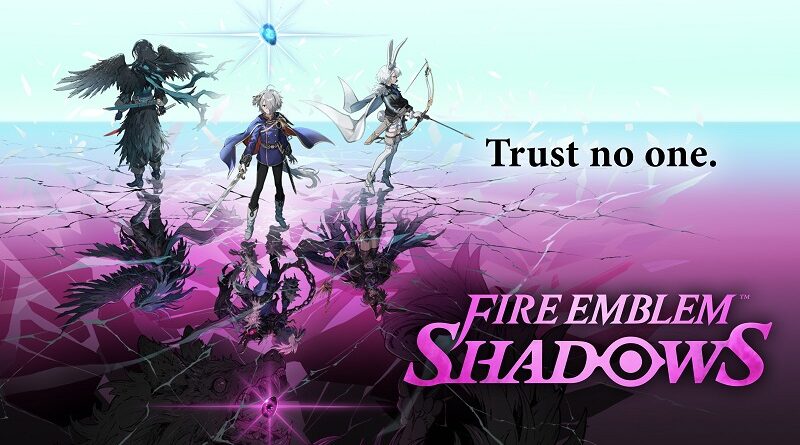
Fire Emblem Shadows (Mobile): all the updates (latest: Ver. 1.6.0)
On this page, you will find all there is to know about the various updates for Fire Emblem Shadows on Mobile.
Click here for more games and consoles updates!
Fire Emblem Shadows – Ver. 1.6.0
- Release date: March 25th/26th 2026
- Platforms: Android / iOS
- File size: 92.33MB (Android)
- Patch notes:
Platinum Treasure added
Starting 27/03/2026 06:00 (UTC), we will give out Platinum Treasure every day.
Platinum Treasure is a special treasure chest that grants better rewards than normal chests.
Collect your Platinum Treasure from the Gift List.
If you’re lucky, in addition to disciple Medals (from 50 to 1,000), you may receive disciple Souls from previous Season Passes.
Log in every day to receive rewards.
▼Rewards available
・Disciple Souls from previous Season Passes
・★8 weapons
・★7 weapons
・50 to 1,000 Disciple Medals
* Rewards appearing in Platinum Treasure are random.
* You have 30 days to claim your Platinum Treasure after it appears in your Gift List.
* Rewards received from Platinum Treasure will not appear in your Gift Log.
Now when you launch the game, a Log-In Bonus calendar log is displayed.
* The calendar displays once a day.
* Multiple Log-In Bonuses may apply simultaneously.
Beginner’s Log-In Bonus Added
We will give away a Beginner’s Log-In Bonus starting 27/03/2026 05:59 (UTC)
The Log-In Bonus will be sent to your Gift List.
Enjoy your gift!
▼Available rewards
Day 1 Gold×10,000
Day 2 Medals×360 for Alberta
Day 3 Medals×360 for Carina
Day 4 Medals×360 for Kurt
Day 5 Medals×360 for Zasha
Day 6 Medals×360 for Rose
Day 7 Medals×360 for Skoll
* Also applicable to players already using the app before 27/03/2026 05:59 (UTC)
Dark Tetrashield Adjustment
The cooldown time of Edelgard’s Other Magic Skill, Dark Tetrashield, has been adjusted from 5 seconds to 1.
▼Before Adjustment
Dark Tetrashield
Effect: Grant “take 30% less weapon damage” (permament).
Area: Targets in a 2×2 area.
Cooldown time: 5 seconds.
▼After Adjustment
Dark Tetrashield
Effect: Grant “take 30% less weapon damage” (permament).
Area: Targets in a 2×2 area.
Cooldown time: 1 second.
* Magic skill effects are at level 1.
Improvements to visuals during battle
・Adjusted visuals for players who guessed correctly on the voting results screen.
Also adjusted visuals when you gain lives (♡).
Other minor changes and bug fixes
・Adjusted the appearance rate of weapon skills from chests.
・Adjusted magic selection for the Display Magic Assist function.
・Some improvements have been made to graphics and sound.
・Several issues were fixed to improve the gameplay experience.
New map added
New labyrinth map, Academy, added.
The Sun Room and Moon Room maps will be randomly selected for each battle, with the labyrinth changing weekly.
Please check the weekly “This week’s treasure and labyrinth maps!” for map details.
Season Pass Update
The new Season Pass, Hidden Mask, will begin from 27/03/2026 05:59 (UTC).
This Season Pass will allow you to unlock a new disciple, Yunaka: Hidden Mask.
- Additional notes: none
- Source: official website
Fire Emblem Shadows – Ver. 1.5.0
- Release date: February 24th/25th 2026
- Platforms: Android / iOS
- File size: 88.90MB (Android)
- Patch notes:
Battle Replay feature
A Replay feature has been added, allowing you to look back on battles.
After a battle is over, tap the Replay button in the upper left corner of the results screen to view a recording of the most recent battle.
Once playback is finished, you will return to the results screen again.
▲ Left: Fast forward button Right: Skip button
▶▶ button: Allows you to fast forward. Tap it again to return to normal speed.
Skip button: Ends the video and returns you to the results screen.
You can watch the replay recording as many times as you like until you leave the results screen.
Looking back on your battles can give you the information you need for future battles!
* Please note that once you leave the results screen, you will no longer be able view a replay of that battle.
UI improvements
・The visuals have been adjusted to make it easier to know which side you are on before the battle starts.
・Adjusted how the Daily Challenges panel is displayed on the home screen.
・Scroll bars have been added to some parts of the Bazaar.
(iOS) Game Center support
・When you start the game, you will now sign in to Game Center.
Other minor changes and bug fixes
・Your selected sorting method in the disciple list will now be saved.
・Some improvements have been made to graphics and sound.
・Several issues were fixed to improve the gameplay experience.
Season Pass update
The new Season Pass, Sky Lance, will begin 02/25/2026 10:00 p.m. (PT).
This Season Pass will allow you to unlock a new disciple, Ephraim: Sky Lance.
- Additional notes: none
- Source: official website
Fire Emblem Shadows – Ver. 1.4.0
- Release date: January 25th/26th 2026
- Platforms: Android / iOS
- File size: 90.56MB (Android)
- Patch notes:
New sort functions added to the Disciple List
You are now able to sort disciples by Light Rating and Shadow Rating in ascending and descending order for the selected side in the list of disciples.
Added settings for displaying magic assist during battle
Display Magic Assist, which encourages players to use magic during battle, can now be switched ON or OFF in Settings.
You can change this by going to Settings, then Battle.
* This setting defaults to OFF.
Improvements to the UI and presentation in battle
・A message will now be shown when network communication is delayed during battle.
・If a dead disciple will be revived in the next phase, a heart icon animation will now appear to the right of the phase bar and near the disciple’s HP bar.
Other UI and presentation improvements
・A level-up icon will now appear in the top right corner of the disciple’s level on the home screen. This icon will only appear when you have all materials required to level up.
・Added an animation showing the disciple is happy to be leveling up.
・Added a visual effect to the battle result screen when your rank increases.
・On the Disciples screen, the scroll position is now maintained even when the screen is switched. *This will be reset when the app is restarted.
・On the Change Weapon screen, the selected weapon and scroll position for each disciple will now be maintained even if the screen is switched. *This will be reset when the app is restarted.
Other minor changes and bug fixes
・Several bugs have been fixed to make gameplay more enjoyable.
・Some graphics and sound settings have been improved.
Season Pass update
The new Season Pass, Hegemon, will begin 27/01/2026 06:00 (UTC).
In this new Season Pass, you’ll be able to unlock the new disciple, Edelgard: Hegemon.
- Additional notes: none
- Source: official website
Fire Emblem Shadows – Ver. 1.3.1
- Release date: January 7th/8th 2026
- Platforms: Android / iOS
- File size: 72.26MB (Android)
- Patch notes:
-
This update includes fixes to ensure that the next data update occurs without delay.
- Additional notes: none
- Source: official website
Fire Emblem Shadows – Ver. 1.3.0
- Release date: December 25th/26th 2025
- Platforms: Android / iOS
- File size: 128MB (Android)
- Patch notes:
Sort function added to List of Disciples
You are now able to sort disciples by rating points under List of Disciples.
Tapping the pull-down menu at the top of your screen will let choose to sort by: Default, Light Rating, Shadow Rating.
Light Rating and Shadow Rating sorts disciples by the highest rating of the selected side. The disciple’s icon will also display their current rating.
Improvements to the UI and presentation in battle
・ The battle gauge now has a seconds scale.
・ The effect that warns of shadow magic being cast has been improved to make it easier to understand its activation timing.
Duplicate warning on weapon skill infusing screen
A warning will now appear when you attempt to infuse the same weapon skill.
Other minor changes and bug fixes
・ Challenges now appear in their own display on the home screen.
・ Tips are now displayed during matching.
・ Improved the visibility of item icons and numbers that appear in treasure chest rewards after battle.
・ When you select “Battle Again” from the battle result screen, you’ll now hear the deployment voice of the disciples you are using.
・ Changes have been made to make the game more enjoyable.
・ Some graphics and sounds have been improved.
Season Pass update
A new season pass, Radiant Merc, will begin 12/27/2025 06:00 (UTC).
This Season Pass will allow you to unlock a new disciple, Ike: Radiant Merc.
- Additional notes: none
- Source: official website
Fire Emblem Shadows – Ver. 1.2.0
- Release date: November 24th/25th 2025
- Platforms: Android / iOS
- File size: 112MB (Android)
- Patch notes:
Scrap Multiple function added
You can now Scrap Multiple weapons at the Bazaar.
Using this function, up to 10 items from your inventory will be scrapped at once, starting with the oldest items.
When using Scrap Multiple, you can select ★3 or ★5 weapons.
Weapons meeting the following criteria cannot be scrapped, however.
▼ Criteria preventing a weapon from being scrapped
・ The weapon is currently equipped by someone
・ The weapon has been infused with a weapon skill other than a weapon-specific skill
・ The weapon is currently listed at the Bazaar
Follow these instructions to use the Scrap Multiple function.
1. Select Bazaar > Sell
2. Select the + symbol in Sell an Item
3. Select Sell > Weapons > Scrap Multiple
4. Select ★3 or ★5 from the pop-up menu to scrap weapons
* Be aware that items are scrapped immediately once you make your selection.
Individual items cannot be selected using Scrap Multiple.
To scrap a specific weapon, select Scrap from the Weapon Details screen of a weapon as usual.
Note that the addition of this feature does not include changes to the upper limit of Gold that can be earned in a single day from scrapping items.
Copy magic skill loadout function added
We have added the ability to copy a disciple’s magic skill loadout to another disciple.
Two buttons have been added to the Change Magic screen.
Select a disciple whose loadout you’d like to copy, then tap the above button to paste it to another disciple.
Both Sun Room and Moon Room magic will be copied at once.
After a magic skill loadout has been copied, tap the above button to paste the copied loadout.
The magic skill loadout will be pasted only to the side (light or shadow) shown on the Change Magic screen.
To copy both the light and shadow loadouts, please copy from each form’s respective Change Magic screen.
* The disciple’s exclusive magic skills will not be changed.
* If a magic skill that cannot be equipped is pasted, that magic skill will be replaced with Minor Impact.
UI improvements
A mark will now appear showing the current battle room
A mark indicating which room you are battling in will now appear in the upper left corner of the battle screen.
Addition of a scroll bar
A scroll bar will now be displayed on part of the screen.
Other minor changes and bug fixes
・Several bugs have been fixed to make gameplay more enjoyable.
・Some graphics and sound settings have been improved.
・Challenges requiring you to fight using certain disciples will no longer appear in the Weekly Challenges of the Season Pass.
Season Pass update
The new Season Pass, Reticent One, will begin 11/26/2025 06:00 (UTC).
In this new Season Pass, you’ll be able to unlock the new disciple, Veronica: Reticent One.
- Additional notes: none
- Source: official website
Fire Emblem Shadows – Ver. 1.1.2
- Release date: November 12th/13th 2025
- Platforms: Android / iOS
- File size: 63.82MB (Android)
- Patch notes:
- The following issue has been fixed in Ver. 1.1.2.
- Attempting to force update to the latest version from within the game would cause the app to become unable to launch.
- Additional notes: none
- Source: official website
Fire Emblem Shadows – Ver. 1.1.1
- Release date: October 30th/31st 2025
- Platforms: Android / iOS
- File size: 72.50MB (Android)
- Patch notes:
- The “Graphic Setting” issue has been resolved in ver 1.1.1.
- Previously, when setting the image quality level under “Settings”>”Graphic Settings”, the specified quality level would not take effect. Instead, the game would render at a significantly higher quality than specified, which increased processing load in the game.
- Additional notes: none
- Source: official website
Fire Emblem Shadows – Ver. 1.1.0
- Release date: October 26th/27th 2025
- Platforms: Android / iOS
- File size: 85MB (Android)
- Patch notes:
Added a push notification function for the Bazaar
You may now receive push notifications when items listed at the Bazaar sell.
Collect your Gold and list newer items.
You can adjust settings by going to the menu using the button at the top-right of the home screen > Settings > Notifications.
If you do not receive notifications after turning this setting ON, please check the notification settings of your device.
If notifications for your device are ON, the setting will default to receive notifications.
Added a Rapport bonus
When battling with Either Side selected, and at Rank 19 or higher, a Rapport bonus will now be added to your earnings.
When the rating you earn is positive, an extra 20% will be given as an additional bonus.
Daily challenges are now shown on the Home screen
Daily challenges that have not been completed can now be seen above the Battle button on the Home screen.
This display will disappear once you clear all of the daily challenges.
Fixed behavior when using some magic skills
“Rapid Heal Pull” and “Heal Pull” have been fixed so that the icons of the disciples using skills are displayed when the skills are used.
UI improvements
UI improvements on the weapon details screen
To make it easier to check whether weapon skills have been infused, the displays of “HP/Attack” and “Weapon Skills” in the weapon selection part of the “Change Weapon” screen have been switched vertically.
The graphic for empty slots has also been improved.
Added a scroll bar to the magic skill explanatory text
A scroll bar now appears when the explanatory text for a magic skill does not fit in the frame.
▼ Affected areas
・ Magic skill description area at the upper right of the battle screen
・ Description area on the Magic screen
・ Magic skill description area on the level-up screen
Improved the visibility of the ∞ mark
The visibility of the ∞ mark appearing in some magic icons has been improved on the Magic screen.
Added graphics quality settings
Game graphics can now be set for higher or lower quality.
You can toggle between “Higher Quality”, “Recommended”, and “Lower Quality” from the menu button at the upper right of the home screen > Settings > Graphic Settings.
Other minor changes and bug fixes
Several issues were fixed to improve the gameplay experience.
Some improvements have been made to graphics and sound.
Season Pass update
A new Season Pass, Fate Dragon, will begin 10/28/2025 03:00 (UTC).
This Season Pass will allow you to unlock a new disciple, Corrin: Fate Dragon.
- Additional notes: none
- Source: official website
Fire Emblem Shadows – Ver. 1.0.1
- Release date: September 24th/25th 2025
- Platforms: Android / iOS
- File size: N/A
- Patch notes:
No patch notes available. This is the launch version of the game.
- Additional notes: none
- Source: game
How to update Fire Emblem Shadows on Android and iOS?
To download updates for Kao Mario on smart devices, you have two options:
- tap on the notification that should appear on your phone;
- go to the App Store / Google Play Store, and more precisely to the “My Apps & Games” section > Installed tab (Play Store, Android) or the Updates tab (AppStore, iOS).
To check that you have the latest version installed, simply launch the game. You should see the version number on the title screen.
