
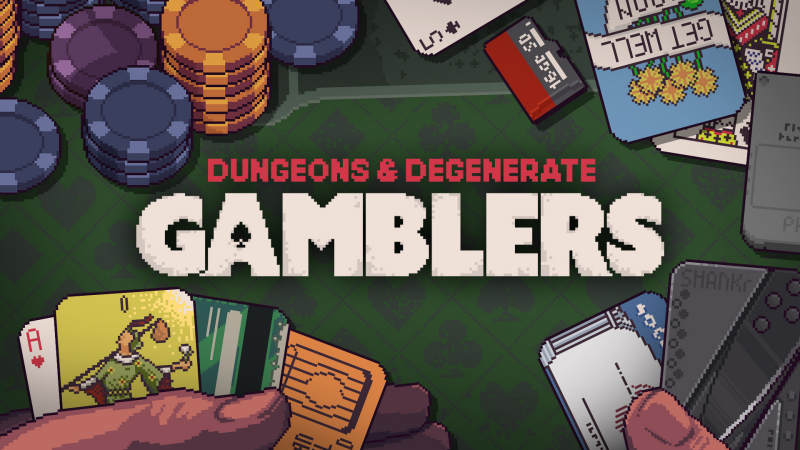
Dungeons & Degenerate Gamblers (Switch): all the updates (latest: Ver. 2.0.7)
On this page, you will find all there is to know about the various updates for Dungeons & Degenerate Gamblers on Nintendo Switch.
Click here for more games and consoles updates!
Dungeons & Degenerate Gamblers – Ver. 2.0.7
- Release date: October 8th 2026
- Patch notes:
Card Changes:
-
When a Glitched Card that has already copied another card is played from hand, it will now copy a different card instead of activating the “On play” effect of the previously copied card
-
If a foe discards the player’s Baseball Card, reflect the changes in the player’s permanent deck. if the Baseball Card is reduced to 0 while in the foe’s possession, the player retains a 0 value Baseball Card at the end of the encounter
-
Suit Yourself now requires you to change the suit (cannot pick the current suit any more)
Lucky Charm Changes:
-
Changed Lucky Socks to trigger at end of stand so that it works better with Bamboo and cards that round up
-
this also tweaks Golden Horseshoe so that it always triggers after Lucky Socks (but still triggers before Dark Medal!) regardless of pickup order
-
-
Changed Taijitu trigger ordering to complete each suit for both players before starting the next suit (previously completed all suits for one player, then all suits for the next player)
-
this fixes a bug where if the player defeated a foe via Taijitu, they would not receive any chips from diamonds in the foe’s blackjack
-
Foe balance changes:
CEO:
-
Adds Insurance Card
-
HP 65 -> 70
Pachinko Improvements:
Several changes to the Pachinko event to help balance it:
-
Rearranged the pin layout on the Pachinko Machine
-
Added a “shake” button to the Pachinko Machine which slightly affects the ball (protects against rare cases of a ball getting stuck on tulip arms)
-
Added a tiny amount of randomness to ball launch strength
-
Raised the minimum launch strength to allow for more precision with the launch lever
-
Increased the value of your limbs
Other Improvements:
-
Improved controller navigation for Lucky Charms and when in Collection
-
Improved Unique Chip layout in Collection
-
Reset Glitched Card art to its default right before playing to prevent the brief visual flash of the card it was previously glitched as
-
The value of a card will now change colour when it is not the normal value for this card
-
Spacing change to solve cases where a small card like SD Card or Rain Man could be hidden under another card in Runaway Cart
Bug fixes:
-
Fixed a longstanding bug where the game window could get stuck in the bottom right corner of the screen when launching in fullscreen mode if the game window lost focus during launch
-
Fixed a bug where restarting a run with Birthday Deck would not give you 2 starting candles
-
Fixed a bug in Pachinko where Lose Your Identity was possible to not heal you to full if you had more than 99 missing HP
-
Fixed a bug in Pachinko where Lose Your Limb would heal you to full if you had more than 10 missing HP
-
Fixed a bug where the Dungeon Counterfeiter cost would not increase correctly after the 2nd copy made
-
Fixed a bug where if a Gift Card was rolled in Shop: Slot Machine then the tooltip for the next card in that same slot would still sometimes include the card description for the card Gift Card would give
-
Fixed a bug where XX Judgment could fail to trigger if it was played during the burn animation of a card
-
Fixed a bug where ID cards in the credits had incorrect overlaps
- Additional notes: this is the launch version of the game.
- Source: Purple Moss Collectors (Steam)
How to download updates for Dungeons & Degenerate Gamblers on Nintendo Switch?
To download the updates for Dungeons & Degenerate Gamblers, you have three options:
- let the console do its thing if you have automatic downloads activated, and didn’t completely turn it off
If not…
- try to launch the game from the Home Menu while being connected to the internet. You should get a prompt when doing so: simply follow the instructions on screen;
OR
- select the game > press either + or – to go to the Options page > select Software update > select Via the Internet.
To check that you have the latest version installed, simply select the game on the Home Menu, and press – or + to go to the Options: the version number is displayed just below the game title.
