
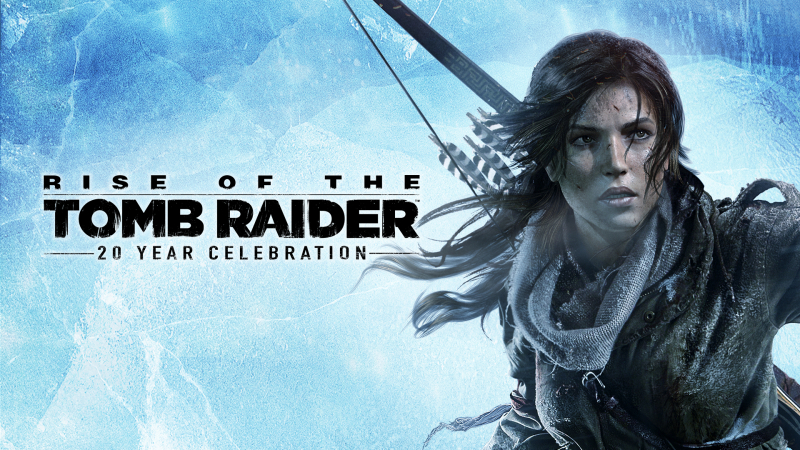
Rise of the Tomb Raider: 20 Year Celebration (Switch 2): all the updates
On this page, you will find all there is to know about the various updates for Rise of the Tomb Raider: 20 Year Celebration on Nintendo Switch 2.
Click here for more games and consoles updates!
Rise of the Tomb Raider: 20 Year Celebration – Ver. ???
- Release date: July 16th/17th 2026
- Patch notes:
Stability & Performance
General Performance
- Siberian Wilderness: Fixed frame rates to drops when returning to the Siberian Wilderness after completing the main story.
- Geothermal Valley:
- Fixed a frame rate drop when re-entering the cabin in the western part of the Village.
- Fixed performance drops when traversing the Baths of Kitezh.
- Fixed performance dip when transitioning back to the Geothermal Valley from the North Acropolis.
- Expeditions & Remnant Resistance: Fixed performance drops on the Village map.
- Fast Travel: Resolved framerate drops occurring after fast traveling from Whirlpool Sanctuary to Riverside Landing.
Cinematics & Sequences
- Fixed a frame rate drop during the new gun cinematic sequence.
- Fixed a performance drop at the end of the cutscene in the Siberian Wilderness.
- Fixed a bug causing the cutscene following the “Return to Camp and Build a Fire” objective.
- Resolved visibility lag during the mud tunnel slide sequence in the Flooded Archives.
- Fixed a stutter at the beginning of the cutscene during the “Find Your Way Up the Mountains to the Observatory” objective.
- Corrected two performance drops during the cutscene in The Acropolis mission.
Stability & Crashes
- Multiplayer Endurance: Fixed a client-side crash that occurred when pressing the “Ready” button before the game cards fully finished loading.
- UI Transitions: Fixed game lag when launching any Expedition mode.
Gameplay, Combat & Exploits
- Holy Fire Card (Expeditions): Fixed a bug where stealth-eliminating an opponent while the Holy Fire Card was equipped resulted in nearby enemies being unaffected by the fire ignition damage.
- XP Reward Exploit: Resolved an exploit in the Soviet Installation.
- Endurance Outfit Cards: Fixed an issue where equipping some cards caused the Revolver and Pump-Action Shotgun to appear in the Basecamp menu before they were officially granted.
Visuals & Animations
Culling & Asset Visibility
- Baba Yaga DLC: Fixed ropes on environmental beams culling out of view.
- The Acropolis: Fixed cabbages floating in the air.
- Research Base: Fixed a missing asset issue.
- Soviet Hub: Resolved an issue causing wall textures to intermittently disappear.
- Crafting & Gear: Fixed a visual glitch where Lara’s satchel would disappear.
- Geothermal Valley: Fixed an asset rendering issue where a barricade was only visible from one side.
- Copper Mill: Fixed a bug where a white canister was invisible.
- Prophet’s Tomb: Fixed a texture rendering issue where water in the lower parts of the tomb became completely invisible.
Environmental Glitches
- Geothermal Valley Hub: Fixed an issue where a ruined building would flicker between visible and invisible states.
- Flooded Archives: Corrected a cloth mesh clipping issue where fabric textures passed directly through wooden structures.
- Siberian Wilderness: Fixed a bug where reloading a checkpoint during the “Explore the Forest for Signs of the Lost City” objective would cause the light flare to permanently illuminate.
- Croft Manor: Fixed Level of Detail (LoD) issues on the office pinboard.
Lighting, Textures & Characters
- Fixed texture glitches and flickering on Lara’s face when wearing the Classic Angel of Darkness outfit.
- Fixed a low-quality hair rendering artifact.
- Fixed shadow flickering artifacts on Sophia.
- Fixed a lighting glitch on Konstantin’s face.
- Soviet Installation: Fixed an issue where render artifacts were visible across exit doors, furniture clothes, and paintings.
- Resolved a Day/Night bug.
NPC Animations
- The Lost City: Fixed a bug during the Kitezh Hub: Ascension sequence.
- Soviet Installation: Resolved an issue where Trinity Soldiers would get stuck in a looping A-pose.
- Fixed a tundra wolf NPC animation loop glitch.
UI, UX & Controls
- Inventory Display: Fixed a bug where the Armor-Piercing Arrows Gear failed to appear.
- N-Mouse Control Scheme:
- Fixed a game freeze associated with the right Joy-Con controller.
- Fixed a bug where camera sensitivity and speed fluctuated.
- Fixed an issue in the Blood Ties DLC where the mouse cursor failed to disappear.
- Camera Mechanics: Fixed an issue with the “Auto-Center Camera” toggle.
- Subtitles: Fixed an error where subtitles were duplicated on screen.
- Loading Screen UI: Fixed an issue with card shuffling in the Cold Darkness game mode.
Tombs, Quests & Exploration
- Flooded Archive Softlock: Resolved a softlock that occurred if a player reloaded their save from a specific checkpoint.
- Out of Bounds Fixes:
- Resolved an exploit in the Catacomb of Sacred Waters Challenge Tomb.
- Fixed missing collision layers on a damaged wall.
- Resolved an out-of-bounds camera clipping issue.
- House of the Afflicted Tomb: Restored the proper proximity UI pop-ups and map tracker icons.
- “A Hearty Meal” Optional Mission:
- Fixed the green objective beacon placement.
- Fixed a math calculation bug that added an incorrect extra unit to the objective progress bar.
- Leader’s Tomb (Chapter Replay Elite):
- Fixed an audio-visual bug.
- Dismantled an invisible wall obstacle that blocked players from advancing.
Engine & Tool Upgrades
- Shadow Overrides: Added a per-level toggle feature to quickly enable or disable custom shadow parameter overrides.
- Gyro Initialization: Upgraded Gyroscope system parameters.
- Vibration Motor Initialization: Improved the underlying code initialization structures for device vibration modules.
- Targeted Level Optimization Passes: Concluded massive optimization passes focused heavily on improving frame rates, reducing memory leaks, and cleaning up visual assets across major areas including:
- Kitezh Hub
- Baba Yaga DLC maps
- Gulag Rescue maps
- Additional notes: none
- Source: Aspyr
How to download updates for Rise of the Tomb Raider: 20 Year Celebration on Nintendo Switch 2?
To download the updates for Rise of the Tomb Raider: 20 Year Celebration, you have three options:
- let the console do its thing if you have automatic downloads activated, and didn’t completely turn it off
If not…
- try to launch the game from the Home Menu while being connected to the internet. You should get a prompt when doing so: simply follow the instructions on screen;
OR
- select the game > press either + or – to go to the Options page > select Software update > select Via the Internet.
To check that you have the latest version installed, simply select the game on the Home Menu, and press – or + to go to the Options: the version number is displayed just below the game title.
