
BALL x PIT (Switch, Switch 2): all the updates (latest: Ver. ??? / Next: Regal Update)
On this page, you will find all there is to know about the various updates for BALL x PIT on Nintendo Switch and Nintendo Switch 2.
Click here for more games and consoles updates!
BALL x PIT – Ver. ??? (Naturalist Update)
- Release date: July 2026
- Patch notes:
No patch notes available yet. This update brings the following to the game:
- NEW BALLS
- NEW EVOLUTIONS
- NEW BUILDINGS
- NEW CHARACTERS
- AND MORE
- Additional notes: none
- Source: Devolver Digital PR (02/12/2025)
BALL x PIT – Ver. ??? (Shadow Update)
- Release date: April 2026
- Patch notes:
No patch notes available yet. This update brings the following to the game:
- NEW BALLS
- NEW EVOLUTIONS
- NEW BUILDINGS
- NEW CHARACTERS
- AND MORE
- Additional notes: none
- Source: Devolver Digital PR (02/12/2025)
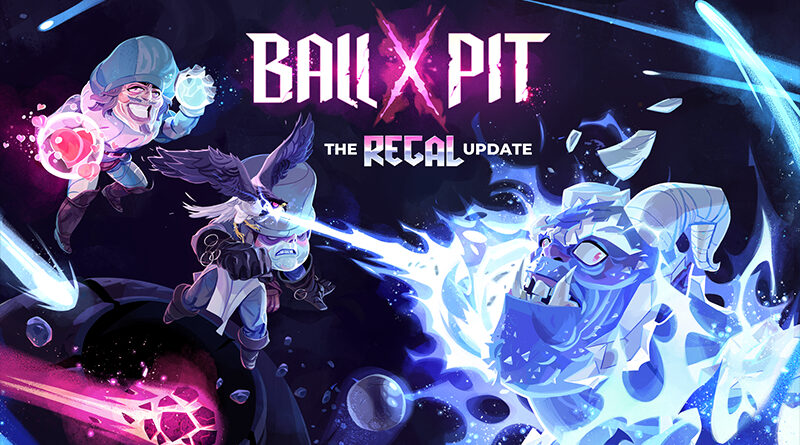
BALL x PIT – Ver. ??? (Regal Update)
- Release date: January 26th/27th 2026
- Patch notes:
NEW x CHARACTERS
You can now play as the Falconer, a new character who fires off two balls launched by a pair of birds flanking the screen, giving their attacks a wide, swooping spread. Or take on the role of the Carouser, a medieval royal troublemaker who can twist ball trajectories with a personal gravity field, pulling shots off their usual paths.
NEW x BALLS
A selection of eight powerful new balls includes Fireworks, which burst outward in bright, unpredictable patterns, scattering damage in every direction; the Stone Ball, which hits like a truck on impact but slowly crumbles as it keeps bouncing; and the Landslide, which triggers a cascading wave of debris in front of the first impact point and deals damage that lasts for a few seconds to surrounding enemies.
NEW x PASSIVES
Three new passives have been added to the game – Deadeye’s Impaler cranks up your critical hit chance, and when those crits hit, enemies that are not the boss do not get back up. Well, that’s because they instantly kill. Grotesque Artillery pulls from your own gear, firing off a random ball from your equipped lineup every time it triggers. Iron Onesie rewards chaos, boosting the damage of special balls based on how many baby balls are bouncing around the field.
NEW x MODE
You spoke, and we listened! The long-requested Endless Mode is now available! Each level can now be pushed as far as you can handle, continuing indefinitely as long as you manage to stay alive once finishing the boss in that area and agree to continue deeper into the pit.
HOW TO UNLOCK NEW CONTENT
The new content will unlock as you progress in the game. If you’ve already beaten it, everything should already be unlocked (except for blueprints, which you’ll need to find in levels).
NEW x LANGUAGES
Also, we’re happy to share that the Regal Update is introducing new languages, including: Spanish (Latin America), Polish, Italian, Thai, Turkish, and Ukrainian.
- Additional notes: none
- Source: Kenny Sun (Steam)
BALL x PIT – Ver. ???
- Release date: ???
- Patch notes:
All platforms:
- Update encyclopedia to use full-color icons
- Fix possible soft lock when beating level with one of your final characters that hasn’t beaten it yet
- Retry no longer causes resources gained in previous run to be lost
- Improved market rates, rates return to normal faster
- Fixed bug where Casino wasn’t reducing re-roll cost
- Harvest aim line no longer starts from the far right side of the character
- Gatherer’s hut worker can no longer infinitely gather if you unassign them while they are out
- Speeding up harvests no longer leads to less resources gathered than normal speed
- Stone soldiers can no longer sometimes get stuck if they engage a miniboss that is attacking you
- Fixed invalid message that shows when you try to matchmake the Warrior with the False Messiah
- Wretched Onion damage now scales by AOE Damage multiplier
- Fixed bug where Dragon Prince’s attack could longer persist in other levels
- Housing built with gatherer’s hut now unlocks characters properly
- Fixed bug where final blueprint in the Liminal x Desert couldn’t be unlocked until you completed the Gory x Grasslands
- Radical now automatically chooses to revive if you have the Necromancer
- Allies or charmed enemies no longer cause final boss to not enter properly
- Balls with cooldowns (dark, black hole) now have cooldown with Cohabitants
- Radiation beam aoe damage is now tracked in game over stats screen
- No longer soft lock when you try to change gatherer’s hut aim while worker is already out
- Fix bug where cursor would appear stuck on screen with the Physicist
- AOE effects now apply lightning rod when combo-ed
- Woodpecker / stonepiercer bonuses now pierce dense resource tiles
- Radical and Cogitator can no longer fuse ball with itself
- You can no longer hurt yeti queen while it’s underground
- Buildings can no longer be placed outside of base bounds
- If character doesn’t have as many harvest upgrades as it should the next level up will give you one
- Fixed bug where characters wouldn’t gain harvest upgrades if they were brought in as the second character
- Multiselect tutorial will stop showing up eventually if it is ignored long enough
- War room characters no longer disappear from character select list
- Clearing field with tactician no longer advances units while on level up screen
- Limited how far apart cohabitants can be from each other
- Opening the context menu within the base and attempting to expand the building area simultaneously no longer leads to navigation issues
- Trying to multiselect during multi-dismantle no longer causes soft lock
- War Room’s run reward is no longer lost when assigned character is changed
- In New Game+ Characters can no longer only go on War Room runs for layers they completed on regular
- Structures – The Heavenly Trophy is no longer displayed as fully built while under construction
- The amount of gold gathered from multiple Gold Mines now resembles the number shown in the summary screen
- Passive selection screen at the start of a run no longer sometimes only displays 2 of them
- The disease status from the Virus no longer passes on friendly tiles
- The kill count in the run summary is now consistent with the Encyclopedia statistics
- Cohabitants – balls that spawn other balls can now be fired before all spawned balls have returned
- Remember previous NG+ page when re-entering level select
- Multi-upgrade no longer highlights buildings when you exit rearrange mode during animations
- Zombie can no longer spawn when killed enemy is bottom of stack
- Sandwalker no longer jitters when attacking
- Sandwalker no longer moves when frozen
- Physicist x Cohabitants balls no longer speed up too fast
- Char select no longer scrolls to previous selection on initial entry
- Fungal x Forest level no longer provides more XP than Gory x Grasslands
- Various typo fixes.
Consoles Only:
- CRT Effect can now be disabled
- Rearranging from normal base state no longer causes building to start off placed incorrectly
Nintendo Switch 1 + 2 only:
- Removed white pixel from bottom left corner of screen
All platforms EXCEPT Xbox:
- Pressing up or down directional button now moves the playable character
- Additional notes: none
- Source: Kenny Sun (Reddit)
BALL x PIT – Ver. ???
- Release date: October 28th/29th 2025
- Patch notes:
Free Nintendo Switch 2 Upgrade (available for free via the Nintendo eShop if you already own the Nintendo Switch version)
- enhanced resolution
- improved framerate
- Additional notes: none
- Source: official Bluesky account
How to download updates for BALL x PIT on Nintendo Switch?
To download the updates for BALL x PIT, you have three options:
- let the console do its thing if you have automatic downloads activated, and didn’t completely turn it off
If not…
- try to launch the game from the Home Menu while being connected to the internet. You should get a prompt when doing so: simply follow the instructions on screen;
OR
- select the game > press either + or – to go to the Options page > select Software update > select Via the Internet.
To check that you have the latest version installed, simply select the game on the Home Menu, and press – or + to go to the Options: the version number is displayed just below the game title.
